
Running successful Amazon PPC campaigns requires more than setting daily budgets, increasing bids, or generating more sales. As competition increases and cost-per-click (CPC) fluctuates, sellers need a strategic approach to advertising that balances sales growth, cost control, and profitability.
Advanced Amazon PPC budget allocation focuses on directing advertising spend toward campaigns, keywords, products, and customer search terms that deliver the strongest business results. Instead of spending more to generate more revenue, the goal is to reduce wasted ad spend, improve advertising efficiency, and maximize the value of every advertising dollar.
Many Amazon sellers struggle with rising advertising costs, inconsistent sales, and high Advertising Cost of Sales (ACoS) or Total Advertising Cost of Sales (TACoS). These challenges often arise when budgets are distributed without considering product margins, campaign performance, conversion rates, inventory availability, and overall business objectives.
In this guide, we will explore how to optimize Amazon PPC budget allocation, calculate break-even ACoS, improve bidding strategies, reduce wasted ad spend, and scale campaigns using data-driven decisions.
Understand Product Profitability Before Allocating Your Amazon PPC Budget
Before increasing or reducing advertising budgets, understand how much profit each product generates. High sales volume does not necessarily mean high profitability if product costs, Amazon fees, fulfillment expenses, and advertising costs consume most of the revenue.
Start by calculating your contribution margin before advertising.
Contribution Margin Before Ads = Selling Price − Product Cost − Amazon Fees − Fulfillment Costs − Other Variable Costs
Include relevant expenses such as manufacturing or sourcing, shipping, storage, discounts, coupons, and other variable operating costs.
For example, suppose a product sells for $50, and its variable costs total $30. Its contribution margin before advertising is $20, or 40% of the selling price.
If advertising costs consume $15 of that contribution, only $5 remains before accounting for any additional costs not already included.
This calculation helps determine how much you can reasonably invest in advertising without sacrificing profitability.
Calculate Your Break-Even ACoS
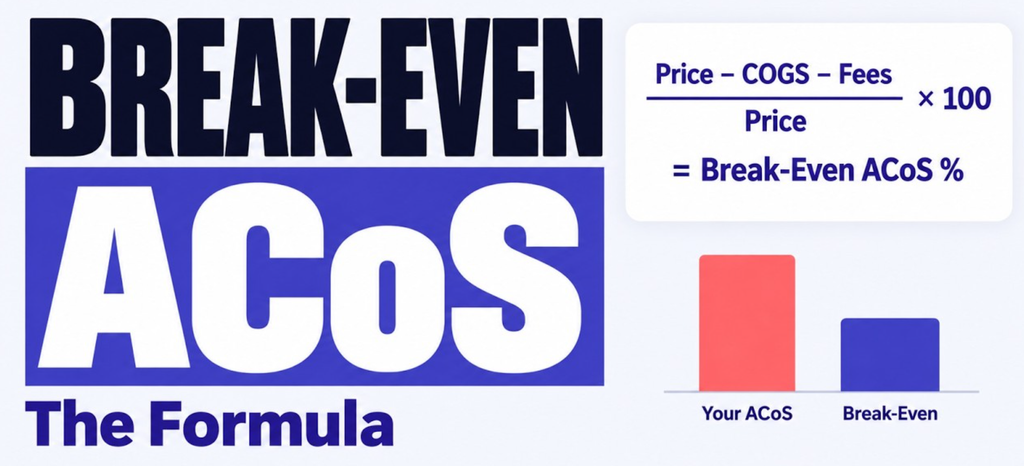
COGS stands for Cost of Goods Sold
Break-even ACoS is the advertising cost percentage at which advertising spend consumes the contribution available before advertising expenses.
Break-Even ACoS = Contribution Margin Before Ads ÷ Selling Price × 100
Using the example above:
- Selling price: $50
- Contribution margin before ads: $20
- Break-even ACoS: 40%
At a 25% ACoS, advertising consumes $12.50 per $50 in attributed sales, leaving $7.50 in contribution after advertising. At a 45% ACoS, advertising consumes $22.50, exceeding the $20 contribution margin.
These calculations assume the margin includes all relevant variable costs and that the attributed sales are incremental for the analysis. Actual profitability may vary because of organic sales, attribution rules, returns, promotions, and other expenses.
Your target ACoS should generally remain below break-even when the goal is to generate a positive contribution from advertising-attributed sales. For product launches or growth initiatives, a higher ACoS may be acceptable for a defined period if the additional investment supports a clear business objective.
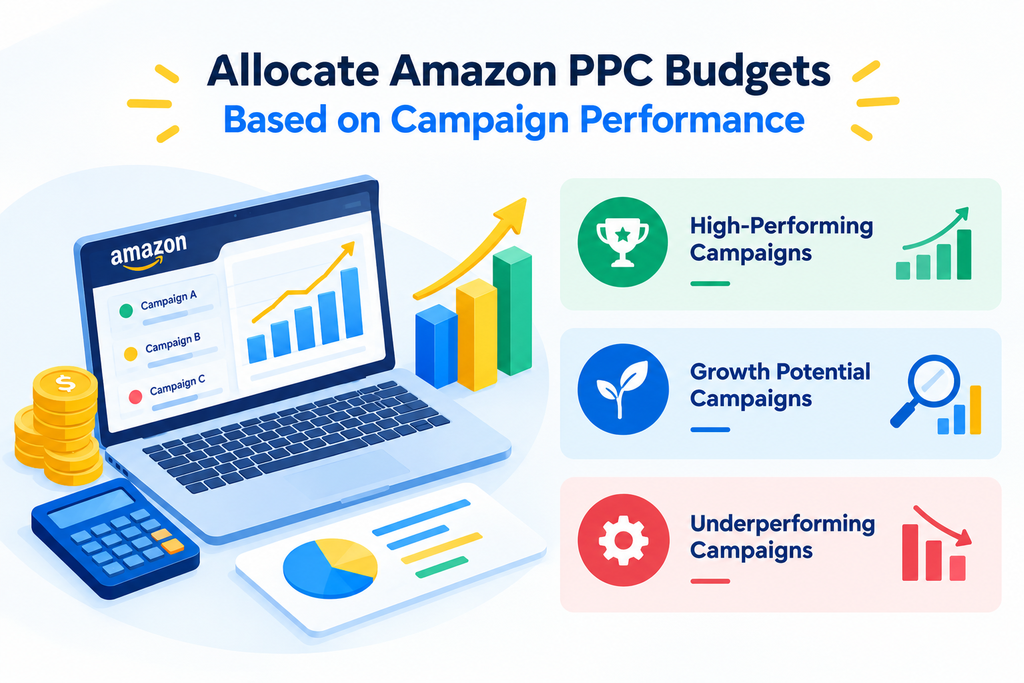
Allocate Amazon PPC Budgets Based on Campaign Performance
Not every Amazon PPC campaign deserves the same budget. Allocating equal spending across all campaigns can limit profitable opportunities while allowing inefficient campaigns to consume valuable resources.
A more effective Amazon PPC budget allocation strategy distributes spending according to profitability, campaign objectives, performance history, and growth potential.
Prioritize High-Performing Campaigns
These campaigns consistently generate sales at an acceptable ACoS and contribute positively to business performance.
Recommended actions include:
- Increase daily budgets gradually when profitable campaigns regularly run out of budget.
- Maintain sufficient budget during high-converting periods.
- Expand proven keywords and relevant product-targeting opportunities.
- Monitor conversion rates, CPC, ROAS, and placement performance.
- Confirm that inventory can support additional sales.
If a campaign generates profitable sales but exhausts its budget early, a controlled budget increase may help capture additional demand.
However, if a campaign spends its full budget without meeting profitability targets, investigate bids, search terms, targeting, and listing conversion before allocating more money.
Invest in Campaigns With Growth Potential
Campaigns with limited data or inconsistent performance may still offer valuable opportunities.
Review search term relevance, test bids carefully, evaluate listing conversion rates, and identify new keywords or product targets. Increase spending only when performance data supports the decision.
Control Spending on Underperforming Campaigns
Campaigns that consistently spend without generating sufficient sales require closer attention.
Consider reducing bids, excluding irrelevant search terms, refining targeting, or restructuring campaigns when the data supports these actions. Avoid making aggressive changes based on a small number of clicks or incomplete attribution data.
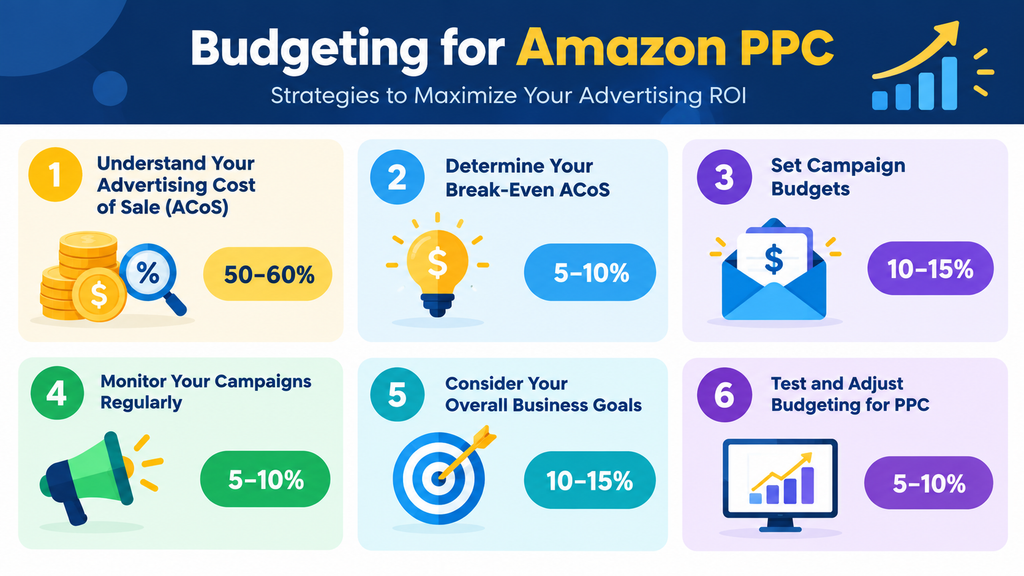
Example of a Performance-Based Budget Allocation
.
The following framework provides an illustrative starting point, not a universal rule.
| Campaign category | Suggested budget share | Primary objective |
| Proven profitable campaigns | 50–60% | Maintain and scale profitable sales |
| Search term discovery | 15–20% | Identify new converting queries |
| Product and competitor targeting | 10–15% | Reach relevant product shoppers |
| Testing and growth opportunities | 5–10% | Test new targets and strategies |
| Flexible reserve | Around 5% | Support emerging opportunities |
Adjust these percentages according to product margins, account maturity, inventory, seasonality, and campaign performance. The goal is to invest in the opportunities most likely to deliver sustainable business value.
Use ACoS, TACoS, ROAS, and Profit Margin Together
Amazon PPC optimization requires more than monitoring one advertising metric. ACoS, TACoS, Return on Ad Spend (ROAS), and contribution profit each offer a different perspective on campaign performance.
Advertising Cost of Sales (ACoS)
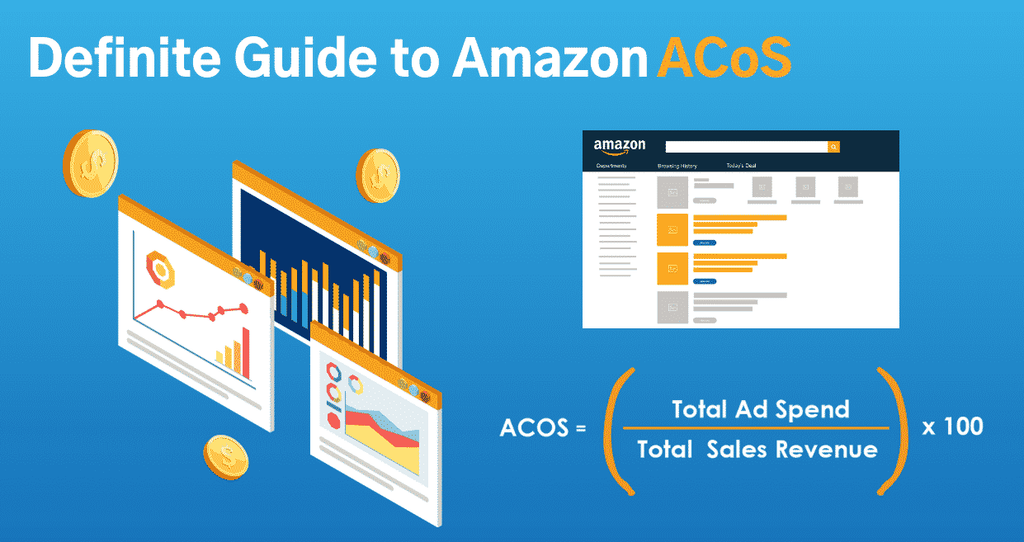
ACoS measures advertising spend as a percentage of attributed advertising sales.
ACoS = (Ad Spend ÷ Attributed Ad Sales) × 100
For example, if you spend $200 on Amazon ads and generate $800 in attributed sales, your ACoS is 25%.
A lower ACoS can indicate improved advertising efficiency, but it does not automatically mean greater profitability. You must also consider product margins, returns, discounts, and other expenses.
Total Advertising Cost of Sales (TACoS)
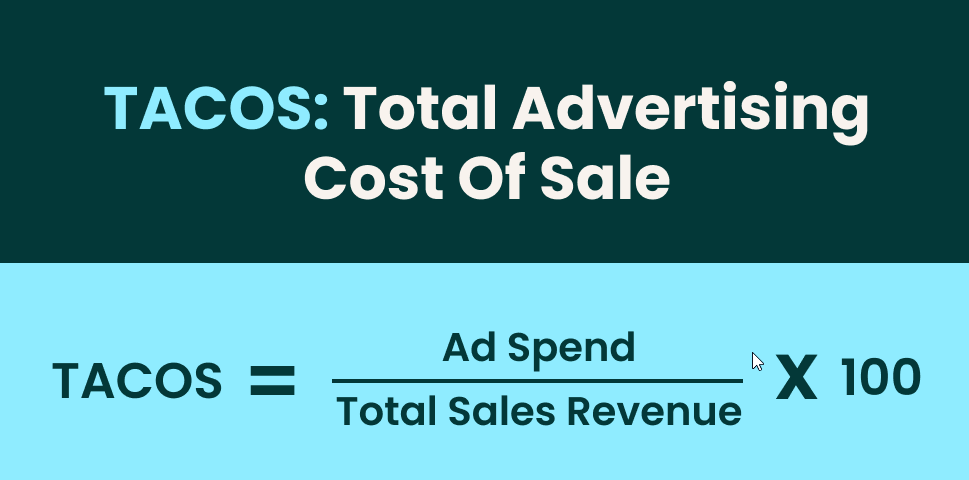
TACoS measures advertising spend relative to total sales, including both advertising-attributed and non-advertising sales.
TACoS = (Ad Spend ÷ Total Sales) × 100
Suppose your advertising spend is $2,000, attributed advertising sales are $8,000, and total sales are $20,000.
- ACoS: 25%
- TACoS: 10%
- ROAS: 4.0x
This means you generate $4 in attributed advertising sales for every $1 spent, while advertising expenditure represents 10% of total sales.
How to Interpret These Metrics
- ACoS decreases while sales remain stable or grow: Advertising efficiency may be improving.
- ACoS increases while conversion rates decline: Investigate CPC, targeting relevance, pricing, and listing performance.
- TACoS decreases while total sales grow: The business may be generating more revenue relative to advertising spend.
- TACoS increases while total sales decline: Advertising dependence may be increasing, or total sales may be weakening.
- ROAS improves but profit declines: Check product margins and other costs before assuming the campaign is healthier.
Evaluate these metrics together with total sales, contribution margin, organic performance, and inventory position. ACoS can rise during a planned product launch, while TACoS can decrease because organic sales increase even if advertising efficiency remains unchanged.
Optimize Amazon PPC Bids Before Increasing Budgets
Increasing a campaign’s daily budget does not automatically improve performance. If bids are too high or targeting is inefficient, a larger budget can accelerate wasted spending.
Effective Amazon PPC bid optimization requires analyzing keyword-level and product-targeting performance before making changes.
Review Key Keyword Performance Metrics
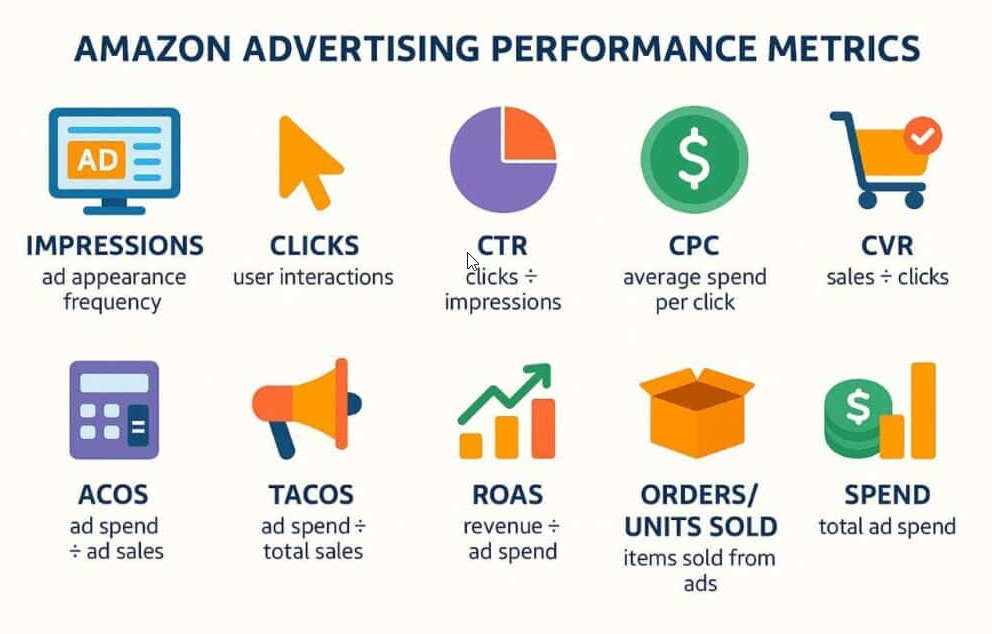
Evaluate each target using:
- Cost-per-click (CPC): The average amount paid for each click.
- Click-through rate (CTR): The percentage of impressions that result in clicks.
- Conversion rate: How effectively clicks turn into orders.
- ACoS and ROAS: Measures of advertising efficiency.
- Spend and attributed sales: The financial results associated with each target.
- Search intent and relevance: Whether the traffic matches the product and shopper needs.
A keyword generating profitable sales may justify a cautious bid increase when additional traffic is available. A target with high spend and no orders may require a bid reduction, targeting adjustment, or negative keyword after considering its click volume and expected conversion rate.
Avoid major changes just because a keyword has a few clicks without generating a sale.
Apply Selective Bid Adjustments
A structured Amazon PPC bidding strategy should include:
- Increasing bids cautiously on proven profitable targets with room to scale.
- Reducing bids on targets that consistently exceed acceptable acquisition costs.
- Reviewing dynamic bidding settings and their effects on CPC and conversions.
- Analyzing placement performance before applying placement multipliers.
- Testing changes in controlled increments and monitoring the results.
Amazon suggested bids and automated bidding features can support optimization, but they should not replace performance analysis.
Use Search Term Reports to Reduce Wasted Ad Spend
Search term optimization is one of the most effective ways to improve Amazon PPC profitability. Search Term Reports reveal the actual shopper queries that triggered ads, helping advertisers identify converting terms, irrelevant traffic, and new keyword opportunities.
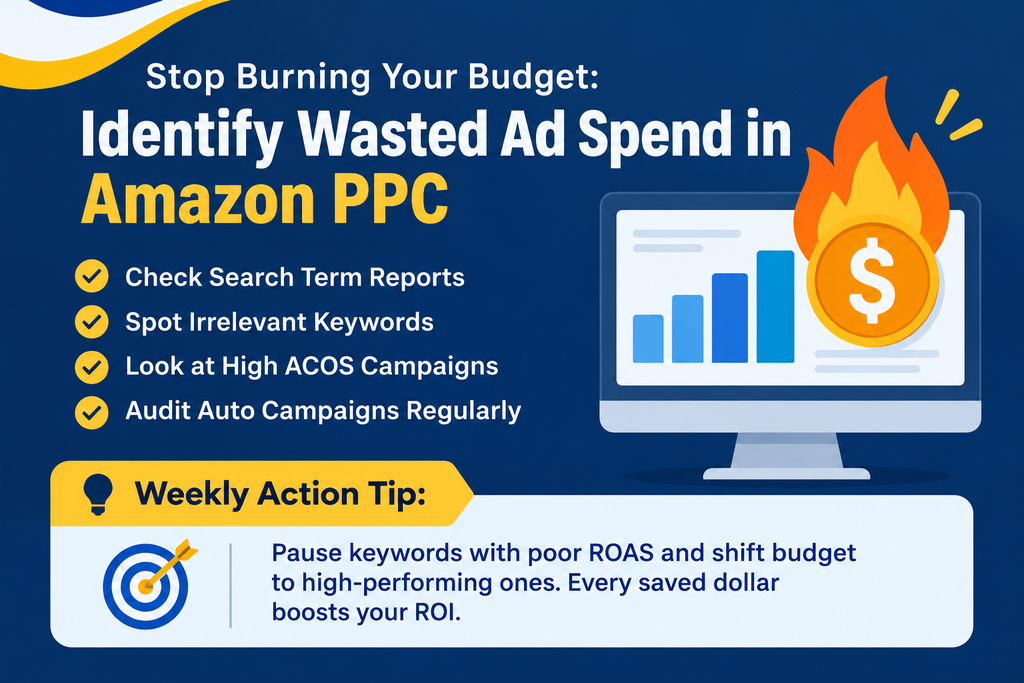
A regular search term review should focus on four areas.
Identify High-Spend, No-Sale Search Terms
Evaluate search terms that consume significant spend without generating orders. Consider click volume, expected conversion rates, product price, and allowable acquisition cost before reducing bids or excluding a target.
Add Negative Keywords for Irrelevant Traffic
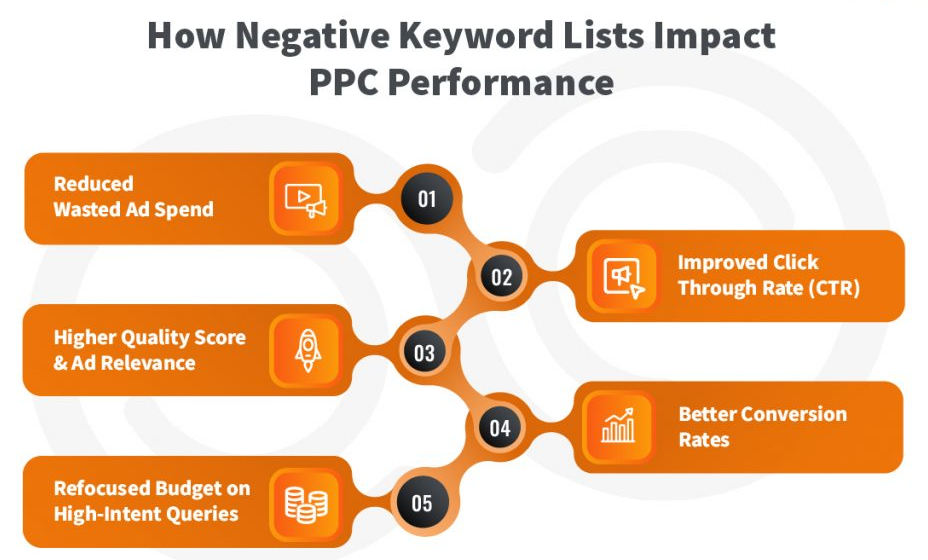
Irrelevant searches can consume budget without supporting meaningful sales. Add appropriate negative keywords or negative product targets when the evidence supports exclusion.
Expand Proven Converting Search Terms
Search terms that generate relevant, profitable sales may be added to suitable manual campaigns to improve control over bids, targeting, and performance reporting.
Avoid duplicating targets without a clear reason. The objective is to improve control and discover additional profitable opportunities.
Monitor High-ACoS and Low-Volume Terms
High-ACoS search terms may need bid adjustments or further investigation into conversion issues. Relevant low-volume terms may require more data before a decision can be made.
Do not add negative keywords merely because a term has failed to convert after one or two clicks. Decisions should reflect the amount of evidence collected and the product’s expected conversion performance.
Consistent search term optimization helps reduce unnecessary expenditure and direct advertising budgets toward more relevant traffic.
Analyze Placement Performance to Improve Budget Efficiency
Amazon Sponsored Products ads can appear in placements such as top-of-search and product detail pages. Each placement may generate different click costs, conversion rates, and sales outcomes.
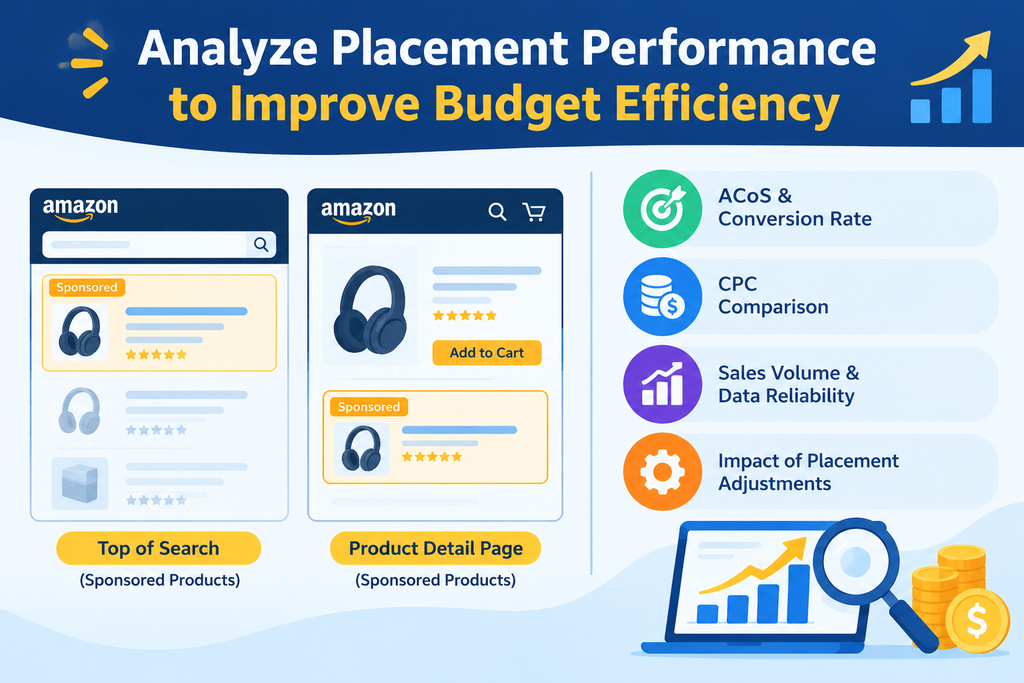
A placement that generates more clicks isn’t necessarily the most profitable.
Review placement reports to understand where campaigns generate the strongest results. Consider:
- Placement-level ACoS and conversion rates.
- Differences in CPC across placements.
- Sales volume and the reliability of available data.
- The effect of placement adjustments on overall profitability.
For example, if top-of-search placements consistently generate profitable conversions, testing a placement adjustment may help capture additional demand. If product-page placements generate inefficient traffic, review their performance before increasing exposure.
Adjust placements based on results rather than assuming one placement is always superior.
Improve Product Listing Conversion Rates
Campaign performance depends on both advertising quality and the ability of the product listing to convert shoppers.
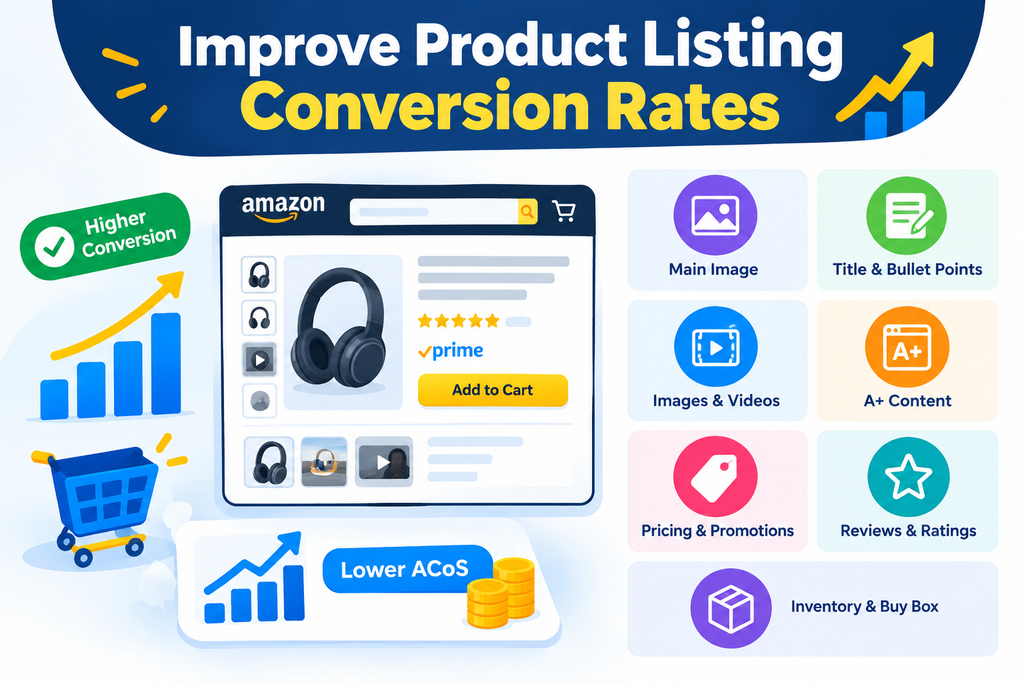
A high CPC combined with a low conversion rate can increase ACoS even when targeting is relevant. Before increasing bids or making substantial budget cuts, evaluate the product detail page.
Focus on:
- Main image quality: Ensure the image is clear and complies with Amazon requirements.
- Product titles and bullet points: Communicate relevant features and benefits.
- Product images and videos: Help shoppers understand the product and its use.
- A+ Content: Provide useful additional information where available.
- Pricing and promotions: Maintain a competitive offer where appropriate.
- Reviews and ratings: Monitor customer feedback and common concerns.
- Inventory and Buy Box eligibility: Ensure the product is available and positioned to convert.
If a campaign generates relevant clicks but few orders, improving the listing may deliver more value than simply lowering bids.
Monitor conversion rates before and after changes while accounting for traffic mix, price fluctuations, seasonality, and other factors.
Increasing advertising spend on products with weak conversion rates, limited inventory, or uncompetitive offers can raise costs without generating sustainable growth.
Allocate Budgets According to Campaign Type and Advertising Goals
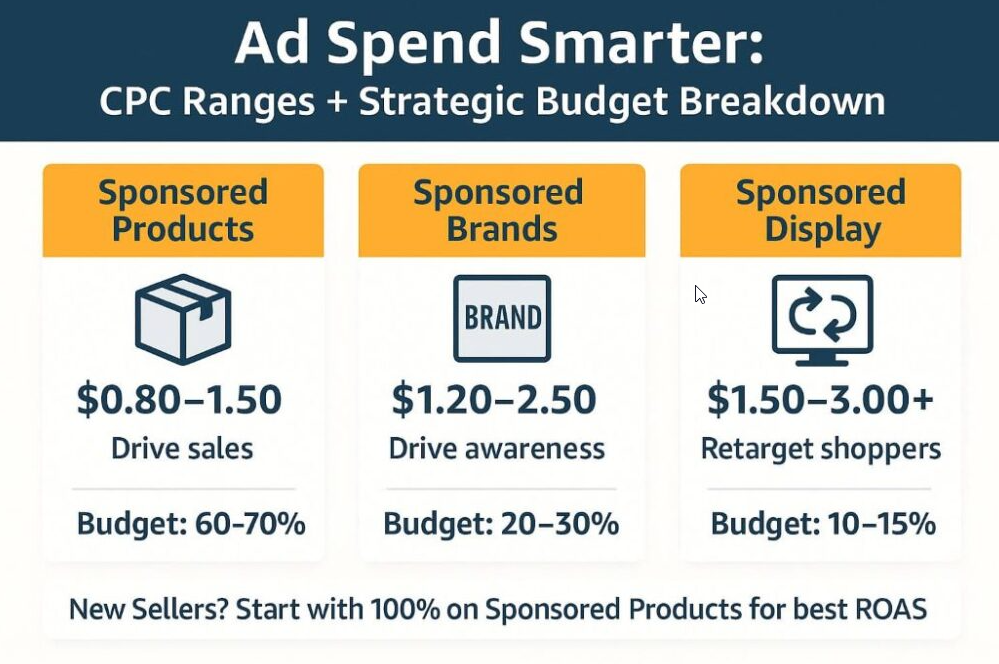
Amazon offers different advertising formats, including Sponsored Products, Sponsored Brands, and Sponsored Display, or other available audience-based options. Each format can support a different business objective, so budget allocation should reflect its intended role.
Sponsored Products
Sponsored Products can drive product-level visibility and sales through keyword and product targeting. Prioritize campaigns that generate profitable sales while maintaining a controlled budget for keyword discovery.
Sponsored Brands
Sponsored Brands can support brand visibility, product discovery, and traffic to an Amazon Store or product collection. Evaluate performance against the campaign’s specific objective instead of assuming every campaign should meet the same ACoS target.
Sponsored Display and Audience-Based Advertising
Where available, these campaigns can support product targeting, remarketing, and audience reach. Evaluate their results according to their objectives, attribution windows, and available reporting.
Do not compare campaign types solely by ACoS. Differences in audience, placement, attribution, and customer journey can affect reported results.
A balanced Amazon advertising strategy should support both immediate sales and broader business objectives while maintaining appropriate spending controls.
Account for Inventory, Pricing, and Seasonal Demand
Advertising decisions should reflect operational conditions as well as campaign metrics.
Inventory shortages, missing promotional prices, uncompetitive offers, and Buy Box issues can reduce conversion rates even when targeting is relevant.
Before scaling campaigns, check:
- Whether sufficient inventory is available.
- Whether pricing and promotions are competitive.
- Whether the listing is eligible to serve ads and convert traffic.
- Whether conversion rates have changed unexpectedly.
- Whether seasonal demand or promotional events are affecting results.
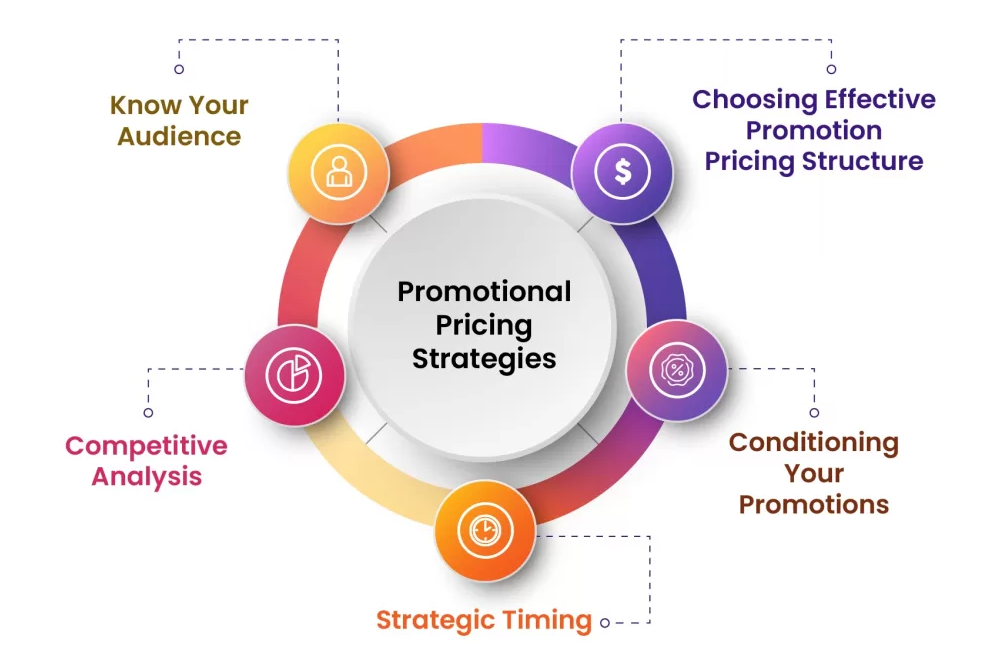
If sales decline while clicks and advertising spend remain steady, the problem may be related to conversion rather than budget allocation.
Similarly, spending aggressively on a product with limited stock can create unnecessary costs or leave the business unable to sustain demand.
Adjust advertising budgets to reflect realistic sales opportunities and inventory availability.
Common Amazon PPC Budget Allocation Mistakes to Avoid
Even experienced sellers can reduce profitability through inconsistent budget management. Avoid these common mistakes:
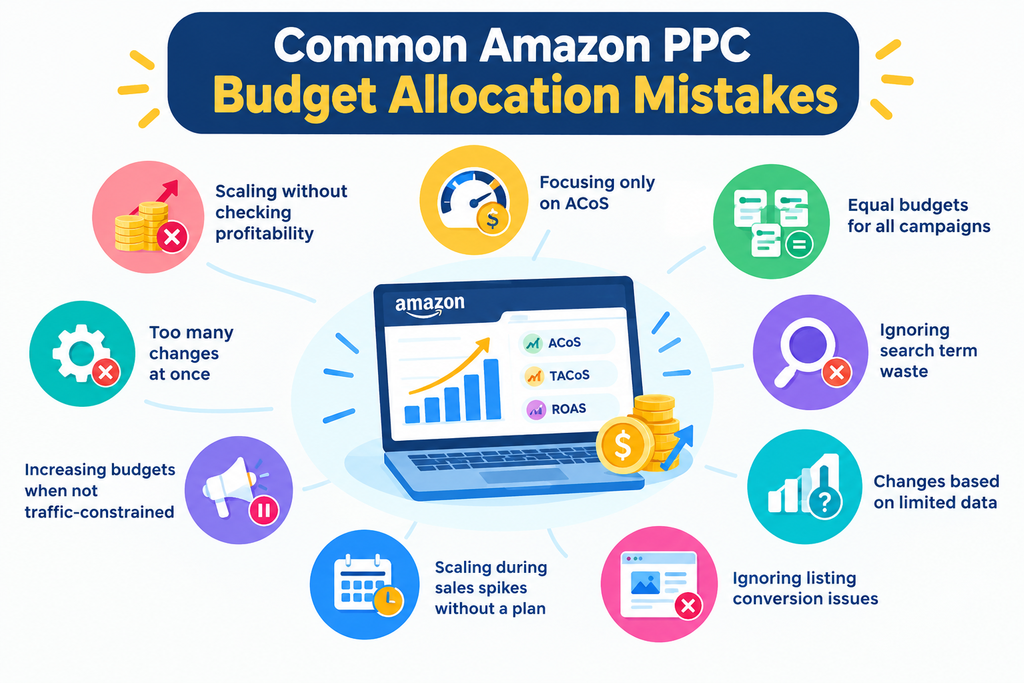
1. Increasing budgets without checking profitability. More advertising traffic does not guarantee more profit. Evaluate contribution margin and incremental sales potential before scaling.
2. Focusing only on ACoS. ACoS should be evaluated alongside TACoS, ROAS, total sales, and contribution profit.
3. Allocating equal budgets to every campaign. Different campaigns have different objectives, margins, and growth opportunities.
4. Ignoring search term waste. Irrelevant clicks can consume budget that could support more valuable targets.
5. Making changes based on insufficient data. Premature bid reductions and negative keywords can eliminate useful opportunities.
6. Ignoring listing conversion issues. Poor images, uncompetitive pricing, weak content, and stock problems can undermine relevant advertising traffic.
7. Scaling during temporary sales spikes without a plan. Seasonal events may produce results that don’t reflect normal demand.
8. Increasing budgets when campaigns are not traffic-constrained. If campaigns cannot spend their existing budgets, investigate targeting, bids, and search volume first.
9. Making too many changes at once. Changing bids, budgets, targeting, and listings simultaneously makes it harder to identify which actions improved performance.
Avoiding these mistakes creates a more disciplined approach to advertising investment and long-term growth.
Build a Profit-Focused Amazon PPC Budget Strategy
Advanced Amazon PPC budget allocation is about investing strategically rather than simply spending more. It requires a clear understanding of product profitability, campaign performance, shopper search behavior, conversion rates, and overall business trends.
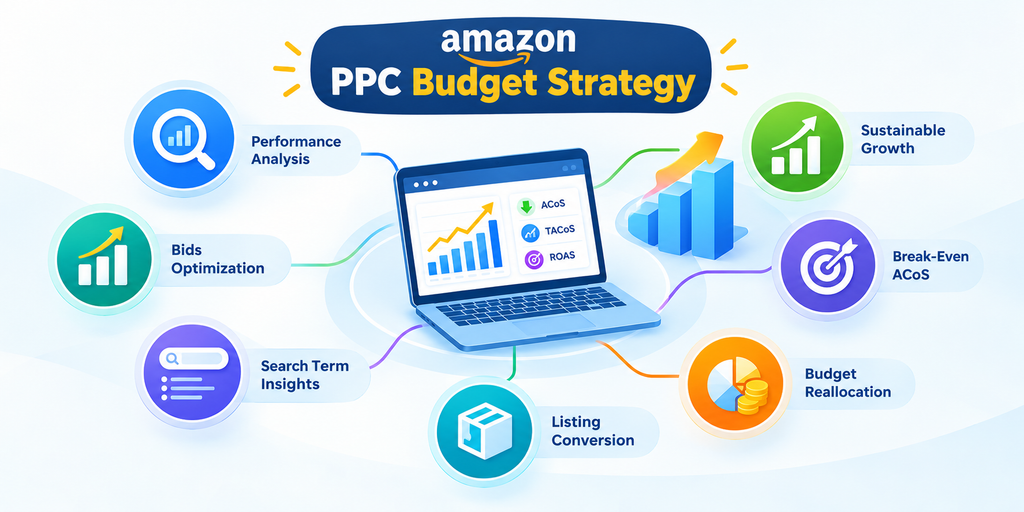
By calculating break-even ACoS, monitoring TACoS, optimizing bids, analyzing search terms, improving listing conversion rates, and reallocating budgets based on performance, sellers can reduce wasted ad spend and make better investment decisions.
The most effective Amazon PPC strategy is not necessarily the one that generates the highest sales or spends the largest budget. It is the one that uses advertising efficiently to support profitable, sustainable business growth.
Start by evaluating your product margins, identifying your strongest campaigns, and addressing wasted spend. Then scale gradually, monitor incremental performance, and let reliable data guide every budget decision.
For more reading on ad spend control and campaign planning, the Amazon advertising guides on the Ecomclips blog are a useful next step.
More Amazon PPC resources from Ecomclips
For more Amazon advertising tutorials and updates, visit these Ecomclips resources:
- Watch new videos on the Ecomclips YouTube channel.
- Follow updates on the Ecomclips Facebook page.
- Connect with Ecomclips on LinkedIn.
Questions about an account review or a free audit can be sent to info@ecomclips.com.
At Ecomclips, we have successfully managed 1,000+ accounts across various e-commerce marketplaces, with a combined monthly advertising spend of over $500,000. Our experienced team specializes in Amazon PPC management, helping businesses increase sales, improve advertising efficiency, reduce wasted spend, and maximize profitability.
Our services include Amazon PPC audits, keyword research, campaign setup and optimization, bid and budget management, search term analysis, negative keyword optimization, competitor targeting, and ongoing performance monitoring. We develop tailored strategies based on each account’s goals, product performance, and profit margins.
If you have an Amazon Seller Central account, we’d be happy to offer you a free Amazon PPC account audit to identify growth opportunities and provide actionable recommendations to improve your advertising performance.