
Yes, you can use competitor brand keywords in Google Ads. Google lets you target a competitor’s name as a keyword, but it can restrict you from using that name in your ad text if the trademark owner files a complaint.
That one difference decides whether your campaign stays safe. Many advertisers mix up the keyword with the ad itself. Then they write a headline with a rival’s name and get a complaint.
In this guide, you will learn:
- What Google’s trademark policy allows and restricts
- What recent US court rulings say about keyword bidding
- When competitor campaigns make sense for your business
- How to set up a campaign step by step
- What to do when a competitor bids on your name
This article shares general information, not legal advice. Talk to a trademark attorney about your specific situation.
What does Google’s trademark policy allow?
Google’s policy allows trademarks as keywords, but it may restrict them in ad text after a valid complaint. The Google Ads trademark policy says plainly that using trademarks as keywords is not restricted.
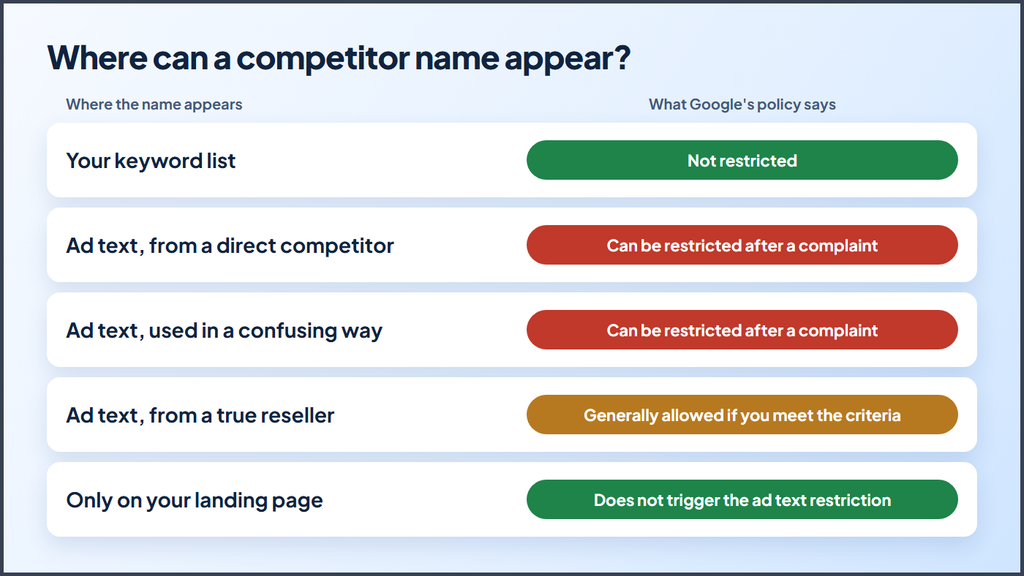
Here is how the rules break down:
| Where the competitor’s name appears | What Google’s policy says |
|---|---|
| Your keyword list | Not restricted |
| Your ad text, when you are a direct competitor | Can be restricted after a complaint |
| Your ad text, used in a confusing or misleading way | Can be restricted after a complaint |
| Your ad text, when you truly resell that product | Generally allowed if you meet Google’s criteria |
| Only on your landing page | Does not trigger this ad text restriction |
Three details matter here:
- Google responds to complaints. The policy describes a review process that starts when a trademark owner files a complaint. An ad with a rival’s name may run for a while, but that does not mean Google approved that use.
- Restrictions can last. Once Google applies a restriction, it generally continues for ads that use the same domain in the final URL.
- Your account can face penalties. Google says it gives at least seven days of warning before it suspends an account for violations of this policy.
What about resellers?
Authorized dealers and resellers follow a different path. If you sell a brand’s products or parts, you can often use that name in your ads. Your landing page must clearly offer a way to buy, show details such as prices, and make clear that you are a reseller or an informational site.
A local shop that repairs and sells one brand of furnace may qualify, for example. A rival furnace brand does not qualify just because it serves the same customers.
Is bidding on competitor keywords legal?
Bidding on competitor keywords is generally not trademark infringement by itself in the United States, based on recent federal appeals court rulings. Your ad text, your landing page, and your conduct can still create legal risk.
Two rulings from October 2024 show the trend:
- The Second Circuit case: A contact lens retailer sued Warby Parker over keyword ads. The court ruled that “the mere act of purchasing” a competitor’s trademark as a keyword does not, alone, count as infringement.
- The Ninth Circuit case: A law firm sued a rival that bid on its name. The court pointed to clearly labeled results and to only 236 possible confused callers out of 109,322 ad views, or about 0.216%. The rival won.
These wins have limits. Both courts focused on likely consumer confusion, and in both cases the ads and websites made clear who the advertiser was. An ad that makes people think you are the other company puts you in a much weaker position.
Keep these limits in mind:
- Laws vary by country. Google follows local trademark laws, so check the rules in each market you target.
- Contracts can ban it. Franchise, dealer, and partner agreements sometimes forbid brand bidding. Read yours first.
- False claims create separate risk. The FTC allows truthful comparative ads, but it expects you to back up your claims.
- Lawsuits cost money even if you win. Both of these companies still went through court. Weigh that risk if a rival has a history of suing.
Should you bid on competitor keywords?
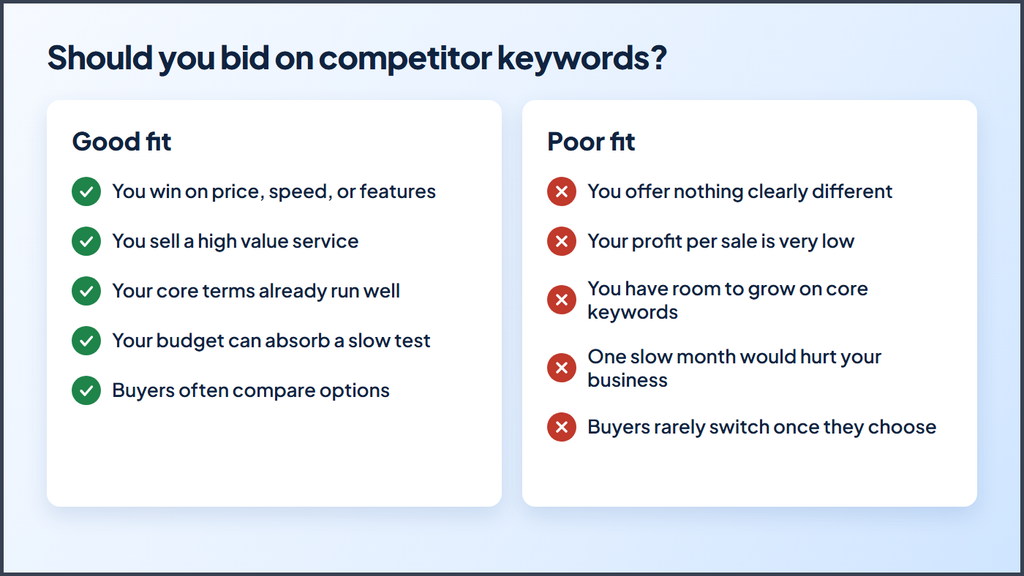
You should bid on competitor keywords when you have a clear reason a buyer would switch to you and enough budget to test it. These searches can reach people who are ready to buy, but those people came looking for someone else.
Use this table to decide:
| Good fit | Poor fit |
|---|---|
| You win on price, speed, or features | You offer nothing clearly different |
| You sell a high value service | Your profit per sale is very low |
| Your own brand and core terms already run well | You still have room to grow on core keywords |
| Your budget can absorb a slow test | One slow month would hurt your business |
| Buyers often compare options | Buyers rarely switch once they choose |
Expect these campaigns to work harder than your usual keywords, for a few reasons:
- Lower relevance. Quality Score looks at expected click through rate, ad relevance, and landing page experience. An ad without the searched name may score lower on relevance.
- Possibly higher costs. Lower quality can push up what you pay per click or hold your ad in a lower position.
- Fewer conversions. Many people want the brand they typed, so they ignore other ads.
Treat this as a small test first. Run it with its own budget and judge it on leads and sales, not on clicks.
How to use competitor keywords in Google Ads
Follow these steps to run a competitor campaign that you can measure and control. Set it up apart from the rest of your account so the results stay clear.
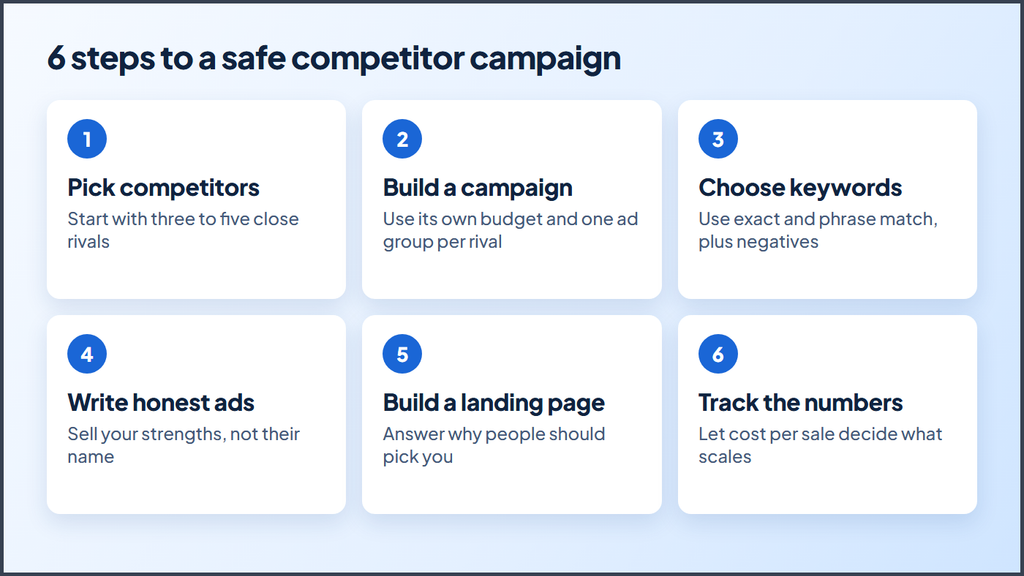
Step 1: Pick the right competitors
Start with three to five names. Choose rivals that sell to the same audience in the same area and at a similar price.
Use Keyword Planner to check search volume and estimated cost. Then open auction insights to see who competes with you in the same auctions. That report often reveals rivals you did not think about.
Skip brands that are far bigger than you unless you have a strong offer. Their fans may click out of curiosity, and those clicks can drain a small budget.
Step 2: Build a separate campaign
Create one Search campaign just for competitor terms. Doing so gives you three benefits:
- You can set a strict budget.
- You can see the real cost per lead for these terms.
- You keep these results from clouding your core campaigns.
Place each competitor in its own ad group. Each rival gives people a different reason to switch, so each group needs its own message.
Step 3: Choose your keywords and match types
Focus on names that signal shopping intent. For a fictional rival called Acme Roofing, your list might include:
- Acme Roofing reviews
- Acme Roofing cost
- Acme Roofing alternatives
- Acme Roofing vs competitors
- Companies like Acme Roofing
Start with exact and phrase match so you keep control of your spend. Broad match can wander into unrelated searches, which small accounts cannot afford.
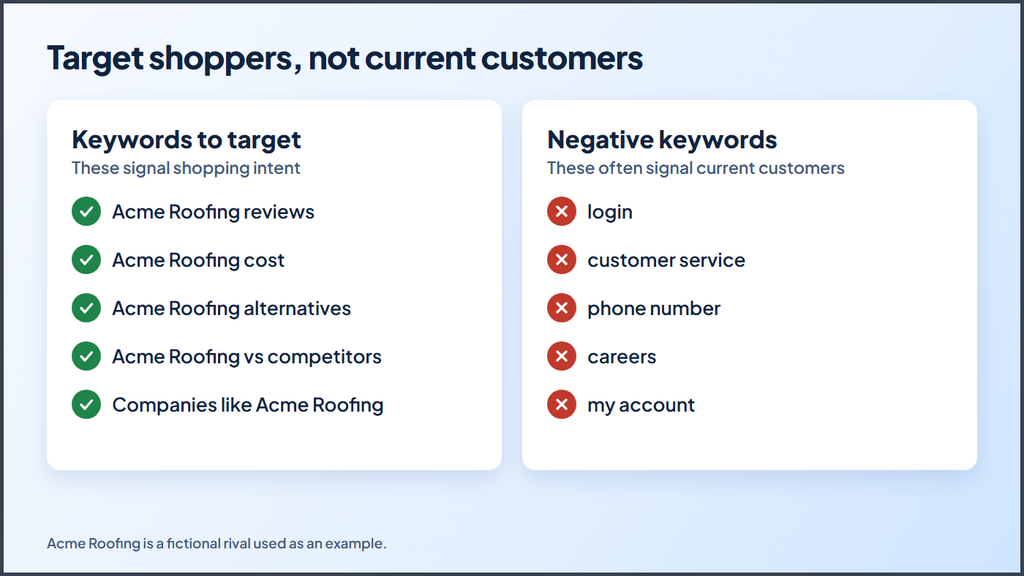
Then add negative keywords for people who are already customers of that brand. Common examples include “login,” “customer service,” “phone number,” “careers,” and “my account.” Check your search terms report each week and keep adding more.
Step 4: Write honest ad copy
Leave the competitor’s name out of your ad text and sell your own strengths. Your ad should make it obvious who you are, since the rulings above favored ads that buyers could tell apart from the brand they searched.
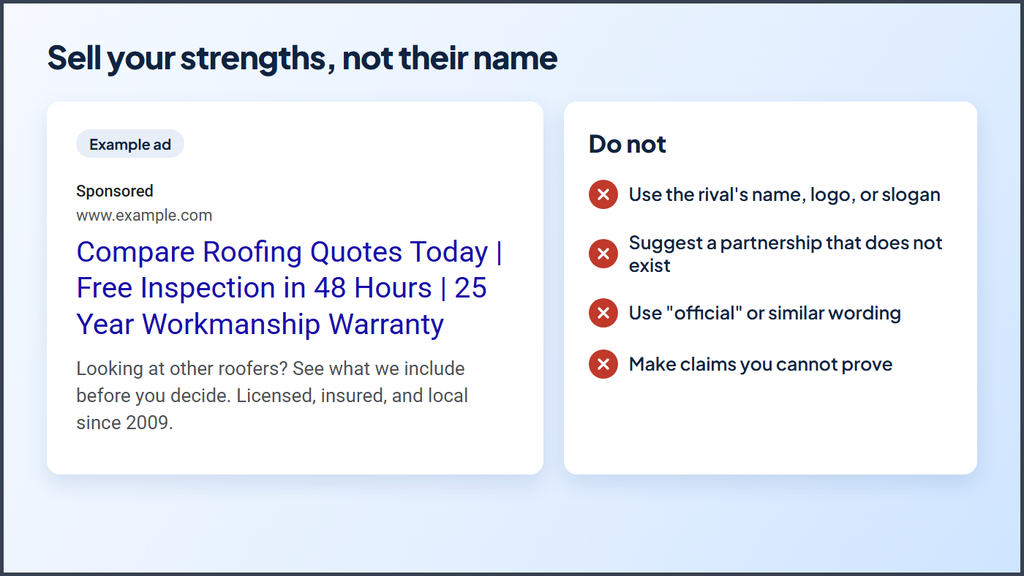
Here is an example for a roofing company:
- Headline 1: Compare Roofing Quotes Today
- Headline 2: Free Inspection in 48 Hours
- Headline 3: 25 Year Workmanship Warranty
- Description: Looking at other roofers? See what we include before you decide. Licensed, insured, and local since 2009.
Avoid these mistakes:
- Do not use the rival’s name, logo, or slogan in your ad.
- Do not suggest a partnership that does not exist.
- Do not use “official” or similar wording that could confuse people.
- Do not make claims you cannot prove.
Google’s misrepresentation policy also bans misleading ads, so honest copy protects you twice. Google’s guide to writing text ads can help you sharpen your offer.
Step 5: Build a clear landing page
Send these clicks to a page built for people comparing options. A generic home page rarely answers their main question: “Why should I pick you instead?”
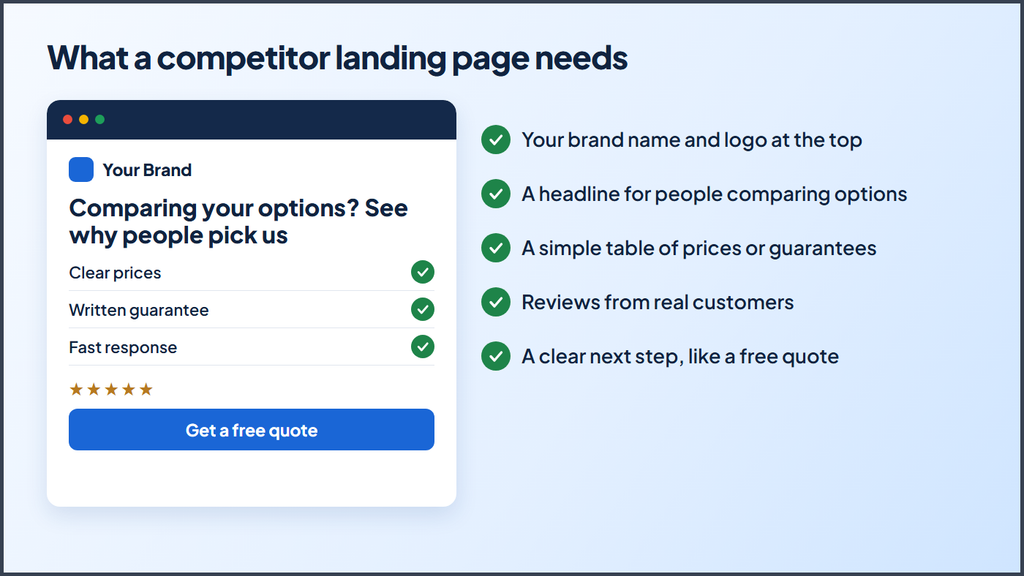
A strong landing page includes:
- Your brand name and logo at the top
- A headline that speaks to people who are comparing options
- A simple table of your prices, features, or guarantees
- Reviews and proof from real customers
- A clear next step, such as a free quote
You may name rivals on a comparison page, but keep every claim true, current, and easy to verify. Ask an attorney to review any page that makes direct comparisons.
Step 6: Track the right numbers
Set up conversion tracking before you launch. Then compare this campaign against your generic keyword campaigns.
Watch these numbers:
| Metric | What it tells you |
|---|---|
| Click through rate | Whether your message earns attention |
| Cost per click | How much the auction charges you |
| Conversion rate | Whether your page convinces people to switch |
| Cost per lead | Whether the campaign beats your other options |
| Cost per sale | Whether the leads turn into real revenue |
Give the test enough time to collect real data. If the cost per sale stays well above your target, pause that rival or change your offer. If one competitor brings cheap, solid leads, move more budget there.
What if a competitor bids on your brand name?
If a competitor bids on your brand name, you usually cannot stop it through Google unless its ads use your trademark in the ad text. Google does not restrict the keyword itself, so a complaint will not remove an ad that only targets your name.
Here is what you can do:
- Search your own name. Save screenshots that show the ad text and the date.
- Check the ad text. If the ad uses your trademark in a confusing way or comes from a direct competitor, use Google’s trademark troubleshooter to see your options.
- Run a brand campaign. Bid on your own name so you keep the top spot when customers look for you.
- Improve your page one presence. Keep your Google Business Profile, reviews, and website pages up to date.
- Talk to an attorney. Do this if the ad truly confuses customers, such as when callers think they reached you.
Keep in mind that Google accepts complaints only in countries and industries where you have shown trademark rights. It also only accepts complaints against specific advertisers, identified by their URLs.
Key takeaways
- You can use competitor names as keywords under Google’s policy.
- You should keep those names out of your ad text unless you qualify as a reseller.
- Recent US appeals rulings support keyword bidding, but confusing ads can still create risk.
- A separate campaign with a strict budget gives you the cleanest test.
- Cost per sale decides whether the campaign deserves more money.
Test competitor keywords with a small budget
You can use competitor brand keywords in Google Ads if you keep your ads honest, your brand clear, and your budget under control. Start with a few close rivals, leave their names out of your copy, and send clicks to a page that shows why people should choose you.
Then let your conversion data guide you. Scale the names that bring real sales, and pause the ones that only bring clicks.
Want help with your account? Contact us, and we can walk through your numbers with you.
More Google Ads resources from Ecomclips
For more Amazon advertising tutorials and updates, visit these Ecomclips resources:
- Watch new videos on the Ecomclips YouTube channel.
- Browse articles on the Ecomclips blog.
- Follow updates on the Ecomclips Facebook page.
- Connect with Ecomclips on LinkedIn.
Questions about an account review or a free audit can be sent to info@ecomclips.com.