

You’ve built your Etsy shop. Your listings are polished, your photography is on point, and your products are ready to sell. But here’s the challenge every Etsy seller eventually faces: how do you get your items in front of buyers who are actively ready to purchase?
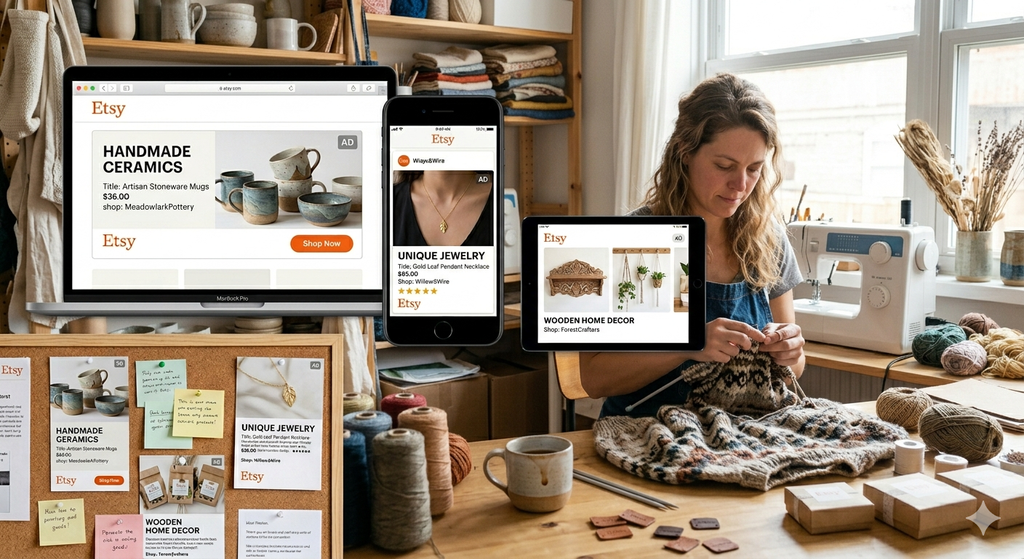
The answer, for many successful sellers, is Etsy Ads.
Etsy’s built-in advertising system gives sellers a direct, powerful way to increase visibility across the platform’s most high-traffic locations. Unlike social media advertising, which targets users who may or may not be in buying mode, Etsy Ads places your listings directly in front of shoppers who are already searching for what you sell. This intent-driven targeting is one of the most valuable advantages of advertising on Etsy.
But to use Etsy Ads effectively, you need more than a budget. You need to understand how the system works, how to configure it correctly, how to track your results, and how to make smart decisions about spending over time.
This guide covers everything from setup to strategy, so you can use Etsy Ads with confidence.
Section 1: What Are Etsy Ads and Why Do They Matter?
Etsy Ads is the platform’s native pay-per-click advertising system. When you run an Etsy Ads campaign, Etsy promotes your listings in premium placements throughout the marketplace. Buyers see your items more prominently, which increases the likelihood of clicks and, ultimately, purchases.
The core value of Etsy Ads comes down to visibility and buyer intent. Etsy’s marketplace is crowded. There are millions of active listings competing for buyer attention every day. Advertising gives your items an advantage by elevating them above organic search results at the exact moment buyers are searching.

Why Etsy Ads Stand Out
- Buyers on Etsy are already in shopping mode with purchasing intent
- Ads appear in multiple high-visibility locations, not just search results
- You only pay when someone actually clicks on your ad, not for impressions
- Etsy uses its own data insights to optimize your ad reach automatically
- You maintain full control over your daily budget and which listings you promote
Unlike broad social media advertising, Etsy Ads are shown to buyers who are actively searching for products like yours. This intent-driven placement makes every click more meaningful.
Section 2: Where Will Your Ads Appear?
One of the most important things to understand about Etsy Ads is where your listings will actually be shown. Etsy doesn’t limit ad placements to a single location. Instead, your promoted listings can appear across multiple high-visibility areas throughout the platform.
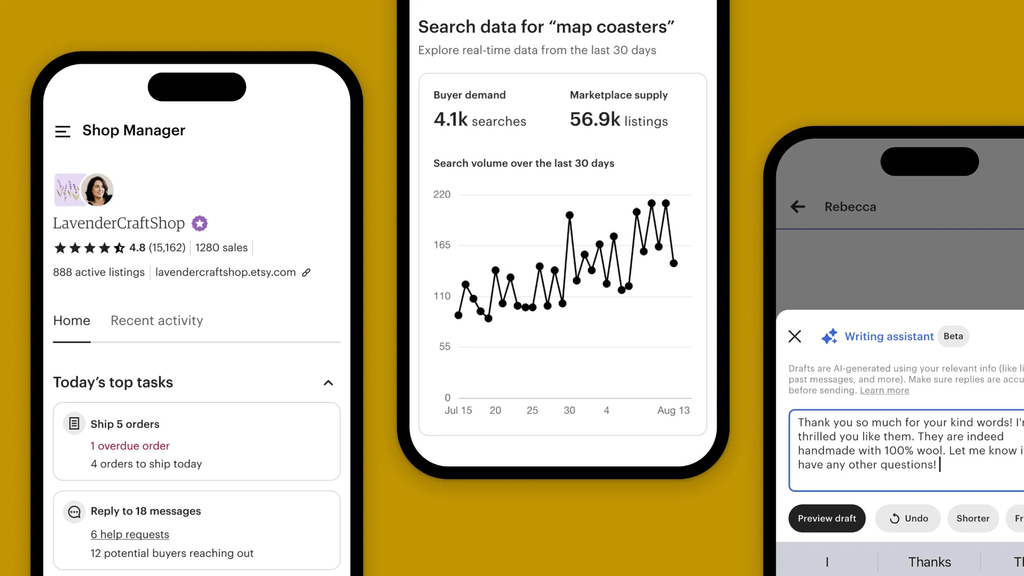
Etsy Ads Placement Locations
- Etsy Search Results: The most prominent placement. When buyers search for a product, your ad can appear at the top or within the search results feed, marked as an advertisement.
- Category Pages: Buyers browsing specific product categories, such as Jewelry, Home Decor, or Art, may see your listings featured within those category feeds.
- Market Pages: Etsy’s curated market pages, organized by theme or style, offer additional placement opportunities for promoted listings.
- Etsy App Placements: All of the above locations apply not just to Etsy.com but also to the Etsy mobile app, where a significant percentage of buyers shop.
This multi-placement strategy means your advertising budget isn’t limited to a single touchpoint. Your listings can reach buyers at different stages of their browsing journey, whether they are actively searching, casually exploring a category, or discovering products through curated collections.
Pro Insight: Etsy uses its own data and algorithms to determine the best times and places to show your ads. You don’t need to manually select placements. Etsy optimizes delivery based on performance signals and buyer behavior patterns.
Section 3: How to Set Up Your Etsy Ads Campaign
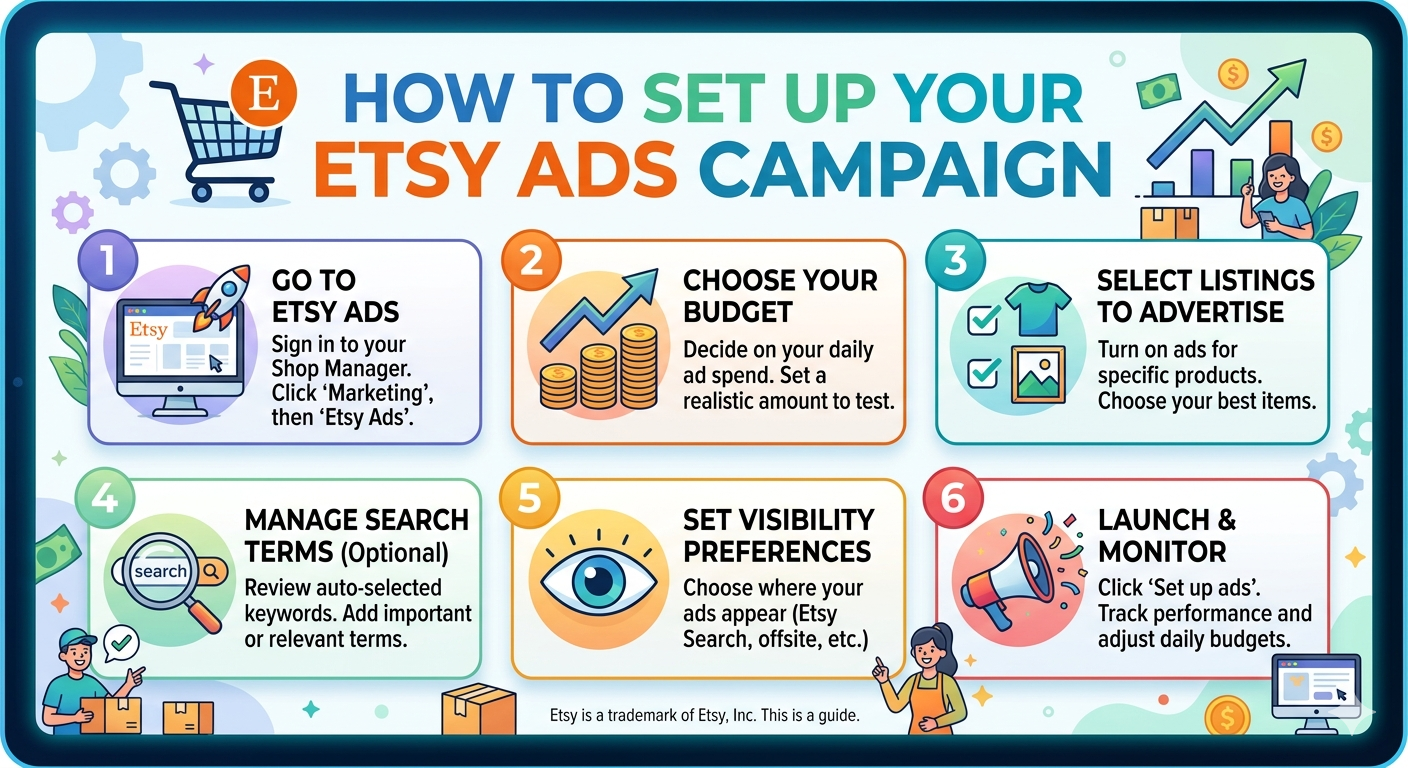
Getting started with Etsy Ads is straightforward. The setup process takes just a few minutes and requires no prior advertising experience. Here is exactly how to do it.
Step-by-Step Setup on Etsy.com
- Log into your Etsy account and navigate to Shop Manager
- Click on Marketing in the left navigation menu
- Select Etsy Ads from the Marketing submenu
- Set your Daily Budget, which is the maximum amount you are willing to spend on ads each day. The minimum daily budget is $1.00.
- Review your settings and click Start Advertising to launch your campaign
Step-by-Step Setup on the Etsy Seller App
- Open the Etsy Seller app and tap More in the bottom navigation
- Select Marketing
- Tap Etsy Ads
- Set your Daily Budget
- Tap Start Advertising
Once your campaign is live, Etsy will immediately begin evaluating your listings and showing them in eligible placements. You don’t have to wait for approval or a review period.
What Happens Immediately After You Start
By default, all of your current active listings are enrolled in your Etsy Ads campaign the moment you activate it. This means every eligible listing you have is immediately eligible for promotion. If you want to be selective about which listings are advertised, you’ll need to manage that separately, which is covered in Section 5.
Section 4: Understanding Your Daily Budget and How Charges Work
Your daily budget is the single most important financial lever in your Etsy Ads campaign. Understanding how it works, how charges are calculated, and what limits apply will help you spend smarter from day one.
4.1 How the Daily Budget Works
Your daily budget is the maximum amount Etsy will charge you for ad clicks in a single day. Once your ad clicks accumulate enough to reach your daily budget, Etsy automatically stops showing your ads for the rest of that day. This means you will never be charged more than your set budget on any given day.
The minimum daily budget is $1.00. You can increase this at any time based on your goals and your comfort level with ad spend.
4.2 How You Are Charged
Etsy Ads operates on a cost-per-click model. This means:
- You are only charged when a buyer clicks on your ad, not when it is displayed
- Each click has a variable cost depending on the listing, the placement, and competition for that placement
- All click costs from a given day are summed and added to your Etsy Payment account the following day
- You will never be charged more than your daily budget, regardless of how many times your ads are shown
Smart Budgeting: Start with a modest daily budget, such as $1 to $3 per day, while you learn which listings perform best. Once you identify your top performers, gradually increase the budget on those specific listings.
4.3 Understanding Maximum Daily Budget Limits
Etsy does not allow all sellers to set unlimited daily budgets from the start. Instead, there is a maximum daily budget cap that applies to your account, and this cap changes over time based on your advertising behavior and payment history.
Here is how the system works:
- All new sellers start with a maximum daily budget of $25.00
- Etsy recalculates this limit weekly for Etsy Payments sellers, and monthly for sellers outside Etsy Payments
- If you consistently spend your full daily budget, Etsy will gradually increase your maximum budget over time
- If you have an overdue balance in your Payment account, your maximum budget may be reduced until the balance is cleared
4.4 Planning for Peak Seasons
Many sellers want to increase their ad spend significantly during high-traffic periods like the holiday shopping season. However, because your maximum daily budget is determined by your advertising history, you cannot simply wait until peak season to scale up.
Etsy’s advice is clear: if you want a higher budget during peak periods, start advertising at your full budget well in advance. Building a consistent spending history early is the only way to unlock higher budget limits before your busiest selling season arrives.
Section 5: Choosing Which Listings to Advertise
Not every listing in your shop will perform equally well in an advertising campaign. Being strategic about which items you promote can significantly improve your return on investment and prevent unnecessary ad spend on slow-converting listings.

Default Advertising Behavior
When you launch an Etsy Ads campaign, all of your active listings are automatically included. This is a good starting point, but over time, you will likely want to refine your selection based on which listings are actually converting.
How to Start or Stop Advertising a Specific Listing
- From your Etsy Ads dashboard, select Manage Advertised Listings
- Search for the listing you want to adjust, or filter by section or advertising status
- Use the toggle button under Ad on/off to include or remove that listing from your campaign
How to Manage Multiple Listings at Once
- Check the boxes next to all the listings you want to update
- Go to the Turn Listings dropdown at the top of the page
- Select On or Off as appropriate
- Click Update to apply your changes
You can change your advertised listings at any time. There are no penalties for pausing or adjusting your selection, and Etsy encourages sellers to revisit their advertising lineup regularly.
Which Listings Should You Prioritize?
- High-converting listings: Items that already perform well organically are strong candidates for paid promotion, because they have proven buyer appeal.
- New listings: Advertising new items can help them gain early traction and visibility that they might not achieve organically.
- Seasonal products: Promote time-sensitive items more aggressively during relevant buying periods.
- Higher-margin products: Prioritize listings where the sale value justifies the cost of advertising.
Always ensure that every listing you advertise complies with Etsy’s Advertising and Marketing Policy. Advertising a listing that violates platform policies can result in listing removal or account consequences.
Section 6: Controlling Which Countries See Your Ads
Your Etsy Ads are shown only to buyers located in countries that you ship to. This is an important point that many sellers overlook. If you do not ship internationally, your ads will only reach buyers within your domestic market.
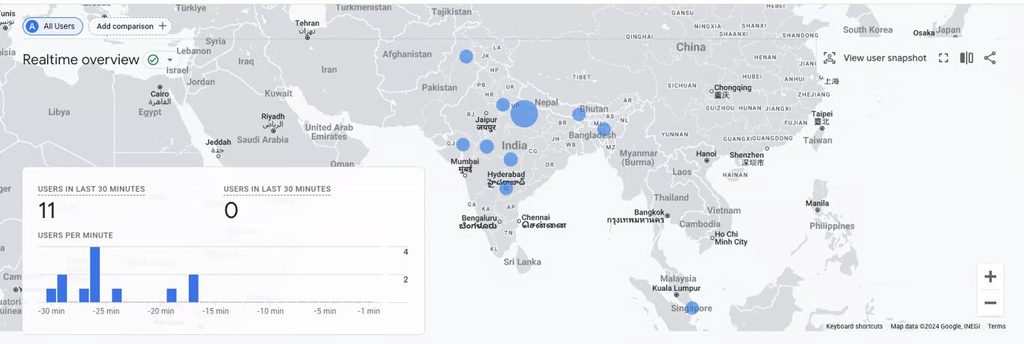
To maximize your ad reach, make sure your shipping destinations accurately reflect where you can and will send orders. Expanding your shipping to additional countries also expands the pool of buyers who can see your ads.
How to Update Your Shipping Countries Using Shipping Profiles
- Go to Shop Manager on Etsy.com, or tap More on the Etsy Seller app
- Select Settings
- Choose Shipping Settings
- Select Shipping Profiles
- Find the profile you want to update and click Edit
- Add or remove countries as needed
- Click Save Profile to apply your changes
If you do not use shipping profiles and manage shipping settings directly on individual listings, you will need to update the shipping destinations on each listing separately.
Geographic Strategy: If you manufacture lightweight, easy-to-ship products, consider enabling international shipping to dramatically expand your ad audience. For heavier or fragile items, keep your shipping zones focused where you can reliably deliver without high costs eating into your margins.
Section 7: Adjusting and Managing Your Budget Over Time
An Etsy Ads campaign is not a set-it-and-forget-it tool. Regular budget management is essential for maintaining healthy performance and making the most of your advertising spend.
How to Change Your Daily Budget
- From the Etsy Ads dashboard, select Manage Your Budget
- Enter your new daily budget amount
- Click Update to save the change
Changes to your budget take effect immediately. You can adjust your budget as frequently as needed, and there are no fees or penalties for doing so.
When to Increase Your Budget
- You are consistently hitting your daily budget limit and want more exposure
- You are approaching a high-demand seasonal period and want to scale up early
- You have identified top-performing listings that are delivering a strong return on ad spend
When to Reduce Your Budget
- Your ad spend is not resulting in proportional sales
- You are entering a slower selling season and want to conserve resources
- You need to free up cash flow for other business expenses
Regularly review your Etsy Ads performance data before making budget decisions. Adjust based on evidence, not assumptions. A slight increase in budget during a period when your ads are performing well can produce outsized results.
Section 8: Viewing Your Etsy Ads Charges
Keeping close track of your advertising costs is essential for managing profitability. Etsy provides multiple ways to monitor your ad spending so you always know exactly where your money is going.
Viewing Charges on Your Etsy Ads Dashboard
Your current advertising spend is displayed directly on the Etsy Ads page under the Spend section. This gives you a real-time snapshot of how much you have spent on ads during your current billing period.
Viewing Charges in Your Payment Account
- Go to Shop Manager on Etsy.com, or tap More on the Etsy Seller app
- Select Finances
- Choose Payment Account
- Review Recent Activities for the most current charges
- To view older charges, select View All Monthly Statements
Your Payment account is updated daily with advertising charges, so you can always see your running total. This daily update cadence means you can catch unexpected spending quickly and adjust your budget before costs accumulate further.
Accounting Tip: Download your monthly statements regularly and keep them as part of your business financial records. Advertising costs on Etsy may be tax-deductible as a business expense, depending on your local tax regulations. Consult a qualified accountant for guidance specific to your situation.
Section 9: Using the Etsy Ads Performance Graph
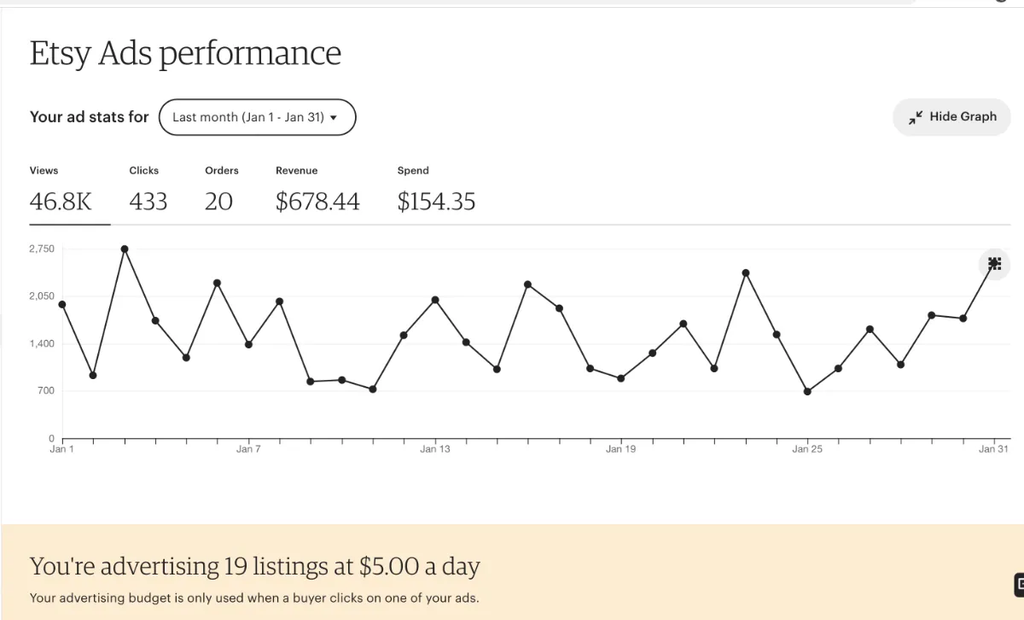
The Etsy Ads Performance graph is one of the most valuable tools available to you as an advertising seller. It provides a detailed, visual overview of how your ads are performing over time, allowing you to identify trends, evaluate results, and make informed optimization decisions.
Accessing the Performance Graph
The Performance graph is visible by default on your Etsy Ads dashboard. You do not need to enable it or navigate to a separate section. It updates automatically as your campaign runs.
Customizing the Time Frame
You can adjust the period of time displayed in the graph by selecting the dropdown menu next to Your ad stats for. Your options include:
- Preset ranges such as the last 7 days, last 30 days, or last 90 days
- A custom date range that you define manually
Etsy recommends selecting a minimum time frame of 30 days for the most accurate and meaningful performance insights. Short time frames can show misleading spikes or dips that are simply the result of normal day-to-day variation rather than actual trends.
What the Performance Graph Tells You
- Impressions: How many times your ads were displayed to buyers
- Clicks: How many buyers clicked on your advertised listings
- Click-Through Rate (CTR): The percentage of impressions that resulted in clicks
- Revenue: Sales attributed to ad clicks
- Return on Ad Spend (ROAS): The ratio of revenue generated to advertising dollars spent
Analyzing these metrics together gives you a comprehensive picture of campaign efficiency. High impressions with low clicks may indicate a listing image or title needs improvement. High clicks with low revenue may suggest a pricing or listing description issue. Use the data to diagnose problems and make targeted improvements.
Section 10: How to Turn Off Etsy Ads
There may be times when you want to pause or stop your Etsy Ads campaign entirely. Whether you are taking a break from selling, reassessing your strategy, or simply want to stop spending on advertising temporarily, turning off Etsy Ads is simple and can be done at any time without penalties.
Option 1: Pause or Stop the Entire Campaign
- Go to Shop Manager on Etsy.com, or tap More on the Etsy Seller app
- Select Marketing
- Choose Etsy Ads
- Scroll down and select Pause Your Ads (shown beneath the Show More Orders section)
- Confirm by selecting Turn Off Ads
Option 2: Stop Advertising Specific Listings Only
If you don’t want to shut down your entire campaign but want to remove specific listings from promotion, you can do so without turning off ads completely. Simply use the Manage Advertised Listings section to toggle individual listings off while keeping the rest of your campaign active.
Pausing your campaign does not delete your settings or historical data. When you restart, you will resume with the same maximum daily budget that was in place when you last advertised, which means you don’t lose your budget history by taking a break.
Section 11: Etsy Ads Strategy Tips for Better Results
Setting up Etsy Ads is only the beginning. The sellers who see the best results are those who actively manage and refine their campaigns over time. Here are the most impactful strategies for improving your Etsy Ads performance.

11.1 Start Slow and Scale
Resist the temptation to start with a high daily budget before you understand which listings perform well. Begin with a modest budget, observe which listings are generating clicks and conversions, and then increase spend on your top performers.
11.2 Prioritize Listings with Strong Organic Performance
If a listing already performs well in organic search, it is a strong candidate for advertising. Ads give already-proven listings additional exposure and can push them into an even higher visibility tier.
11.3 Keep Your Listings in Top Shape
Advertising drives traffic, but your listing must close the sale. Before promoting a listing, ensure it has:
- High-quality, well-lit product photography
- A clear, keyword-rich title that accurately describes the item
- A detailed, benefit-focused description that answers buyer questions
- Competitive pricing for the market
- Clear, reassuring shop policies
11.4 Review Performance at Least Monthly
Use the Performance graph to evaluate your campaign every 30 days minimum. Look for listings that are generating clicks but not sales, and investigate whether the issue is pricing, photography, or listing content. Eliminate or fix underperforming listings to stop wasting budget.
11.5 Plan Ahead for Seasonal Peaks
As discussed earlier, your maximum daily budget is tied to your advertising history. If you want the flexibility to spend more during busy seasons like the winter holidays, start building that history by advertising consistently well in advance. Do not wait until the week of peak season to scale up.
11.6 Watch Your Return on Ad Spend
Calculate your Return on Ad Spend (ROAS) regularly. Divide your ad-attributed revenue by your total ad spend. If your ROAS is significantly below 1, meaning you are spending more on ads than you are generating in sales, it is time to pause, reassess, and optimize your listings before continuing to spend.
Final Thoughts: Advertise Intentionally, Not Just Actively
Etsy Ads is a powerful tool for any seller who wants to accelerate their shop’s growth. But like any advertising platform, it rewards those who approach it with intention and patience, not those who simply spend the most money.
The sellers who succeed with Etsy Ads are the ones who take the time to understand the system, track their results honestly, optimize their listings before and during their campaigns, and make data-driven decisions about where and how to invest their budgets.
Start small. Learn quickly. Scale what works. And never stop optimizing.
Whether you are advertising your first listing or managing a multi-thousand-dollar monthly ad budget, the principles in this guide will help you make every dollar count.