

You got an email from Amazon in mid-February 2026 about a “Business Solutions Agreement update.” Most sellers skimmed it, deleted it, and moved on.
Big mistake. The Amazon BSA Agent Policy taking effect March 4, 2026 directly impacts every automated tool touching your Amazon account, your repricers, PPC software, listing tools, even basic fulfillment scripts. If those tools aren’t compliant, Amazon can shut them down without warning.
When your automation stops working, your rankings drop. Your Buy Box share disappears. Your sales tank.
But here’s what almost nobody is talking about: this policy reveals a bigger problem. If your product information exists only on Amazon, you’re becoming invisible to AI systems like ChatGPT and Perplexity that are shaping purchase decisions before customers ever reach Amazon.
This guide breaks down exactly what changed, who it affects, what you need to do by March 4, and how to adapt your entire Amazon strategy for the AI era. Because compliance is just the first step — the sellers who thrive in 2026 will be the ones who understand the bigger strategic shift happening right now.
What is Amazon BSA Agent Policy 2026?
The Amazon BSA Agent Policy 2026 is a new set of rules governing any automated software or AI system that accesses Amazon’s marketplace. Effective March 4, 2026, all automated tools must identify themselves as agents, comply with Amazon’s Agent Policy requirements, and have the ability to immediately stop accessing Amazon if requested. This affects repricers, PPC automation, listing tools, and any software connected to Seller Central or Amazon APIs.
What Is the Amazon BSA Agent Policy
Let’s start with the basics, because Amazon’s legal language makes this sound more complicated than it actually is.
BSA stands for Business Solutions Agreement — it’s the contract between you and Amazon that governs how you sell on their platform. Every seller has one, whether you read it or not. When you created your seller account and clicked “agree,” you accepted the BSA.
Amazon updates this agreement periodically. Usually these updates are minor — clarifying language, adjusting fee structures, that sort of thing. This update is different.
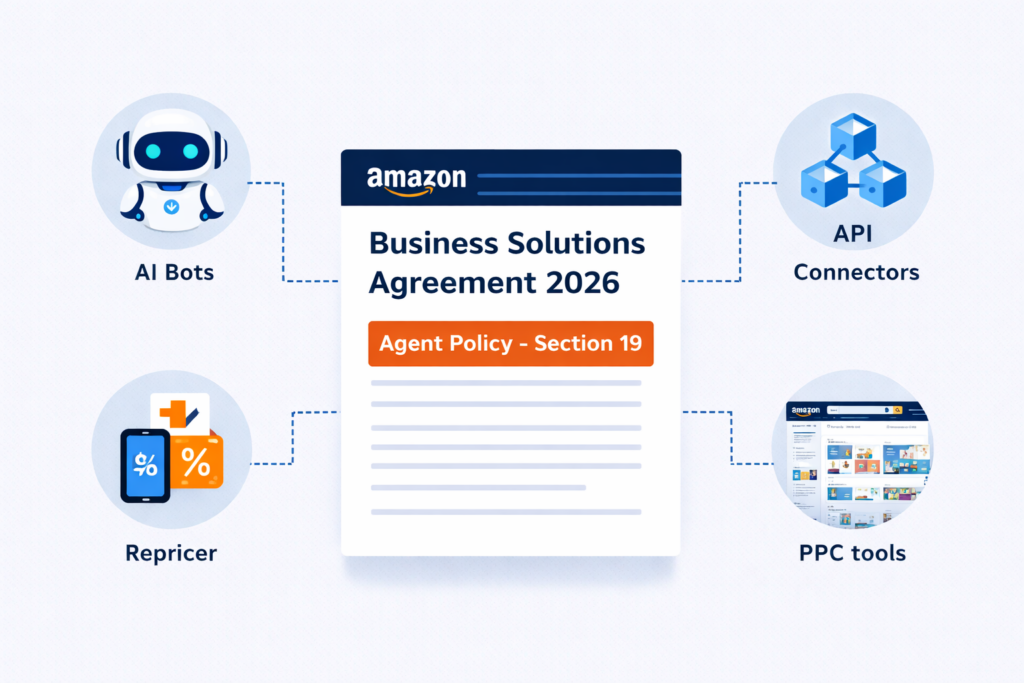
What changed in Section 19: The Agent Policy
Amazon added a completely new section to the BSA called the “Agent Policy.” This section creates a formal legal category called an “Agent” that covers any automated software or AI system accessing Amazon Services.
Here’s the exact definition: An “Agent” is any automated software, AI system, bot, or technology that accesses Amazon Services on your behalf. This includes:
- Tools that connect to Seller Central
- Software that uses Amazon’s advertising APIs
- Systems that pull data from Amazon’s reporting
- Anything that automates tasks on the Amazon platform
The policy establishes three core requirements that now apply to every single Agent:
- Identify: The Agent must clearly identify itself as an automated system when accessing Amazon
- Comply: The Agent must follow Amazon’s Agent Policy at all times
- Stop on demand: The Agent must immediately cease accessing Amazon if Amazon requests it (this is the “kill switch” provision)
What changed in Section 4.2: AI Training Restrictions
Separately, Amazon added language in Section 4.2 that restricts using Amazon’s materials or services to develop or improve AI and machine learning models. The language explicitly prohibits:
- Reverse engineering Amazon’s systems
- Data mining Amazon’s platform for training data
- Deriving source code or model components from Amazon’s services
- Scraping Amazon content to build AI models
Amazon is making it crystal clear: their platform is not a free training ground for third-party AI systems.
Why Amazon is tightening control over AI access
This isn’t happening in a vacuum. Amazon is responding to three trends:
- Explosion of AI tools: The number of AI-powered tools for Amazon sellers has grown exponentially. Many operate in legal gray areas, and Amazon wants formal control.
- Data scraping concerns: AI companies have been scraping Amazon product data to train models. Amazon wants to prevent this and control how its data is used.
- Marketplace integrity: Automated systems can manipulate pricing, reviews, and rankings in ways that harm customers and legitimate sellers. Amazon needs mechanisms to shut down bad actors quickly.
Why this aligns with broader AI governance trends
Amazon isn’t alone in this. Google, Meta, Twitter, and other platforms are all implementing similar policies governing AI access to their systems. As AI becomes more powerful, platforms are asserting control over who can access their data and how.
The difference is that Amazon’s policy directly affects your ability to sell and make money. If your tools aren’t compliant, you don’t just lose data access — you potentially lose your entire business operation.
Important: If you continued selling on Amazon after March 4, 2026, you automatically accepted these changes. There’s no separate acknowledgment required. The agreement became effective by default. So even if you never read the email, you’re bound by these rules right now.
What Counts as an Agent Under the New Policy?
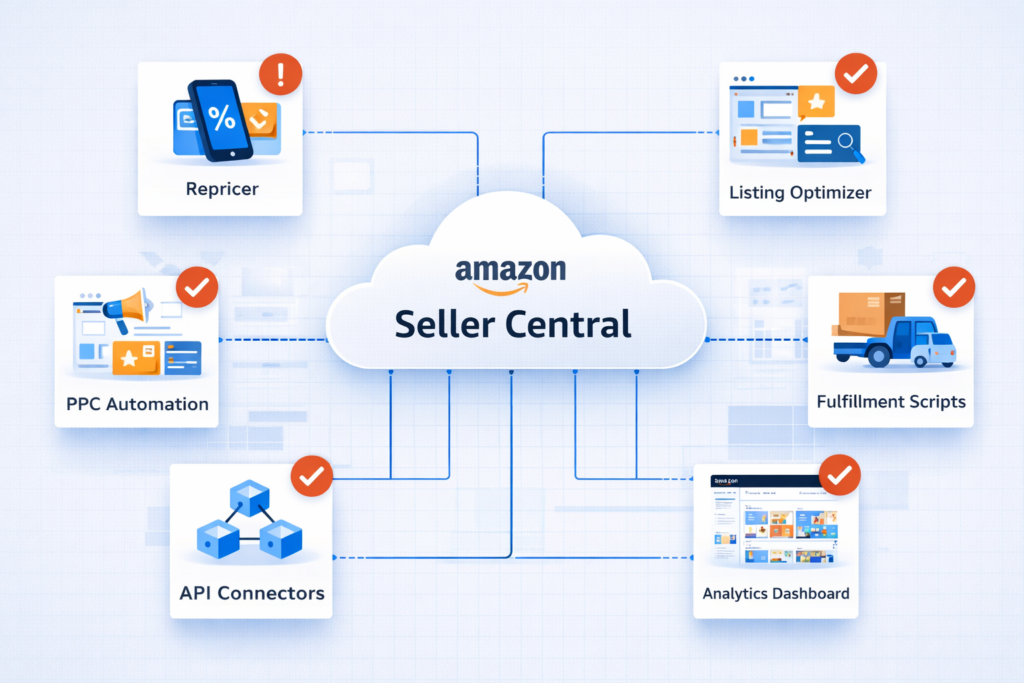
This is where most sellers get confused. When Amazon says “Agent,” they’re not just talking about fancy AI systems or advanced automation. They mean pretty much everything that touches your account automatically.
Let’s break down exactly what falls under this policy:
Repricers
If you’re using any repricing software — whether it’s a major platform like RepricerExpress, SellerSnap, or a custom solution — that’s an Agent. It doesn’t matter if it’s cloud-based or runs on your computer. If it automatically adjusts your prices based on competition, market conditions, or rules you’ve set, it’s covered by the Agent Policy.
Why it matters: Repricers access Amazon’s pricing APIs constantly, sometimes making price changes dozens of times per hour. If your repricing tool isn’t compliant and Amazon shuts it down, your prices freeze. You lose Buy Box. Your sales drop immediately.
PPC Automation Tools
Any software that manages your Amazon PPC campaigns automatically falls under the Agent Policy. This includes:
- Bid management tools that adjust bids based on performance
- Campaign automation that pauses underperforming keywords
- Budget management systems that reallocate spend
- Dayparting tools that adjust bids by time of day
- Tools that create or modify ad campaigns automatically
Why it matters: If your PPC automation stops working, your ad performance degrades fast. Bids don’t adjust to competition changes. Budgets aren’t optimized. Your ACoS (Advertising Cost of Sale) increases while your ad-driven sales decrease.
Listing Optimization Software
Tools that help you optimize product listings are Agents if they have any automation component:
- Software that automatically updates keywords in listings
- Tools that A/B test different titles or bullets
- Systems that adjust pricing or promotions based on performance
- Bulk listing editors that make changes across multiple products
- Content generators that create or modify product descriptions
Why it matters: Listing optimization directly impacts your organic ranking. If these tools break, you lose the ability to quickly adapt listings to ranking changes, competitor moves, or keyword trends.
Order Fulfillment Scripts
This catches a lot of sellers by surprise. If you have any scripts or automation that handles order processing, they’re Agents:
- Scripts that pull orders from Amazon and send them to your fulfillment system
- Automation that uploads tracking numbers to Amazon
- Systems that manage inventory levels based on sales velocity
- Tools that generate shipping labels automatically
- Scripts that send order data to your accounting system
Why it matters: Even simple fulfillment automation qualifies. If Amazon requests your scripts to stop and they can’t, you have a compliance problem that could affect your ability to fulfill orders.
Internal Automation
Here’s the part that catches sellers off guard: even internal tools you’ve built yourself are covered. This includes:
- Excel or Google Sheets that pull Amazon data via APIs
- Custom Python or JavaScript scripts that access Seller Central
- Dashboards that display Amazon metrics in real-time
- Reporting tools that aggregate Amazon sales data
- Any code you wrote that connects to Amazon programmatically
Why it matters: Many sellers have forgotten about scripts they set up months or years ago that are still running in the background. If those aren’t compliant, they’re violations waiting to be discovered.
API Connectors
Any software that connects to Amazon’s APIs is an Agent:
- Inventory management systems that sync with Amazon
- ERP (Enterprise Resource Planning) software with Amazon integration
- Accounting software that pulls Amazon sales data
- Shipping software that accesses Amazon order information
- Multi-channel listing tools that publish to Amazon
Why it matters: These are often mission-critical business systems. If they lose Amazon access, your entire operation can grind to a halt.
Data Scraping Tools
Tools that extract data from Amazon for analysis, research, or competitive intelligence are Agents:
- Product research tools that scan Amazon for product opportunities
- Competitor monitoring software that tracks pricing and rankings
- Review scraping tools that analyze customer feedback
- Keyword research tools that pull data from Amazon search
- Sales estimator tools that derive sales volume from BSR
Why it matters: Many popular product research tools rely on accessing Amazon data. If they’re not compliant, they could lose functionality or be shut down entirely.
The bottom line: If software on your computer or in the cloud accesses any Amazon service automatically — whether it’s pulling data, making changes, or just monitoring — it’s an Agent under this policy. And it needs to comply.
What about tools you use manually?
If you manually log into a tool and it doesn’t access Amazon automatically, it’s generally not an Agent. For example, if you manually upload a spreadsheet to a tool that then sends changes to Amazon, that likely doesn’t qualify because there’s human intervention. But if that same tool monitors Amazon automatically in the background, even when you’re not using it, it’s an Agent.
When in doubt, assume it’s covered and verify compliance. The cost of being wrong is too high.
The 3 Core Requirements (Identify, Comply, Stop)
Amazon’s Agent Policy has three requirements that every automated system must meet. Let’s break down what each one actually means in practice.
4.1 Must Identify as Automated
What Amazon requires: Every Agent must clearly identify itself as an automated system when it accesses Amazon Services.
What this means in practice: When your repricing tool, PPC software, or any other automation connects to Amazon’s APIs or accesses Seller Central, it must send identifying information that tells Amazon “I’m a bot, not a human.”
This identification typically happens through:
- User-agent strings in API calls that indicate automated software
- Specific headers in HTTP requests identifying the tool and version
- Authentication tokens that are registered as belonging to automated systems
- Metadata that describes what the automation does
Why Amazon wants this: Amazon needs to know which traffic comes from humans and which comes from bots. This helps them:
- Monitor automation usage patterns
- Detect abuse or malicious activity
- Enforce rate limits appropriately
- Track which tools are accessing their platform
What you need to verify: Contact your tool vendors and ask: “Does your software clearly identify itself as an automated agent when accessing Amazon, as required by the March 4, 2026 BSA update?”
Most reputable vendors have already implemented this. But some smaller tools, especially free or open-source options, might not be compliant.
4.2 Must Comply at All Times
What Amazon requires: Each Agent must comply with the Agent Policy continuously, not just initially.
What this means in practice: Compliance isn’t a one-time setup. The tool must:
- Follow Amazon’s API usage guidelines and rate limits
- Respect Amazon’s terms of service continuously
- Update its compliance measures when Amazon updates policies
- Maintain proper identification and kill switch capabilities over time
Why Amazon wants this: Tools can start compliant but drift into non-compliance through:
- Software updates that change how they access Amazon
- New features that violate terms of service
- Increased API usage that exceeds rate limits
- Changes in Amazon’s policies that tools don’t adapt to
What you need to verify: This is harder to check as a seller. The best approach is working with established vendors who have dedicated compliance teams monitoring Amazon policy changes.
Ask vendors: “How do you ensure ongoing compliance with Amazon’s Agent Policy? Do you monitor for Amazon policy updates and adapt your tool automatically?”
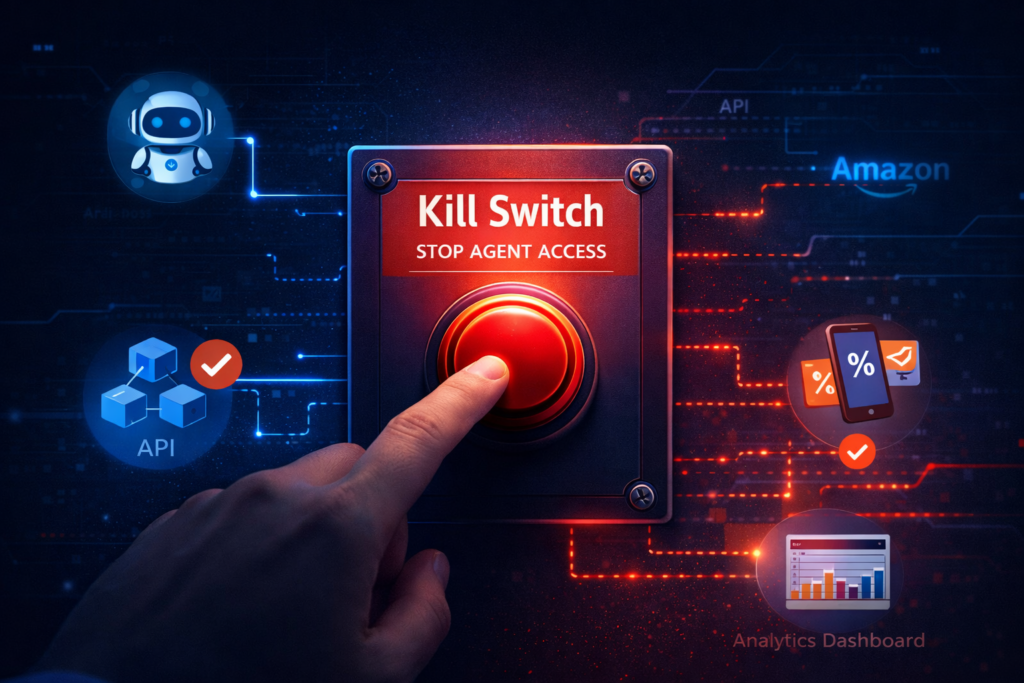
4.3 Must Stop Immediately (“Kill Switch” Provision)
What Amazon requires: Every Agent must immediately stop accessing Amazon if Amazon requests it.
What this means in practice: This is the “kill switch” provision, and it’s the most consequential part of the policy.
If Amazon sends a notice that your tool must stop accessing their platform, the tool must:
- Cease all API calls immediately (within minutes, not hours or days)
- Stop any scheduled tasks or background processes
- Halt all data collection or analysis from Amazon
- Prevent any further automated actions on your account
What “kill switch” means practically:
The tool needs one of two mechanisms:
- Vendor-side kill switch: The tool vendor can remotely disable access for specific users or globally if Amazon demands it. This is the cleanest approach.
- User-side kill switch: You can disable the tool’s Amazon access immediately through the tool’s settings or by revoking API permissions in Seller Central.
Why Amazon wants this: Amazon needs the ability to shut down malicious or problematic automation instantly. Without kill switches, bad actors could continue manipulating the marketplace even after Amazon identifies them.
What you need to verify: This is the critical question to ask every tool vendor:
“If Amazon requests that your tool immediately stop accessing their platform, do you have a kill switch capability to comply? Can you disable access instantly, either on your end or through my settings?”
If the vendor hesitates or says “we’ve never needed that” or “we’d need to release an update,” that’s a red flag. The tool isn’t fully compliant.
Real-world scenario:
Imagine Amazon detects unusual API activity from a repricing tool — maybe it’s making requests too frequently or in patterns that suggest manipulation. Amazon sends the vendor a notice: “Your tool must stop accessing Amazon immediately.”
If the vendor has a proper kill switch, they can disable API access within minutes. Your tool stops working, but you’re protected from account-level consequences.
If the vendor doesn’t have a kill switch, the tool keeps running. Amazon sees continued non-compliant access coming from your account. Now you have a policy violation that could affect your account health, not just the tool.
The uncomfortable truth: Some tools simply cannot comply with instant kill switch requirements because of how they’re architected. These tools will either need major rewrites or will eventually be forced off the platform.
What Happens If You Ignore the Amazon BSA Update?
Let’s talk about consequences. Because this isn’t theoretical — Amazon has enforcement mechanisms that can seriously damage your business if your tools aren’t compliant.
API Access Restriction
What happens: Amazon can restrict your account’s API access partially or completely.
How this affects you:
- Your repricing tool stops getting current pricing data and can’t update prices
- Your PPC automation can’t access campaign performance data or make bid adjustments
- Your inventory management system can’t sync stock levels
- Your order fulfillment automation can’t retrieve new orders
Real-world impact: One seller reported that when their API access was temporarily restricted due to excessive requests, their repricing tool showed stale data for 6 hours. During that time, competitors undercut their prices and they lost Buy Box on their top 10 products. It took 3 days to recover their sales velocity.
Tool Shutdown
What happens: Amazon demands that specific tools stop accessing their platform immediately.
How this affects you:
- The tool vendor receives a cease-and-desist notice and must disable the tool
- Your automation stops working with no advance warning
- You have to manually manage everything the tool was handling
- You might not have alternative tools ready to use
Real-world impact: If your repricing tool gets shut down, your prices freeze at whatever they were when the tool stopped. If your prices were high when it stopped, you lose Buy Box share and sales drop. If they were low, you lose profit margin unnecessarily. Either way, you’re bleeding money while you scramble to find a compliant alternative.
Listing Disruptions
What happens: Automated listing changes stop working when tools lose access.
How this affects you:
- Bulk updates don’t process
- A/B testing stops mid-test with inconsistent listings
- Scheduled optimizations don’t deploy
- Keyword updates don’t happen
- Pricing changes don’t take effect
Real-world impact: One seller had scheduled major listing optimizations for their entire catalog using automation. When the tool lost API access, half the listings updated and half didn’t, creating inconsistency across their brand. Customers noticed. Reviews mentioned confusion about product specifications. It took two weeks of manual work to fix.
PPC Performance Drops
What happens: When PPC automation breaks, campaign performance degrades quickly.
How this affects you:
- Bids don’t adjust to competition changes
- Underperforming keywords keep running, wasting budget
- High-performing keywords hit budget caps and stop showing
- Dayparting stops working, so you pay premium rates at low-conversion times
- Negative keywords don’t get added, so irrelevant traffic wastes spend
Real-world impact: Sellers report that losing PPC automation typically increases ACoS (Advertising Cost of Sale) by 20-40% within 48 hours. If you were running at 25% ACoS with automation, you might jump to 35-40% without it. On $10,000 monthly ad spend, that’s $1,000-1,500 in wasted advertising costs.
Buy Box Loss
What happens: Without working repricing tools, you can’t compete on price dynamically.
How this affects you:
- Competitors undercut your prices
- Your Buy Box percentage drops from 80% to 20% or less
- Sales drop proportionally (losing 60% Buy Box means losing roughly 60% of sales)
- You either lower prices manually (losing margin) or accept lower sales
Real-world impact: Buy Box is everything on Amazon. One seller lost Buy Box on a high-volume product when their repricing tool stopped working during a competitive period. Sales dropped from 50 units/day to 8 units/day overnight. It took a week to diagnose the repricing issue and get a compliant tool running. They estimate they lost $12,000 in gross profit during that week.
Account Health Impact
What happens: Policy violations from non-compliant tools affect your Account Health Rating.
How this affects you:
- Policy violation notices appear in your account
- Your Account Health Rating drops
- You might lose access to certain features or programs
- In severe cases, your account could be suspended
Real-world impact: Account suspensions are rare for tool compliance issues alone, but they can happen. More commonly, you get warnings that accumulate over time. Multiple warnings create a history that makes Amazon less forgiving if you have unrelated issues later.
The Financial Cost
Let’s put some numbers on this. For a seller doing $50,000/month in revenue:
- Lost Buy Box: 60% drop in sales for one week = $7,000 lost revenue
- Wasted PPC spend: 30% higher ACoS for one month = $900 lost profit
- Manual management time: 20 hours fixing listings at $50/hour value = $1,000 opportunity cost
- Tool switching costs: Emergency switching to new compliant tools = $500-1,000
- Total cost: $9,400-9,900 in one month from ignoring this policy
And that’s a conservative estimate. Larger sellers face proportionally bigger losses.
The Timeline Risk
Here’s what makes this particularly dangerous: you won’t necessarily know you have a problem until something breaks.
Amazon isn’t sending individual notices to sellers about which tools are non-compliant. They’re working with vendors to enforce compliance. So the first sign you might have an issue is when:
- A tool you rely on suddenly stops working
- You receive a policy violation notice
- Your API access gets restricted without warning
- A vendor sends an emergency email saying they need to shut down
By then, you’re in reactive mode, scrambling to fix things while your business suffers.
The smart move: Verify compliance now, before anything breaks. The cost of prevention (a few hours of checking with vendors) is dramatically lower than the cost of emergency fixes after your tools stop working.
How This Affects Your Amazon Rankings & Sales
Here’s what most sellers don’t realize: the Amazon BSA Agent Policy isn’t just a compliance headache. It directly threatens your rankings and sales if you’re not prepared.
Let me show you exactly how automation failures cascade into ranking and revenue problems.
When PPC Tools Pause → Rankings Drop
Your PPC campaigns do more than just drive ad sales. They’re a critical ranking signal for Amazon’s A9 algorithm.
How PPC supports organic ranking:
- PPC sales velocity signals product demand to Amazon’s algorithm
- Conversion rate data from PPC influences organic ranking
- PPC keywords help Amazon understand product relevance
- Sales momentum from PPC prevents ranking stagnation
What happens when PPC automation breaks:
Let’s say your PPC automation tool stops working due to non-compliance. Within 24-48 hours:
- Bids freeze at whatever levels they were when automation stopped
- Underperforming keywords keep running, wasting budget without sales
- High-performing keywords hit budget caps and stop showing ads
- Competition outbids you on critical keywords while your bids don’t adjust
- Your ad visibility drops from page 1 to page 2-3 positions
- Click-through rate falls because lower ad positions get fewer clicks
- Conversion rate drops because worse ad positions attract less qualified traffic
- Sales velocity from PPC decreases by 30-50%
Now here’s where it gets worse. Amazon’s algorithm notices:
- Your total sales velocity is declining
- Your conversion rate is falling
- Your click-through rate is dropping
- Your keyword relevance signals are weakening
Within 7-10 days, your organic rankings start sliding because Amazon interprets these signals as “this product is becoming less relevant/desirable.”
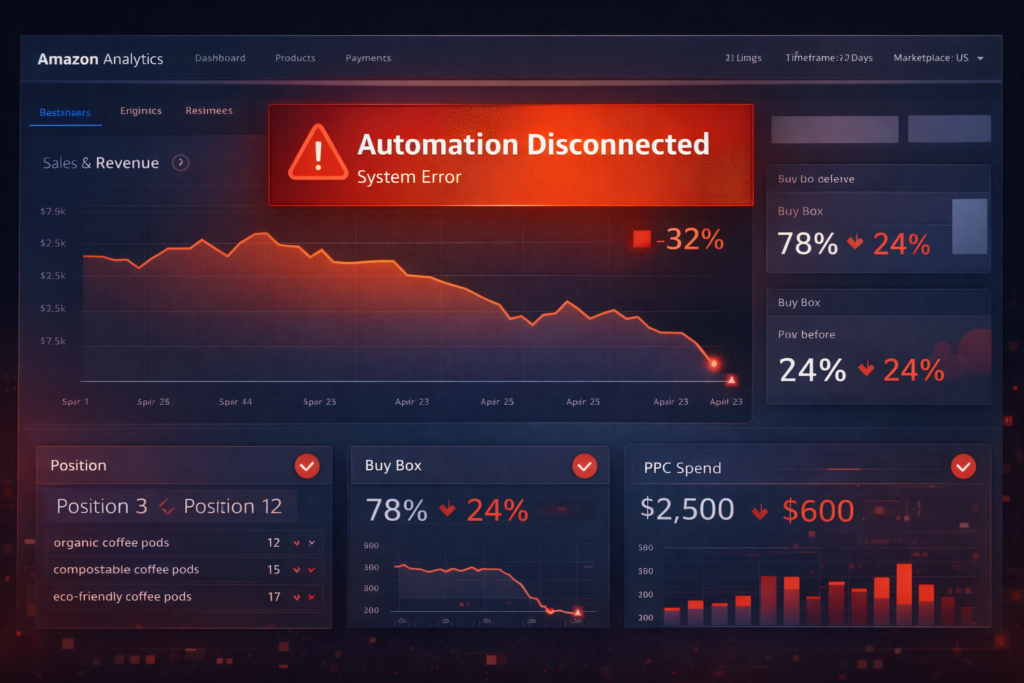
Real example: One seller’s PPC tool went offline for 5 days. Their main product’s PPC sales dropped from 25 units/day to 8 units/day. Within a week, their organic ranking for their primary keyword dropped from position 4 to position 12. It took 3 weeks and $2,000 in aggressive PPC spending to recover to position 6.
When Repricers Stop → Buy Box Loss
Buy Box ownership is the single most important factor in Amazon sales. Win the Buy Box, you get 80-90% of sales. Lose it, you get 10-20%.
How repricers maintain Buy Box:
- Automatically adjust prices based on competitor changes
- React to Buy Box losses within minutes
- Optimize pricing for maximum Buy Box time at best margin
- Handle the complexity of Amazon’s Buy Box algorithm
What happens when repricers stop working:
Your prices freeze. Within hours:
- A competitor lowers their price by $0.50
- Amazon’s algorithm awards them the Buy Box based on price advantage
- Your Buy Box percentage drops from 85% to 15%
- Your sales volume drops proportionally (70% fewer sales)
- Your sales velocity ranking signal weakens
- Your organic ranking starts declining within 3-5 days
Buy Box loss doesn’t just reduce current sales — it triggers a ranking decline that reduces future organic visibility.
Real example: A seller’s repricing tool became non-compliant and stopped working. Their prices were $1.20 higher than their main competitor when the tool froze. They lost Buy Box on 8 high-volume products. Sales dropped from $3,200/day to $950/day. By the time they realized what happened and manually adjusted prices, their rankings had already started dropping. It took two weeks to recover.
When Listing Tools Break → Optimization Stalls
Amazon ranking isn’t static — it’s dynamic. Your competitors are constantly optimizing listings, adjusting keywords, and improving content. If your optimization tools stop working, you fall behind.
How listing optimization affects ranking:
- Backend keyword updates improve relevance for search terms
- Title and bullet optimization affects click-through rate
- A/B testing identifies highest-converting content
- Regular updates signal active seller management to Amazon
What happens when optimization tools fail:
- Scheduled keyword updates don’t deploy — you miss new trending search terms
- A/B tests stop mid-test — you’re stuck with potentially worse-performing content
- Competitors optimize while you’re frozen — their relevance increases while yours stagnates
- Your CTR (click-through rate) declines relative to improving competitors
- Amazon notices your stagnation and ranks more-active competitors higher
Real example: A seller had automated listing optimization running across 50 products. The tool lost API access due to compliance issues. For three weeks, their listings didn’t update while competitors continuously improved. They lost 2-3 ranking positions per product on average, reducing organic traffic by 35%.
Automation Dependency Risk
Here’s the uncomfortable truth: many Amazon sellers have become so dependent on automation that they can’t effectively manage their businesses manually.
How automation dependency creates vulnerability:
- You don’t know how to manually reprice effectively because the tool always handled it
- You don’t monitor campaign performance because automation did it
- You don’t track competitor moves because tools alerted you automatically
- You don’t optimize listings manually because automation tested and deployed changes
What happens in an automation crisis:
When multiple tools stop working simultaneously (which can happen if a major tool provider becomes non-compliant):
- You’re suddenly managing 5+ tasks manually that automation handled
- You make mistakes because you’re rusty at manual management
- You miss critical changes because you’re overwhelmed
- Your performance drops across all metrics (Buy Box, PPC, rankings)
- Recovery takes weeks instead of days because you’re learning while firefighting
The 2026 reality: Automation isn’t going away, but the Amazon BSA Agent Policy means automation can be interrupted. Smart sellers maintain the ability to manually manage critical functions even if they normally use automation.
The Ranking Recovery Timeline
When rankings drop due to automation failures, recovery isn’t instant. Here’s the typical timeline:
Week 1: Rankings drop as Amazon’s algorithm notices declining performance metrics
Week 2-3: Even after fixing automation, rankings continue declining due to momentum
Week 4-5: Rankings stabilize but remain depressed
Week 6-8: Aggressive optimization and PPC can begin recovering rankings
Week 9-12: Gradual climb back toward original positions
The cost: 2-3 months of reduced sales. For a product doing $10,000/month, a 40% ranking drop costs roughly $12,000-16,000 in lost revenue over the recovery period.
How to Protect Your Rankings
Action 1: Verify all automation is BSA-compliant before March 4, 2026 (if you’re reading this after that date, verify immediately)
Action 2: Have backup plans:
- Know how to manually reprice if your repricing tool fails
- Have alternative PPC management ready (even if it’s just manual)
- Can you bulk edit listings in Seller Central if optimization tools break?
Action 3: Monitor rankings daily so you catch declines early before they compound
Action 4: Maintain strong organic fundamentals (excellent listings, good reviews, strong conversion rates) so you’re not entirely dependent on automation-driven tactics
The bottom line: Your rankings and sales are only as stable as your automation stack’s compliance. Non-compliant tools are ticking time bombs that will detonate into ranking drops and sales losses when Amazon enforces the policy.
The Hidden Problem: Generative Search & AI Visibility
Most sellers are focused on the immediate compliance issues with the Amazon BSA Agent Policy. That makes sense — it’s urgent. But there’s a bigger strategic problem hidden in this policy update that almost nobody is talking about.
And it’s going to determine which sellers thrive and which ones slowly become irrelevant over the next 2-3 years.
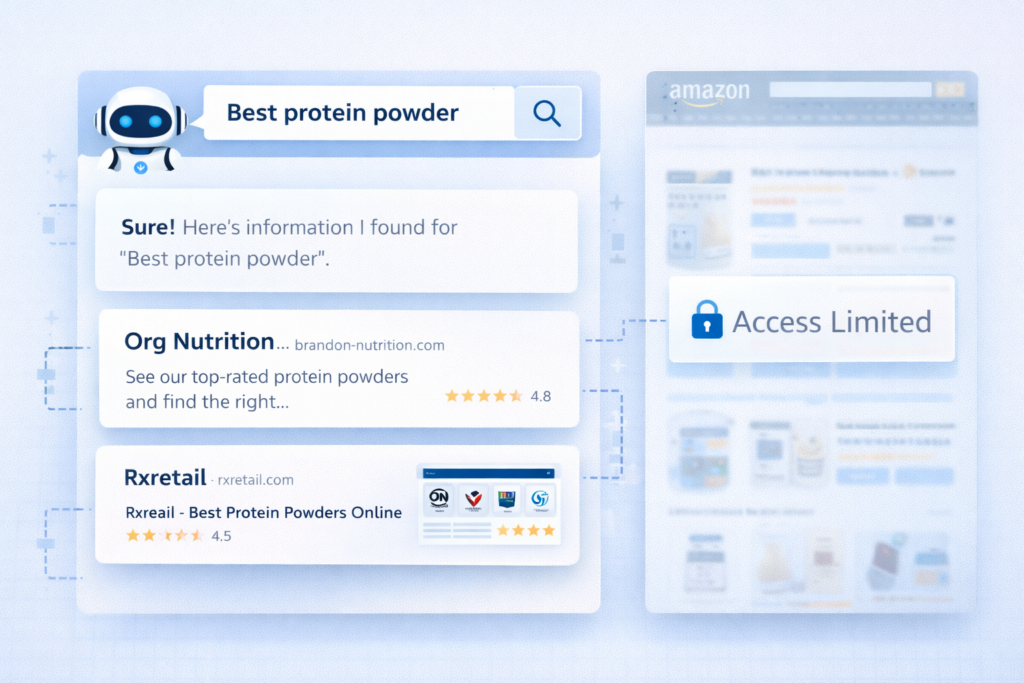
The Problem: AI Search Engines Can’t See Your Amazon Listings
Here’s what’s happening that most sellers don’t realize:
When someone asks ChatGPT “What’s the best protein powder for muscle gain?” or asks Perplexity “Compare wireless noise-cancelling headphones under $200,” those AI systems need data to answer. They need product information, specifications, prices, reviews.
Where do they get that data? Not from Amazon.
Amazon has been blocking AI crawlers from accessing product pages for quite a while now using:
- Robots.txt files that tell AI bots not to crawl Amazon
- Rate limiting that prevents systematic data scraping
- Technical measures that detect and block automated access
- Now, the BSA Agent Policy that explicitly prohibits using Amazon data for AI training
The result: Generative search engines don’t have reliable, current Amazon data at scale.
When ChatGPT recommends a protein powder, it’s pulling from sources other than Amazon — manufacturer websites, review sites, fitness blogs, Reddit discussions, YouTube transcripts. When Perplexity compares headphones, it’s synthesizing information from tech review sites, brand websites, and retailer sites that AI can access.
If your product information exists primarily on Amazon and nowhere else, you’re largely invisible to AI systems.
Why This Matters More Than You Think
Consumer behavior is shifting. Fast.
The data tells the story:
- 47% of consumers now use AI chatbots to research products before purchasing
- ChatGPT processes approximately 2.5 billion prompts daily
- Perplexity handled over 780 million queries in May 2025 alone
- Google’s AI Overviews now appear in 13.14% of U.S. desktop search queries
When people ask AI for product recommendations, they’re forming purchase intent before they ever visit Amazon. They’re getting brand names, product suggestions, and buying criteria from AI answers.
If your brand isn’t in those AI answers, you don’t exist in that purchase journey.
Think about what that means:
- Potential customers are being recommended your competitors’ products
- AI systems are citing your competitors as the “best” options in your category
- By the time shoppers reach Amazon, they’ve already decided what to buy — and it’s not your product because AI never mentioned it
The Amazon Dependency Trap
Most Amazon sellers have fallen into what we call the “Amazon dependency trap”:
- All your product data lives on Amazon
- Your brand’s only significant online presence is your Amazon storefront
- Your marketing drives traffic directly to Amazon
- You treat Amazon like it’s the entire internet for your products
This worked fine when Amazon was where discovery happened. But that’s changing.
The new customer journey looks like this:
- Research phase: Customer asks ChatGPT or searches Google
- AI delivers answer: Recommendations come from sources AI can access (not Amazon)
- Brand shortlist formed: Customer narrows to 2-3 brands based on AI guidance
- Purchase phase: Customer goes to Amazon to buy one of those shortlisted brands
If you’re not in step 2, you don’t make the shortlist in step 3. You’re competing for the scraps — people who didn’t do AI research, or who are very flexible about which specific brand they buy.
The Invisible Product Problem
Let’s make this concrete with an example.
Seller A: Sells organic MCT oil on Amazon. Great listing, 4.7-star rating, competitive price. But:
- No standalone brand website
- Product specs exist only on Amazon listing
- No blog content about MCT oil benefits
- No presence on other retailer sites
Seller B: Sells competing organic MCT oil. Also great Amazon listing. But also:
- Comprehensive brand website with full product information
- Blog posts about MCT oil benefits, usage, and science
- Product pages with detailed specs, FAQs, and how-to guides
- Selling on multiple retailer sites (Amazon, iHerb, Vitacost, Walmart)
- Schema markup on website helping AI systems understand products
Someone asks ChatGPT: “What’s the best organic MCT oil and why?”
ChatGPT can access Seller B’s website, blog content, and multi-channel presence. It pulls detailed information about Seller B’s product — the sourcing, the benefits, the usage instructions.
ChatGPT cannot reliably access Seller A’s Amazon listing. Even if it could find limited information, Amazon’s restrictions prevent using that data comprehensively.
The AI answer mentions Seller B by name, with detailed reasoning. Seller A doesn’t exist in the response.
Now multiply this by thousands of AI queries daily about products in your category. That’s thousands of potential customers being steered toward your competitors while you remain invisible.
What Amazon’s BSA Update Just Made Worse
Amazon’s new policy restricting AI access formalizes and strengthens barriers that already existed. The key points:
Section 4.2 explicitly prohibits:
- Using Amazon data to develop AI models
- Reverse engineering Amazon’s systems for AI purposes
- Mining Amazon content for machine learning training
- Deriving code or model components from Amazon services
The practical effect:
- AI companies can’t use Amazon data even if they wanted to
- Third-party tools can’t scrape Amazon to feed AI systems
- The authenticated API access paths are closed off
- Amazon is actively enforcing these restrictions
What this means for sellers: The door is closing on any possibility that AI systems will get better Amazon access in the future. In fact, access is getting more restricted, not less.
If you were hoping that AI systems would eventually be able to cite Amazon listings reliably, you can stop hoping. It’s not happening.
The strategic implication: You must build product visibility outside of Amazon, or you will become progressively more invisible to the AI-powered discovery that’s replacing traditional search.
The Generative Search Blind Spot
Here’s the final piece most sellers miss: Amazon will absolutely remain your primary conversion engine. The BSA policy doesn’t change that.
But Amazon is becoming less relevant for discovery.
The future looks like this:
- Discovery: Happens via AI systems, social media, influencers, content — not Amazon search
- Research: Happens on brand websites, YouTube, blogs, AI chat — not Amazon listings
- Purchase: Happens on Amazon because of convenience, shipping, trust, Prime
Amazon becomes the buy button, not the research platform.
Sellers who understand this:
- Build comprehensive product information on owned websites
- Create content that AI systems can access and cite
- Maintain presence on multiple retail channels
- Use Amazon for conversion while building discovery elsewhere
Sellers who don’t understand this:
- Wonder why organic traffic on Amazon keeps declining
- Watch competitors get mentioned in AI answers while they don’t
- Struggle with increased customer acquisition costs
- Eventually lose market share to more visible brands
The Amazon BSA Agent Policy just made this issue more urgent and more permanent. The time to adapt is now, not when you’ve already lost significant market share to AI-invisible competitors.
How Sellers Should Adapt in 2026
Enough theory. Let’s talk about exactly what you need to do. This six-step action plan covers immediate compliance needs and longer-term strategic adaptation.
Step 1: Audit All Tools
Timeframe: Complete within 7 days
What to do:
Create a comprehensive list of every tool, software, script, or automation that touches your Amazon account in any way. Be thorough — include things you set up months ago and might have forgotten about.
Your audit checklist:
- Repricing software
- PPC management/automation tool
- Listing optimization software
- Inventory management systems
- Order fulfillment automatio
- Shipping software with Amazon integration
- Product research tool
- Keyword research tools
- Review monitoring software
- Analytics/reporting dashboards
- Accounting software with Amazon integration
- Custom scripts (Python, JavaScript, etc.)
- Google Sheets/Excel with API connections
- Multi-channel listing tools
- Any other software accessing Seller Central or Amazon APIs
For each tool, document:
- Tool name and vendor
- What it does (specifically)
- How often it accesses Amazon (constantly, hourly, daily, on-demand)
- Whether it’s critical to operations or nice-to-have
- Vendor contact information
- Current subscription/license status
Why this matters: You can’t verify compliance if you don’t know what you’re using. Many sellers discover forgotten tools during this audit — tools that are still running and potentially non-compliant.
Step 2: Contact Vendors
Timeframe: Complete within 10 days
What to do:
For each tool on your audit list, contact the vendor with these specific questions:
Question 1: “Is your software compliant with Amazon’s Business Solutions Agreement update effective March 4, 2026, specifically the Agent Policy in Section 19?”
Question 2: “Does your system clearly identify itself as an automated agent when accessing Amazon Services?”
Question 3: “Do you have a kill switch capability to immediately stop accessing Amazon if Amazon requests it? Can you disable access on your end, or can I disable it through settings?”
Question 4: “Are your data practices compliant with Section 4.2 restrictions on using Amazon materials for AI development?”
Question 5: “When was your system last updated to ensure compliance with these new requirements?”
How to send: Email is best because you have written documentation of their responses. If they have a support ticket system, use that.
Red flags in responses:
- “We’re not familiar with that policy update” (they haven’t done their homework)
- “We’re working on compliance” (they’re not compliant yet)
- “That doesn’t apply to our tool” (unless they explain why convincingly, they’re wrong)
- “We’ll get back to you” followed by silence (they don’t have answers)
- Vague responses that don’t directly answer your questions
Green flags in responses:
- Specific confirmation of compliance with section numbers cited
- Technical details about how they identify as agents
- Clear explanation of kill switch mechanisms
- Documentation or certification of compliance
- Proactive communication about compliance before you asked
What to do with non-responsive vendors: Set a deadline (7 days for response). If they don’t respond or can’t confirm compliance, start researching alternative tools. Don’t wait for them to figure it out while your business is at risk.
Step 3: Confirm Kill Switch
Timeframe: Complete within 14 days
What to do:
For each compliant tool, verify that the kill switch actually exists and you know how to use it.
Test scenarios:
- Vendor-side kill switch: Ask vendor to demonstrate or document how they would disable access if Amazon requested it. How quickly can they do it? Is it automated or manual?
- User-side kill switch: Find the setting in the tool where you can disable Amazon access. Take a screenshot. Know exactly where it is and how to use it in an emergency.
- API token revocation: Verify you can revoke the tool’s API access through Amazon Seller Central. Navigate to Settings > User Permissions or the specific API management area and confirm you can remove access.
Document everything:
- Create a simple document with tool names
- Include specific steps to disable each tool
- Add vendor contact info for emergency support
- Store this document somewhere accessible (not just on your computer — cloud storage, printed copy, etc.)
Why this matters: In an emergency, you need to be able to disable non-compliant tools immediately. Scrambling to figure out how while Amazon is threatening account restrictions is not the time to learn this.
Step 4: Reduce Automation Dependency
Timeframe: Complete within 30 days
What to do:
This isn’t about abandoning automation — it’s about ensuring you can manually manage critical functions if automation fails.
Critical skills to maintain or develop:
Manual repricing:
- Know how to check competitor prices directly on Amazon
- Understand how to adjust prices in Seller Central (individual and bulk)
- Have a simple repricing strategy you can execute manually
- Practice it once monthly so you stay proficient
Manual PPC management:
- Know how to review campaign performance in Seller Central
- Understand how to adjust bids manually
- Know which campaigns are most critical to monitor
- Practice making manual bid adjustments monthly
Manual listing optimization:
- Know how to update titles, bullets, and descriptions in Seller Central
- Understand basic keyword research using free Amazon tools
- Can you create or modify A+ Content without automated tools?
- Practice updating a few listings manually each month
Manual order processing (if relevant):
- Know how to download order reports
- Understand how to manually upload tracking numbers
- Have backup processes documented
Create emergency procedures:
Write down step-by-step instructions for:
- How to manually reprice your top 10 products
- How to pause/adjust PPC campaigns manually
- How to update critical listing elements
- Where to find key data and reports in Seller Central
Share these procedures with team members so multiple people can execute if needed.
Why this matters: Automation will eventually fail or be interrupted. Maybe it’s BSA compliance issues, maybe it’s a vendor going out of business, maybe it’s API outages. Sellers who can manually manage their business survive these disruptions. Those who can’t suffer massive sales losses while they figure things out.
Step 5: Build Off-Amazon Presence
Timeframe: Start immediately, ongoing project
What to do:
This is the strategic adaptation to the AI visibility problem. You’re building product presence that AI systems can actually access and cite.
Priority 1: Create or upgrade your brand website (30 days)
Minimum requirements:
- One page per product with comprehensive information
- Full technical specifications (dimensions, weight, materials, features)
- High-quality product images (same or better than Amazon)
- Detailed product descriptions explaining benefits and use cases
- FAQ section answering common customer questions
- Customer reviews or testimonials
- Use cases or application examples
Why this matters: This becomes your canonical source of product information that AI systems can access. When ChatGPT needs details about your product, this is where it gets them.
Priority 2: Implement schema markup (14 days after website update)
What to add:
- Product schema (name, description, image, brand, SKU, price)
- Review schema (aggregate ratings, individual reviews)
- FAQ schema (common questions and answers)
- How-to schema (usage instructions)
- Organization schema (company information)
How to implement: Use Google’s Structured Data Markup Helper or hire a developer to add proper schema.org markup to your website pages.
Why this matters: Schema makes your content significantly easier for AI systems to understand, parse, and cite. It’s structured data that AI systems prefer over unstructured web text.
Priority 3: Multi-channel presence (ongoing, 60-90 days)
Expand to other retail channels:
- Walmart.com (if relevant for your products)
- Target.com (selective product categories)
- Specialty retailers in your niche
- Your own Shopify/WooCommerce store
Why this matters: The more places your product information appears in accessible formats, the more likely AI systems are to include you in recommendations. Multi-channel presence also builds business resilience.
Priority 4: Create educational content (ongoing)
Content types that help AI visibility:
- Blog posts answering customer questions about your product category
- Buying guides that help customers choose products (including yours)
- Comparison content (your product vs. alternatives, fairly presented)
- How-to guides and usage instructions
- Video content on YouTube with detailed descriptions
Why this matters: AI systems pull from educational content when answering questions. If your brand is the source of helpful information, AI systems will cite you as an authority.
Measurement:
- Monitor referral traffic from AI platforms (ChatGPT, Perplexity, Google AI)
- Track branded search volume (are more people searching your brand name?)
- Test AI systems periodically (ask them about your product category and see if you appear)
Step 6: Improve Product Content Depth
Timeframe: Ongoing, prioritize top products first
What to do:
Make your product information significantly more comprehensive than what fits in Amazon’s listing constraints.
On your website, include:
Detailed specifications table:
- Every measurable dimension
- All material compositions
- Performance specifications
- Compatibility information
- Certifications and standards met
- Country of origin and manufacturing details
Use case scenarios:
- Who is this product for? (specific customer personas)
- What problems does it solve? (explicit pain points addressed)
- When should customers use it? (timing and frequency)
- Where is it best used? (environments and situations)
- How does it compare to alternatives? (honest differentiation)
Visual content:
- Multiple high-resolution product images
- Lifestyle photos showing product in use
- Dimension diagrams
- Comparison images (size relative to common objects)
- Video demonstrations
- 360-degree product views (if feasible)
Social proof:
- Customer testimonials with real names and contexts
- Expert endorsements or certifications
- Third-party test results
- Usage statistics (“trusted by 10,000+ customers”)
- Media mentions or awards
Educational content:
- Care and maintenance instructions
- Troubleshooting common issues
- Best practices for optimal use
- Frequently asked questions (comprehensive)
- Safety information and warnings
Why this matters: AI systems synthesize information from multiple sources to create comprehensive answers. The more detailed and authoritative your content, the more likely AI will cite you as a reliable source.
Amazon vs. Website content strategy:
- Amazon listing: Optimized for conversion with space constraints
- Website: Comprehensive information optimized for AI comprehension
- They serve different purposes; both are necessary
Amazon BSA Agent Compliance Checklist
Use this checklist to ensure you’ve covered all critical compliance areas before the deadline (or to remediate if you’re reading this after March 4, 2026).
Tools and Software Audit
- Listed every tool, software, and script accessing Amazon
- Identified critical vs. nice-to-have tools
- Documented what each tool does and how often it accesses Amazon
- Created comprehensive tool inventory with vendor contact information
Vendor Compliance Verification
- Contacted all tool vendors about BSA compliance
- Received written confirmation of Section 19 Agent Policy compliance
- Verified identification protocol (tools identify as automated agents
- Confirmed Section 4.2 data usage compliance
- Documented all vendor responses for records
Kill Switch Verification
- Confirmed vendor-side kill switch exists for each tool
- Located user-side kill switch settings in each tool
- Tested API token revocation process in Seller Central
- Created documentation showing how to disable each tool
- Stored emergency shutdown procedures in accessible location
API and Data Access Review
- Reviewed all API access granted in Seller Central
- Removed API access for tools no longer in use
- Verified active API tokens correspond to known, compliant tools
- Checked for any forgotten or abandoned integrations still active
- Documented API access inventory
Custom Code and Script Review
- Identified all custom scripts accessing Amazon
- Reviewed internal automation for compliance
- Updated or disabled non-compliant custom code
- Documented what custom automation does and why it’s needed
- Created kill switch procedures for internal automation
Alternative Tools Research
- Identified backup tools for critical functions
- Researched compliant alternatives for any non-compliant tools
- Tested alternative tools to ensure functionality
- Created contingency plan for switching tools if needed
- Documented how to quickly switch to alternatives
Manual Process Documentation
- Documented how to manually reprice products
- Created step-by-step PPC manual management guide
- Wrote procedures for manual listing updates
- Documented manual order processing (if applicable)
- Trained team members on manual processes
Monitoring and Response Plan
- Set up monitoring for tool functionality
- Created alert system for automation failures
- Documented response procedures for compliance issues
- Assigned team members to monitor compliance
- Scheduled regular compliance reviews (quarterly minimum)
Off-Amazon Presence (Strategic)
- Launched or updated brand website with comprehensive product info
- Implemented schema markup on product pages
- Expanded to at least one additional retail channel
- Created educational content about products
- Established monitoring for AI visibility
Documentation and Records
- Saved all vendor compliance confirmations
- Created master compliance document
- Stored emergency procedures documentation
- Established record-keeping system for ongoing compliance
- Set calendar reminders for quarterly compliance reviews
What New Amazon Sellers Need to Know
If you’re new to Amazon or just getting started, the BSA Agent Policy might seem overwhelming. Let me simplify it for you and highlight what’s most important at your stage.
You’re Affected Even With Minimal Tools
The misconception: “I’m just starting out. I only use one tool. This policy doesn’t really apply to me.”
The reality: If you use even a single automated tool — one repricing software, one PPC automation, even just a profit calculator that pulls data from Amazon — you’re covered by this policy.
The Agent Policy doesn’t have a minimum threshold. One tool means you need to verify compliance, just like sellers using twenty tools.
Accepting the BSA Happens Automatically
What new sellers often ask: “Do I need to sign something or click accept somewhere for this new policy?”
The answer: No. If you continued selling on Amazon after March 4, 2026, you automatically accepted the updated Business Solutions Agreement. There was no separate consent form or acknowledgment checkbox.
What this means: You’re bound by these rules whether you read the policy update email or not. Ignorance isn’t a defense.
If you’re setting up a new account now: The current BSA (with Agent Policy included) is part of your initial agreement when you create your seller account.
You Can’t “Opt Out”
The question: “Can I just not use automation and avoid dealing with this policy?”
The answer: Yes, technically. If you never use any automation, the Agent Policy doesn’t directly apply to your operations.
The practical reality: Succeeding on Amazon in 2026 without any automation is extremely difficult. You’re competing against sellers using repricing software that adjusts prices in real-time, PPC automation that optimizes bids 24/7, and listing tools that A/B test content continuously.
Trying to compete purely manually is like showing up to a car race on a bicycle. It’s technically possible, but you’re at a massive disadvantage.
The better approach: Use automation, but verify it’s compliant. The extra hour verifying compliance is worth it for the competitive advantage automation provides.
Start With These Minimum Tools (Verified Compliant)
If you’re just starting and trying to keep things simple, these are the types of tools new sellers typically need:
Essential:
- Amazon Seller Central (obviously, no external tool needed)
- Amazon’s fee calculator (built-in, compliant by default)
Very Helpful:
- Basic repricing tool (verify BSA compliance before subscribing)
- Simple PPC management or Amazon’s built-in campaign manager
- Profit tracking spreadsheet (be careful if using API connections)
Nice to Have But Not Critical Early On:
- Advanced listing optimization
- Detailed analytics beyond what Seller Central provides
- Competitor monitoring
- Review management
The key: Start minimal. Only add tools when you clearly need them. Verify compliance before starting any new tool.
Questions New Sellers Should Ask Before Subscribing to Tools
Before paying for any Amazon seller tool, ask these questions:
Question 1: “Is your tool compliant with Amazon’s March 4, 2026 BSA update, specifically the Agent Policy?”
If they say yes, ask for specifics: “How does your tool identify itself as an automated agent? Do you have kill switch capability?”
Question 2: “Have any of your customers reported compliance issues or account restrictions related to your tool?”
Reputable vendors will be honest if there have been problems and how they resolved them.
Question 3: “What happens if Amazon requests your tool to stop accessing their platform?”
You need to know the vendor has a plan and can execute it quickly.
Question 4: “How long have you been in business serving Amazon sellers?”
Newer tools aren’t necessarily bad, but established tools with years of history are more likely to have mature compliance processes.
Question 5: “What’s your refund policy if the tool doesn’t work as expected?”
This isn’t about BSA compliance specifically, but it’s important for new sellers testing tools.
Free Trials Are Your Friend
Many tools offer free trials (7-14 days typically). Use them to:
- Test functionality before paying
- Verify the tool actually helps your specific situation
- Confirm it’s user-friendly enough for your skill level
- Check that it integrates properly with your account
Important: Even during free trials, verify BSA compliance. You’re responsible for tools accessing your account, even if you’re not paying for them yet.
Don’t Let Compliance Fears Stop You From Using Tools
The balance: Yes, you need to verify compliance. Yes, non-compliant tools create risks. But don’t let fear of compliance issues prevent you from using automation that could significantly help your business.
The right approach:
- Research tools that solve problems you actually have
- Verify BSA compliance before subscribing (using questions above)
- Start with one tool at a time so you’re not overwhelmed
- Document what each tool does and how to disable it if needed
- Focus on learning your business fundamentals while tools handle repetitive tasks
Automation should free up your time to focus on strategy, product selection, customer service, and growth. Compliance verification is just a checkbox on your setup list, not a reason to avoid tools entirely.
When to Get Help
You should consider getting expert help if:
- You’re setting up custom automation or scripts (hire a developer who knows Amazon’s requirements)
- You’re using multiple complex tools and aren’t sure how they interact
- You’ve received any policy warnings from Amazon related to automation
- You’re planning to scale quickly and need sophisticated tool stacks
- You don’t feel confident evaluating tool compliance yourself
Many new sellers successfully verify compliance themselves using this guide. But if you’re uncertain, investing in a few hours of expert consultation can prevent expensive mistakes.
FAQ: Amazon BSA Agent Policy 2026
Q. Does this affect basic automation like order fulfillment scripts?
Yes, most likely. Amazon’s definition of “Agent” is broad and includes any automated software accessing Amazon APIs. Even simple scripts that retrieve orders or send tracking updates qualify. If it connects programmatically without manual action each time, treat it as an Agent and verify compliance.
Q. Can generative search engines still surface my Amazon listings in their answers?
Not reliably. Most AI crawlers are blocked from Amazon product pages. If your product content exists only on Amazon, AI systems may not represent it accurately. Build visibility through your website and other retail channels.
Q. What happens if I keep using a non-compliant tool after March 4?
Amazon can restrict API access, disable the tool, or issue policy violations. In serious cases, repeated non-compliance could impact account health. It’s safer to verify compliance now.
Q. Do I need to manually accept the new BSA?
No. Continuing to sell after March 4, 2026 automatically means you’ve accepted the updated agreement.
Q. Will this affect my Amazon product ranking?
Indirectly, yes. If repricers, PPC tools, or optimization software stop working, sales velocity may drop — which can hurt rankings.
Q. Can Amazon suspend my account for tool violations?
It’s uncommon, but possible in serious or repeated violations. More often, Amazon restricts tool access first. Compliance reduces risk significantly.
Q. How do I know if my tool is compliant?
Contact the vendor directly. Ask about Agent identification, kill switch capability, and Section 4.2 compliance. Reputable vendors should provide clear documentation.
Q. Are repricers affected by the Amazon AI policy?
Yes. Repricers are automated Agents under the policy. They must identify themselves, comply continuously, and have kill switch functionality.
Q. What’s the difference between Section 19 and Section 4.2?
Section 19 regulates automated tools (Agents). Section 4.2 restricts using Amazon data to train AI models. One controls tool behavior. The other controls data usage.
Q. Should I stop using all automation to avoid compliance issues?
No. Automation is essential for competitive selling. Instead, ensure your tools are compliant and keep manual backups for critical functions.
Q. How often should I review tool compliance?
At least quarterly, and whenever adding new tools or after major Amazon policy updates. Regular audits prevent sudden disruptions.
How Ecomclips Helps Brands Stay Protected & Competitive Under the Amazon BSA Agent Policy 2026
At Ecomclips, we help brands turn compliance into a competitive advantage. The Amazon BSA Agent Policy 2026 isn’t just a technical update — it directly impacts your automation tools, rankings, and long-term visibility. Our team combines compliance strategy, Amazon expertise, and growth-focused execution to ensure your business stays protected while continuing to scale.
We don’t believe in reactive selling. Every system we build is designed to align with Amazon’s updated Agent Policy requirements, protect your ranking stability, and reduce automation risks — so your business remains strong at every stage of the marketplace lifecycle.
What We Do:
- Amazon BSA Compliance Audit: We review your entire automation stack — repricers, PPC tools, listing software, fulfillment scripts, API connectors, and internal systems — to ensure full compliance with Section 19 (Agent Policy) and Section 4.2 AI data restrictions. We identify risk areas before they impact your account.
- Automation Risk Protection Strategy: We help you reduce dependency on vulnerable automation systems by building backup processes, verifying kill switch capability, and creating contingency plans that protect your Buy Box share, PPC stability, and organic rankings.
- Ranking Stability & Performance Safeguarding: Automation disruptions can cause sudden drops in sales velocity and ranking. We design structured monitoring systems and recovery strategies to ensure your listings remain competitive even if tools pause or API access is restricted.
- AI Visibility & Off-Amazon Content Strategy: With generative search engines unable to reliably access Amazon listings, we help brands build AI-accessible product content on owned websites and multi-channel platforms. This ensures your products remain visible in AI-driven discovery.
- Ongoing Compliance Monitoring & Optimization: Amazon policies evolve. We provide structured quarterly reviews, automation stack assessments, and continuous optimization to keep your systems compliant and your rankings protected over time.
With Ecomclips, compliance becomes more than a checklist — it becomes part of a resilient growth strategy. We handle the auditing, protection, and optimization, so you can focus on scaling your brand confidently in the AI-driven Amazon marketplace.
Don’t Let Policy Changes Destroy Your Growth
Let’s be clear about something: the Amazon BSA Agent Policy update isn’t the end of automation for sellers. It’s not even close.
What it is, though, is a wake-up call.
Amazon will remain the conversion engine for e-commerce. It’s still the most efficient place to convert customer intent into sales. The infrastructure, the trust, the Prime shipping, the reviews — all of that remains valuable.
But sellers who thrive in 2026 and beyond will be those who understand that Amazon is just one piece of a larger strategy.
The new reality requires three adaptations:
1. Compliance: Your automation needs to work within Amazon’s rules. This isn’t optional or “nice to have.” Non-compliant tools are ticking time bombs. Verify compliance now. Make it part of your operational checklist. It’s not complicated, and it’s not expensive — it just requires attention.
2. Content: Your product information cannot exist only on Amazon anymore. AI systems are shaping purchase decisions before customers reach Amazon, and those AI systems can’t see your Amazon listings. Build comprehensive product content on owned channels. Make yourself visible to the AI-powered discovery that’s replacing traditional search.
3. Diversification: Amazon should be your biggest sales channel, but it shouldn’t be your only presence online. Multiple retail channels, a strong brand website, educational content, social proof — these create resilience. If Amazon changes policies, increases fees, or restricts your category, you have alternatives.
The uncomfortable truth: Many Amazon sellers have built businesses that are completely dependent on Amazon’s platform, Amazon’s traffic, and Amazon’s rules. That dependence is a vulnerability.
The BSA Agent Policy update just made that vulnerability more visible. AI’s inability to access Amazon listings makes it more urgent.
Sellers who adapt now — who verify compliance, build off-Amazon presence, and create multiple channels — will be positioned for sustainable growth. Those who ignore these shifts and hope everything stays the same will gradually lose ground to more adaptable competitors.
This isn’t about leaving Amazon. It’s about building a business that’s strong enough to thrive on Amazon while not being destroyed if Amazon changes the rules.
And here’s the final point worth understanding: compliance and strategic adaptation aren’t separate projects. They’re connected.
Verifying tool compliance protects your current Amazon business.
Building off-Amazon presence protects your future visibility and growth.
Together, they create a business that can weather policy changes, fee increases, and market shifts.
The sellers winning in 2026 aren’t necessarily the ones with the most tools or the biggest budgets. They’re the ones who understand where the market is going and adapt before they’re forced to.
Ecomclips: Your Complete eCommerce Solution Under One Umbrella
At Ecomclips, we bring every eCommerce service you need under one roof — strategy, operations, design, marketing, and growth, all seamlessly connected to help your brand thrive across every marketplace.
Since 2012, we’ve been helping businesses of all sizes launch, scale, and dominate online. From Amazon, Walmart, eBay, and Etsy to Shopify and WooCommerce, our team of marketplace experts, designers, developers, and marketers works together to deliver measurable results.
Our services span the full eCommerce lifecycle:
Account Setup & Product Listing Management: We handle registrations, compliance, and product data optimization across all marketplaces.
- Amazon Optimization Service: From keyword-rich titles and A+ content to PPC campaigns and storefront design, we craft listings that convert.
- Creative Design & Content Production: A+ visuals, infographics, brand stores, and product videos built to boost engagement.
- Advertising & PPC Management: Smart, data-driven ad strategies for Amazon, Walmart, and Google that maximize ROI.
- Web Development & Store Design: Shopify, WooCommerce, and Magento websites built for performance and conversion.
- Data Management & Automation: Streamlined product feeds, catalog syncing, and inventory control for effortless scalability.
- Customer Service & Order Fulfillment: End-to-end support that enhances customer satisfaction and builds long-term loyalty.
- Analytics & Growth Strategy: Real-time insights and ongoing optimization to ensure consistent, profitable growth.
Whether you’re launching a new store or managing multiple global marketplaces, Ecomclips acts as your single strategic partner, simplifying complexity and driving sustainable revenue growth.