
You’ve been there before. Your product listing was performing beautifully—steady sales, consistent clicks, healthy conversion rates. Then something shifted. Traffic slowed to a trickle. Sales dropped. Your once-thriving listing vanished from view, buried somewhere in the digital graveyard known as Page 3.
Here’s the brutal truth: If you’re not ranking on page one of Best Buy’s search results, you’re practically invisible. With over 180 million shoppers searching Best Buy every month, approximately 90% never scroll past the first page. That means your competitors on Page 1 are capturing nearly all the traffic while you’re left wondering what went wrong.
The good news? It’s not about the market changing or your pricing suddenly becoming uncompetitive. In most cases, your Best Buy product listing optimization has quietly deteriorated, breaking internal visibility signals that Best Buy’s algorithm relies on to rank products. The better news? Once you understand how Best Buy’s ranking system actually works, you can systematically climb back to Page 1—and stay there.
This guide reveals the invisible mistakes that tank Best Buy rankings and shows you exactly how to fix them.
Understanding the Best Buy Page One Reality
Think about your own shopping behavior for a moment. When was the last time you scrolled to Page 3 on any marketplace? Exactly. Your customers don’t either.
Page One captures the sales, builds momentum, and generates the social proof that creates a self-reinforcing cycle of success. Everyone else fights for scraps. This isn’t just anecdotal—it’s how marketplace psychology works across every e-commerce platform.
The Best Buy search algorithm determines which products earn those coveted Page 1 positions based on dozens of factors, many of which sellers completely overlook. While you can’t control external market forces, you have complete control over the internal data quality of your listing. That’s where most sellers unknowingly sabotage themselves.

Why Listings Suddenly Drop in Rankings
Sales remain steady for months, then performance plateaus. Clicks fall off. Conversions slow. Nothing external looks different—competitors haven’t suddenly doubled their efforts or slashed prices dramatically.
So what happened?
The listing loses positioning because core information inside the product data is no longer aligned with Best Buy’s structural requirements. It’s an internal visibility issue, not a market collapse. Best Buy’s algorithm constantly evaluates product data quality, and when your listing develops gaps or inconsistencies, your ranking suffers.
Mastering Best Buy Product Titles for Maximum Visibility
Your title is the handshake with your customer. It has to grab attention, communicate value clearly, and avoid feeling awkward or spammy. Yet most sellers turn their Best Buy product titles into keyword soup that repels both algorithms and human shoppers.
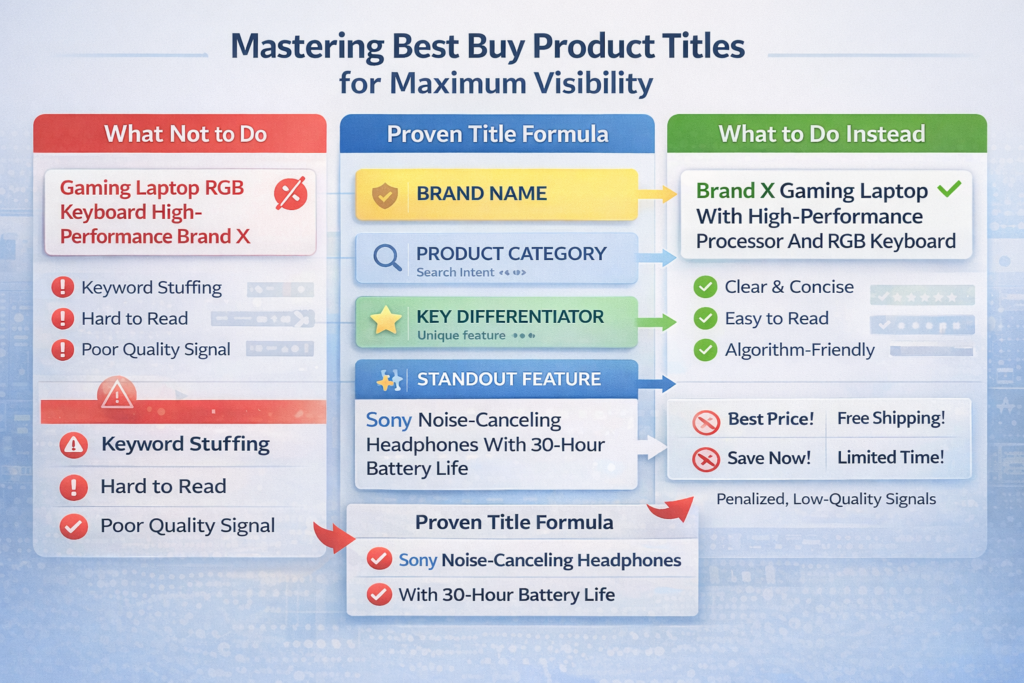
What Not to Do With Product Titles
Consider this bad example:
“Gaming Laptop RGB Keyboard High-Performance Brand X”
That’s not a title. That’s word vomit. It reads like an algorithm threw up random keywords without any thought to user experience.
Now look at this improved version:
“Brand X Gaming Laptop With High-Performance Processor And RGB Keyboard”
Same keywords. But one reads like a human wrote it for humans. The other signals desperation and poor quality control.
The Proven Title Formula for Best Buy Rankings
Here’s the strategic framework that consistently drives Best Buy listing optimization results:
- Start with your brand name – Establishes immediate credibility
- Add your primary product category – Matches broad search intent
- Include your key differentiator – Separates you from competitors
- End with your standout feature – Provides specific value
Example: “Sony Noise-Canceling Headphones With 30-Hour Battery Life”
You hit the essential keywords. You maintain readability. You don’t sound desperate.
Avoiding Promotional Fluff in Titles
Best Buy’s algorithm actively penalizes certain title elements that sellers mistakenly think will help:
- “Best Price!”
- “Free Shipping!”
- “Save Now!”
- “Limited Time!”
Why does Best Buy hate promotional language in titles? Because it signals desperation. It communicates: “I don’t trust my product to sell itself, so I’m throwing hype at you.”
Smart buyers recognize this manipulation and scroll past. Best Buy’s algorithm recognizes it as low-quality content and downgrades your ranking. Stick to factual, benefit-driven product information instead.
Crafting Best Buy Product Descriptions That Convert and Rank
Your title earned the click. Now your Best Buy product description either closes the sale or loses the customer forever.
The Description Structure That Works
Let’s examine a product that does this exceptionally well: the Ember Smart Mug.
Opening Overview: “Designed for home or office, the Ember Mug 2 lets you set your perfect drinking temperature between 120°F and 145°F.”
Notice what this accomplishes in one sentence:
- Establishes use cases (home or office)
- Communicates the core benefit (temperature control)
- Provides specific technical details (120-145°F range)
Detailed Specifications: The description then breaks down battery life, temperature range, compatibility, and other technical details in a scannable format without fluff or marketing hype.
The Critical Attribute Mistake That Kills Visibility
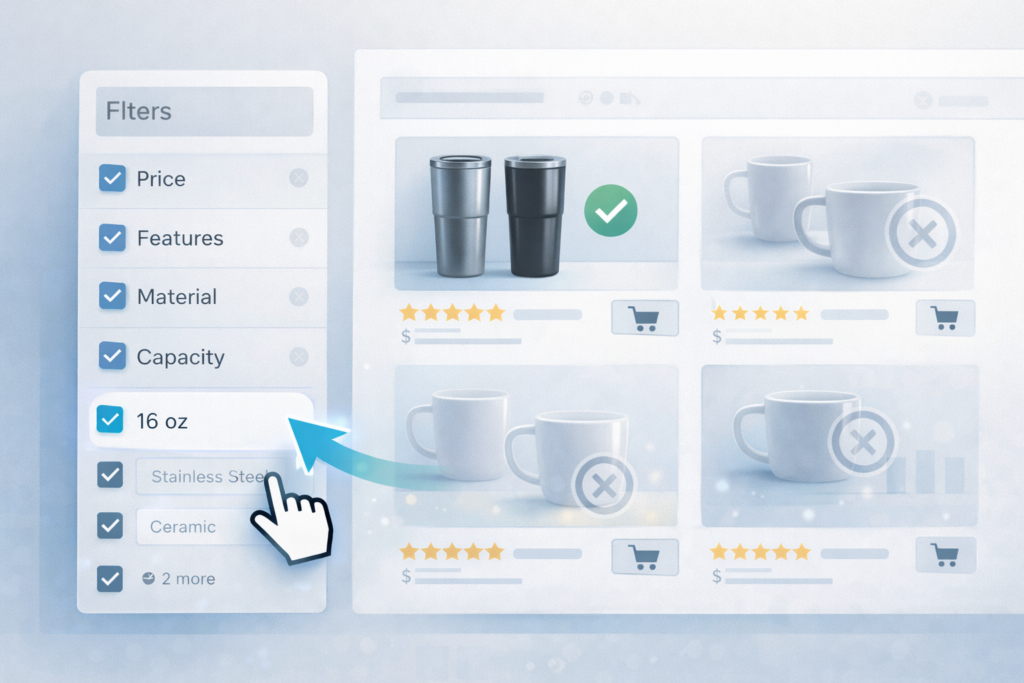
Here’s what most sellers completely miss: those specifications feed Best Buy’s filter system, which directly impacts your Best Buy search ranking.
When shoppers search for “coffee mug” on Best Buy, they can filter results by:
- Material
- Capacity
- Features
- Price range
If your listing has those attributes correctly filled out in Best Buy’s backend system? You appear in filtered results.
If you don’t? You’re invisible—even if your product perfectly matches what they’re searching for.
The Non-Negotiable Attribute Rule
Fill out every single product attribute. Don’t skip anything. Don’t leave blanks.
Best Buy’s algorithm uses those attributes to:
- Match your product to search queries
- Include you in filtered results
- Rank you against competitors
Miss one attribute? You lose ranking. It’s that simple. Every empty field is a missed opportunity for visibility and a signal to the algorithm that your listing quality is subpar.
Optimizing Best Buy Product Images and Video Content
Product imagery is where most sellers completely drop the ball on Best Buy seller optimization.
The Essential Image Requirements
You need high-resolution images from multiple angles with bright lighting, neutral backgrounds, and the product front and center.
Why? Because buyers need to imagine using your product. If they can’t visualize it, they won’t buy it.
The Complete Image Checklist:
- Main Image: Product only, white background, professional quality
- Angle 2: Side view or detail shot highlighting key features
- Angle 3: Product in use or scale reference showing size
- Angle 4: Packaging or included accessories
Upload through Best Buy’s Product Data Management system and follow their specific image guidelines precisely.
The Critical Image Restriction
Here’s a requirement that gets listings rejected: Don’t add text overlays to your product images.
Best Buy will reject images with text, not arbitrarily, but because of accessibility standards. They need clean images so screen readers work properly for customers with visual impairments. Your clever “30% Off!” banner violates accessibility guidelines and gets your images rejected.
Why Video Changes Everything
Here’s the secret weapon in Best Buy product listing best practices: video content.
Listings with video convert significantly better than listings without. Video removes doubt by showing what your product actually does in real-world scenarios.
Effective Product Videos Include:
- Unboxing experience
- Key feature demonstrations
- Actual use cases
- Clear lighting and audio
- Captions and transcripts (required by Best Buy)
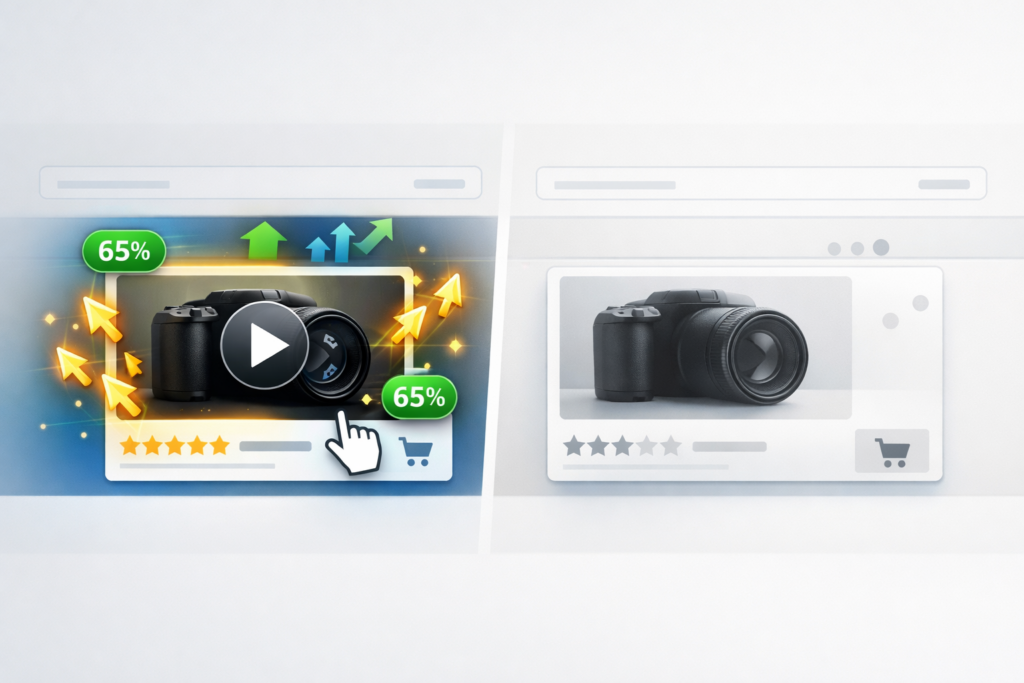
Photos show what it looks like. Video shows what it does. That difference directly impacts conversion rates and indirectly signals quality to Best Buy’s ranking algorithm.
Thinking About Hiring an Expert?
Ecomclips’ Partners Achieve an Average 85% Profit Increase!
Strategic Best Buy Pricing to Maximize Rankings and Margins
Pricing is where most sellers sabotage their Best Buy marketplace optimization efforts.
The Two-Second Price Decision
When a buyer searches and finds your product, they make a split-second judgment: “Is this worth it?”
They’re comparing you to ten other sellers simultaneously. Your price does three critical things:
- Pulls attention in search results
- Keeps buyers coming back for future purchases
- Signals quality and positioning
Price too cheap? It looks suspicious and signals low quality. Price too high? It scares away price-conscious shoppers.
Finding Your Competitive Price Position
Here’s how you identify the sweet spot for Best Buy competitive pricing:
Research the competitive landscape. Look at similar products and identify the price range. If everyone prices between $50-$70, don’t suddenly list at $45 or $85.
Stay within the established range but position strategically:
- Premium features? Price toward the top of the range
- Standard product? Price competitively in the middle
- Budget option? Price lower, but not suspiciously low
Automating Price Competitiveness
Want to stay competitive without obsessively monitoring your dashboard? Use repricing tools that track competitor pricing and adjust yours in real-time.
But remember: competitive doesn’t mean suicidal. Always cover your costs, protect your margins, and be strategic. Don’t race to the bottom in a margin-destroying price war that leaves everyone worse off.
Building Trust Through Best Buy Product Reviews
Reviews make or break your listing performance. Here’s what most sellers don’t understand: Best Buy’s algorithm treats reviews as a ranking signal.
Why Reviews Drive Rankings
Buyers don’t believe your marketing claims. They believe strangers with usernames like “Techguy87” and “Momof3.” That’s social proof in action.
Products with more reviews consistently outrank similar items with fewer reviews in Best Buy search results. More reviews equal a stronger trust signal, which equals higher visibility in the algorithm.
How to Ethically Increase Review Volume
You can’t script what customers say, but you can influence the experience that drives reviews:
Deliver fast. Nothing kills reviews faster than late shipping or poor fulfillment.
Follow up after purchase. Send a simple, non-aggressive email with a direct review link. Make leaving feedback effortless.
Match your listing to reality. If your product doesn’t match the description, expect bad reviews. Accuracy builds trust.
Respond to negative reviews. Don’t ignore criticism. Address concerns professionally and publicly. Future customers watch how you handle problems.
Stack enough trustworthy reviews and you create a virtuous cycle: visibility leads to sales, sales lead to reviews, reviews lead to more visibility and credibility, which drives repeat buyers instead of one-and-done transactions.
Leveraging Best Buy Seller Tools for Competitive Advantage
Best Buy provides powerful tools to scale your business. Most sellers never use them effectively.
Seller Portal Mastery
Use the Best Buy Seller Portal to:
- Manage product catalog efficiently
- Monitor real-time stock levels
- Track order fulfillment
- Analyze customer feedback trends
Actually look at the numbers. Know what’s working and what’s failing. If you’re managing a large product catalog, integrate with Best Buy’s API to automate price and inventory updates. Stop wasting time on manual updates that create human error.
Strategic Badge and Deal Usage
Take advantage of visibility badges like “Free Shipping” or “On Sale” to attract attention in search results. These badges act as visual differentiators that increase click-through rates.
Run promotional deals to appear on Best Buy’s Deals page—that’s free traffic from motivated buyers actively looking for offers. It’s real, qualified traffic that converts at higher rates than cold search traffic.
Sponsored Listings for Instant Visibility
Want immediate Page 1 positioning while you work on organic Best Buy ranking factors? Pay for sponsored listings.
Your product appears at the top of search results with clear “Sponsored” labeling. While it costs money, you’re buying instant visibility while optimizing your organic ranking factors. For new products or competitive categories, this provides crucial initial momentum.
Bundle Strategy for Higher Order Values
Create bundles or add-on offers that increase average order value. “Buy this laptop and get 20% off a mouse” encourages larger transactions.
Higher average order values signal to Best Buy that you’re driving profitable sales, which can positively impact your overall seller performance metrics. Everyone wins: customers get deals, you increase revenue per transaction, and Best Buy increases platform revenue.
Tracking Performance Metrics That Actually Matter
Here’s the final piece most sellers completely ignore: systematic tracking of Best Buy seller performance metrics.
The Essential Metrics to Monitor
You need to watch these key indicators weekly:
Sales volume – Total units sold and trend direction Conversion rate – Percentage of views that become purchases Average order value – Revenue per transaction Review velocity – Rate of new review acquisition Search ranking position – Where you appear for key search terms
If numbers trend upward, great. Keep doing what you’re doing. If they decline, change something immediately. Don’t sit hoping luck will magically fix underlying problems.
The Systematic Adjustment Cycle
Here’s the pattern successful Best Buy sellers follow religiously:
- Check metrics every week
- Identify what’s dropping
- Make one specific change
- Wait one week
- Check metrics again
- Repeat
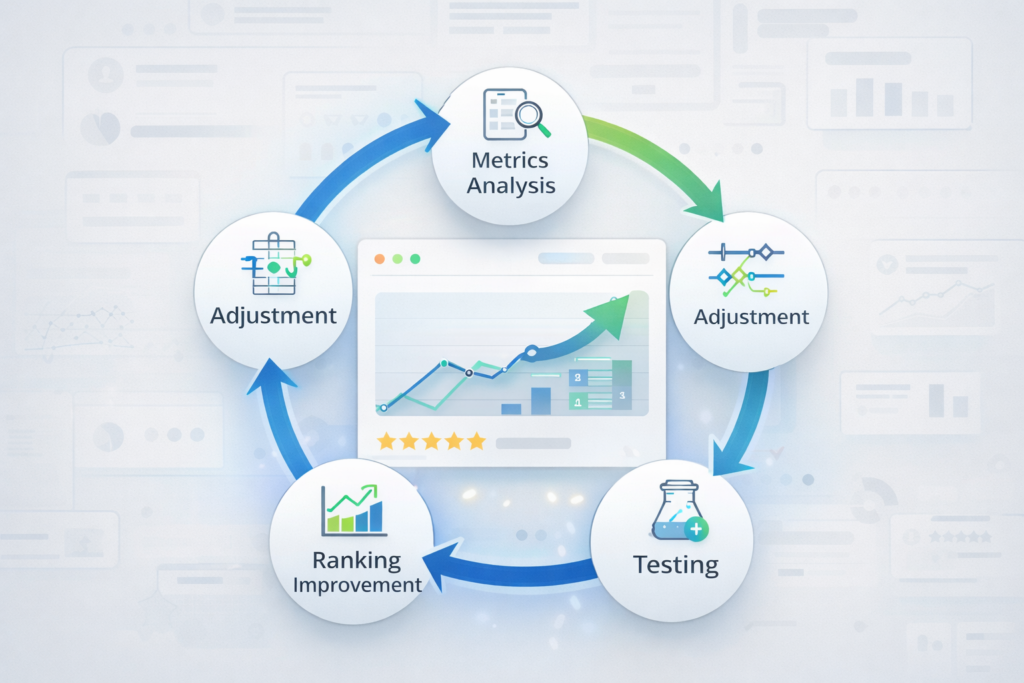
This is how you climb from Page 3 to Page 1—not overnight, not with one magic trick, but through systematic, data-driven adjustments over time. Each small improvement compounds into significant ranking gains.
Common Best Buy Listing Mistakes That Tank Rankings
Let’s address the mistakes that consistently destroy Best Buy product visibility:
Incomplete Product Attributes
Every blank attribute field is a missed ranking opportunity. Best Buy’s algorithm can’t match your product to relevant searches if critical data is missing. Fill out every single field, even optional ones.
Keyword-Stuffed Titles
Cramming every possible keyword into your title makes it unreadable and signals low quality to both the algorithm and shoppers. Focus on clarity and natural language that humans actually use.
Poor Quality Images
Blurry photos, bad lighting, or cluttered backgrounds communicate unprofessionalism. Shoppers subconsciously judge product quality based on image quality. Low-quality images directly correlate with lower conversion rates.
Ignoring Mobile Experience
Most Best Buy shoppers browse on mobile devices. If your images don’t display well on small screens or your description is hard to read on mobile, you’re losing sales. Always preview your listings on mobile before publishing.
Inconsistent Pricing
Wildly fluctuating prices confuse customers and damage trust. While strategic repricing makes sense, constant dramatic price swings signal instability and desperation.
FAQ: Best Buy Ranking and Listing Optimization
How long does it take to improve Best Buy search rankings?
Usually 2–4 weeks after you optimize your listing. For competitive keywords, real movement can take 1–3 months. Updating everything at once works faster than fixing things one by one.
Can I pay Best Buy to rank higher organically?
No. Organic rankings can’t be bought. You can run sponsored ads for quick visibility, but rankings improve only through listing quality and performance.
What matters most for Best Buy rankings?
Accurate and complete product attributes. If attributes are missing or wrong, your product won’t show up properly. After that, sales and reviews push rankings higher over time.
How many images should I use on Best Buy?
At least four high-quality images. Use a clean white background for the main image, then show angles, usage, scale, and what’s included. More clarity usually means better conversions.
Do reviews affect Best Buy search rankings?
Yes. More positive reviews and steady review growth help products rank higher. Reviews signal trust and active sales to the algorithm.
Should I use the same listing on all marketplaces?
No. Each marketplace works differently. Best Buy, Amazon, and Walmart all reward different things. Customizing listings gets better results than copy-pasting.
Conclusion: Taking Action on Best Buy Listing Optimization
Most sellers will read this guide, feel motivated, then return to doing exactly what they’ve always done. They won’t fix their titles. They won’t complete their attributes. They won’t add video content. They won’t systematically track their metrics.
In six months, they’ll still be buried on Page 3, wondering why nothing changed.
But you can be different. You now understand exactly what’s broken and how to fix it. You know the title formula, the description structure, the image requirements. You understand how pricing psychology works, how reviews drive rankings, and how to leverage the tools Best Buy provides.
The only remaining question is: will you actually implement these strategies?
180 million shoppers visit Best Buy every month. They’re searching for products right now. Will they find yours, or will you remain buried on Page 3? The choice—and the opportunity—is entirely yours.

How eComclips Can Help on the Issue
Optimizing your Best Buy listings for maximum visibility requires expertise, time, and continuous attention to evolving marketplace dynamics. That’s where eComclips makes the difference.
Our team specializes in comprehensive marketplace optimization that addresses every ranking factor covered in this guide. We don’t just fix surface-level issues—we perform deep analysis of your product data, competitive positioning, and performance metrics to identify exactly what’s holding your listings back.
eComclips delivers:
- Complete listing audits identifying missing attributes, weak titles, and optimization opportunities
- Professional product photography and video that meets Best Buy’s technical requirements while maximizing conversion
- Data-driven pricing strategies that balance competitiveness with profitability
- Review generation programs that ethically increase social proof and ranking signals
- Ongoing performance monitoring with regular optimization adjustments based on real results
Instead of spending months learning Best Buy’s complex ranking system through trial and error, you gain immediate access to proven strategies and experienced specialists who live and breathe marketplace optimization daily.
eComclips: Overview
eComclips is a full-service e-commerce optimization agency specializing in marketplace visibility, conversion optimization, and seller performance improvement across major platforms including Best Buy, Amazon, Walmart, and others.
Since our founding, we’ve helped hundreds of sellers escape the Page 3 graveyard and achieve consistent Page 1 rankings through systematic, data-driven optimization. Our approach combines technical SEO expertise, conversion psychology, high-quality content creation, and strategic marketplace positioning.
We serve everyone from individual sellers launching their first products to established brands managing hundreds of SKUs across multiple marketplaces. Our services scale to your needs, whether you require a one-time listing audit or ongoing comprehensive marketplace management.
Visit eComclips to discover how we can transform your Best Buy performance and finally achieve the visibility and sales your products deserve. Your Page 1 ranking is waiting—let’s make it happen.
Ready to Start Growing Your Brand?
Ecomclips’ Partners Achieve an Average 85% Profit Increase!