Have you noticed a sudden drop in your Amazon sales? Maybe your product isn’t showing up in search results like it used to?
Many sellers face this issue. One day, everything looks fine, and the next day, your listing is buried or completely missing.
“It’s frustrating, but there’s always a reason behind it!”
In this blog, I’ll walk you through the most common causes of why your Amazon listing might not be ranking and how to fix them. From out-of-stock problems to pricing, indexing, and more, we’ll break it down step by step.
Here are some of the most frequently asked questions sellers have in 2025:
✅ Why is my Amazon listing no longer ranking?
✅ How can I fix Amazon ranking issues?
✅ Why isn’t my product showing up in search results?
✅ How do I resolve Amazon indexing problems?
✅ Can inventory issues affect my ranking?
✅ Does pricing impact my Amazon visibility?
✅ What’s the best way to recover lost search rankings?
We’ve answered all of these questions — and more — in one comprehensive blog.
Whether you’re troubleshooting ranking drops or looking to boost visibility, this article has everything you need. Read the full blog to get all the insights and proven solutions!
1. Amazon Doesn’t Trust Your Stock Consistency
Imagine this: your listing is doing great. It’s on page one, sales are growing, and everything looks perfect. Then out of nowhere—you drop to page five. No bad reviews. No price changes. Nothing obvious.
“So what happened?”
What Are The Amazon Inventory Problems Affecting Ranking?
You didn’t go out of stock. But Amazon thought you might.
Here’s what many sellers don’t realize—Amazon’s algorithm likes stability. Not just great listings, but predictable ones.
If your inventory levels keep dropping too low or fluctuating, Amazon sees your product as a risk. That risk includes:
- Running out of stock mid-sale
- Showing “currently unavailable” to shoppers
- Giving buyers a poor experience
And instead of waiting for that to happen, Amazon quietly pushes your listing down. Even if you never fully stock out, running low too often can still hurt your rank. Let me give you an example.
One of our U.S. sellers was selling a beauty product. It ranked #3 for a high-traffic keyword. But their inventory kept dropping below 10 units over two weeks.
They never went out of stock—but Amazon noticed the pattern. Their ranking fell to page four.

We stepped in and found the issue: they were reordering too late and in small amounts. So we built a buffer stock plan, linked it to Amazon’s restock alerts, and added a backup supplier.
In just three weeks of keeping inventory stable, the product climbed back to page one—and stayed there.
How to Check If This Is Happening to You?
Follow these steps:
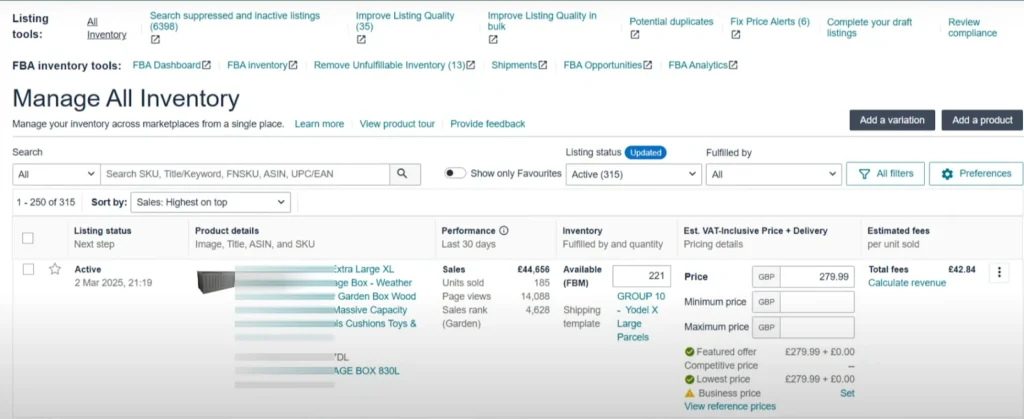
- Go to Seller Central → “Inventory” → “Manage All Inventory.”
- Look at your “Available Quantity” and “Restock Date.”
If you often drop below 10% of your typical 30-day sales, Amazon might be flagging you.
Also, check the Inventory Dashboard:
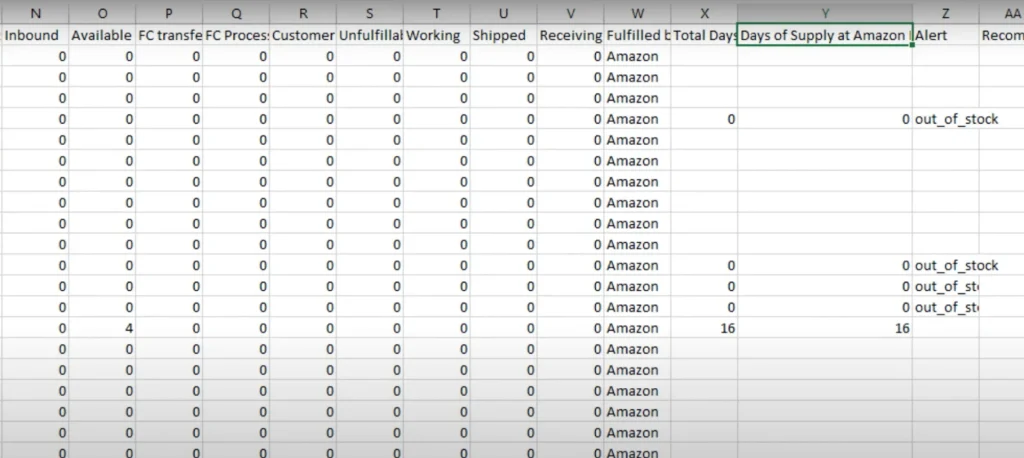
- Use the FBA Inventory Age and Restock Reports.
- Look at your “Days of Supply.” If it’s low, that’s a warning sign.
Another tip:
Check your Suppressed Listings Report. Sometimes Amazon hides listings without sending alerts.
How to Fix It (What We Do for Clients)
1. Forecast Smartly
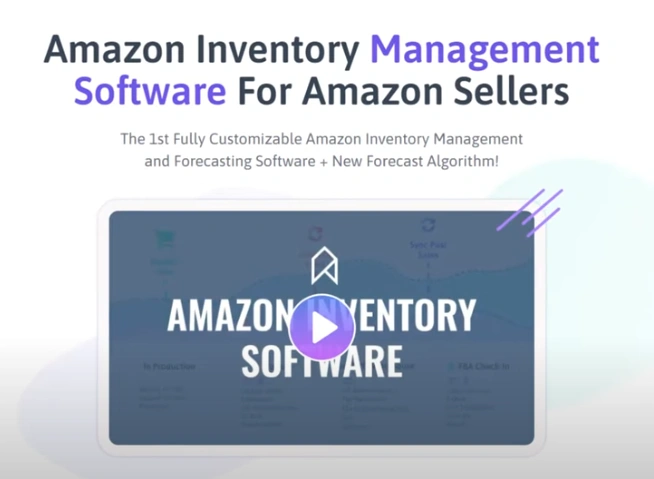
- Use tools like SoStocked, Amazon Inventory Planning, or RestockPro.
- Don’t guess—predict based on your last 30–60 days of sales.
2. Set a Buffer Rule
- Never let your stock drop below 2 weeks of supply.
- Set alerts when you hit 20% of stock.
3. Have a Backup Supplier
- Even if you sell domestically, have a second supplier ready to ship quickly.
4. Avoid Switching to FBM Mid-Stockout
- Only use FBM as a backup, not a strategy.
- Changing to FBM can confuse the algorithm and hurt your Buy Box chances.

Pro Tip:
Amazon wants to rank listings that are stable, in stock, and converting well. Out-of-stock listings create refund risks and bad customer experiences—and Amazon hates both.


2. The Listing Gets Clicks… But Not Conversions
Amazon doesn’t just watch how many people click on a product. It also watches what shoppers do after they click.
One listing was getting thousands of views from both ads and organic search. It seemed like a win. But sales weren’t growing. ACOS kept climbing. And within a month, that product lost its page one ranking—even though traffic was still high.

What Many Sellers Don’t Realize:
A product can rank high if it gets a lot of clicks. But to stay on page one, it has to convert.
When shoppers click a product but don’t buy, Amazon sees it as a failure. If that happens over and over—100 or 1,000 times—the algorithm starts to believe the product isn’t what customers want.
That leads to a slow drop in ranking… until it disappears from page one altogether. Most sellers blame high pricing. But that’s only part of the problem.
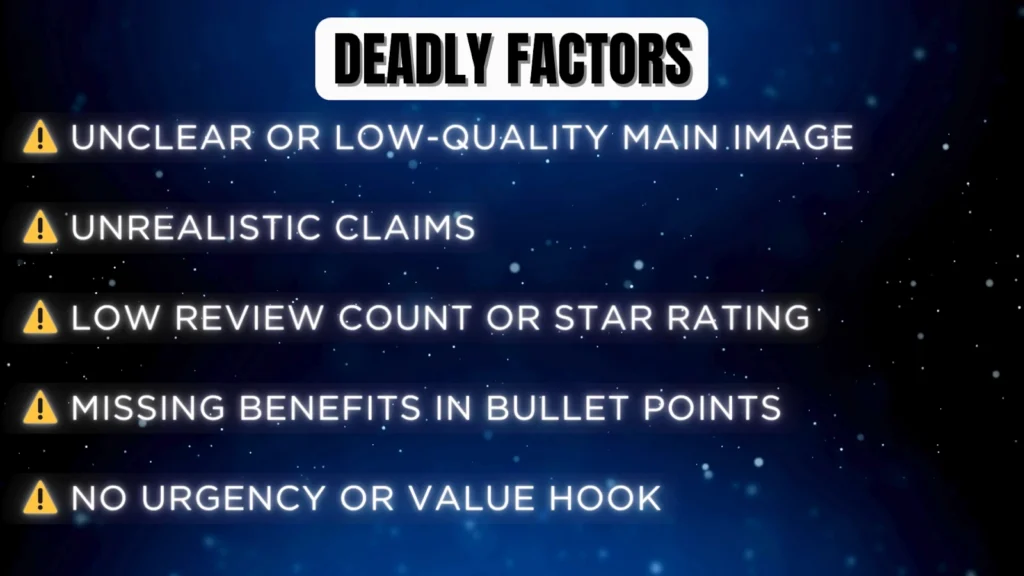
Other common reasons for low conversions include:
- The conversion rate was low, and Amazon noticed.
- A weak or confusing main image
- Claims that don’t match the real product
- Low reviews or poor star ratings
- Bullet points that don’t highlight benefits
- No value drivers like coupons, bundles, or urgency
A U.S.-based fitness brand came to us with this issue. Their listing looked good at first glance. But the main image showed three products, even though only one was included. That caused confusion and refund concerns.
Their conversion rate dropped to just 6%!
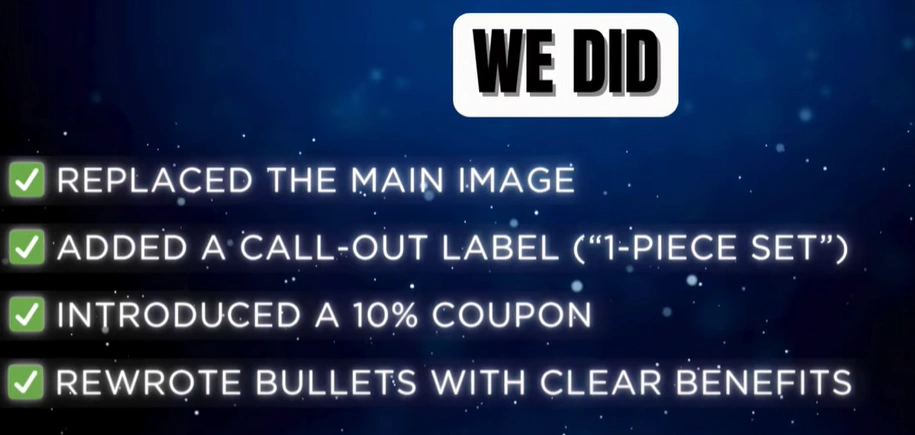
Here’s what we did to fix it:
- Replaced the main image with a clearer one
- Added a “1-Piece Set” label to reduce confusion
- Introduced a 10% off coupon
- Rewrote the bullet points to focus on benefits instead of features
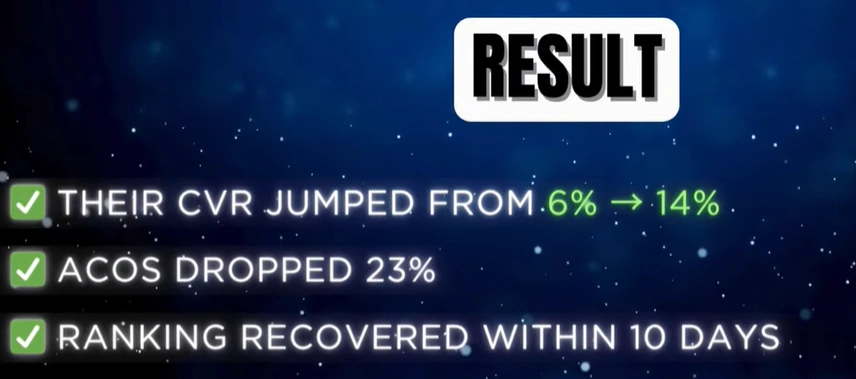
The result? CVR jumped from 6% to 14%. ACOS dropped by 23%. And the product was back on page one within 10 days.
3. Losing Keyword Indexing Without Realizing It
A seller came to the team with a confusing issue. Their ads were running fine. Conversion rates looked okay. Inventory was in stock.
But something was off—their product had completely disappeared from Amazon search results for their most important keywords.
When the team checked keyword indexing, the problem became clear. They were no longer indexed for their #1 keyword.
What Is Indexing—and Why Does It Matter?
Amazon only ranks products that are indexed for a keyword.
✅ If a product is indexed → it can appear in search and rank.
❌ If it’s not indexed → it’s invisible, no matter how good the listing looks.
That means if a product is de-indexed, even great SEO, ads, or promotions won’t help. Amazon doesn’t “see” the keyword anymore.
Why This Happens?
Keyword indexing issues often happen after:
- Editing bullet points or titles
- Updating A+ content
- Changing the product type or category
- Making backend keyword updates
- Certain compliance or catalog changes
One skincare brand we worked with had ranked well for “anti-aging serum” and “retinol night cream.” But after a few updates to their listing, they stopped showing up for both keywords.
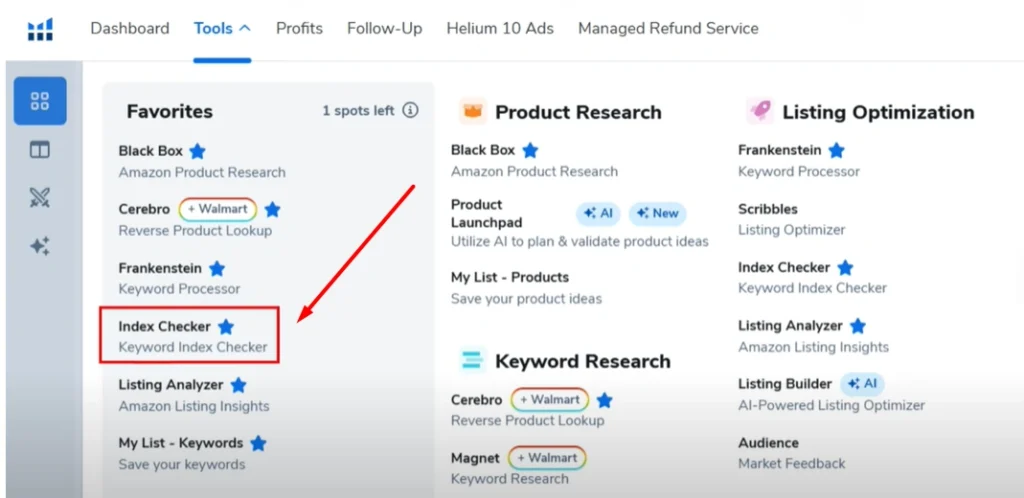
Using Helium 10’s Index Checker, the team confirmed the keywords were no longer indexed.
Here’s what caused it:
- They changed bullet points
- Updated A+ content
- Switched product type in the backend0
Amazon’s algorithm saw these changes and quietly removed keyword relevance.
How It Was Fixed:
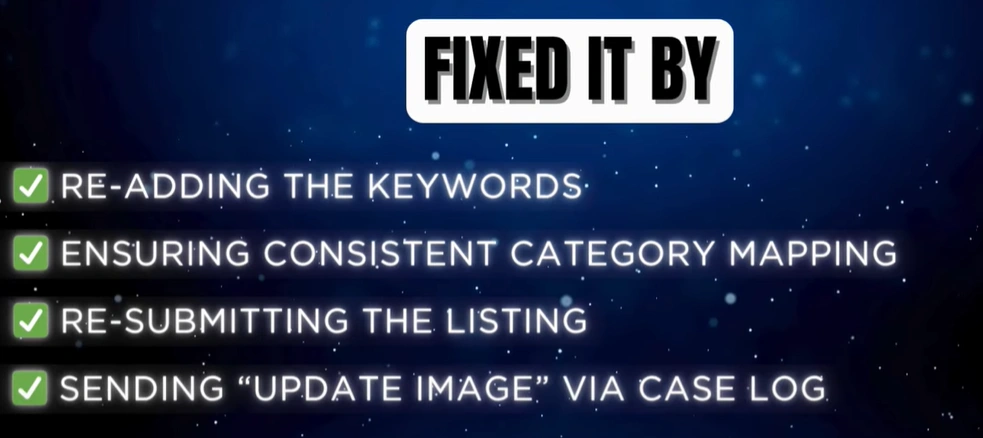
The team took the following steps:
- Re-added the missing keywords in the title, bullet points, and backend
- Double-checked that the category and subcategory were consistent
- Re-uploaded the listing using a flat file
- Submitted a small image update to trigger Amazon’s system to re-crawl the listing
In just 48 hours, the keywords were indexed again. Rankings started to come back within a week.
How to Check If You’ve Lost Indexing
- Use Helium 10’s Index Checker
→ Test your top 10–20 keywords
→ If the ASIN isn’t indexed, that’s a problem
- Manual Check
→ Go to Amazon and type: ASIN + keyword
→ If the product doesn’t appear, it’s not indexed - Check Category
→ Use the Product Classifier Tool or Listing Editor
→ Wrong categories can hurt keyword indexing - Review Backend Search Terms
→ Irrelevant or stuffed keywords can be ignored by Amazon


How to Fix Indexing Issues:
Follow these actions:
- Re-optimize: Add the missing keywords naturally to the title, bullets, and A+
- Backend Fixes: Keep keywords relevant and clean—no stuffing
- Flat File Upload: Submit a fresh flat file to re-sync keywords
- Open a Case: Ask Amazon to refresh or reclassify the listing
- Track Weekly: Use Helium 10 to monitor keyword status regularly
Extra Tips:
- Don’t overstuff the backend—less is more
- Never assume indexing is fine after updates—always double-check
- PPC doesn’t fix indexing. Ads may show, but organic rank won’t recover without indexing
Final Thoughts
So, if your Amazon listing isn’t ranking like it used to, don’t panic. It’s often one of these hidden issues—out-of-stock problems, pricing that’s just a bit off, or reviews that need attention. The good news? All of them can be fixed.
At Ecomclips, we help Amazon sellers like you identify what’s holding your listing back—and more importantly, we fix it. From smart pricing strategies to review optimization and inventory planning, our team knows what works.
If you’re ready to boost your rankings and bring your listing back to life,
Give us a call: +1-347-305-0089
Or email us: info@ecomclips.com
LET’S TALK. AND, GET YOUR PRODUCT ON THE NUMBER ONE PAGE TOGETHER.