
An eBay Store is not just where you list products, it is where your ecommerce brand begins. Before scaling inventory, running ads, or chasing more sales, you need a storefront built to earn trust and support growth.
Many sellers focus on finding products and optimizing listings but overlook the place where customers experience their brand. Your store structure, categories, branding, and organization can decide whether buyers explore more or move on.
In this guide, we will show you how to build an eBay Store in 2026, from choosing the right setup and creating a professional storefront to optimizing it for visibility, trust, and long-term growth.
What Is an eBay Store?
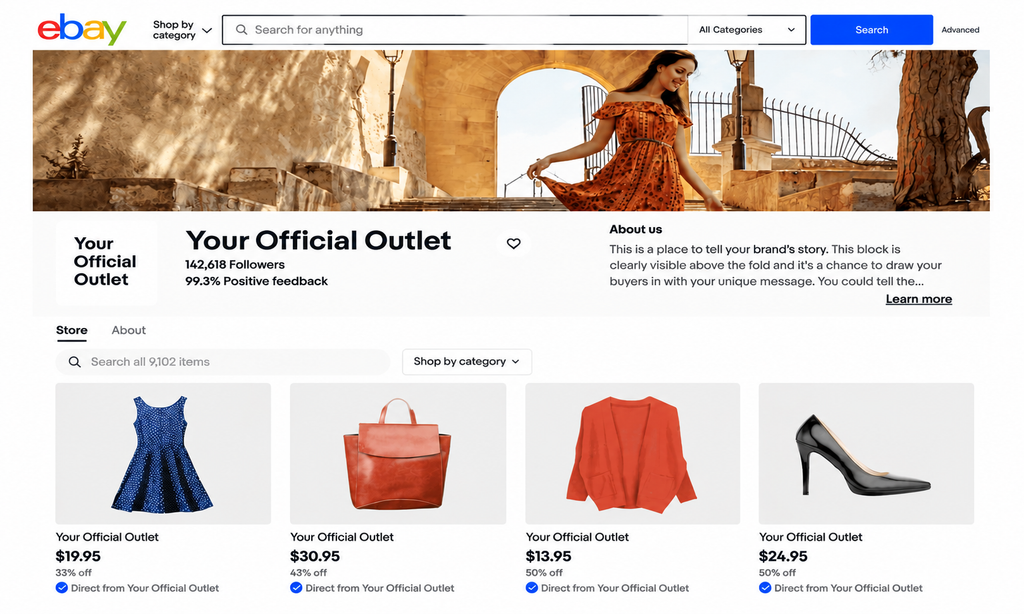
An eBay Store is a branded storefront inside eBay that allows sellers to showcase their entire product collection instead of relying only on individual listings.
Without a Store, the customer journey is simple: Buyer searches → Finds product → Purchases → Leaves
But a well-built eBay Store creates more opportunities: Buyer searches → Finds product → Visits your Store → Explores more products → Returns later
A listing helps you sell one product, but a Store helps you build a brand. It gives customers a reason to explore your inventory, trust your business, and discover more products beyond their first purchase.
Why Do Sellers Need an eBay Store?
Not every seller needs a Store from day one. However, for sellers who want to build a long-term ecommerce business, an eBay Store provides several important advantages.
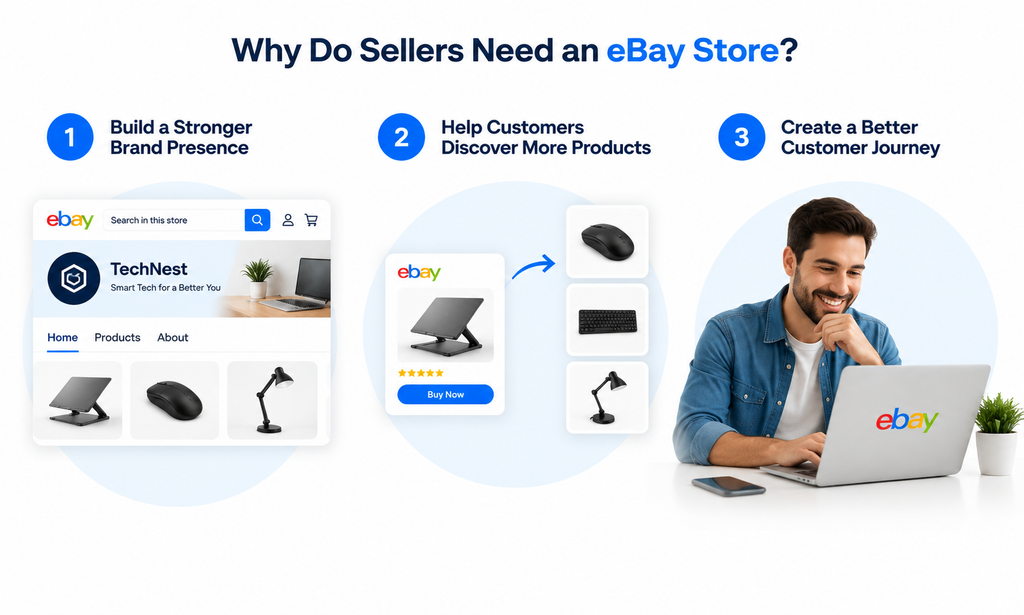
1. Build a Stronger Brand Presence
On a marketplace with millions of sellers, standing out is not only about having good products. Customers also want to know who they are buying from.
An eBay Store allows you to create a recognizable brand through:
- Store name
- Logo and banner
- Product categories
- Brand description
- Consistent shopping experience
Instead of looking like a random seller with individual listings, your business starts to feel like a professional online store.
2. Help Customers Discover More Products
A single listing can generate one sale. A well-organized Store can create multiple buying opportunities.
For example: Imagine a customer searches for a laptop stand.
They find your product listing and like the design and price. After checking your Store, they discover organized categories such as:
- Laptop Accessories
- Wireless Keyboards & Mice
- Desk Organization Products
- Office Setup Essentials
Now, instead of purchasing only a laptop stand, the customer may also buy a keyboard or desk accessory.
Your Store turns one product visit into a complete shopping experience.
3. Create a Better Customer Journey
Think about a physical retail store.
Customers do not walk into a shop, buy the first item they see, and immediately leave every time. They explore different sections, compare products, and discover additional items.
An eBay Store works the same way.
A well-structured Store helps customers:
- Find products faster
- Browse related items
- Understand your brand
- Return for future purchases
In simple terms, an eBay Store transforms your presence from a collection of individual listings into a complete ecommerce storefront. It helps customers discover more, trust your brand, and gives your business a stronger foundation for growth.
eBay Store vs. Regular Seller Account: Which One Is Right for You?
Before opening an eBay Store, sellers need to understand one important difference: a regular seller account and an eBay Store are not the same experience.
Both options allow you to sell products on eBay, but they are designed for different business goals. A regular account focuses on selling individual products, while an eBay Store helps sellers build a branded shopping experience and grow a long-term business.
Regular eBay Seller Account: Best for Beginners and Occasional Sellers
A regular eBay seller account is suitable for sellers who are testing products, selling occasionally, or managing a smaller inventory. The focus is mainly on individual listings rather than building a complete storefront.
Common Examples:
- Used electronics
- Collectibles
- Handmade products
- Clearance items
- Personal items
Buyers usually interact with one product page and have fewer reasons to explore other items from the seller.
eBay Store: Best for Growing Ecommerce Businesses
An eBay Store is designed for sellers who want to create a recognizable brand and build a stronger presence inside the marketplace.
Instead of customers only seeing individual listings, they can visit a branded storefront, browse categories, and discover more products.
An eBay Store is especially useful for:
- Private label sellers
- Wholesale sellers
- Retail businesses
- Dropshipping businesses
- Growing brands
- Sellers with larger inventories
When Should You Open an eBay Store?
One common question sellers ask is: Should I open an eBay Store immediately after creating my seller account?
The answer depends on your business stage. A Store subscription is not necessary for every seller from day one, but as your inventory grows and you focus on building a brand, it can provide the structure needed for long-term growth.
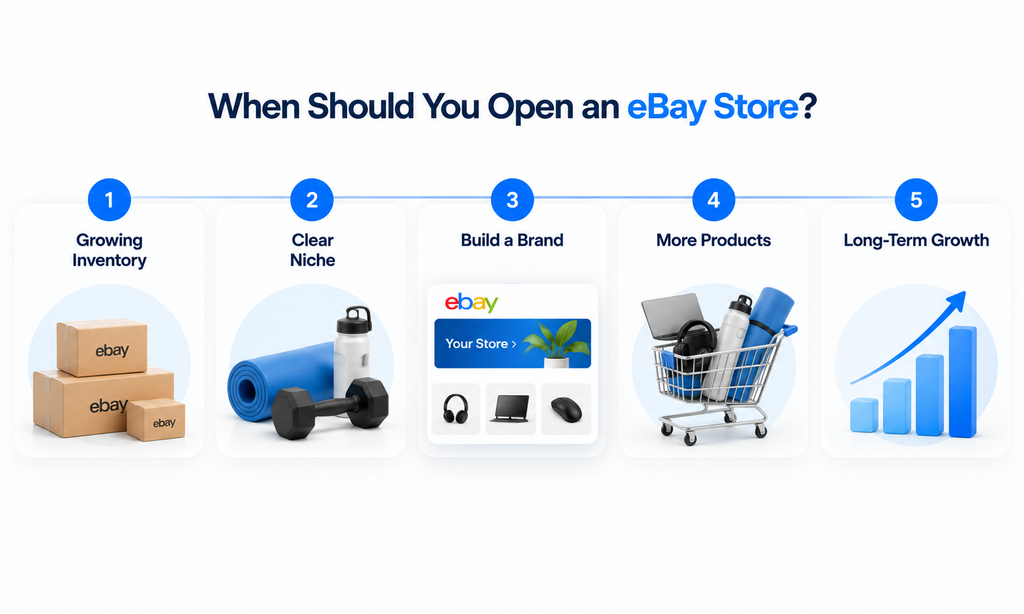
Signs You Are Ready to Open an eBay Store
1. Your Inventory Is Growing
If you only have a few products, a regular account may be enough. But as your catalog grows to dozens or hundreds of products, a Store makes browsing easier.
2. Your Products Fit a Clear Niche
Connected products make it easier to create organized categories and build a recognizable brand.
3. You Want to Build a Brand
If your goal is to build a recognizable brand, attract repeat customers, and scale your business, an eBay Store provides a stronger foundation.
4. You Want to Sell More Than One Product
A Store helps customers discover related products. For example, someone searching for a dog leash may also find collars, toys, and grooming products.
5. You Are Planning for Long-Term Growth
If you plan to expand your catalog and build a sustainable ecommerce business, a Store can provide the structure to support that growth.
eBay Store Subscription Plans: Which One Is Right for You?
Choosing an eBay Store plan is not simply about picking the cheapest monthly subscription. The right plan depends on how many products you list, how often you sell, your expected sales volume, and which Store benefits can actually reduce your selling costs.
eBay currently offers five Store levels on eBay.com: Starter, Basic, Premium, Anchor, and Enterprise. Each level comes with different subscription costs, zero-insertion-fee listing allowances, fee benefits, and business tools.
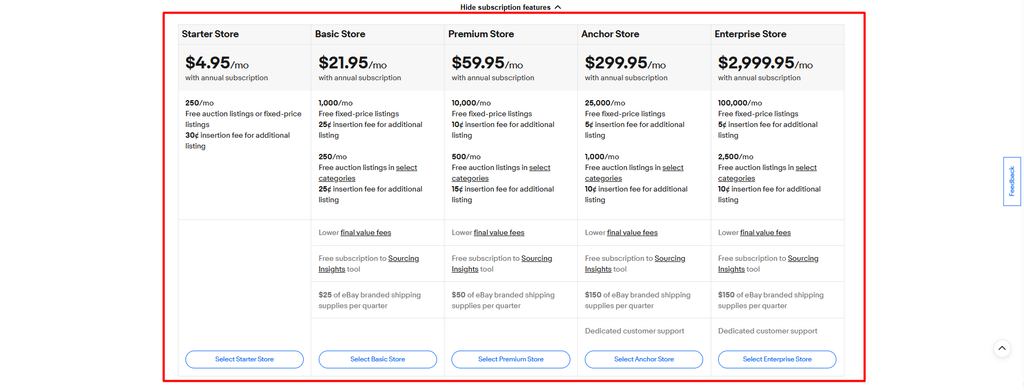
Each plan comes with different listing allowances, fee benefits, and Store features.
Current eBay Store Pricing
| Store Plan | Monthly Renewal | Annual Subscription* | Free Fixed-Price Listings |
| Starter | $7.95/month | $4.95/month | 250 |
| Basic | $27.95/month | $21.95/month | 1,000 |
| Premium | $74.95/month | $59.95/month | 10,000 |
| Anchor | $349.95/month | $299.95/month | 25,000 |
| Enterprise | Not available monthly | $2,999.95/month | 100,000 |
1. Starter Store: For New and Small Sellers
Best for sellers who are moving beyond occasional selling and building a small inventory.
Good fit for:
- New ecommerce sellers
- Small inventories
- Product testing
- Growing hobby businesses
Example: You have 20–50 products in a focused niche and want a more professional storefront without committing to a higher plan.
2. Basic Store: For Growing Sellers
Best for sellers with consistent inventory and regular sales.
Good fit for:
- Wholesale sellers
- Small brands
- Private-label businesses
- Sellers with dozens or hundreds of listings
Example: A home improvement seller offering tools, hardware, replacement parts, and accessories can benefit from better store organization.
3. Premium Store: For Established Sellers
Best for sellers with larger catalogs and higher sales volume.
Good fit for:
- Established ecommerce businesses
- Larger product catalogs
- Multiple product categories
- Growing brands
Example: A fashion business selling clothing, accessories, and seasonal collections may need the additional capacity and benefits of a Premium Store.
4. Anchor Store: For High-Volume Businesses
Best for established businesses managing large inventories and significant sales volume.
Good fit for:
- Large retailers
- Manufacturers
- Established brands
- High-volume sellers
These businesses may manage thousands of listings and need a Store plan built for scale.
5. Enterprise Store: For Large-Scale Brands
Best suited to very large ecommerce operations, major retailers, and high-volume brands. Most new and small sellers will not need an Enterprise Store when starting out.
What Do You Actually Get From an eBay Store?
The subscription is not simply a fee for having a Store homepage. eBay Store subscriptions can provide several financial and operational benefits.
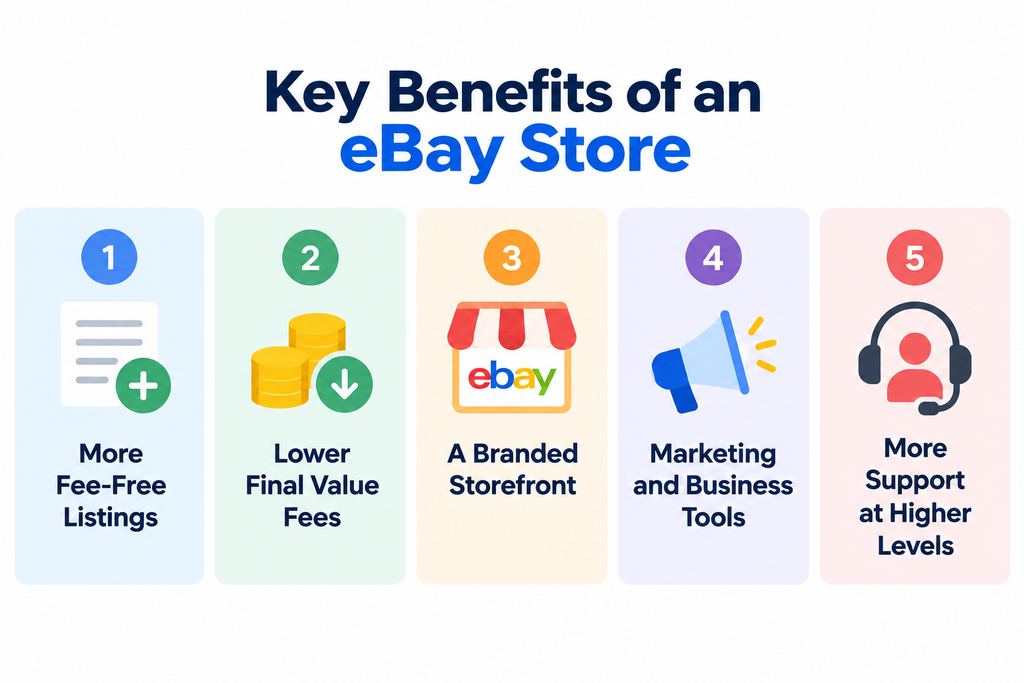
1. More Zero-Insertion-Fee Listings
Every Store level includes a monthly allocation of listings that can be created without an insertion fee. Basic and higher plans provide substantially larger allowances than sellers without a Store.
2. Lower Final Value Fees
Basic and higher Store subscriptions can provide discounted final value fees compared with non-Store subscriber rates, although the exact savings depend on the product category and applicable fee structure.
3. A Branded Storefront
Every Store level gives sellers a dedicated branded location where their listings can be brought together, helping customers browse the seller’s wider product range.
4. Marketing and Business Tools
Store subscribers can access tools such as Discounts Manager, while higher-level plans provide additional benefits such as Sourcing Insights and shipping-supply coupons.
5. More Support at Higher Levels
Anchor and Enterprise subscribers receive dedicated customer support, which can become more valuable as the complexity and volume of the business increases.
How to Choose the Right eBay Store Plan
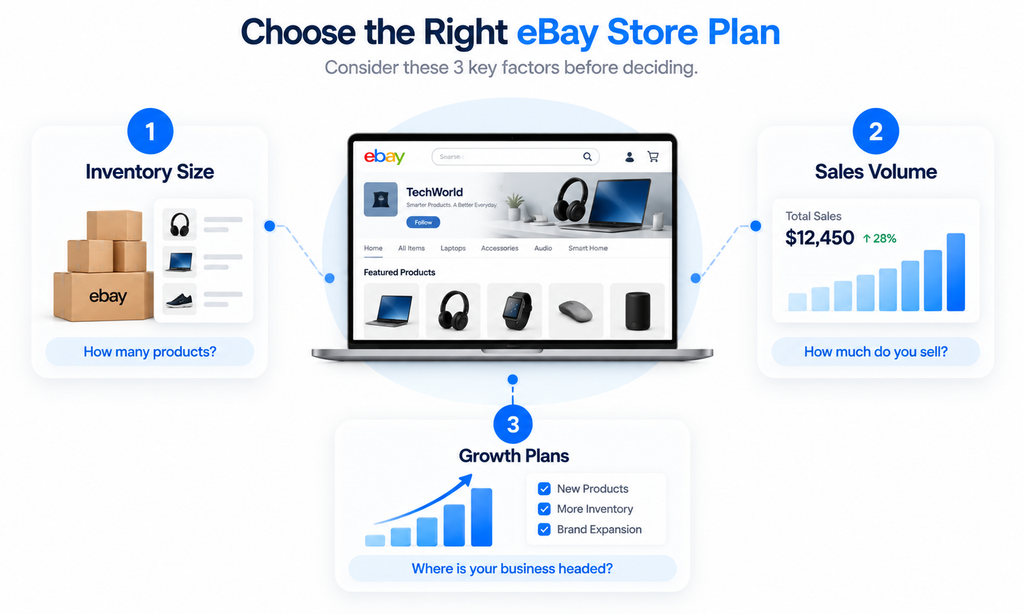
Don’t choose a Store plan based on price alone. Match it to your inventory, sales volume, and growth plans.
1. Check Your Inventory Size
Consider how many products you plan to list:
- Under 50 listings: Starter may be enough
- Hundreds: Basic or Premium may fit better
- Thousands: Consider higher-tier plans
2. Consider Your Sales Volume
Your subscription should make sense for your current revenue. A seller making $500 a month may need a very different plan from one making $50,000.
3. Plan for Future Growth
Think about where your business will be in six months. If you expect more inventory, new products, or brand expansion, choose a plan that can grow with you.
Before Opening Your eBay Store: Preparation Checklist
Before starting the setup, prepare the key elements that will shape your store’s branding and customer experience.
1. Define Your Brand Identity
Be clear about what you sell and who you serve. A focused niche makes your store easier to understand and brand.
Example: Instead of ‘Everything Store,’ use a clear focus such as ‘Premium Outdoor Equipment.’
2. Choose a Professional Store Name
Choose a name that is:
- Easy to remember
- Relevant to your products
- Flexible enough to grow with your business
Avoid random numbers, difficult spelling, or names that limit future expansion.
3. Prepare Your Logo
Your logo should be simple, professional, and easy to recognize, especially on smaller mobile screens. Keep it consistent with your brand and product niche.
4. Create Your Store Banner
Your banner should quickly communicate:
- What you sell
- Who you are
- Why customers should shop with you
Keep the design clean and avoid overcrowding it with information.
5. Plan Your Store Categories
Create categories based on how customers shop, not how you manage your inventory.
Example for an electronics store:
- Smartphones & Accessories
- Laptop Accessories
- Audio Devices
- Smart Home Products
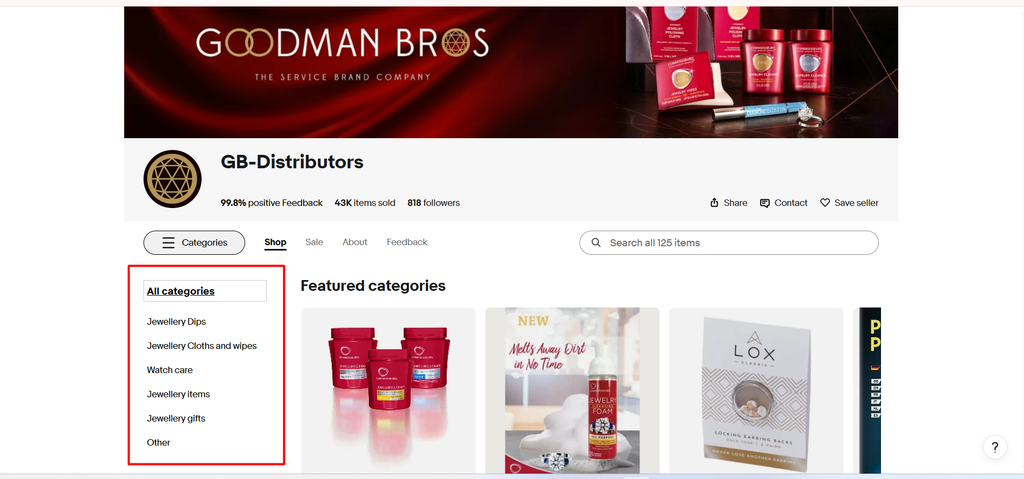
Good categories make products easier to discover and create a smoother shopping experience.
6. Prepare Your Store Policies
Have your key policies ready before launch:
- Shipping: Handling time, delivery options, and regions
- Returns: Return period, refund process, and conditions
- About: Who you are, what you sell, and why customers should trust you
Step-by-Step Guide to Setting Up an eBay Store
Once your account and preparation are complete, you can build your Store step by step. Follow the process below to create a professional storefront from the beginning.
Step 1: Create or Complete Your eBay Seller Account
You need an active eBay seller account before setting up your Store.
Start by:
- Sign in to your eBay account or create one.
- Complete the seller registration process.
- Provide any identity or business information eBay requests.
- Set up your payment and payout information.
- Configure your basic shipping and return preferences.
Make sure your seller account is ready before paying for a Store subscription.
Step 2: Choose Your eBay Store Subscription
Once your seller account is ready, select the Store plan that fits your business. Go to: Seller Hub → Store → Manage Subscription
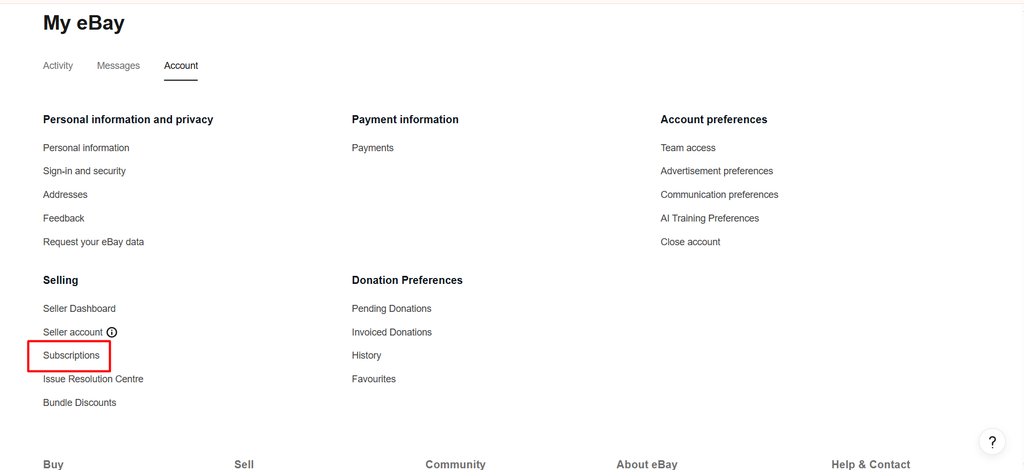
In Seller Hub:
- Open the Store section.
- Select the option to start or manage your Store subscription.
- Review the available Store levels.
- Compare the listing allowances, fees, and included benefits.
- Select the plan and billing option that fits your business.
- Review the subscription details and confirm.
Step 3: Choose Your Store Name
Your Store name is part of your brand, so choose something customers can easily remember.
Before confirming your name, check that it is:
- Easy to spell
- Relevant to your niche
- Professional
- Flexible enough for future products
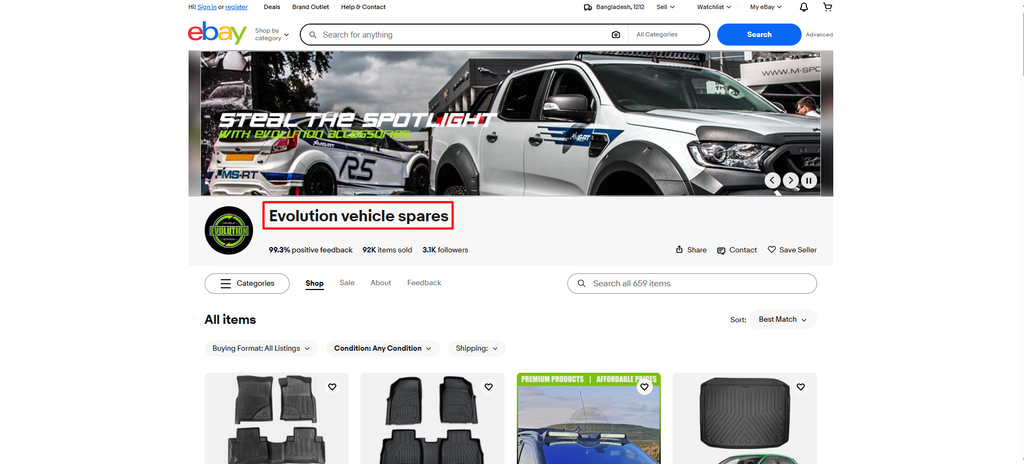
Avoid names that are too narrow or filled with random numbers.
Step 4: Add Your Store Branding
Now give your Store a recognizable identity.
Customize your Store with:
- Logo
- Banner
- Store description
- Brand information
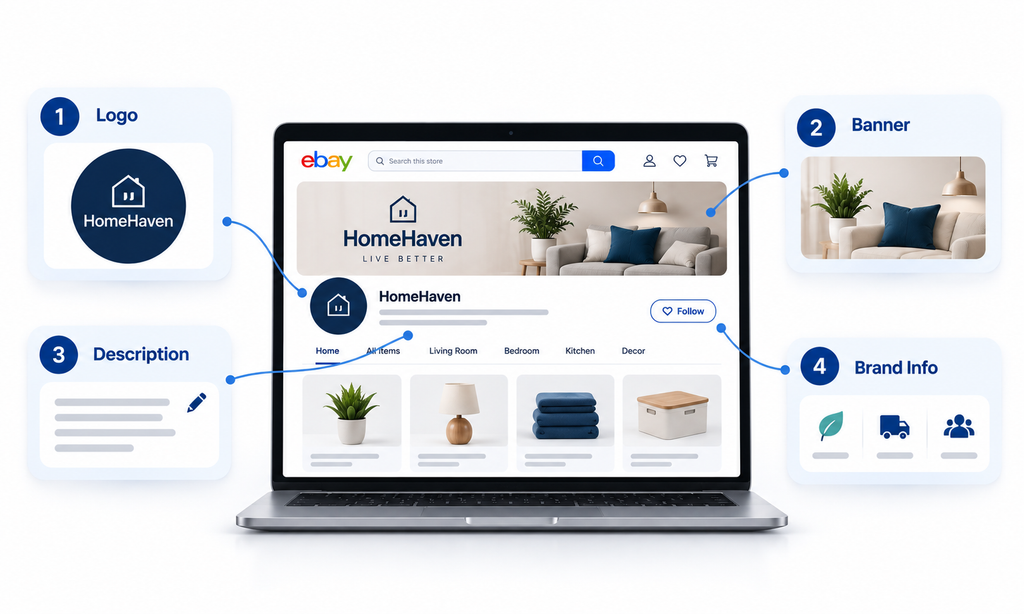
Keep your visuals consistent with your products and make sure the design remains clear on both desktop and mobile.
Step 5: Build Your Store Categories
Your categories should help customers find products quickly.
Start by:
- Identify your main product groups.
- Go to your Store Categories section in Seller Hub.
- Create clear categories based on how customers shop.
- Add subcategories only when they make navigation easier.
- Assign each listing to the appropriate category.
- Feature your most important categories on the Store homepage.
Example: An electronics Store could use:
- Smartphones & Accessories
- Laptop Accessories
- Audio Devices
- Smart Home
Tip: Keep the structure simple. Customers should be able to understand where a product belongs without thinking about it.
Step 6: Add and Optimize Your Products
Once your Store structure is ready, add your products and optimize the listings.
For each listing, review:
- Title
- Product images
- Description
- Item specifics
- Category
- Price
- Shipping options
Your Store creates the shopping environment, but your listings still need to attract and convert buyers.
Step 7: Set Up Your Store Policies
Clear policies help customers understand what to expect before purchasing.
Make sure you clearly define:
- Shipping and handling
- Return period
- Refund process
- Warranty information, if applicable
- Customer support details
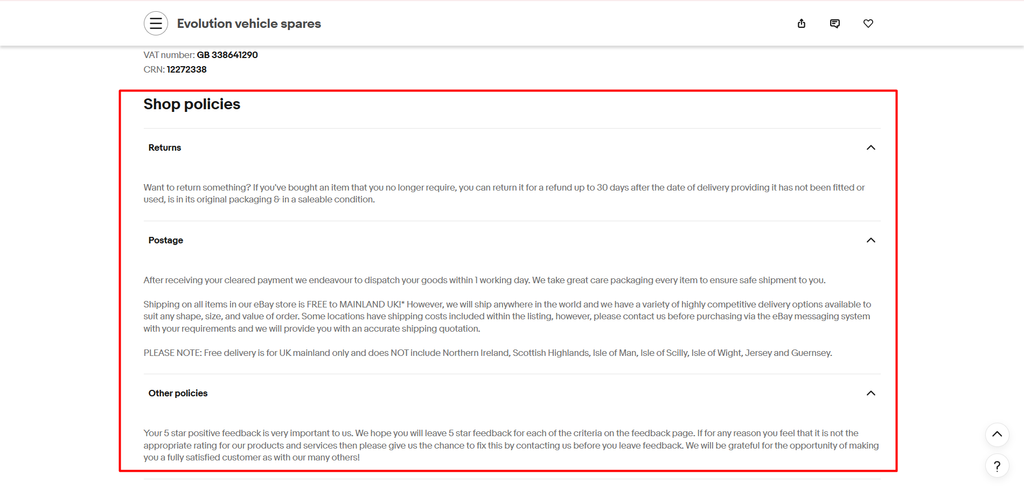
You can also create reusable business policies for shipping, payments, and returns to keep your listings consistent.
Step 8: Add Featured Products and Categories
Use your Store homepage to direct customers toward your most important products.
Consider featuring:
- Best sellers
- New arrivals
- Seasonal products
- Special offers
- Popular categories
The goal is to make your strongest products easy to discover without overwhelming the customer.
Your analytics tell you what is working and what needs improvement.
eBay Store Setup Mistakes Sellers Make
1. No Clear Product Strategy: Opening a Store without a defined niche or product direction can make your brand difficult to understand.
2. Random Store Categories: Unorganized categories can make it harder for customers to find products and navigate your Store.
3. Ignoring Mobile Experience: A Store that looks good on desktop but poorly on mobile can create a frustrating shopping experience.
4. Copying Competitor Stores: Competitor research is useful, but copying their Store prevents you from building a unique brand.
5. Treating Setup as the Final Step: Your Store needs ongoing improvements to products, categories, promotions, and customer experience.
6. Ignoring Store Analytics: Without tracking visits, views, conversions, and customer behavior, it is difficult to make informed growth decisions.
Build an eBay Store That Grows With Your Business
Building an eBay Store is more than choosing a subscription and uploading products. A successful Store starts with a clear strategy, professional branding, customer-friendly organization, and optimized listings.
But launching the Store is only the beginning. As your business grows, you should continue improving your categories, product presentation, promotions, and customer experience based on what the data tells you.
In 2026, the sellers who stand out will not simply be the ones with the largest catalogs. They will be the ones that make it easier for customers to discover, trust, and buy. When built with that mindset, your eBay Store becomes more than a collection of listings—it becomes a professional ecommerce brand and a foundation for long-term growth.
Frequently Asked Questions About eBay Store Setup
1. How much does it cost to open an eBay Store?
The cost depends on the Store subscription plan you choose and your business needs.
2. Is an eBay Store worth it for beginners?
It can be, especially if you have consistent inventory and want to build a long-term ecommerce business.
3. How many products do I need before opening an eBay Store?
There is no fixed number, but a Store becomes more useful when you have enough related products for customers to browse.
4. Can I change my eBay Store design later?
Yes, you can update elements such as your logo, banner, categories, description, and product organization.
5. Does having an eBay Store improve search rankings?
An eBay Store does not guarantee higher rankings, but good listings, relevant keywords, and strong seller performance can improve visibility.
6. What is the biggest mistake new eBay Store owners make?
Treating the Store as a place to upload products instead of building a professional, organized, customer-focused shopping experience.
How Ecomclips Helps Sellers Build, Launch, and Grow on eBay
Building a successful eBay Store requires more than simply opening a storefront and adding products. Sellers need a connected strategy across store setup, product research, listing optimization, SEO, advertising, inventory, and long-term growth.
At Ecomclips, we help eBay sellers and brands build a stronger marketplace presence, from setting up their Store to optimizing performance and scaling successful products.
Our support includes:
- eBay Store Setup & Branding: Build a professional Store structure with customer-friendly categories, branding, product organization, and a better shopping experience.
- eBay Product Research & Strategy: Identify product opportunities by analyzing demand, competition, pricing, sales trends, and profitability.
- Listing Optimization & eBay SEO: Improve titles, item specifics, descriptions, images, and keywords to strengthen visibility and conversion.
- Competitor & Market Analysis: Study successful sellers, pricing strategies, product positioning, and market gaps to identify opportunities for differentiation.
- eBay Advertising Management: Create and optimize Promoted Listings campaigns to drive qualified traffic while maintaining advertising efficiency.
- Store Performance & Growth Strategy: Analyze Store performance, improve underperforming areas, expand successful categories, and build a strategy for sustainable growth.
Need Help Building and Growing Your eBay Store?
Whether you need help with eBay Store setup, category structure, branding, listing optimization, eBay SEO, advertising, or a complete Store growth strategy, the Ecomclips team can help you build a stronger eBay presence around your products, customers, and business goals.
For more practical eBay and ecommerce guidance, explore the Ecomclips Blog, watch eBay selling strategies and marketplace updates on the Ecomclips YouTube channel, or explore additional ecommerce resources on the Boostontime Blog.
Need direct support? Email us at info@ecomclips.com or book an appointment with our ecommerce experts to discuss your eBay Store, listing optimisation, SEO, advertising, and marketplace growth strategy.