
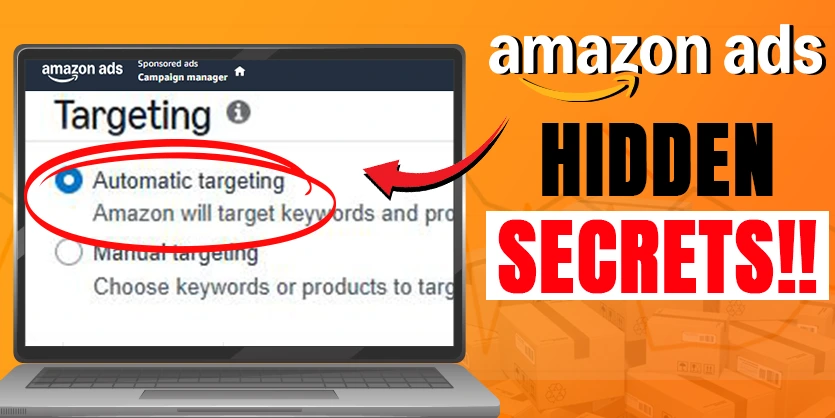
Many sellers launch Amazon PPC Auto Targeting campaigns only to end up burning ad spend with little profit. Automatic campaigns are supposed to make advertising easy, but turning them into profit drivers takes more than flipping a switch. Instead of just hoping for the best, you need a plan to set up, organize, and optimize your Amazon PPC Auto ads. In this guide, you’ll learn how to structure your Amazon PPC Auto campaigns for maximum control, use negative keywords to cut waste, harvest top-performing search terms, and build an effective long-term Amazon PPC strategy.
Ready to stop wasting money and start running smarter Amazon ads? Let’s jump into the secrets that can help you scale up sales while lowering costs.
A Complete Guide for Amazon Automatic Targeting Campaigns
Amazon PPC Auto campaigns stand out as a beginner-friendly and powerful option for discovering high-converting keywords and improving ad performance over time for most sellers. They’re easy to launch, but making them profitable is where most folks struggle.
In this guide, we’ll walk you through Amazon PPC Auto ads, explain how Amazon’s automatic targeting works, and share proven Amazon PPC auto campaign strategies that can help you achieve better results.
What is Amazon PPC Auto Campaign?
Amazon PPC Auto campaign is a type of Sponsored Products campaign where Amazon automatically matches your ads to relevant search terms and products based on your listing content. This process is called Amazon automatic targeting, and it eliminates the need for manual keyword selection.

With Amazon PPC Auto ads, the system uses your product title, description, bullet points, and backend keywords to determine when and where your ad should appear.
Key features of Amazon auto campaigns:
- Suitable for beginners and advanced users for gathering data
- Targeting is fully automated by Amazon’s algorithm
- Can quickly cover a wide range of keywords and competitors
- Helps uncover new search terms you might have missed
Why Use Amazon PPC Auto Campaigns?
Here’s why Amazon PPC Auto campaigns are essential for sellers:
- Keyword Discovery – Auto campaigns help you find new search terms you might not have considered.
- Easy Setup – No need to manually choose keywords; Amazon’s automatic targeting does the work for you.
- Data for Optimization – By reviewing the search term reports, you can refine your ads and build a strong Amazon PPC auto campaigns strategy.
Why Many Sellers Struggle With Auto Campaigns?
Auto campaigns sound great on paper, but many sellers see shrinking profit, sometimes just wasted budget. The main issue is the “set it and forget it” approach. Without reviewing and adjusting campaigns, irrelevant clicks can eat away your budget, and you might miss out on game-changing searches.
Common mistakes include:
- Letting Amazon handle all targeting and bids with default settings
- Using one campaign for all targeting types (limited control)
- Not adding negative keywords to block poor matches
- Ignoring data on which search terms brought real sales
The good news is that a smarter setup and ongoing optimization can flip your auto campaigns from money pits into profit engines.
Setting Up Your Amazon PPC Auto Campaigns the Right Way
Let’s walk through a full step-by-step setup to structure your Amazon auto campaigns for maximum efficiency.
Choosing Campaign Type and Basic Setup
- Select the “Sponsored Products” campaign type.
- Choose “Automatic Targeting” for your targeting option.
- Create clear campaign and ad group names (e.g., “Wooden Bowls – Close Match – US”).
- Add the products you want to advertise with Amazon PPC Auto ads
Clear names will help you manage and analyze multiple campaigns.


How Amazon Automatic Targeting Works?
In Amazon’s automatic targeting, Amazon places your ads based on customer search behavior and listing content. This targeting is divided into four match types:
| Match Type | Description | Purpose |
| Close Match | Ads show for searches closely related to your keywords | High relevance keyword targeting |
| Loose Match | Ads show for loosely related searches | Broader keyword reach |
| Substitutes | Ads show on similar product listings | Product targeting |
| Complements | Ads on related but different products | Cross-selling opportunities |
By understanding these match types, you can tailor your Amazon PPC Auto campaigns for better performance.

Why Separate Campaigns or Ad Groups for Each Match Type Matters?
Many new advertisers put all four match types into one Amazon PPC Auto ads campaign. This seems simple, but it actually makes things harder. You lose control over which match type gets budget, how bids work, and you can’t easily see which approach drives the best results.
Tip: Always separate each match type into its own campaign or ad group.
- Greater control over bids and budgets
- Clear analysis for results by match type
- Easier to pause underperforming tactics
For example, set up one campaign running only Close Match, pause the others, and set a separate bid just for that targeting. Repeat this auto campaign strategy for each match type.
Building a Winning Amazon PPC Auto Campaigns Strategy
To get the most profit from Amazon PPC Auto campaigns, follow these tips:
- Start Broad, Then Refine – Launch with Amazon automatic targeting and gather data.
- Analyze Search Term Reports – Identify high-performing keywords and move them to manual campaigns.
- Control Costs – Adjust bids for each targeting group based on performance.
- Split-Test Campaigns – Run multiple Amazon PPC Auto ads to test different product listings or targeting combinations.
Setting Bids by Targeting Group
Instead of letting Amazon apply one bid across all match types, use the “set bids by targeting group” option. This lets you assign different bids to each type:
Example:
| Match Type | Bid |
| Close Match | $0.75 |
| Loose Match | $0.60 |
| Substitutes | $0.40 |
| Complements | $0.30 |
With this approach, you aren’t overbidding for less precise matches and preserving your budget for the best performers.
Adding Negative Keywords and Negative Product Targeting
Negative keywords keep your ads from appearing for irrelevant searches. For example, if you sell wooden products, you don’t want to show up for “metal bowls.”
Where to add negative targeting:
- During campaign setup, under the negative keyword and product section
- Regularly, as you review the Amazon PPC search term report analysis
Common negative keyword ideas:
- Material types that don’t match your product (‘metal’, ‘plastic’)
- Sizes and colors you don’t offer
- Uses or purposes that aren’t related
Negative product targeting helps avoid appearing alongside products that aren’t a good match.
Choosing the Campaign Bidding Strategy for Amazon PPC Auto Ads
Amazon will let you pick between default, up and down, or down only bidding strategies.
- Down Only: Amazon will lower your bids when less likely to convert.
- Up and Down: Bids adjust up or down based on conversion likelihood.
- Default: No adjustment.
Start with “down only” for a conservative approach. Monitor how your campaign performs, then adjust if you’re not getting enough reach.
Placement Strategy and Budgeting
Amazon’s placement controls let you boost bids for “top of search” results, which tend to drive more conversions.

- If you see high sales from the top of the search, add a percentage boost there to prioritize those placements.
- Start with a manageable daily budget of $30 per day.
- Use portfolios to group campaigns by product line or market for easier management.
A thoughtful setup helps pinpoint what works and makes scaling up smoother.
How to optimize Amazon PPC auto campaigns?
After launch, your Amazon PPC Auto ads campaigns need ongoing attention. Analyzing performance, controlling costs, and pivoting based on what works is key to making your Amazon PPC profitable.

Tracking Campaign Performance and ACoS Optimization Tips
Head to your campaign reports and:
- Filter by targeting type (“automatic”)
- Select the time frame relevant to your ad goals (last 30, 60, or 90 days, or year-to-date)
- Choose the country or marketplace you’re targeting, like “US”
This helps you pinpoint which campaigns and match types are producing results.
Analyzing Key Metrics: Spend, Sales, and ACoS
To judge if a campaign is profitable, check:
- Ad Spend vs Sales: Higher sales from a lower spend show efficiency.
- ACoS (Advertising Cost of Sales): Lower ACoS means higher profitability. As an example, spending $7,000 to make $58,000 in sales is a solid 12% ACoS.
- Sales Trends: Compare month-over-month results to see if ad performance is improving.
Watching these metrics lets you adjust quickly instead of waiting for problems to grow.
Segmenting Bids for Different Match Types
Not all match types bring equal value. Test different bid amounts for each targeting group:
- Try $0.70 for Close Match, $0.60 for Loose Match, $0.40 for Substitutes, $0.30 for Complements.
- Separate each into different campaigns (or ad groups) so results aren’t mixed.
- Pause campaigns or ad groups that cost you money without delivering conversions.
· Scale up campaigns that generate more sales at a good ACoS.
Harvesting Keywords from Amazon PPC Auto campaigns and Manual Campaigns
Keyword harvesting from Amazon auto campaigns is a gold mine for new keywords. They’ll surface actual search terms customers used to find and buy your product. You can use this data to build powerful manual campaigns that give you tighter control and lower costs.
Accessing Search Term Reports in Auto Campaigns: To harvest keywords:
- Go to your ad group within the auto campaign.
- Find the “Search Terms” tab.
- Select a wide enough date range for dependable data (30–90 days is common).
You’ll see search terms matched to your ads along with impressions, clicks, orders, sales, and ACoS.

Identifying High-Converting Keywords: Sort results by
- Number of orders
- Total sales
- Lowest ACoS
Grab the keywords that brought the most sales at a low cost. For example, keywords with an ACoS below 1% are excellent.
Example high-performing keywords table:
| Keyword | Orders | Sales | ACoS (%) |
| ‘Wooden salad bowl’ | 15 | $500 | 0.8 |
| ‘Rustic bowl’ | 10 | $320 | 0.7 |
| ‘Handmade wood serveware’ | 8 | $240 | 0.6 |
These are your “money” keywords with clear intent and performance.
Creating Exact Match Keyword Campaigns from Harvested Keywords
Take those top-performing search terms and set up new manual campaigns targeting them as “exact match” keywords. This approach lets you:
- Bid only on proven terms
- Control the budget and ad placements for each
- Build highly efficient campaigns with lower ACoS
Because you know the keywords work based on your auto campaign data, you can expect continued strong results.
Benefits of Keyword Harvesting
Proper keyword harvesting turns Amazon PPC Auto ads into an engine for discovery. You’re not just running blind—you’re continually testing new terms and rolling the winners into more focused, higher-performing manual campaigns. Over time, this drives better return on ad spend (ROAS) and helps you beat competitors who aren’t mining their own data.
Bonus Tips and Best Practices for Amazon Auto Campaigns
From setup to scaling, here are some extra ways to keep your auto campaigns healthy and profitable.
- Regularly Review and Add Negative Keywords: Block poor matches before they drain your spend.
- Keep Campaigns Organized: Use smart naming conventions and portfolios to streamline management, especially as your account grows.
- Test Budgets and Bids: Start with a moderate daily budget like $30. Raise or lower based on performance, not just gut instinct.
- Audit Campaigns Often: Weekly or bi-weekly checks will help you spot opportunities and kill off poor performers quickly.
- Take Advantage of Free PPC Audits: If you want expert feedback, request a free Amazon PPC audit from the Ecomclips team (info@ecomclips.com).
Small tweaks can make a big difference when done routinely.
Where to Learn More and Get Help
Amazon PPC doesn’t have to be overwhelming. Use these resources to expand your skills, get support, and keep up with the latest strategies:
- For more tutorials and walk-throughs, subscribe to the Ecomclips YouTube channel.
- Read actionable PPC tips on the Ecomclips blog.
- Boostontime blog shares more advertising insights: Boostontime blog.
- Stay up to date by connecting with Ecomclips on Facebook and LinkedIn.
- Get help or a free Amazon PPC audit by emailing info@ecomclips.com.
Conclusion
Amazon PPC Auto campaigns are a simple yet effective way to grow your business. By leveraging Amazon automatic targeting and following a solid Amazon PPC auto campaign strategy, you can uncover valuable keywords, improve ad relevance, and boost sales. Whether you’re new to Amazon PPC or looking to optimize your current campaigns, auto targeting can give you the insights you need to win in a competitive marketplace.
Improving your Amazon PPC starts with a smarter approach to automatic campaigns. Structure your setup, always review the numbers, harvest winning keywords, and experiment with placements and bids. When in doubt, reach out to experts who troubleshoot PPC every day. With these steps, you can transform your campaigns from unpredictable spend to a dependable sales machine.
If you need help with your supplement business on Amazon, feel free to email us at info@ecomclips.com. You can also visit our website, ecomclips.com, to explore our insightful blogs. We offer a free 7-day trial and a free advertising audit for any seller account. Stay tuned for more valuable content in our next post. Until then, stay safe and keep pushing forward!
We also offer free Amazon store and account audits for both PPC and SEO. If you’d like us to review your account and provide insights on how to improve performance, just contact us via email. We’re always ready to assist with personalized solutions, tailored to help you manage your PPC campaigns and enhance your profitability. For any other questions or support, don’t hesitate to drop a comment below. We’re here to help you succeed!