
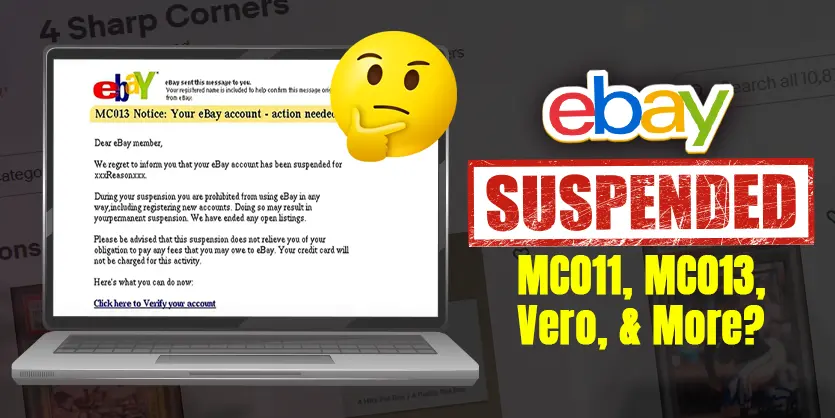
Getting your eBay account restricted in 2025—whether due to MC011 verification, an MC013 suspension, or a Vero policy violation—can feel like a nightmare. Your listings disappear, your payouts are on hold, and your business is suddenly on pause. But here’s the good news: it’s fixable.
In this guide, we’ll walk you through exactly what to do when your eBay account gets restricted. You’ll learn what each restriction code means, why it happens, and the proven steps to get your account reinstated—fast. Whether you’re a new seller or a seasoned pro, these tips will help you bounce back stronger and avoid future issues.
Let’s take the stress out of eBay suspensions and get you back to growing your store.
Table of Contents:
| 1. What Are the Most Common eBay Restrictions in 2025 – MC011, MC013, MC099 or Vero |
| 2. What to Do When Your eBay Account Gets Restricted |
| 3. How to Contact eBay Seller Support Effectively |
| 4. What Happens to Your Money If eBay Suspends Your Account? |
| 5. How to Appeal MC011 and MC013 Restrictions Successfully |
| 6. What to Do for MC099 or Vero Listing Removals |
| 7. Can You Create a New eBay Account After a Ban? |
| 8. Final Thoughts: Don’t Panic – Take Action and Let Ecomclips Help You |
What Are the Most Common eBay Restrictions in 2025?
eBay issues different restriction codes depending on the issue. Each one means something specific, and knowing what you’re dealing with helps you take the right steps to resolve it. Here are the most common ones:

MC011: Identity & Business Verification
MC011 is one of the most common—but also serious—eBay account restrictions. It usually means eBay wants to verify your identity or business due to suspicious activity, a sudden sales spike, or poor performance metrics.
To resolve it, you’ll need to submit documents like:
- Government-issued ID
- Proof of address
- Supplier invoices
- Tracking numbers for recent orders

While frustrating, MC011 restrictions are often reversible if you act fast and comply with what eBay requests. It’s not a permanent suspension unless ignored.
MC013: Permanent Restriction Due to Serious Violations
MC013 is much more severe. This code is typically issued for sellers who’ve violated eBay policies repeatedly or sold counterfeit or restricted items. It’s eBay’s way of saying: “This is final—unless you can prove otherwise.”
Unless you submit a convincing appeal proving a mistake was made—or that you’ve fixed the root cause—MC013 usually results in permanent suspension. But there are still steps you can take, which we’ll cover below.

MC099 or Vero: Listing Removal
MC099 and Vero flags are issued when individual listings violate eBay’s rules. This could be due to:

- Trademarked or copyrighted items (triggering Vero)
- Banned keywords or categories
- Infringing images or product descriptions
These are less severe than MC011 or MC013, but if they happen repeatedly, your entire account may be restricted. You must fix the listing issues and avoid relisting the same product without changes.
What to Do When Your eBay Account Gets Restricted
Your first move is to check your email for a message from eBay. It will usually explain:
- What type of restriction was applied
- What triggered it
- What steps you need to take to resolve it

Read the message carefully and act quickly. Timing is crucial—especially for MC011 cases. If you delay, your account could remain frozen for much longer than necessary.
Here’s the process we recommend at Ecomclips:
- Review the email and identify the restriction code
- Gather required documents (ID, proof of address, invoices)
- Respond via the link in the email or log into eBay Help Center
- Start a live chat, request a callback, or call eBay directly
- Stay calm, follow up regularly, and escalate if needed
Pro Tip: Calling eBay usually gets faster results than chat or email. Your tone, urgency, and professionalism matter. If the first rep can’t help, try again. Persistence works.
How to Contact eBay Seller Support Effectively
There are several ways to reach eBay seller support, but some work better than others—especially if your account is restricted.
Here’s what we recommend:
- Phone call – Always the fastest and most effective method.
- Live chat – Use the “Help & Contact” section, then navigate to “Account Restrictions.”
- Facebook Messenger – Contact the official eBay Business Page (not available in all regions—use a VPN set to the US if needed).

If one rep doesn’t help, try again after a few minutes. You’ll often get a different agent on the next try.
Make sure you have your documents ready before contacting support:
- ID and proof of address
- Invoices or receipts from your suppliers
- Tracking info for recent shipments
What Happens to Your Money If eBay Suspends Your Account?
One of the most common questions we get at Ecomclips is: “If my eBay account is suspended, do I lose my payouts?”
The answer: No, you don’t lose it.
If you’re enrolled in eBay’s managed payments system, your funds are temporarily held, not lost. Typically:
- Holds last between 30 to 90 days
- In serious cases, holds can last up to 180 days
- Payouts are released to your bank once all orders are delivered and disputes are resolved
Just ensure your bank details are accurate and handle any open cases with buyers to avoid delays.


How to Appeal MC011 and MC013 Restrictions Successfully
Here’s what to do based on the type of restriction:
MC011: Verification Hold
- Submit clear copies of your documents
- Call eBay right after uploading
- If the first call doesn’t help, try again later
Persistence and professionalism are your best tools here. Keep following up until your case is reviewed.
MC013: Serious Violation
This one requires a full appeal. Here’s what to include:
- A clear explanation of what happened
- What steps you’ve taken to fix the issue
- Any evidence or documents proving your products are genuine
- A request for a second chance
You can submit the appeal by replying to the email from eBay or using their Help Center.
They usually respond within 1–3 business days. If accepted, your account will be reinstated.
What to Do for MC099 or Vero Listing Removals
If a listing is flagged under MC099 or Vero:
- Don’t re-upload the same listing without editing it
- Remove risky keywords, adjust descriptions, and check for copyrighted content
- Call eBay to ask for more information if needed

One or two Vero flags won’t shut you down, but repeated violations might. So always make adjustments before trying to relist a product.
Can You Create a New eBay Account After a Ban?
If your account is permanently banned and you’ve exhausted all appeals, it’s still possible to start over—but be careful.
Here’s how to do it safely:
- Use a new name (yours, family member’s, or a registered business)
- Never use the same device or IP address as the banned account
- Set up a remote desktop environment like Camara for a fresh start

Make sure you apply all the lessons learned from your first account. Don’t repeat the same mistakes.
Final Thoughts: Don’t Panic—Take Action
Getting hit with an eBay restriction isn’t the end of your selling journey. Even the best sellers run into issues. The difference is how you respond.
Use the knowledge in this guide to:
- Understand the restriction code
- Take immediate, informed action
- Communicate effectively with eBay
- Learn from the experience and prevent it from happening again
Need expert help to stay compliant and profitable on eBay?
Let Ecomclips Help You Stay Safe & Scale Confidently on eBay
With over 12 years of experience and thousands of seller accounts managed, Ecomclips helps eBay sellers like you navigate restrictions, avoid risky products, and find trending items that actually convert.
➡️ Email us at info@ecomclips.com
➡️ Or visit our eBay Services Page for full support
Stay safe. Keep selling. And never let one setback stop your journey.