
Your Shopify store is live. Your products look great. But where are the sales? Sound familiar?
Getting a store online is easy. Getting customers to buy? That’s the real challenge. Here’s a reality check: Nearly 70% of online shopping carts are abandoned, according to the Baymard Institute. And with AI-powered shopping changing the game in 2026, a good-looking store simply isn’t enough.
So, what’s the secret to Shopify growth? Better SEO, product pages that convert, smart apps, and strategies that turn clicks into customers.
That’s exactly what this complete Shopify growth guide covers. From store setup and SEO to product page optimization, conversions, growth apps, and dropshipping, discover proven strategies, practical tips, and real-world examples to grow your Shopify business.
What Is Shopify Store Growth?
Shopify store growth isn’t just about driving more traffic. It’s about turning visitors into buyers, increasing sales, and keeping customers coming back. After all, thousands of visitors mean little if your products aren’t selling.
Real Shopify growth happens when SEO, product pages, conversion optimization, customer experience, and retention strategies work together to generate consistent, profitable sales.
Same Traffic, Different Sales Results
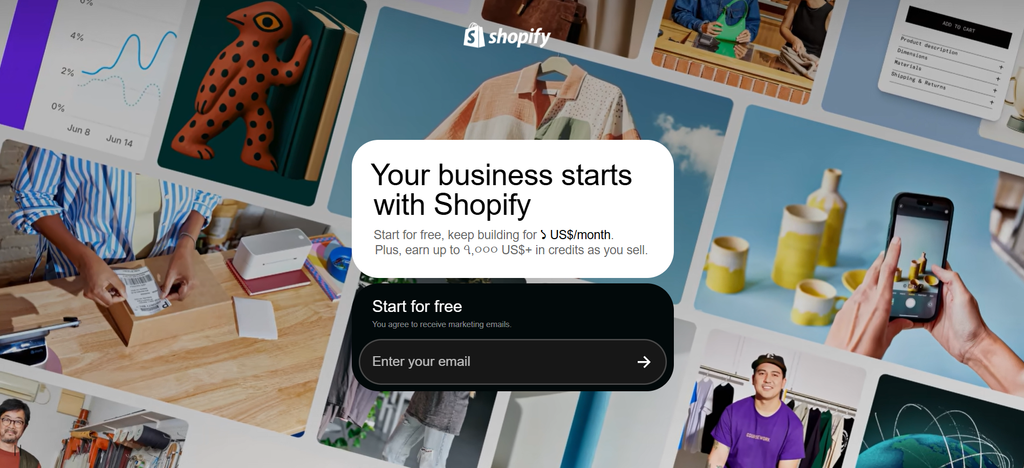
Imagine two Shopify stores, Store A and Store B, each receiving 100,000 sessions per month. Both attract the same amount of traffic, but their sales performance tells a completely different story.
Store A has a conversion rate of 1.4%, generating 1,400 orders per month. With an average order value of $60, the store earns $84,000 in monthly revenue.
Store B, on the other hand, converts 2% of its visitors into buyers, generating 2,000 orders. With a slightly higher average order value of $70, it brings in $140,000 in monthly revenue.
That’s $56,000 more in monthly sales, approximately 67% higher revenue, without attracting a single additional visitor!
Shopify Store Setup Guide
Building a Shopify store is easier than ever. But setting it up for long-term growth takes more than uploading products and choosing a beautiful theme. From store design and product listings to payments, shipping, and SEO, every detail shapes how customers experience your brand.
Whether you’re launching your first ecommerce business, building a private-label brand, or expanding an existing store, here’s how to set up a professional, customer-friendly Shopify store step by step.
Step 1: Create Your Shopify Account
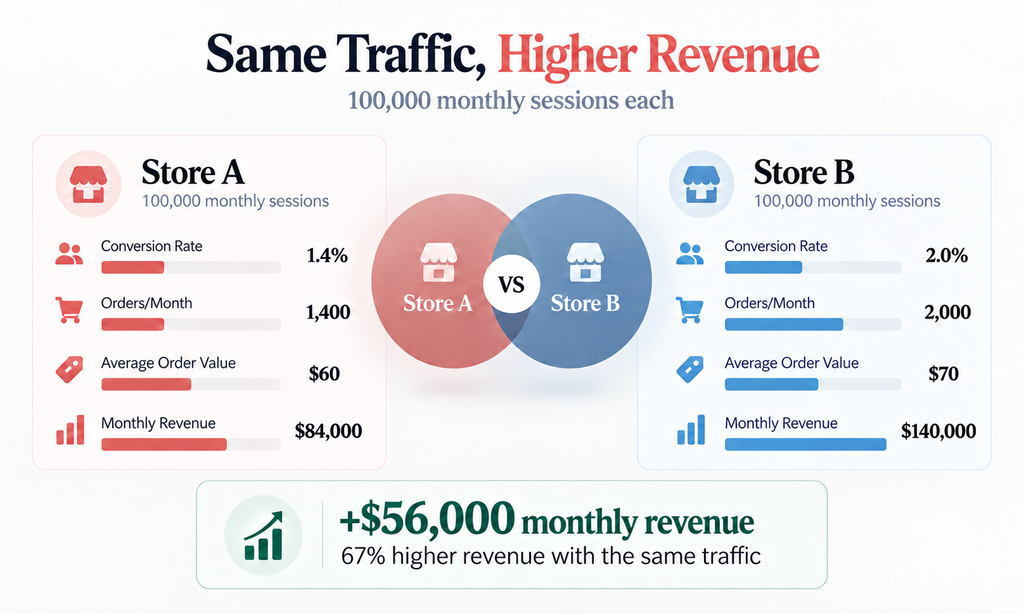
First things first, head to Shopify and select Start for free to create your account. Shopify generally offers an introductory trial, although its duration and promotional pricing can vary.
Once registered, you’ll access the Shopify admin dashboard, where you can manage products, orders, customers, marketing, and store settings.
Here’s what to configure first:
- Store Name: Choose a memorable name that reflects your brand and products.
- Business Information: Enter your business address, contact details, and other required information.
- Currency & Region: Set your primary currency, time zone, and business location correctly.
- Shopify Plan: Compare the available plans and choose one that fits your budget and requirements.
- Account Security: Enable two-step authentication to protect your store.
Step 2: Choose the Right Shopify Theme
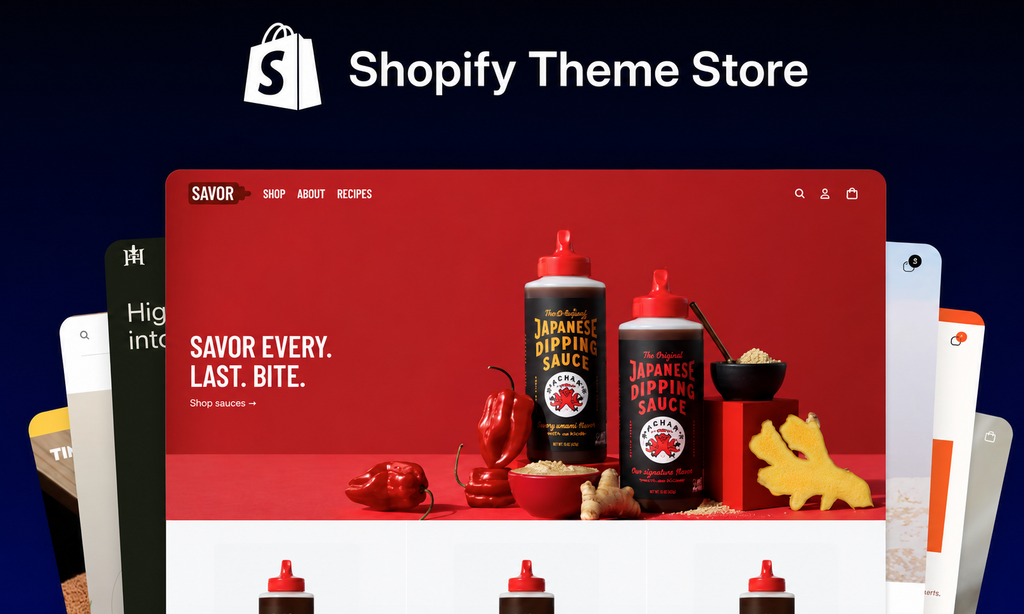
Your theme is your store’s digital storefront. Like a physical shop, first impressions can influence whether customers stay or leave.
Navigate to Online Store → Themes in your Shopify dashboard to explore free and paid options.
Choose a theme based on:
- Mobile Responsiveness: Your store should look and work smoothly on smartphones.
- Loading Speed: Avoid heavy layouts and unnecessary animations that slow down browsing.
- Product Presentation: Choose layouts that showcase your products with clear images and details.
- Navigation & Filtering: Customers should be able to find products without endless scrolling.
- Customization: The theme should support your branding without requiring excessive additional apps.
Step 3: Customize Your Shopify Store Design
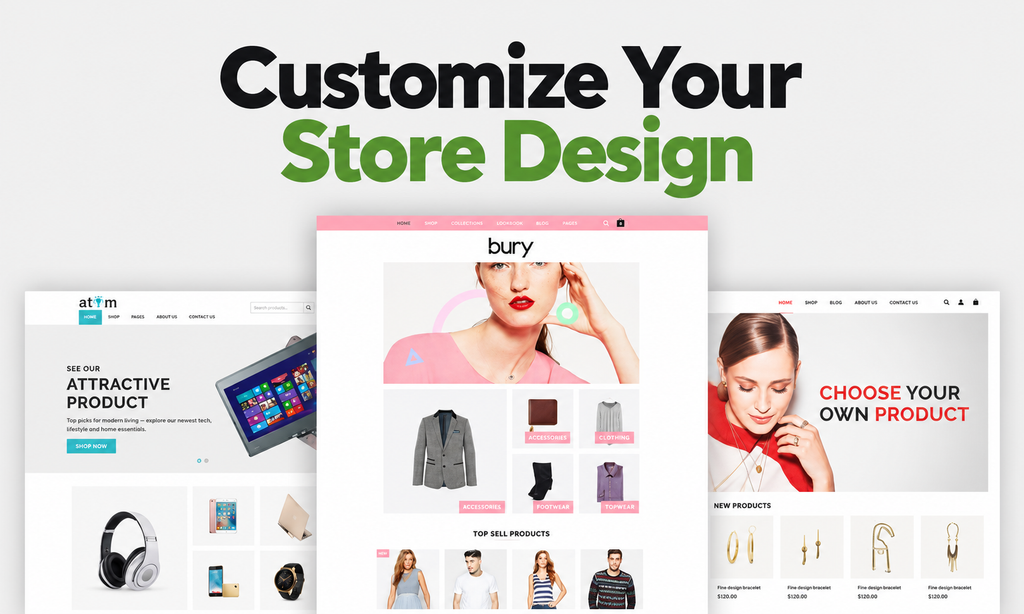
Now it’s time to make your store look like a brand, not another generic Shopify template.
A good design isn’t about adding more visual elements. It’s about helping visitors understand your products, trust your store, and navigate effortlessly.
Focus on these essentials:
- Brand Identity: Add your logo, favicon, brand colors, and consistent typography.
- Homepage Design: Use a clear headline, engaging product visuals, and a prominent call to action.
- Navigation Menus: Organize product categories and important pages logically.
- Collections: Group products by category, use case, or customer needs.
- Trust Elements: Display authentic reviews, relevant guarantees, and clear shipping information.
- Professional Domain: Connect a custom domain through Settings → Domains.
For example, a skincare store could organize products into Cleansers, Moisturizers, Serums, and Sunscreens, while also creating collections for shoppers looking for sensitive-skin or fragrance-free products. That makes browsing easier and creates useful landing pages for SEO.
Step 4: Add and Optimize Your Products
Here’s where your store starts taking shape.
Navigate to Products → Add product and begin building your product catalogue.
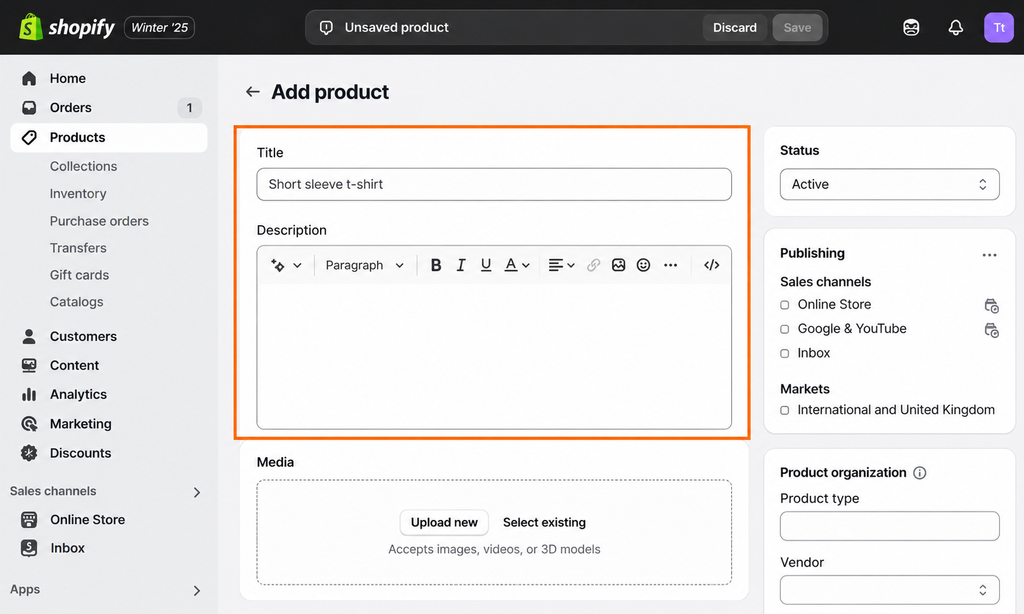
But don’t just upload supplier images and copy-paste descriptions. Your product listings need to help customers understand what they’re buying and why it’s worth their money.
Every product should include:
- Product Title: Clear, descriptive, and naturally relevant to customer searches.
- Product Images: High-quality visuals showing multiple angles and important details.
- Product Description: Benefit-focused copy explaining features, uses, and value.
- Pricing: Accurate prices, discounts, and relevant comparison pricing.
- Variants: Sizes, colors, materials, and other available options.
- Inventory & SKU: Accurate stock tracking and product identifiers.
Step 5: Set Up Payments and Checkout
Imagine a customer finds the perfect product, adds it to their cart, and reaches checkout, only to discover they can’t use their preferred payment method. That’s why configuring payment methods properly is essential.
Go to Settings → Payments and activate suitable payment options for your business.
Depending on your region and eligibility, options may include:
- Shopify Payments
- PayPal
- Supported third-party card payment providers
- Local payment methods
- Accelerated checkout options such as Shop Pay, where available
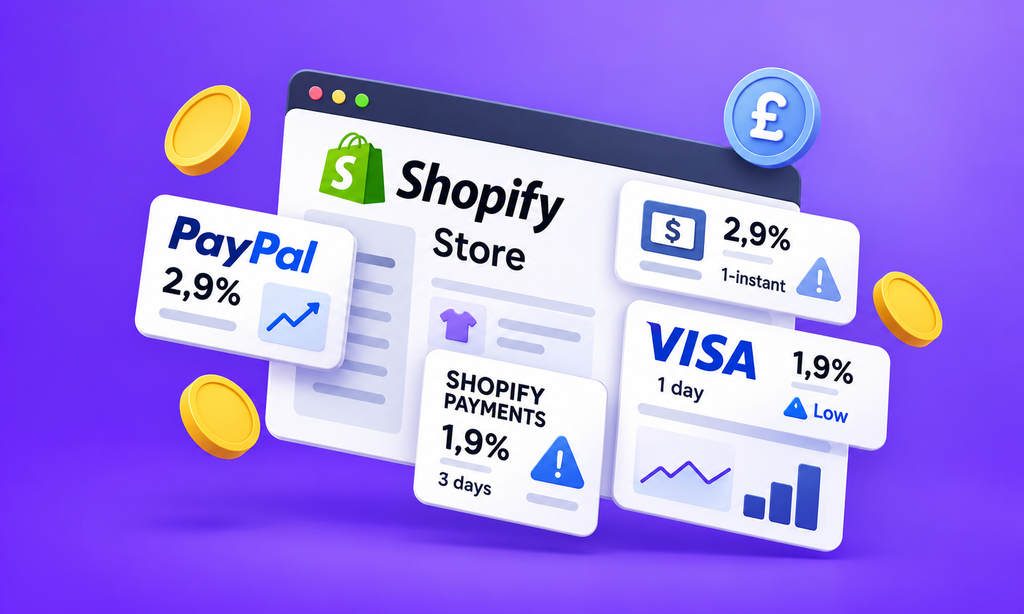
Shopify Payments isn’t available in every country, so verify which providers support your business location before activating checkout.
To improve the experience, keep checkout simple, avoid unnecessary customer information requests, communicate additional charges clearly, and enable appropriate payment methods.
Step 6: Configure Shipping and Delivery Settings
Shipping isn’t just an operational detail. It can influence whether customers complete their purchases. Nobody likes reaching checkout and discovering an unexpected shipping charge or an unclear delivery timeline.
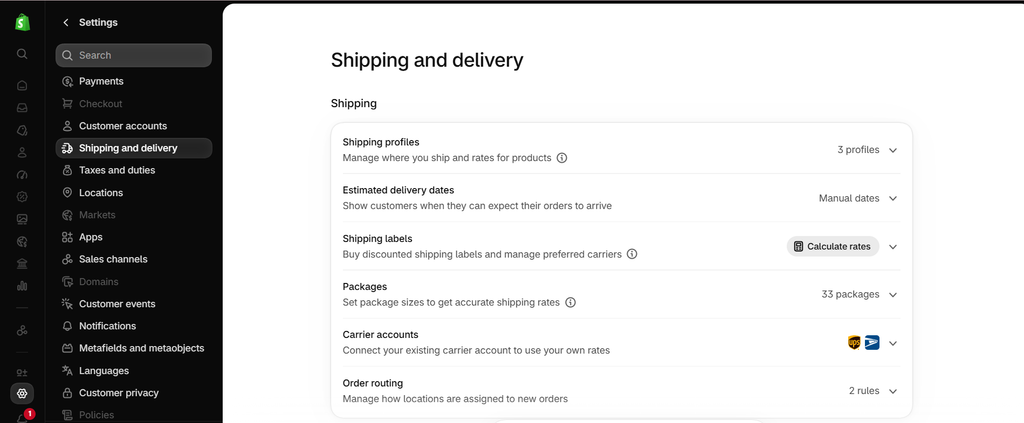
Navigate to Settings → Shipping and delivery and configure your rates, shipping zones, and fulfilment preferences.
Common shipping options include:
- Free Shipping: Offer free delivery when financially sustainable.
- Flat-Rate Shipping: Charge a fixed amount for eligible orders.
- Weight-Based Shipping: Calculate charges based on shipment weight.
- Price-Based Shipping: Adjust delivery costs according to order value.
- Carrier-Calculated Shipping: Display eligible carrier rates when supported.
If your average order value is $45, you could test Free Shipping on Orders Over $65 to encourage shoppers to add another item.
Of course, calculate your shipping costs and margins before introducing the offer. Also, clearly communicate processing times, estimated delivery windows, tracking availability, and return instructions.
Step 7: Create Essential Shopify Store Pages
Before buying from an unfamiliar brand, customers naturally look for signs that the business is legitimate.
That’s where your essential store pages come in.
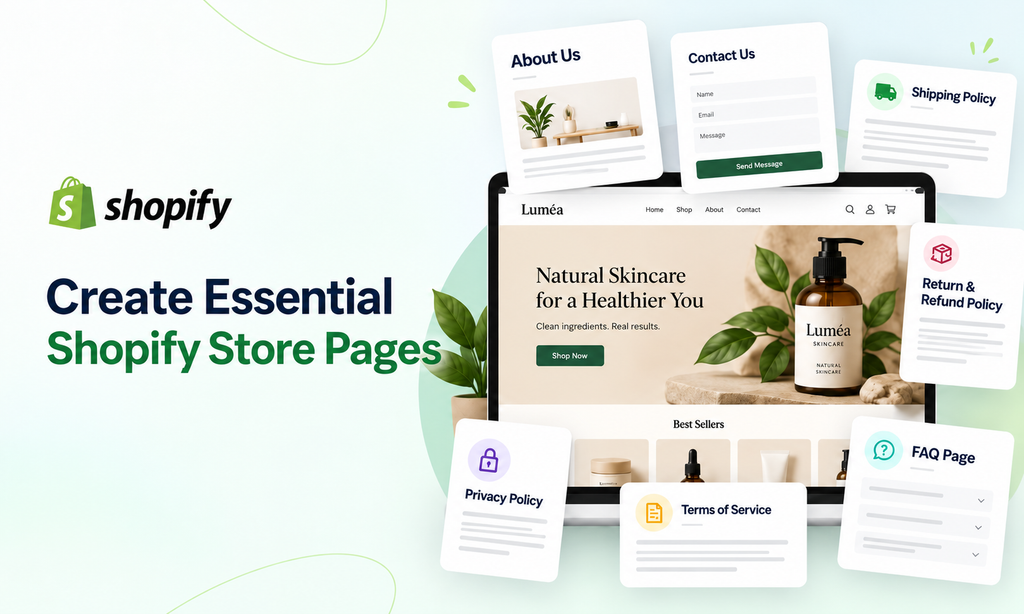
Create the following pages:
- About Us: Introduce your brand, story, and what makes your business different.
- Contact Us: Provide a professional email address, contact form, or other reliable support channel.
- Shipping Policy: Explain delivery costs, processing times, and shipping restrictions.
- Return & Refund Policy: Clearly state return eligibility, deadlines, and refund procedures.
- Privacy Policy: Explain how customer information is collected and used.
- Terms of Service: Outline the applicable terms of purchasing from your business.
- FAQ Page: Answer common questions about orders, products, payments, and delivery.
Link important pages in your footer so shoppers can easily find them.
Step 8: Install Essential Shopify Apps
One of Shopify’s biggest strengths is its app ecosystem. You can add features for marketing, reviews, support, product discovery, and automation without building everything from scratch.
But there’s a catch: More apps don’t automatically mean more growth. Start with tools that solve a specific business need.
Consider apps for:
- Email Marketing: Capture subscribers and automate customer follow-ups.
- Product Reviews: Collect genuine customer feedback and build trust.
- Search & Filtering: Help customers discover relevant products.
- Upsells & Bundles: Recommend complementary products and increase order value.
- Customer Support: Answer product and order questions efficiently.
- Analytics: Monitor store performance and customer behavior.
For example, Shopify Search & Discovery can support filters and product recommendations, while Shopify Inbox can help you manage customer conversations.
Step 9: Optimize Basic Shopify SEO and Store Performance
Your store may look amazing, but if customers can’t find it, that design won’t generate much revenue.
Before launching, take care of the SEO fundamentals.
Start with:
- SEO-Friendly URLs: Keep product and collection handles readable and descriptive.
- Meta Titles: Write unique titles explaining what each important page offers.
- Meta Descriptions: Create compelling summaries that encourage relevant searchers to click.
- Image Alt Text: Describe product images accurately for accessibility and search context.
- Internal Linking: Connect relevant products, collections, and informational pages.
- Mobile Optimization: Check readability, navigation, and product interactions on smaller screens.
- Page Speed: Optimize large images and review scripts or apps that affect loading performance.
- Google Search Console: Verify your domain and submit your Shopify XML sitemap.
Example:
Instead of:
yourstore.com/products/item-123
Use a descriptive handle such as: yourstore.com/products/waterproof-travel-backpack
It’s clearer for customers and provides more context about the product.
Step 10: Launch and Start Marketing Your Shopify Store
You’ve done the groundwork. Now it’s time to open your store to real customers.
When your store is ready, ensure you have an appropriate Shopify plan, remove storefront password protection, and verify that visitors can browse and purchase without issues.
Start building visibility through:
- Shopify SEO: Target relevant product and category searches to attract organic traffic.
- Google Ads: Reach shoppers actively searching for products like yours.
- Meta Ads: Test Facebook and Instagram campaigns with relevant audiences and creatives.
- Social Media Marketing: Showcase products, demonstrations, and customer experiences.
- Influencer Partnerships: Collaborate with creators whose audiences match your target market.
- Email Marketing: Build subscriber relationships and encourage repeat purchases.
You don’t need to launch every channel on day one. Start with the channels that best match your customers, budget, and product type. Monitor performance, learn what works, and scale gradually.
Shopify SEO Strategy: How to Rank Higher and Drive Organic Traffic
Think Shopify automatically takes care of your SEO? Not quite. While Shopify provides SEO-friendly features like XML sitemaps, canonical tags, SSL certificates, and editable meta tags, these are just the foundation.
Ranking your Shopify store on Google takes more than having the right platform. You still need to target relevant keywords, optimize product and collection pages, create helpful content, and build your store’s authority.
That’s where a well-planned Shopify SEO strategy makes the difference. Done right, it helps customers discover your products, attracts qualified organic traffic, and creates opportunities for consistent sales without relying entirely on paid ads.
How Does Shopify SEO Work?
Shopify SEO focuses on making your store easier for search engines to discover, understand, and rank—while helping customers find exactly what they’re looking for.
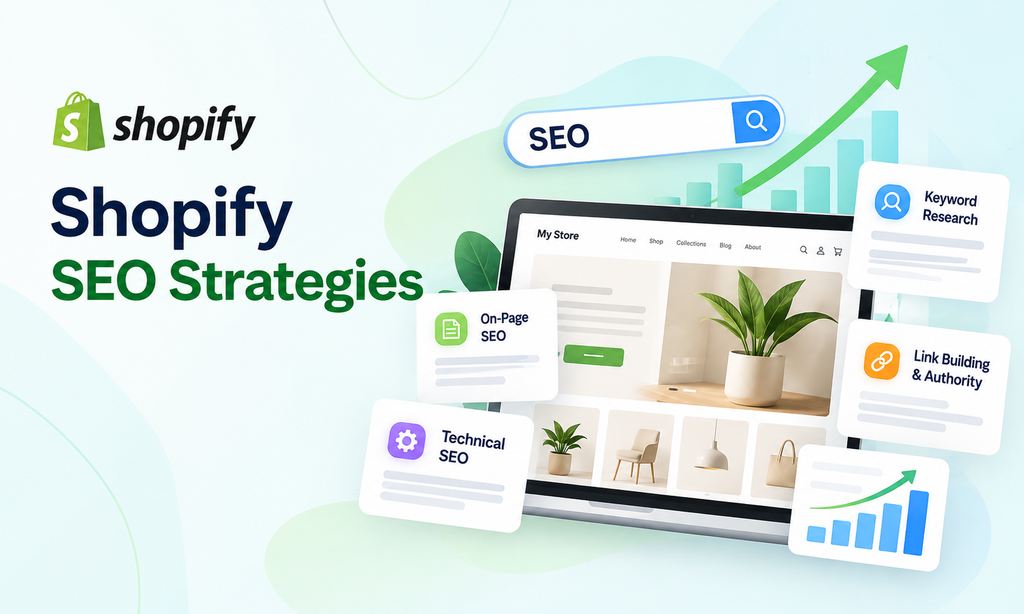
A successful Shopify SEO strategy comes down to 4 key pillars:
1. Keyword Research & Search Intent
Identify what potential customers are searching for and understand whether they want information, product comparisons, or something to buy. Target the right keywords on the right pages to attract relevant shoppers.
2. On-Page SEO
Optimize your product pages, collections, blog content, titles, meta descriptions, headings, images, and internal links. The goal is to make every important page relevant, helpful, and search-friendly.
3. Technical SEO
Ensure search engines can crawl, index, and understand your Shopify store efficiently. This includes site structure, page speed, mobile usability, canonical tags, sitemaps, structured data, and resolving technical issues.
4. Off-Page SEO & Authority Building
Build your store’s credibility through relevant backlinks, brand mentions, digital PR, and trustworthy external references. Strong authority signals can support your organic visibility in competitive markets.
These four pillars work together. Great keywords won’t help much if your pages are poorly optimized, and excellent content can struggle if search engines can’t access it.
Shopify Conversion Rate Optimization
Getting traffic to your Shopify store is one thing. Turning those visitors into paying customers? That’s where conversion rate optimization (CRO) comes in.
Think about it. If 10,000 people visit your store but only 100 make a purchase, you’re converting just 1% of your traffic. Even a small improvement in that number can generate more sales without spending extra on advertising.
What Is a Good Shopify Conversion Rate?
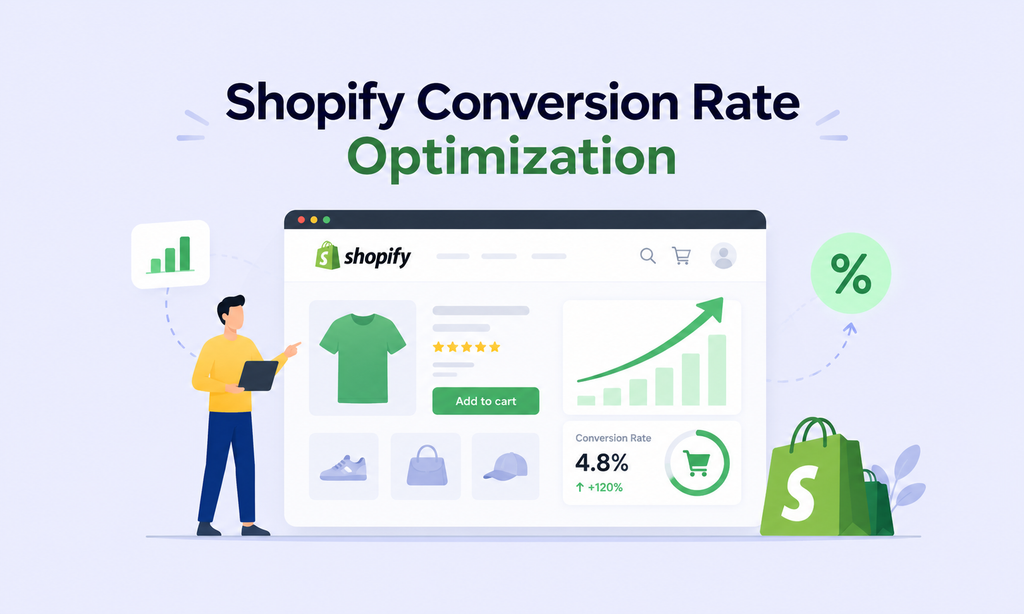
Your Shopify conversion rate measures the percentage of store sessions that result in completed purchases.
Shopify Conversion Rate = (Total Orders ÷ Total Sessions) × 100
For example, if your store receives 10,000 sessions and generates 200 orders, your conversion rate is 2%.
But what counts as a good conversion rate? Shopify has cited Littledata benchmarking showing an average Shopify conversion rate of approximately 1.4%, while top-performing stores in the top 10% achieve around 4.7% or higher.
However, performance varies by industry, product price, device, customer intent, and traffic source. Use benchmarks as a reference, not a universal target.
1. Analyze Your Shopify Conversion Funnel
Before changing your store design or experimenting with CTA buttons, figure out where shoppers are dropping off.
A typical Shopify conversion funnel looks like this: Store Visit → Product View → Add to Cart → Checkout → Purchase
Each stage tells you something about customer behavior.
- High traffic but low product views? Your navigation, homepage, or landing pages may need improvement.
- Plenty of product views but few cart additions? Investigate product pricing, descriptions, images, offers, and trust signals.
- Customers add products but rarely begin checkout? Check shipping expectations, cart usability, and unexpected charges.
- Shoppers reach checkout but don’t buy? Review payment options, checkout friction, delivery costs, and technical issues.
2. Make Your Shopify Homepage Conversion-Friendly
Your homepage has only a few moments to communicate what your store offers. Visitors should quickly understand what you sell, who it’s for, why it’s worth buying, and where to shop next.
Here’s a simple comparison.
Weak headline: Welcome to River & Stone. Discover quality products made with passion.
Stronger headline: Lightweight Travel Gear Built for People Who Never Check a Bag.
The second headline immediately communicates the product category and its intended audience.
To improve your homepage:
- Use a clear, benefit-driven headline.
- Highlight your best-selling products or collections.
- Add prominent Shop Now buttons.
- Display genuine reviews and relevant trust signals.
- Keep navigation simple and mobile-friendly.
Your homepage should guide customers toward products, not overwhelm them with everything your brand has to say.
3. Simplify Navigation, Search, and Product Filtering
Ever visited an online store and struggled to find what you wanted? Frustrating, right? Your customers feel the same way.
Organize your navigation around how people actually shop. Instead of vague menu labels like “Solutions” or “Explore,” use clear categories that communicate what’s inside.
For example, a skincare store might use Cleansers, Moisturizers, Serums, Sunscreens, and Sensitive Skin. For larger catalogues, add helpful product filters such as size, color, price, material, availability, and product type.
Shopify Search & Discovery can help merchants configure filters, product recommendations, search synonyms, and other discovery features.
4. Make Shipping Costs and Delivery Times Clear
A customer may love your product, add it to their cart, and still leave because of an unexpected delivery charge.
Don’t make shoppers wait until checkout to understand shipping costs.
Clearly communicate:
- Shipping rates and free-shipping thresholds
- Estimated delivery times
- Order processing times
- Tracking availability
- International shipping restrictions
Example: If your store has an average order value of $48, you could test Free Shipping on Orders Over $65 to encourage larger purchases. Just make sure your margins can support the offer.
5. Reduce Cart Abandonment and Checkout Friction
Here’s a number worth paying attention to: around 70% of online shopping carts are abandoned, according to Baymard Institute’s ecommerce research.
Not every abandoned cart represents a lost sale you could have recovered. Some customers are simply browsing, comparing prices, or saving products for later.
But unnecessary checkout friction can make matters worse.
To improve your Shopify checkout experience:
- Offer suitable payment methods for your target market.
- Make shipping costs and taxes clear before final payment.
- Avoid unnecessary form fields and forced account creation where possible.
- Enable accelerated checkout options when available.
- Make discount code functionality easy to understand.
- Test checkout regularly on mobile devices.
Pro Tip: Set up abandoned-checkout recovery emails to remind eligible shoppers about unfinished purchases. Keep messages helpful rather than sending repeated discount offers.
6. Build Customer Trust With Reviews & Clear Policies
Online shoppers can’t physically inspect your products or speak to a salesperson before buying. They rely on the information your store provides. That’s why trust is a major part of conversion optimization.
Strengthen customer confidence through authentic reviews, clear business contact information, accurate product details, and transparent policies.
Your return policy should clearly explain the return window, eligible product conditions, refund methods, return shipping costs, and processing timelines.
For example, displaying “30-Day Returns on Eligible Unused Items” near a product’s Add to Cart button can answer an important purchase question without forcing shoppers to search for your policy.
Avoid fake countdown timers, fabricated reviews, or misleading stock alerts. These tactics may create urgency, but they can also damage brand credibility.
Shopify Product Page Optimization: Turn Product Views Into Sales
Your homepage introduces your brand. Your product page gives customers a reason to buy. And that makes product page optimization one of the most important parts of Shopify growth.
According to Baymard Institute’s 2026 research, 62% of benchmarked ecommerce websites had mediocre or worse product-page UX. That leaves substantial room for stores to improve how products are presented.
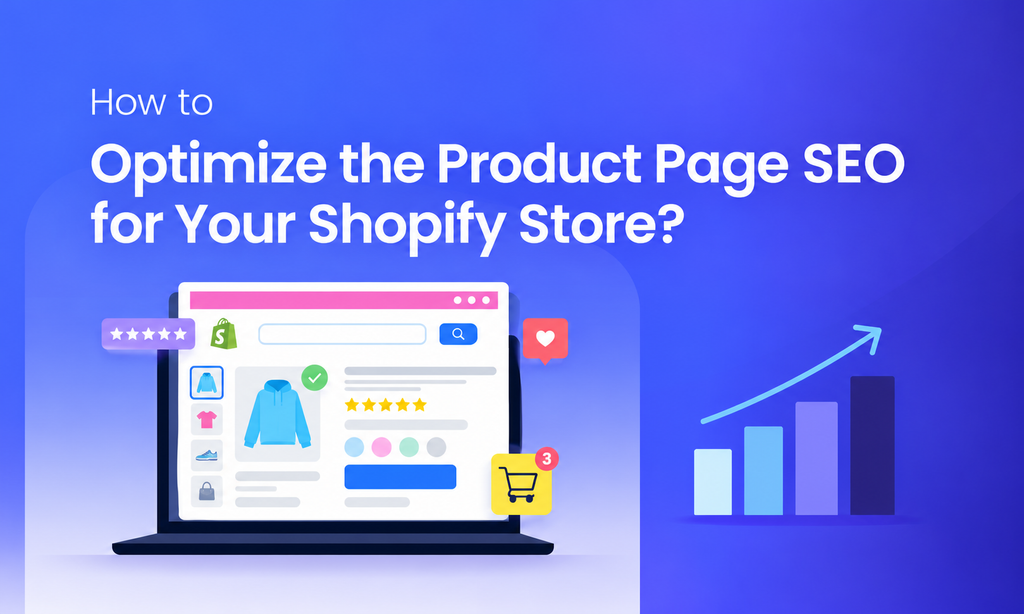
A high-converting Shopify product page should answer 5 questions: What is it? Why do I need it? Will it work for me? Can I trust it? What happens after I order?
1. Write Clear, Descriptive Product Titles
Your product title should tell customers exactly what they’re looking at.
Avoid vague names that force shoppers to guess what the product actually is.
Weak: The Explorer
Better: The Explorer 35L Waterproof Travel Backpack
The second title immediately communicates the product type, capacity, and an important feature.
Use relevant product details naturally, including brand, model, size, material, or primary features where appropriate.
2. Use High-Quality Product Images and Videos
Your product photos have a bigger job than simply making your store look attractive.
They need to help customers understand what the product looks like, how it works, and what they’re actually buying.
Include different types of visuals:
- Main Image: Clearly show the product.
- Multiple Angles: Display the front, back, sides, and important details.
- Lifestyle Images: Show the product being used in realistic situations.
- Close-Ups: Highlight texture, materials, construction, and features.
- Scale Images: Help customers understand size and dimensions.
- Comparison Images: Explain differences between models or variations.
- Customer Photos: Show genuine real-world product experiences.
Videos are particularly helpful when a product’s movement, texture, fit, or functionality is difficult to communicate through photos.
A furniture store can use video to demonstrate a folding desk’s mechanism, while a fashion brand can show how a dress fits and moves.
3. Write Benefit-Focused Product Descriptions
Here’s a common ecommerce mistake: listing product features without explaining why they matter. Customers don’t just want specifications. They want to understand how the product makes their lives better.
For example:
Feature: 20,000mAh battery capacity.
Benefit: Recharge compatible devices multiple times while traveling without constantly searching for an outlet.
The strongest product descriptions connect features, benefits, and real-world use cases. Keep paragraphs readable, highlight important specifications, and avoid generic claims like “premium quality” without explaining what makes the product better.
4. Answer Customer Questions Before They Leave
Every product comes with potential objections. The more questions your page leaves unanswered, the more reasons shoppers have to hesitate.
For example:
Fashion products: How does it fit? Is it true to size? What materials are used?
Furniture: What are the dimensions? Does it require assembly? How much weight can it support?
Cosmetics: What ingredients are included? Which skin types is it intended for? How should it be applied?
Electronics: Which devices are compatible? What’s included in the box? What warranty applies?
Address these questions through clear descriptions, specifications, size guides, product FAQs, or comparison content.
Pro Tip: Review customer service inquiries and product reviews to identify frequently asked questions. They can reveal missing information on your product pages.
5. Display Reviews and Social Proof Strategically
Customer reviews help shoppers understand how products perform in real life.
But don’t stop at displaying a star rating.
When available, include:
- Verified customer ratings
- Written product reviews
- Customer-uploaded photographs
- Video reviews
- Fit and sizing feedback
- Product-specific questions and answers
Instead of showing only “4.8 out of 5 stars,” let shoppers read reviews explaining how the product fits, feels, or performs.
6. Make the Add to Cart Experience Simple
Even strong product pages can lose customers if purchasing feels unnecessarily complicated.
Your Add to Cart button should be easy to find, especially on mobile devices. Keep product options straightforward, display accurate availability, and avoid cluttering the purchase area with too many distracting messages.
For longer mobile product pages, consider testing a sticky Add to Cart button so customers can access the purchase action without scrolling back to the top.
Also, place useful delivery and return information near the buying area.
For example: Free Shipping Over $65 | 30-Day Returns on Eligible Items
Just ensure these statements reflect your actual policies.
7. Increase Average Order Value With Relevant Recommendations
A purchase doesn’t always have to end with one product.
Strategic cross-selling and bundling can help customers discover useful complementary products while increasing average order value.
For example:
- Camera: Recommend a compatible memory card.
- Running Shoes: Recommend performance socks.
- Shampoo: Recommend a matching conditioner.
- Travel Backpack: Recommend packing cubes.
You can also create bundles, such as a Skincare Starter Kit containing a cleanser, serum, and moisturizer. The important word here is relevant. Don’t recommend random products just because your Shopify app allows it.
8. Continuously Test and Improve Product Pages
Product page optimization isn’t a one-time project. Customer preferences change, new competitors enter the market, and your store collects more behavioral data over time. Review metrics such as product views, add-to-cart rate, conversion rate, average order value, and returns.
Then test meaningful improvements:
- Different primary product images
- Clearer benefit-focused descriptions
- Better sizing or compatibility details
- Improved review placement
- More useful FAQs
- Relevant bundles
- Simplified variant selection
Shopify Apps for Growth: Best Tools to Scale Your Store
Shopify has thousands of apps designed to improve everything from marketing and conversions to customer service and automation. But here’s the catch: Installing more apps doesn’t automatically mean more sales.
The right Shopify apps can help you attract customers, increase average order value, recover abandoned carts, and encourage repeat purchases. The wrong ones? They can increase costs, slow down your store, and create unnecessary complexity.
So, which Shopify apps are actually worth considering? Let’s break them down by the growth problems they solve.
1. Shopify Search & Discovery: Improve Product Discovery
Ever visited an online store with hundreds of products but couldn’t find what you needed? That’s exactly the problem Shopify Search & Discovery helps solve.
This free Shopify app helps customers find relevant products through smarter search, filtering, and recommendations.
Key features include:
- Product filters for price, size, color, availability, and other attributes.
- Search synonyms to help customers find products using different terms.
- Product recommendations and complementary product suggestions.
- Product boosts that influence search result ordering.
- Search performance insights.
Example: A fashion store selling hundreds of products can let shoppers filter dresses by size, color, price, and availability instead of scrolling through the entire catalogue.
Best for: Shopify stores with growing product catalogues that need better navigation and product discovery.
2. Klaviyo: Grow Sales With Email & SMS Marketing
Not every visitor buys on their first visit. And not every customer remembers to return. That’s where email and SMS marketing become valuable.
Common automation opportunities include:
- Welcome Emails: Introduce your brand and products to new subscribers.
- Abandoned Cart Emails: Remind shoppers about products left in their carts.
- Browse Abandonment: Follow up with eligible visitors who viewed products but didn’t purchase.
- Post-Purchase Emails: Share product tips, order-related content, and relevant recommendations.
- Win-Back Campaigns: Reconnect with customers who haven’t purchased recently.
- Replenishment Reminders: Encourage repeat orders for products customers regularly use.
A skincare brand can send replenishment reminders based on the typical usage period of its moisturizer, helping customers reorder when they’re likely to need another bottle. Stores looking to improve customer retention, repeat purchases, and email-driven revenue.
3. Judge.me & Loox: Build Trust With Product Reviews
Customers trust real experiences more than generic marketing claims.
Product review apps such as Judge.me and Loox help merchants collect, organize, and display customer feedback across their stores.
Depending on the app and plan, useful features can include:
- Verified purchase reviews
- Star ratings and written feedback
- Photo and video reviews
- Automated review requests
- Review widgets for product pages
- Customer questions and answers
Example: Imagine selling a travel backpack. A customer review explaining that it comfortably fits a 16-inch laptop and works well for weekend trips can answer buying questions that your product description may have missed.
Best for: Stores that want to strengthen product credibility and help shoppers make informed purchase decisions.
4. Shopify Forms: Capture More Leads
Most Shopify visitors won’t purchase immediately. But that doesn’t mean you have to lose contact with them. Shopify Forms helps merchants collect customer information through pop-ups and embedded forms.
You can use it for:
- Newsletter subscriptions
- Early access to new products
- Promotional signups
- Wholesale inquiries
- Customer interest surveys
- Lead generation campaigns
Example: A fashion store launching a new collection could use a simple signup form offering early access to the launch.
Best for: New and growing Shopify stores looking to build an email subscriber base.
Pro Tip: Keep signup forms short. Asking only for the information you genuinely need can make the process easier for visitors.
5. Shopify Inbox: Improve Customer Support
A customer is interested in your product but has one question about sizing or delivery. If they can’t find an answer quickly, they might leave.
Shopify Inbox helps merchants communicate with shoppers through their storefront and respond to common questions.
It can be especially useful for questions about:
- Product availability
- Sizing and compatibility
- Shipping and delivery
- Product specifications
- Customization
- Order information
A shopper considering an electronic accessory might ask whether it works with their device. A timely, accurate answer can help them make a confident purchase decision.
6. Shopify Bundles & Rebuy: Increase Average Order Value
Want to increase sales without constantly chasing more visitors?
Start by helping customers discover relevant products they can purchase together. Shopify Bundles enables eligible merchants to create and sell product bundles, while apps such as Rebuy offer more advanced merchandising, recommendations, and upsell functionality.
Common strategies include:
- Frequently bought together recommendations
- Product bundles
- Complementary product suggestions
- Cart upsells
- Post-purchase offers where supported
- Personalized recommendations
Example: A coffee store could create a bundle containing three coffee varieties at a small discount. Customers get a convenient way to explore different flavors, while the store has an opportunity to increase order value.
Best for: Stores with complementary products, repeat-purchase opportunities, or enough order volume to test advanced merchandising.
Pro Tip: Measure average order value, conversion rate, and profit per order. A bundle that increases revenue but destroys your margins isn’t a successful growth strategy.
7. Gorgias: Manage Customer Support as You Scale
As orders increase, customer service becomes more complicated. Messages may arrive through email, chat, and social platforms, while customers expect accurate answers about deliveries, refunds, and products.
Gorgias is one customer support platform designed to help ecommerce teams manage conversations and automate suitable workflows.
Potential uses include:
- Centralized customer conversations
- Order-related support
- Automated responses to common questions
- Customer service team workflows
- Support performance tracking
Example: A growing apparel store handling hundreds of weekly customer inquiries may benefit from consolidating order questions, returns, and customer messages into one support workflow.
Best for: Growing Shopify brands with increasing support volume or dedicated customer service teams.
How to Choose the Right Shopify Apps
Here’s the rule: Build an app stack, not an app collection.
Before installing anything, ask yourself:
- What specific problem will this app solve?
- Does Shopify already offer this feature?
- Will it improve traffic, conversions, revenue, retention, or operations?
- Does the expected value justify its cost?
- Will it affect store performance or duplicate another app?
For example, a new Shopify store may only need basic product reviews, email capture, and customer support. A larger brand might benefit from advanced personalization, automation, and analytics.
Start with essential tools, measure their impact, and expand your app stack as your business grows. The best Shopify apps aren’t necessarily the most expensive, they’re the ones that solve real problems.
Shopify Dropshipping Strategy: How to Build a Profitable Business
Dropshipping sounds simple: find a product, list it on Shopify, and let a supplier handle fulfilment.
But here’s what many beginners overlook: Not managing inventory doesn’t mean you don’t have to manage the business. With dropshipping, your supplier stores and ships products directly to customers. You handle the storefront, pricing, marketing, customer experience, and other retailer responsibilities.
That makes product selection, supplier reliability, profit margins, and branding essential to building a sustainable dropshipping business.
1. Choose a Profitable Dropshipping Niche
One of the biggest dropshipping mistakes is chasing random trending products without understanding the audience.
Today it’s a portable blender. Tomorrow it’s a fitness gadget. Next week it’s a pet accessory. The problem? Your store has no clear identity, and your marketing starts from scratch every time.
Instead, focus on a specific customer group or product category.
For example:
- Instead of General Pet Products, focus on Travel Accessories for Dog Owners.
- Instead of Random Home Gadgets, focus on Small Apartment Organization.
- Instead of Fitness Accessories, focus on Home Workout Essentials.
A focused niche makes it easier to create consistent branding, relevant product collections, targeted content, and effective advertising.
2. Find Reliable Shopify Dropshipping Suppliers
Your supplier plays a major role in your customer’s experience.
Late deliveries, damaged products, and inconsistent inventory can quickly damage a store’s reputation, even if the problem starts outside your business.
Shopify supports different approaches to dropshipping, including supplier integrations, participating brands through Shopify Collective, and direct supplier relationships.
When evaluating suppliers, look at:
- Product Quality: Are products consistent with their descriptions and photographs?
- Shipping Speed: Can the supplier meet your delivery expectations?
- Inventory Reliability: Are stock levels updated accurately?
- Order Processing: How quickly are orders prepared and dispatched?
- Return Handling: What happens when products arrive damaged or customers request refunds?
- Communication: Does the supplier respond quickly and resolve problems?
- Integration: Can orders and inventory be synchronized with Shopify?
3. Test Products Before Adding Them to Your Store
Never judge a dropshipping product solely by supplier photographs or an attractive wholesale price. Order samples and test the products yourself. Inspect packaging, materials, size, durability, functionality, and actual shipping time.
Also consider the complete customer experience. Does the product arrive safely? Are the instructions clear? Does it match the advertised specifications?
If you’re planning to sell a portable blender, test its blending performance, battery life, charging time, cleaning process, and packaging before advertising those features. You can also use the samples to create original photographs and demonstration videos.
4. Calculate Your Dropshipping Profit Margins
A popular product isn’t automatically a profitable product.
Let’s say you purchase an item from your supplier for $18 and sell it for $50. At first glance, that looks like a $32 profit. But what about shipping, payment processing, advertising, refunds, and support?
Consider this hypothetical example:
Selling Price: $50
Product Cost: $18
Shipping Cost: $6
Payment & Transaction Fees: $2
Customer Acquisition Cost: $15
Expected Refund & Support Allowance: $3
After these costs, you’re left with approximately $6 per sale in contribution profit before other operating expenses.
That’s a very different picture from the original $32.
Before scaling a product, calculate: Selling Price − Product Cost − Shipping − Payment Fees − Advertising − Expected Variable Costs = Contribution Profit
5. Build a Branded Shopify Dropshipping Store
Customers aren’t looking for a dropshipping supplier.
They’re looking for a product they can trust from a business that stands behind it.
That’s why successful dropshipping requires more than importing generic products into a basic theme.
Focus on:
- Clear brand positioning
- Professional store design
- Original product descriptions
- High-quality product visuals
- Transparent shipping information
- Authentic customer reviews
- Reliable customer support
- Consistent product categories
Example: Instead of launching a generic store selling dozens of unrelated gadgets, build a brand specializing in practical organization products for small apartments.
Your product selection, homepage messaging, collections, and marketing can now work toward one clear promise.
Remember: Dropshipping is your fulfilment method. It doesn’t have to define your brand identity.
6. Optimize Dropshipping Product Pages for Sales
Supplier-provided product listings are often generic, repetitive, and focused on technical features rather than customer benefits. Copying them directly can make your store look like countless other resellers.
Create product pages that explain:
- What the product does
- Who it’s designed for
- How it solves a problem
- Important features and specifications
- Product dimensions and compatibility
- Shipping and returns
- Frequently asked questions
Instead of: Portable storage organizer with multiple compartments.
Try: Keep your desk clutter-free with a compact organizer featuring dedicated compartments for cables, stationery, and everyday essentials.
Then support the description with accurate photographs and relevant product details.
7. Set Clear Shipping and Return Expectations
One of the biggest challenges in dropshipping is maintaining a reliable customer experience when another business controls fulfilment.
That’s why shipping transparency matters.
Clearly communicate:
- Order processing time
- Expected delivery window
- Shipping charges
- Tracking availability
- Return eligibility
- Refund procedures
Example: If your supplier typically delivers within 10–15 business days, don’t advertise three-day shipping just to increase conversions.
Misleading promises can lead to complaints, refunds, disputes, and negative reviews.
Pro Tip: Test the entire fulfilment process yourself, including tracking updates and return handling, before scaling advertising.
8. Market Your Shopify Dropshipping Store Strategically
Once your store is ready, your next challenge is generating qualified traffic. But don’t spread your entire budget across every marketing channel immediately.
Choose channels based on your products, audience, and available resources.
Popular options include:
- Shopify SEO: Optimize collections and product pages for relevant searches.
- Google Ads: Target shoppers already searching for products like yours.
- Meta Ads: Test product-focused creatives on Facebook and Instagram.
- TikTok Marketing: Demonstrate visually engaging products through short videos.
- Influencer Partnerships: Work with creators whose audiences match your target customers.
- Email Marketing: Recover eligible abandoned checkouts and build repeat customer relationships.
A store selling home organization accessories could create short videos demonstrating a cluttered cabinet before and after using its products. The content highlights the problem, demonstrates the solution, and gives potential customers a reason to explore the store.
9. Scale Your Dropshipping Business With Data
Getting your first few sales is exciting. But scaling requires understanding which products, marketing channels, and customers actually generate profitable growth.
Track important metrics such as:
- Conversion rate
- Average order value
- Customer acquisition cost
- Contribution profit
- Refund and return rate
- Shipping and fulfilment performance
- Repeat purchase rate
If a product consistently attracts customers, generates healthy margins, and receives positive feedback, consider expanding its product line, creating bundles, or negotiating better supplier terms.
As order volume grows, explore opportunities such as branded packaging, improved fulfilment arrangements, or holding inventory for proven bestsellers where financially appropriate.
Frequently Asked Questions About Shopify Store Growth
Q1. Is Shopify Good for Ecommerce in 2026?
Yes! Shopify is a powerful ecommerce platform offering store management, payments, marketing tools, analytics, and AI-powered commerce features. However, success depends on your products, marketing strategy, and customer experience.
Q2. How Do I Grow a Shopify Store?
Focus on Shopify SEO, qualified traffic, conversion optimization, average order value, and customer retention. Improving these areas together helps generate consistent, profitable growth.
Q3. How Long Does Shopify SEO Take?
Shopify SEO typically takes 3–6 months to show meaningful progress, depending on competition, website authority, and optimization efforts. Highly competitive keywords may take longer.
Q4. What Is a Good Shopify Conversion Rate?
A Shopify conversion rate of around 1.4% is a commonly cited benchmark, while top-performing stores can exceed 4.7%. However, a good rate varies by industry, product price, and traffic quality.
Q5. How Can I Increase My Shopify Conversion Rate?
Improve product descriptions, customer reviews, page speed, mobile usability, shipping transparency, and checkout experience. Focus on identifying and fixing where shoppers abandon the buying process.
Q6. How Do I Optimize a Shopify Product Page?
Use keyword-rich titles, high-quality images, benefit-focused descriptions, authentic reviews, clear CTAs, and transparent shipping information to build trust and encourage purchases.
Q7. What Are the Best Shopify Apps for Growth?
Popular options include Klaviyo for email marketing, Judge.me and Loox for reviews, Shopify Search & Discovery for filtering, and Rebuy for upselling. Choose apps based on your store’s actual needs.
Q8. Can I Grow My Shopify Store Without Paid Ads?
Yes! You can attract customers through Shopify SEO, content marketing, organic social media, influencer collaborations, referrals, and email marketing without relying entirely on paid advertising.
Q9. Is Shopify Dropshipping Still Profitable in 2026?
Shopify dropshipping can be profitable with the right niche, reliable suppliers, competitive pricing, and effective marketing. Success depends on maintaining healthy margins and delivering a good customer experience.
Q10. Should I Focus on Shopify SEO or Conversion Optimization First?
If your store lacks traffic, prioritize SEO and customer acquisition. If you’re getting visitors but few sales, focus on conversion optimization. For sustainable growth, both strategies should work together.
Turning Your Shopify Store Into a Growth Engine
Growing a Shopify store isn’t about secret apps or bigger ad budgets. It’s about making SEO, product pages, conversions, and customer retention work together to drive sales.
In 2026, Google, social commerce, and AI-powered shopping are changing how customers discover products. Success comes from making your store easy to find, trust, and shop.
So, focus on more than just traffic. Build an experience that turns visitors into loyal customers. Because real Shopify growth isn’t about clicks; it’s about conversions and repeat sales.
Scale Your Shopify Success With Ecomclips
Growing a successful Shopify store takes more than an attractive design or paid advertising. From Shopify SEO and product page optimization to conversion rate optimization, customer retention, and dropshipping, every strategy matters. Ecomclips helps ecommerce brands improve store performance, identify conversion barriers, optimize product listings, and build sustainable growth strategies focused on profitable sales.
Watch practical Shopify and ecommerce tutorials on the Ecomclips YouTube channel, explore expert insights on the Ecomclips Blog, and discover actionable tips to improve Shopify SEO, customer experience, conversion rates, and overall store performance.
You can also explore our Ecommerce Growth Resources for more guidance on product page optimization, ecommerce marketing, dropshipping strategies, customer acquisition, and ways to increase online sales and profitability.
Follow the Ecomclips Facebook page and connect with us on LinkedIn for the latest ecommerce insights, Shopify growth strategies, and industry updates.