
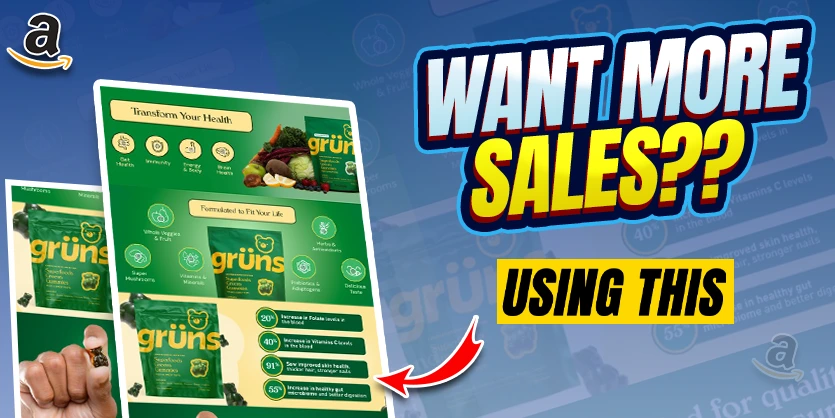
Amazon gives sellers a wide range of tools to improve listings, boost conversions, and build stronger brands. But if you want to seriously stand out in 2025, there’s one feature you can’t afford to ignore: Premium A+ Content. Think of it as your chance to build a mini-website inside your Amazon product listing — interactive, bold, and mobile-friendly.
Yet, most sellers aren’t using it. In fact, 4 out of 5 sellers still don’t have access. In this guide, we’ll show you how to unlock Premium A+ Content, which modules actually drive sales (and which to skip), and how to use this powerful feature to increase conversions and customer trust.
Table of Contents:
| 1. What Is Premium A+ Content and Why Does It Matter |
| 2. How to Unlock Premium A+ Content |
| 3. Overview: All 19 Premium A+ Content Modules (Ranked) |
| 4. How Ecomclips Can Help You Build Premium A+ Content That Converts |
| 5. Final Thoughts: Should You Use Premium A+ Content? |
What Is Premium A+ Content and Why It Matters
Premium A+ Content is Amazon’s most advanced listing enhancement tool, designed for brand-registered sellers. Unlike standard A+ content, Premium A+ offers video support, interactive carousels, hover effects, mobile-first designs, and more. It’s a game-changer when it comes to engaging shoppers and converting them into buyers.
Suppose you’re working on your overall brand presence. In that case, it pairs perfectly with other strategies like optimizing your Amazon Brand Store Meta Descriptions and enhancing your Brand Story section to boost visibility on and off Amazon.
How to Unlock Premium A+ Content
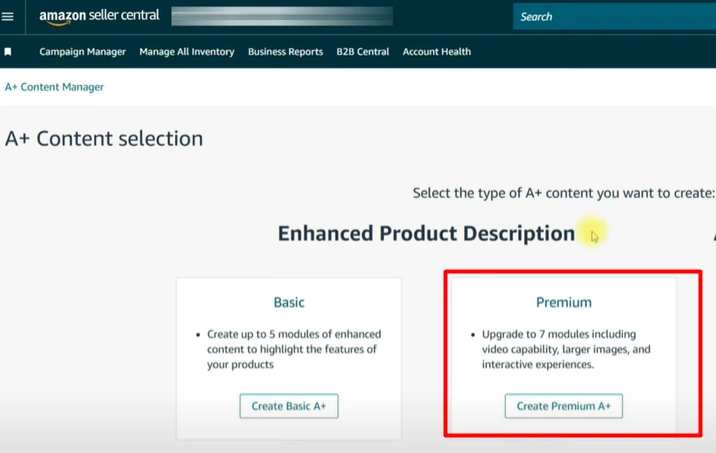
Before you can use Premium A+ Content, you’ll need to unlock it inside your Seller Central account. This process may take some work, but it’s absolutely worth it.
First, go to the A+ Content Manager under the “Advertising” tab. If you see a “Premium” option, congrats — you already have access. If not, here’s how to unlock it:
- ✅ Add a Brand Story to every active listing
- ✅ Get 15 A+ Content submissions approved (you can reuse the same ASIN and slightly tweak the content each time)
Not sure how to create a Brand Story that converts? Our step-by-step guide on Amazon Brand Story Optimization breaks it down for you.
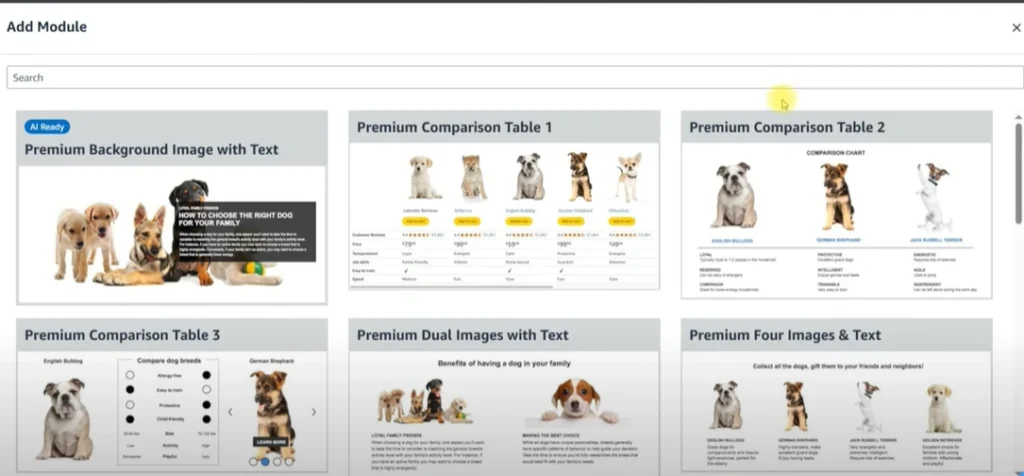
Overview: All 19 Premium A+ Content Modules (Ranked)
Once unlocked, Premium A+ Content gives you access to 19 unique modules — far more than standard A+. But not all of them are worth using. In fact, most are filler.
We’re breaking down every single module below — what it does, how it works on mobile vs. desktop, and whether it’s worth your time and space. Remember, you only get 7 module slots per listing, so use them wisely.
1. Premium Background Image with Text (Skip It)
This module gives you a full-width image with text overlaid, but the customization is extremely limited. Amazon controls the text formatting, which means you can’t align it with your brand style.

While it may seem visually appealing, you’re better off designing your text into the image manually. This gives you full control and looks cleaner across all devices.
2. Premium Comparison Table 1 (Highly Recommended)
This is one of the best modules in the Premium A+ arsenal. It allows you to cross-promote other products in your catalog with a scrollable comparison table — and includes add-to-cart buttons for each item.
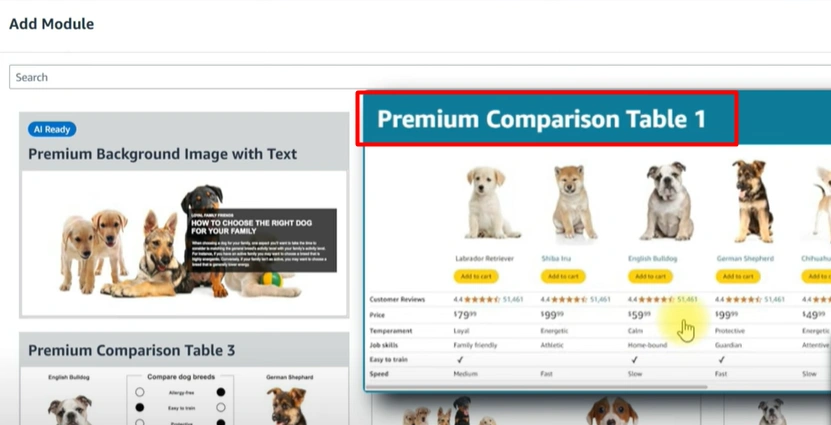
Use this to showcase variations, related products, or upgrades. It’s like getting a mini sponsor ad carousel inside your own listing, for free.
Want to drive more sales from these cross-sells? Pair it with our Amazon PPC expert tips to retarget high-intent shoppers.
3–4. Comparison Table 2 & 3 (Optional Use)
These are similar to Table 1 but without the add-to-cart button. Table 3, in particular, is more feature-focused and works well when you need to outline product specs or differences clearly.
If you’re trying to improve your buyer’s journey and reduce confusion between variants, these can be useful tools in your layout strategy.
5–6. Dual Images with Text / Four Images with Text (Skip)
These modules are carryovers from regular A+ content and feel outdated. They’re too text-heavy and don’t leverage Premium’s true capabilities.
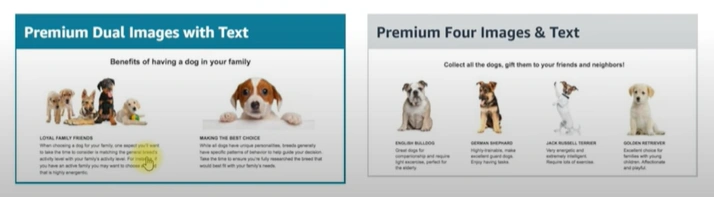
If your A+ content looks like this right now, it might be one of the reasons you’re not converting. Check out our guide on Why Your Amazon Listings Aren’t Converting (And How to Fix It) .
7. Premium Full Image (Great for Visual Impact)
This module displays a high-resolution full-width image with no text overlay — perfect for powerful brand visuals or lifestyle photos. It’s clean, mobile-optimized, and versatile.

We often combine this with scrollable text optimization to make listings more crawlable and keyword-rich without sacrificing design.
8. Premium Full Video (Must-Have)
Video converts — and this module makes sure it does. The Premium Full Video module lets you embed a high-quality video directly into your A+ content with a polished player that works perfectly on both mobile and desktop.
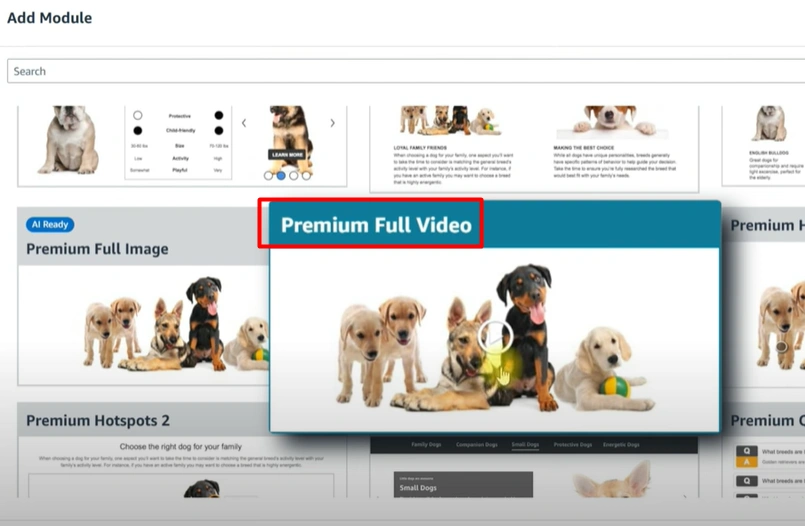
Using influencer video or UGC? Check out how social commerce and UGC content are reshaping Amazon FBA success
9–10. Premium Hotspot 1 & 2 (Strong Interactive Option)
These modules let users hover or tap on hotspots within an image to reveal features or benefits — ideal for visually breaking down a product’s parts or use cases.
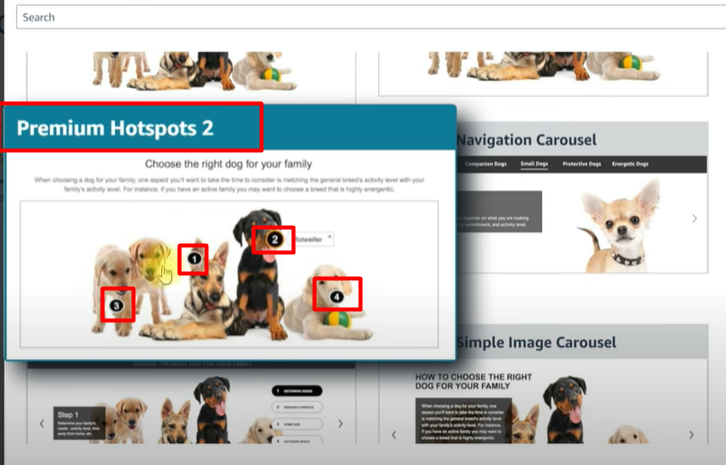
It’s a great way to make technical features easy to digest — especially for international customers exploring your brand
11. Premium Navigation Carousel (Good for Info-Heavy Brands)
Think of this as a mini website inside your product page. It gives you a navigation bar with clickable tabs for shoppers to explore sections like “Features,” “How It Works,” or “Benefits.”
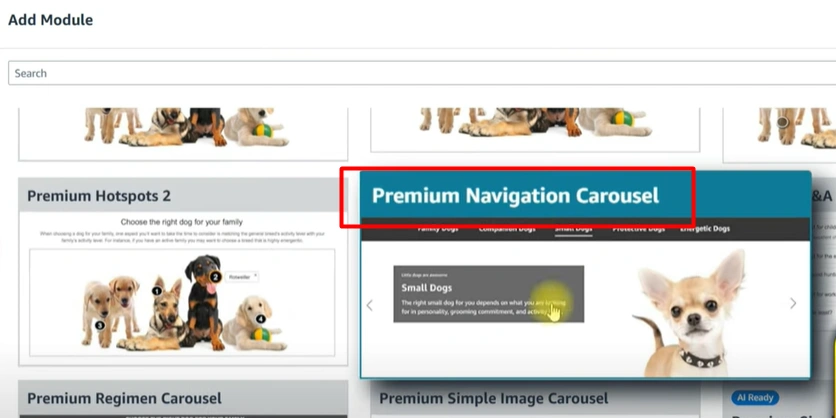
This can work well alongside a strong Brand Store SEO strategy to keep shoppers within your ecosystem longer.
12. Premium Q&A (Clever and Underrated)
This module is a hidden gem. Use it to answer pre-purchase objections before they become negative reviews. Think about common misunderstandings or setup issues and address them here.

It’s one of the best tools to improve review ratings and reduce return rates — a strategy that goes hand-in-hand with optimizing your product launch SEO
13. Premium Regimen Carousel (Top Pick for Engagement)
This is one of the most dynamic modules available. It allows shoppers to click through a row of options, with the content updating below each tab.
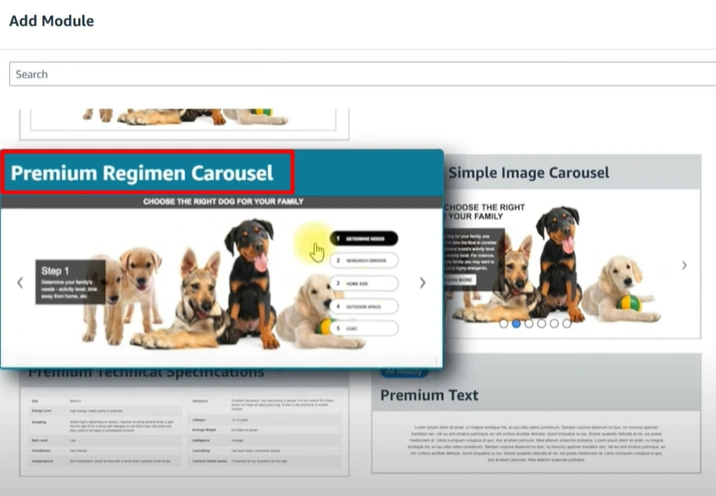
Perfect for showing how-to-use routines, product variations, or benefits, all in one compact space. It works particularly well when paired with Amazon influencer marketing strategies to tell a richer story.
14. Premium Simple Image Carousel (Good for Image-Heavy Brands)
This is a straightforward image carousel that lets users scroll through multiple images without taking up too much vertical space. Ideal for visual storytelling or showcasing different product angles.

If your store isn’t using image optimization correctly, you could be missing out.
15. Premium Single Image with Text (Too Text-Heavy)
This module puts an image on one side and text on the other. While it adjusts for mobile, it still leans too heavily on copy, which goes against what Premium A+ does best — visual storytelling.
Better to replace this with image- or video-led modules that capture attention instantly.
16. Premium Technical Specification (Skip Unless Needed)
Unless you’re selling a very technical product, this module is unnecessary. It’s a plain chart of specs that’s only useful in certain niches (like electronics or industrial tools).
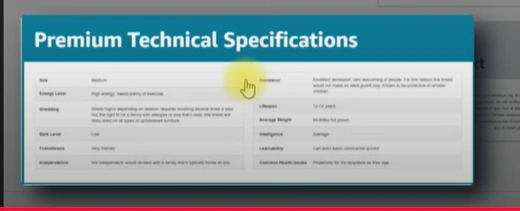
Most brands can skip this entirely.
17. Premium Text (Skip)
This is just a block of plain text. Not helpful for storytelling, trust building, or conversions. Since you only get 7 modules, save your slots for high-performing visual content.
18. Premium Video Image Carousel (For Multiple Videos)
Want to showcase multiple short clips — like tutorials, testimonials, or highlights? This module is for you. It allows for scrollable video content, offering more depth without overwhelming the layout.
If you’re building product hype during launches, you’ll want to combine this with off-Amazon traffic strategies
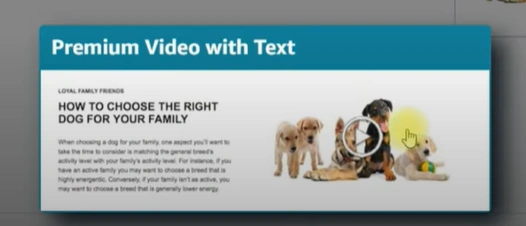
19. Premium Video with Text (Situational)
This module combines video with a text block. While useful in some cases, we find that using full-width videos with separate text sections often looks cleaner and keeps focus where it belongs — on the visual content.
Use only if you need context right next to the video.
How Ecomclips Can Help You Build Premium A+ Content That Converts
Creating Premium A+ Content isn’t just about choosing modules — it’s about crafting an experience that builds trust, educates buyers, and drives conversions. That’s where the Ecomclips team comes in. With years of hands-on Amazon experience and a deep understanding of customer psychology, we design A+ layouts that actually work.
Whether you’re launching your first listing or optimizing a large catalog, we know how to make your content bold, beautiful, and built for results.
“Your product deserves more than a plain listing — it needs a visual story that sells. That’s what we do at Ecomclips.”
Here’s how we can help:
- Module Strategy: We handpick the highest-converting modules based on your product type, audience, and brand goals.
- Custom Design: Our creative team designs scroll-stopping visuals for mobile and desktop.
- Brand Story Setup: We’ll help you set up your Brand Story and get you closer to unlocking Premium A+.
- Compliance Support: We ensure your A+ submissions follow Amazon’s ever-changing guidelines.
- SEO-Integrated Content: Our A+ copywriting team naturally includes keywords to help improve search visibility.
Note: We’ve helped sellers across 15+ categokries unlock Premium A+ access — often in less than a month — and increased conversion rates by up to 55% just by upgrading their A+ layout.
If you’re ready to level up your listing design and create content that converts browsers into buyers, we’re here to help.
Final Thoughts: Should You Use Premium A+ Content?
If you’re serious about increasing conversions on Amazon, Premium A+ Content isn’t optional — it’s essential. But success doesn’t come from simply filling up modules. It comes from using the right ones strategically, backed by a deep understanding of customer behavior, visual design, and platform best practices.
Focus on the modules that engage visually, build trust instantly, and guide your customer toward purchase. Skip the filler. Invest in quality. And remember — a great product deserves a great presentation.
“Your listing is your storefront. Make it beautiful. Make it trustworthy. Make it unforgettable.”
Need help getting there? Let our experts at Ecomclips build Premium A+ Content that doesn’t just look good — it sells.
📩 Mail Us: info@ecomclips.com
📲 Follow Us for more tips & case studies:
Ready to turn your listing into your brand’s best salesperson? Let’s build something powerful – together.