
Introduction
If your Amazon A+ Content looks cluttered or boring, you’re losing conversions. From the moment shoppers search for a product to the second they click on your listing, images and visuals play the most crucial role in capturing attention. If you can’t stand out, customers won’t click, or worse, they’ll leave without buying.
Too many sellers underestimate the power of great visuals, and that mistake costs them sales every single day. The good news? You don’t need to struggle with poorly designed A+ content anymore. In this guide, I’ll show you how to transform weak, generic A+ modules into clean, engaging designs built to convert. At Ecomclips Amazon Agency, we’ve helped countless brands revamp their A+ content using proven strategies that boost both trust and conversions. Stick around, this makeover approach could completely change how your Amazon listings perform.
Why A+ Content Matters
Amazon A+ Content is more than just extra images, it’s a powerful storytelling tool that allows brands to connect with customers on a deeper level. Instead of relying on plain text, you can use lifestyle visuals, banners, icons, and product comparison charts to educate buyers, highlight unique selling points (USPs), and build trust.
Studies show that listings with A+ Content can increase conversions by 3%–10%, simply because shoppers understand the product better and feel more confident about their purchase. Unlike standard descriptions, A+ modules are designed to reduce purchase hesitation by presenting information in a visually structured way.
Shoppers don’t always read long product descriptions, but they do pay attention to visual cues. Clean layouts, engaging graphics, and comparison charts help customers instantly see why your product is the right choice. On the flip side, if your A+ content isn’t optimized, buyers may lose interest, get distracted by competitor ads, or leave the page altogether.
Beyond conversions, A+ Content also improves brand credibility. Consistent, professional visuals make your store look more established and trustworthy, which is crucial for premium-priced products. And with the ability to use up to seven modules, sellers can tell a complete brand story—from lifestyle benefits to technical details, without overwhelming the shopper.
That’s why it’s essential to use A+ Content strategically, making the most of every available module to capture attention, answer customer questions, and drive higher sales.
Learn How to Use All 7 Modules Effectively
One of the biggest mistakes sellers make is using only a few modules in their A+ Content. Amazon currently allows you to add up to seven modules, giving you more space to showcase your product, highlight its features, and tell your brand story. If you don’t fully utilize them, you’re leaving opportunities, and revenue – on the table.
In 2025, with Amazon’s marketplace becoming more competitive than ever, maximizing A+ real estate is no longer optional—it’s essential. Customers are exposed to thousands of listings daily, and the sellers who create clean, visual, and complete A+ sections are the ones capturing attention.
For example, in one poor listing we reviewed:
- The first module only included the brand name—with no eye-catching visuals or lifestyle context.
- Product images were overloaded with text inside the images, which isn’t crawlable by Amazon’s algorithm. This means no SEO benefit and poor user experience.
- The seller skipped valuable modules like comparison charts and carousels, which could have boosted engagement, trust, and cross-selling opportunities.
In 2025, skipping these modules is a major mistake. Comparison charts, for example, are now considered a best practice because they help buyers quickly understand differences between variations and related products. Carousels, lifestyle modules, and icon-based banners have also proven to increase conversions by simplifying decision-making.
Top 5 A+ Content Modules That Drive the Most Conversions
Real Example: A+ Content Done Right
Now let’s look at how we redesigned A+ content for one of our clients using only the basic version (no video or carousel). Even without advanced options, we created a professional, high-converting design by maximizing every module:
How to Use All 7 A+ Content Modules (Beginner-Friendly Guide)
If you’re new to Amazon A+ Content, think of the modules like building blocks. Each one gives you a chance to show and tell your product story in a way that makes shopping easier for customers. Here’s a simple breakdown of how to use all 7 modules effectively:
1. First Module: Lifestyle Impact
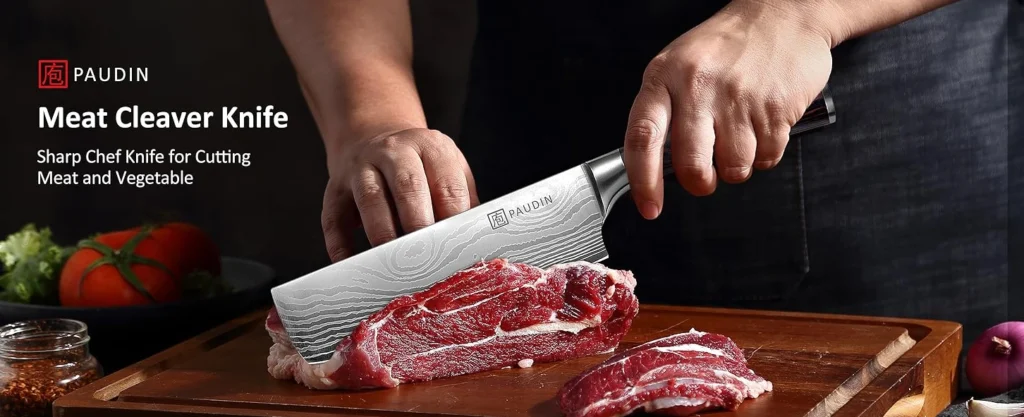
This is the very first thing shoppers see when they scroll down to your A+ Content. Instead of just putting your brand name or logo, use a lifestyle image (a photo of the product being used in real life). Pair it with short, powerful text so shoppers can quickly imagine how the product fits into their daily life.

2. Feature Icons Module
Most customers don’t want to read long paragraphs. That’s where icons with short captions come in. Use small symbols (like a checkmark for “easy to use” or a shield for “durable”) with one or two words underneath. This way, customers understand your product’s features instantly.

3. Highlight Unique Selling Points (USPs)
Ask yourself: Why should someone buy my product instead of a competitor’s? That’s what this section answers. Use a banner or bold layout to highlight your product’s biggest strengths—things that make it different or better than others in the market.

4. Quality & Materials
Shoppers want to know: Is this product really good quality? In this module, focus on the materials, durability, or certifications (like eco-friendly or FDA-approved). This builds trust and reassures buyers that they’re investing in something worth the price.
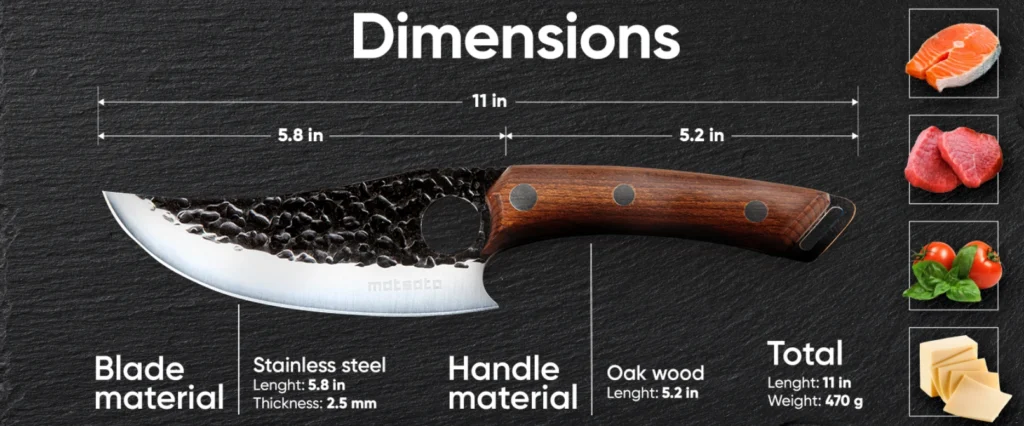
5. Product Perspectives
Sometimes a single photo isn’t enough. Here, show your product from different angles or in different situations (front view, close-up, side view). Add short descriptions to explain what customers are seeing. This helps them picture the product clearly and reduces doubts.
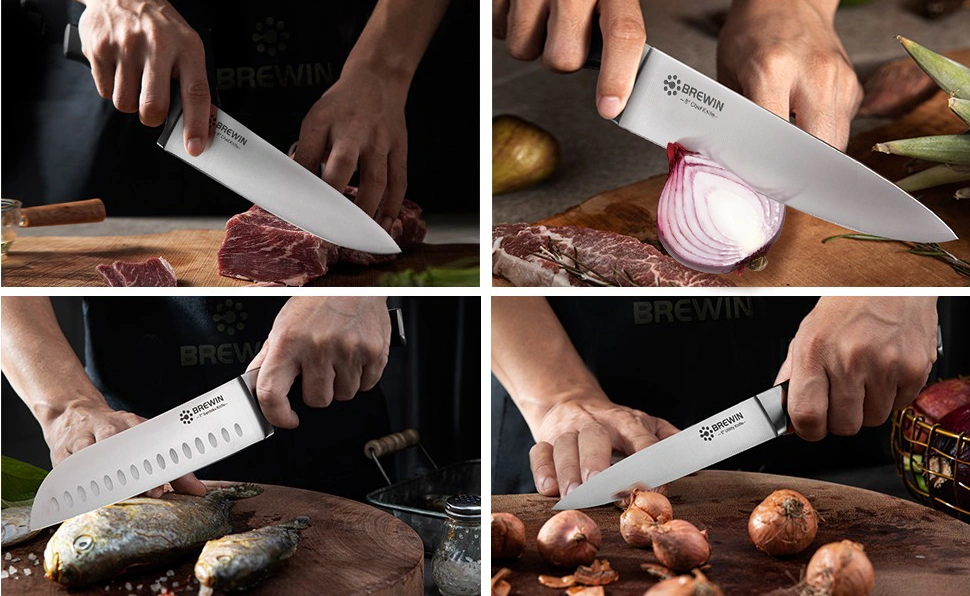
6. SEO-Friendly Text with Images
Amazon uses text to understand what your product is and where it should rank. That’s why this module combines images with short text blocks. You’re giving Amazon the keywords it needs for SEO, while also keeping the content visually appealing for shoppers.
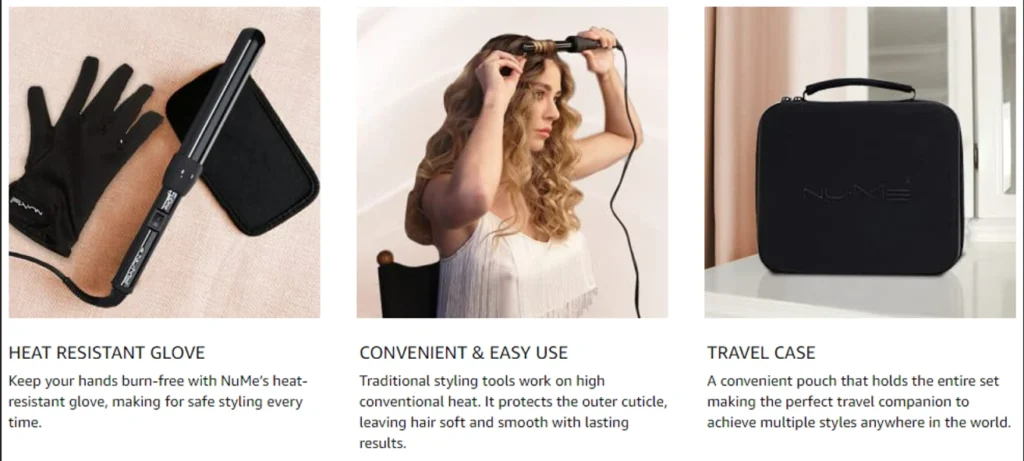
7. Final Lifestyle Banner
End strong. Use another lifestyle image that reinforces your brand and inspires customers to take action. This could show happy customers using your product or a setting that connects emotionally with your audience. Think of it like the closing scene of a commercial.
Why This Works Better
When it comes to winning on Amazon, presentation is everything. A weak listing often looks flat—basic text, scattered details, and little to no visual appeal. Shoppers land on the page, skim for a moment, and leave without adding to cart. Optimized A+ content, however, transforms the buying journey. It does more than just showcase a product—it tells a story, builds trust, and guides shoppers toward making a confident purchase decision. By using visuals, structured content, and trust-building elements, optimized listings capture attention and hold it long enough to convert interest into action. The difference is clear: while weak listings leave shoppers unsure, optimized A+ content leaves them ready to click “Add to Cart.”
Here’s why our optimized version worked better:
- Visual Storytelling: Lifestyle images helped shoppers picture the product in real use, making it more relatable.
- Simplified Features: Icons broke down details into quick, scannable highlights.
- Clear USPs: Unique selling points were spotlighted to instantly show why the product stood out.
- Comparison Modules: Charts and perspective sections built trust by showing advantages over alternatives.
- Balanced Content: A mix of visuals and SEO-friendly text improved both engagement and visibility.
By the end of the scroll, shoppers had seen every major benefit—clear, convincing, and visually appealing, making the “Add to Cart” button the obvious next step.
Frequently Asked Questions (FAQ) About Amazon A+ Content
1. What is Amazon A+ Content?
Amazon A+ Content is an enhanced product description feature that allows brand-registered sellers to use images, icons, banners, and comparison charts to improve listings. Instead of relying on plain text, you can tell your product story visually and build trust with customers.
2. Does A+ Content really improve sales?
Yes. Studies show that listings with A+ Content can increase conversions by 3%–10%. Better visuals and structured layouts help customers understand the product quickly, which reduces hesitation and leads to more “Add to Cart” clicks.
3. Is A+ Content available for all sellers?
No. A+ Content is available only to Brand Registered sellers on Amazon. If your brand is enrolled in Amazon Brand Registry, you can create and publish A+ modules for your listings.
4. What are the different A+ Content modules?
Amazon offers up to seven modules in the basic version of A+ Content. These include lifestyle banners, feature icons, product descriptions with images, comparison charts, and perspective modules. Premium A+ offers even more, such as video and interactive carousels.
5. How can I make my A+ Content SEO-friendly?
While Amazon doesn’t index text inside images, it does crawl text blocks in A+ modules. This means you should include keyword-rich copy in the text sections—while keeping the design clean, engaging, and easy to read.
6. What are the most common mistakes sellers make with A+ Content?
Some of the biggest mistakes include:
- Using only a few modules instead of all seven
- Overloading images with text (not SEO-friendly)
- Skipping comparison charts
- Using generic visuals instead of lifestyle images
- Ignoring unique selling points (USPs)
7. Can I create A+ Content myself, or should I hire an agency?
You can design it yourself using Amazon’s A+ builder, but results vary. Professional design ensures your content is clean, engaging, and optimized for both SEO and conversions. Agencies like Ecomclips Amazon Agency specialize in creating A+ content that not only looks professional but also boosts sales.
8. What’s the difference between Basic A+ and Premium A+ Content?
- Basic A+ includes up to seven modules (images, text, comparison charts, icons).
- Premium A+ (invite-only or with extra fees) includes advanced options like video, interactive hotspots, and scrolling modules.
9. How do I know if my A+ Content is working?
You can track performance by monitoring your product’s conversion rate, sales, and session data inside Amazon Seller Central. If your A+ Content is designed well, you should see a noticeable lift in engagement and conversions within weeks.
10. How can Ecomclips help me with A+ Content?
At Ecomclips Amazon Agency, we design high-converting A+ content tailored to your brand and product. Our team combines visual storytelling, SEO-friendly copy, and smart module selection to ensure your listing stands out in 2025’s competitive Amazon marketplace.
Conclusion
A+ Content can make or break your Amazon listing. Poorly designed modules with generic text and weak visuals won’t capture attention or drive conversions. On the other hand, clean, structured, and visually appealing A+ content helps buyers understand your product faster, trust your brand more, and purchase with confidence.
If you’re unsure how to improve your A+ content, getting expert help is the smartest move. At Ecomclips, we specialize in designing high-converting A+ content that transforms average listings into powerful sales tools.Reach out to us at info@ecomclips.com or visit www.ecomclips.com for more resources, articles, and case studies. And don’t forget to check out our YouTube channel for more tips to grow your Amazon business.