
Your Shopify store is getting clicks, but where are the sales? More traffic doesn’t always mean more customers. Sometimes, a confusing product page, unexpected shipping cost, or complicated checkout is all it takes to lose a potential buyer.
That’s where Shopify conversion optimization comes in. In 2026, growing your store isn’t just about attracting visitors; it’s about giving them every reason to buy.
Let’s explore 7 practical ways to turn more Shopify visitors into paying customers.
What Is Shopify Conversion Optimization?
Shopify conversion optimization, also known as Conversion Rate Optimization (CRO), is the process of improving your Shopify store so more visitors complete valuable actions, particularly purchasing products.
Think of it this way: attracting customers brings people into your store, but conversion optimization helps them make a buying decision.
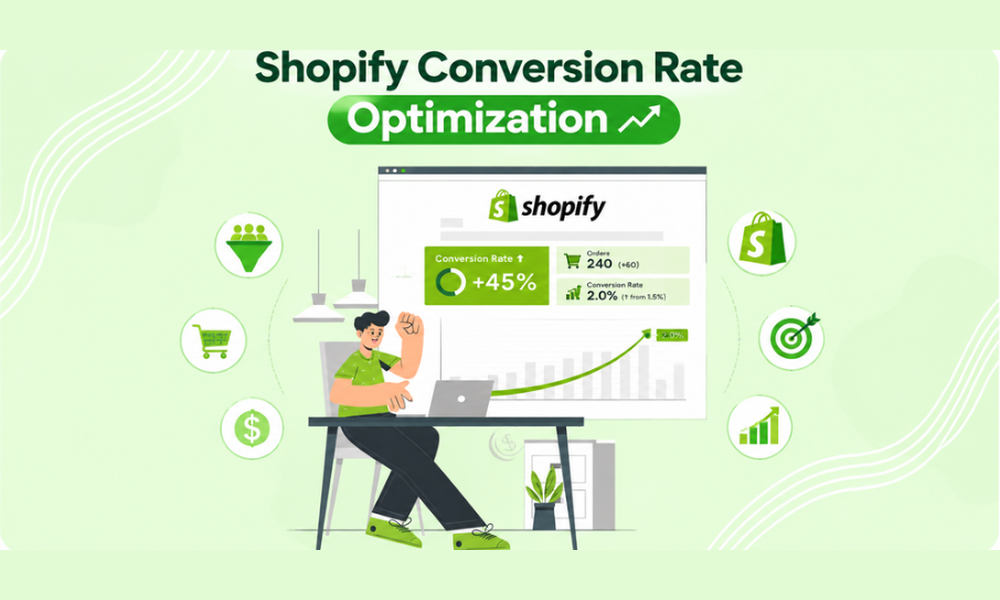
For example, imagine your Shopify store receives 12,000 sessions every month and generates 180 orders.
Your conversion rate is: (180 ÷ 12,000) × 100 = 1.5%
Now, imagine you improve your product pages, simplify the shopping experience, and make delivery information clearer. Your conversion rate increases to 2%. With the same traffic, you would generate 240 orders instead of 180. That’s 60 additional orders without increasing your monthly traffic.
Why Is Conversion Optimization Important for Shopify Stores?
A store can have excellent products and strong marketing campaigns but still struggle to generate profitable sales. Conversion optimization helps address this problem by focusing on what happens after visitors arrive.
It can help your business:
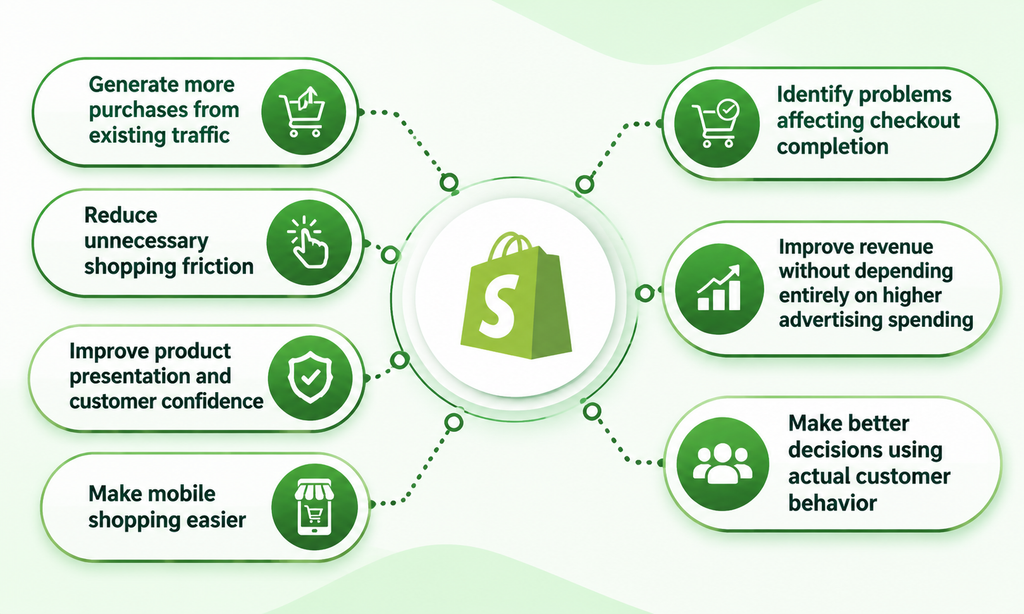
- Generate more purchases from existing traffic.
- Reduce unnecessary shopping friction.
- Improve product presentation and customer confidence.
- Make mobile shopping easier.
- Identify problems affecting checkout completion.
- Improve revenue without depending entirely on higher advertising spending.
- Make better decisions using actual customer behavior.
The objective isn’t simply to increase the number of people clicking the Buy Now button. It’s to create a shopping experience that helps the right customers purchase with confidence.
Shopify Conversion Optimization Strategies to Increase Sales in 2026
There is no single design trick or Shopify app that can fix every conversion problem.
Different stores have different customers, products, and purchasing challenges. A clothing store might struggle with size uncertainty, while an electronics store might lose buyers because product specifications aren’t explained properly.
That’s why effective Shopify CRO starts with understanding your customers.
1. Find Where Customers Are Dropping Off Using Shopify Analytics
Before changing your website, find out where the shopping experience breaks down.
Shopify provides built-in analytics reports that help you understand how visitors interact with your store and where they leave without purchasing.
One particularly useful report is Conversion Rate Breakdown.
How to Find the Report in Shopify
Follow these simple steps:
- Log in to your Shopify Admin.
- Navigate to Analytics → Reports.
- Select the Behavior category.
- Open Conversion Rate Breakdown.
- Choose a reporting period, such as the last 30 days.
- Review how visitors progress through the shopping funnel.
Understand Your Conversion Funnel
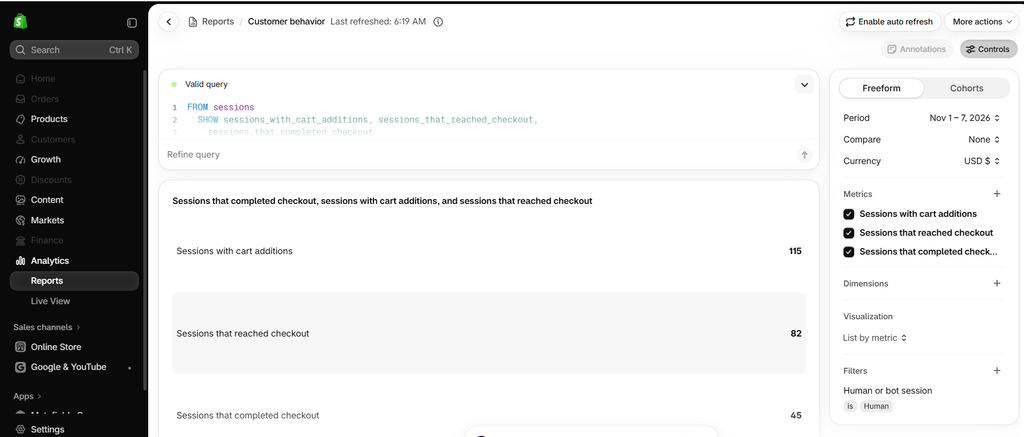
The report helps you examine four important shopping stages:
- All Sessions
- Sessions with Cart Additions
- Sessions that Reached Checkout
- Sessions that Completed Checkout
Let’s consider an example of a Shopify store receiving 10,000 sessions every month.
| Shopping Stage | Sessions |
| All Sessions | 10,000 |
| Added to Cart | 1,200 |
| Reached Checkout | 600 |
| Completed Checkout | 240 |
Only 240 out of 10,000 sessions resulted in completed purchases, giving the store a 2.4% conversion rate.
More importantly, only 50% of sessions with cart additions progressed to checkout. This is an area worth investigating.
Perhaps customers are seeing unexpected shipping costs, struggling with the cart layout, or finding limited payment options.
What Should You Do With These Insights?
Use the report to identify potential problems:
- Low add-to-cart activity: Improve product descriptions, images, and pricing clarity.
- Low checkout progression: Review cart usability and shipping information.
- Low checkout completion: Investigate payment issues and unexpected costs.
- Poor mobile performance: Check navigation, buttons, and mobile checkout usability.
You can also compare different date ranges, devices, and traffic sources to identify patterns.
2. Create Product Pages That Answer Buying Questions
Your product page is where customers decide whether to buy or keep browsing.
Since online shoppers cannot physically touch or examine your products, they depend on images, descriptions, specifications, and reviews to understand what they’re purchasing.
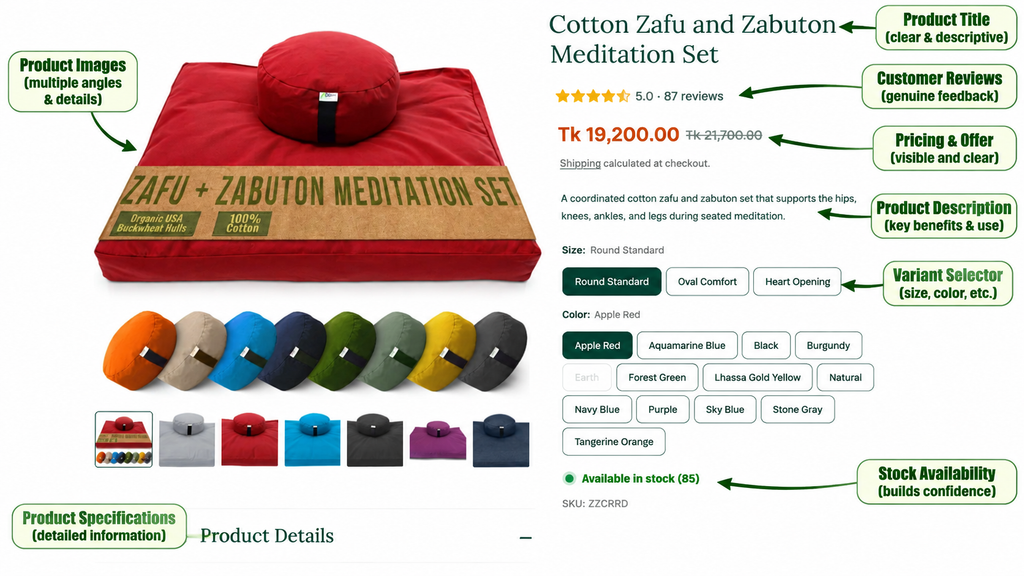
Let’s take a Meditation Set as an example.
Simply writing “Cotton Meditation Cushion Set” isn’t enough. Customers may want to know:
- Material: Is it made from 100% cotton?
- Filling: What material is used inside the cushions?
- Size: What are the cushion dimensions?
- Available Options: Are different shapes and colors available?
- What’s Included: Does the set contain both the Zafu cushion and Zabuton mat?
Your product page should answer these questions through clear descriptions, accurate specifications, and multiple product images.
You can also display genuine customer reviews to help shoppers understand other buyers’ experiences.
What Makes a Product Page More Convincing?
1. High-Quality Product Images
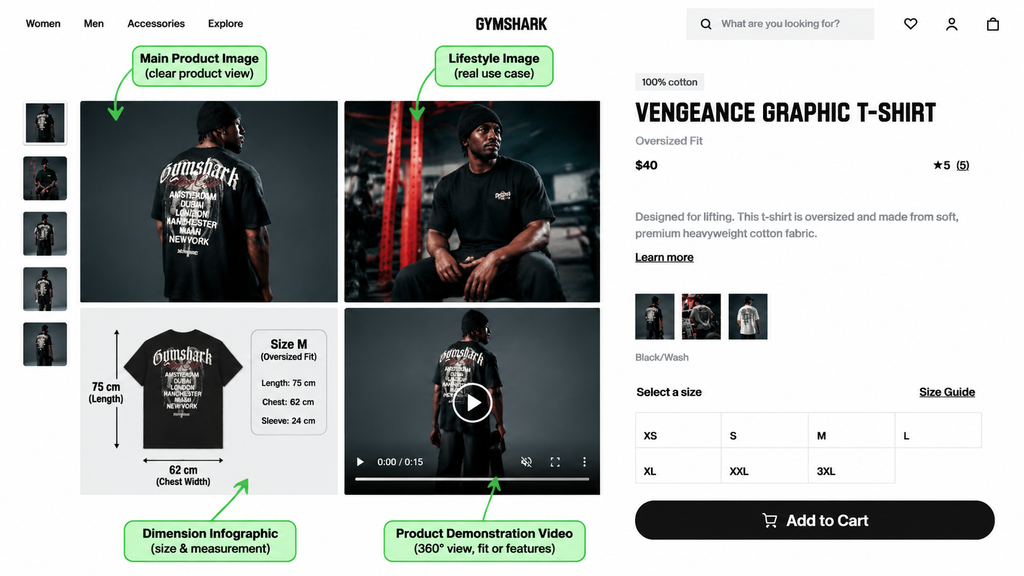
Use multiple product images showing different angles, materials, dimensions, and important details. Where relevant, include lifestyle images demonstrating how customers can use the product.
2. Clear Product Descriptions
Explain what the product does, who it is suitable for, and what customers receive. Avoid generic marketing language and focus on useful information that helps shoppers understand the product.
3. Visible Pricing and Offers
Make product pricing, discounts, and promotional conditions easy to understand. Clearly display the original price, discounted price, and any applicable offer requirements so customers know exactly what they are paying.
4. Helpful Product Specifications and Genuine Customer Reviews
Include important details such as measurements, compatibility, materials, ingredients, and care instructions, depending on your product category. Also, display authentic customer reviews to help shoppers understand real purchasing experiences and make confident decisions.
The more clearly your product page answers customer questions, the easier it becomes for shoppers to evaluate your products and move toward purchasing.
3. Make Your Add to Cart Button Impossible to Miss
Imagine someone visits your product page, likes the product, checks the price, and decides to purchase. But then they struggle to find the Add to Cart button.
It might sound like a small design problem, but unnecessary searching can interrupt the buying process.
Your main purchase button should be visually clear, easy to locate, and accessible across desktop and mobile devices.
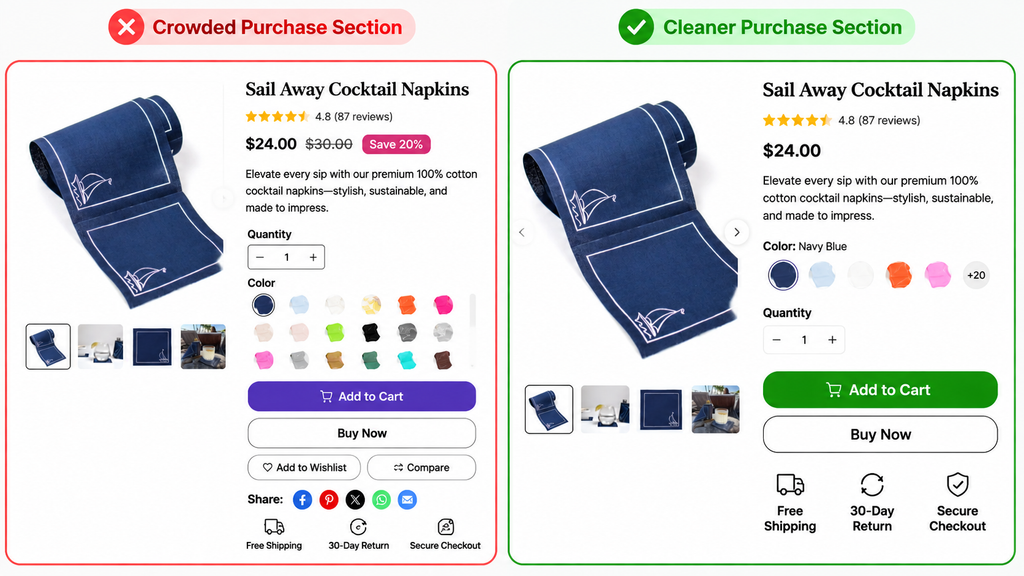
Here are a few ways to improve it:
- Use a contrasting button color that fits your brand.
- Choose clear wording such as “Add to Cart” or “Buy Now.”
- Place the button close to the price and product options.
- Ensure the button works correctly after selecting product variants.
- Avoid placing too many competing promotional buttons nearby.
- Make sure it is large enough to tap comfortably on mobile.
4. Use Product Videos and Lifestyle Images to Build Buying Confidence
A product photograph can show customers what an item looks like. But a demonstration can show them how it actually works. This difference matters, particularly for products that require explanation.
For example, if you sell a kitchen cleaning tool, a standard product image might show its shape and appearance.
A short demonstration video could show:
- How to hold the product.
- How it works on different surfaces.
- How much pressure is required.
- How it should be cleaned after use.
This gives shoppers a better understanding of the product before purchasing.
Which Visuals Should You Include?
- Product Images: Show different angles, colors, materials, and important details.
- Lifestyle Images: Demonstrate how the product fits into everyday situations.
- Infographics: Explain dimensions, specifications, compatibility, and product comparisons.
- Product Videos: Show the item in use and demonstrate its practical benefits.
- Comparison Images: Help customers understand the differences between product variations or available models.
5. Make Shipping Costs and Delivery Information Clear
Here’s a situation every Shopify merchant should understand.
A customer finds a product for $35, likes it, and adds it to the cart. Everything looks good. But when they reach checkout, they discover an additional $12 shipping charge.
Suddenly, the purchase doesn’t feel as attractive. This is one reason unexpected costs can contribute to cart abandonment.
How to Improve Shipping Transparency
- Display available shipping information on product pages.
- Explain delivery estimates clearly.
- Show applicable shipping charges as early as practical.
- Communicate free-shipping conditions.
- Explain international shipping restrictions where relevant.
- Make return and refund conditions easy to find.
For example, if your store offers free shipping on orders above $60, communicate that offer clearly.
You could display: “Enjoy Free Shipping on Orders Over $60.”
If the average customer spends $45, you could also test product bundles or complementary recommendations that encourage shoppers to add another relevant item.
However, calculate your margins and shipping costs before introducing such promotions.
6. Optimize Your Shopify Checkout Experience
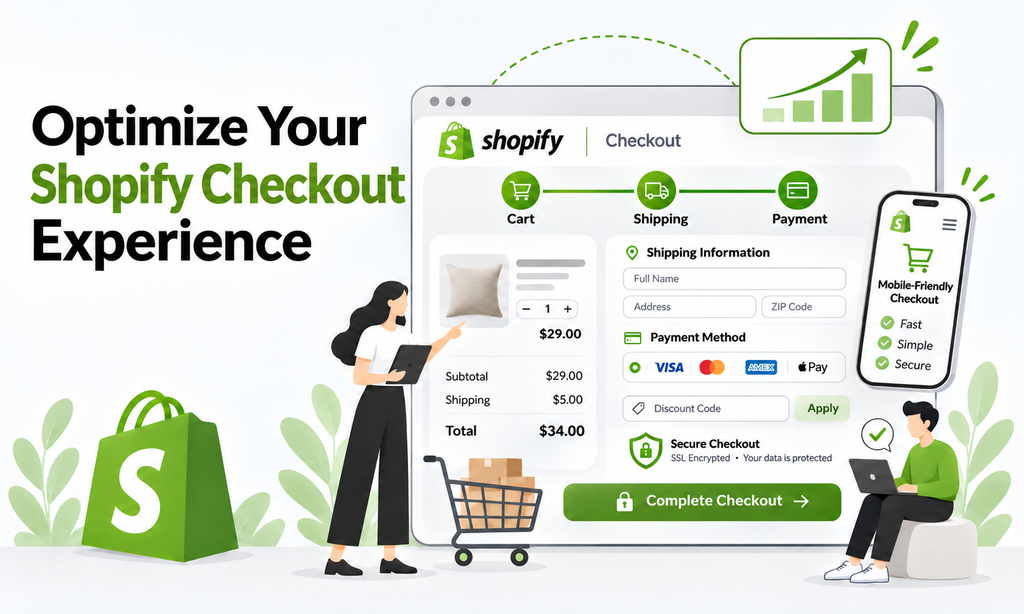
Getting customers to the checkout page is a big step, but don’t celebrate just yet. A confusing checkout, unexpected shipping costs, or limited payment options can still cost you a sale.
The goal is to make purchasing as simple and convenient as possible.
Start by reviewing your checkout experience:
- Are customers asked for unnecessary information?
- Are shipping costs and delivery estimates clearly displayed?
- Can customers easily find their preferred payment methods?
- Is the checkout process easy to complete on mobile?
- Are discount codes and promotional conditions clearly explained?
Review Your Shopify Checkout Settings
You can manage your checkout configuration directly from Shopify Admin.
Navigate to: Shopify Admin → Settings → Checkout
Here, you can review customer information requirements, contact methods, marketing consent, and checkout configurations.
To customize your checkout appearance:
- Open Settings → Checkout.
- Find the Configurations section.
- Click Edit beside your active checkout configuration.
- Use the checkout and accounts editor to review available branding and customization options.
- Preview your changes on desktop and mobile before saving.
Offer Payment Methods Your Customers Actually Use
Payment preferences vary depending on your target market.
For example, a US-based store might offer credit and debit cards, PayPal, and eligible accelerated checkout options. A store targeting international customers may need different payment providers depending on the countries it serves.
To review your available payment methods, navigate to: Shopify Admin → Settings → Payments
Check which providers are available for your business location and activate suitable options.
Remember that Shopify Payments and Shop Pay are not available to every business or in every country. For example, Bangladesh is currently not listed among Shopify Payments-supported countries. Merchants operating there need to explore eligible third-party payment providers instead.
7. Improve Mobile Shopping Before Spending More on Advertising
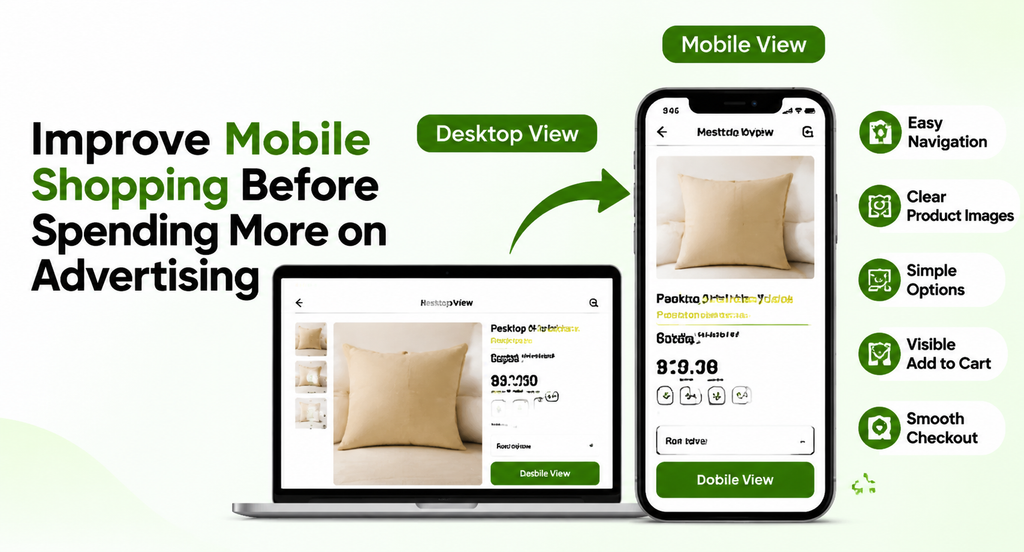
Your Shopify store might look excellent on a desktop screen. But what happens when someone opens it on a smartphone?
They might encounter tiny buttons, oversized images, crowded navigation menus, or product information that requires endless scrolling. These problems can make even an attractive store difficult to use.
Mobile optimization should cover the complete shopping journey, not just the homepage.
Your Mobile CRO Checklist
| Store Element | What to Check |
| Homepage | Is the main offer immediately understandable? |
| Navigation | Can visitors browse categories easily? |
| Product Images | Are images clear and properly displayed? |
| Product Options | Can shoppers select sizes and colors easily? |
| Add to Cart | Is the button visible and easy to tap? |
| Cart | Can customers review and update their selections? |
| Checkout | Can shoppers complete the purchase comfortably? |
Check Your Store on Real Devices
Don’t rely entirely on the theme editor’s mobile preview.
Open your live store on different smartphones and test:
- Homepage navigation.
- Collection browsing.
- Product selection.
- Add to Cart functionality.
- Cart updates.
- Checkout progression.
Pay particular attention to pop-ups, promotional banners, and sticky elements.
A discount pop-up that looks attractive on desktop might cover the entire screen on mobile.
The best mobile experience is one where customers can browse, understand, and purchase without fighting the interface.
Shopify Conversion Optimization Mistakes to Avoid
Even when merchants understand CRO, certain mistakes can prevent them from achieving meaningful improvements.
Here are some worth avoiding.
1. Installing Too Many Apps
More applications don’t automatically mean better conversions.
Every additional tool can introduce subscription costs, technical complexity, and potential performance issues.
Install applications only when they solve a clear business problem.
2. Offering Discounts Too Frequently
Discounts can encourage purchases, but excessive promotions can reduce margins and train customers to wait for sales.
Focus on communicating product value before relying on price reductions.
3. Ignoring Customer Feedback
Your analytics might show where customers leave, but customer feedback can help explain why.
Review support messages, product questions, reviews, and return reasons to discover recurring problems.
4. Changing Everything at Once
If you change your homepage, product pages, prices, and checkout simultaneously, it becomes difficult to understand which change influenced performance.
Prioritize changes and evaluate them systematically.
5. Copying Competitors Without Understanding Your Customers
A layout that works for a large fashion brand might not work for a specialized electronics store.
Use competitor research for inspiration, but make decisions based on your own products, customers, and performance data.
Frequently Asked Questions About Shopify Conversion Optimization
Q1. What is a good Shopify conversion rate in 2026?
There is no single conversion rate that works for every Shopify store. Results vary depending on industry, product pricing, traffic quality, customer intent, and device. Compare your store against relevant benchmarks, but focus primarily on improving your own historical performance.
Q2. How can I increase my Shopify conversion rate without increasing traffic?
Start by identifying where visitors leave your store. Improve product information, simplify navigation, clarify shipping costs, strengthen customer trust, and remove unnecessary checkout friction. These improvements can help you generate more purchases from existing traffic.
Q3. What is the most important factor in Shopify conversion optimization?
There isn’t one universal factor. For some stores, product presentation is the biggest problem. For others, unexpected shipping costs, mobile usability, or checkout issues may be more important. Start with your analytics and investigate the biggest barriers in your customer journey.
Q4. Does Shopify provide built-in conversion optimization tools?
Shopify provides built-in analytics reports, including conversion rate breakdowns, that help merchants understand customer purchasing behavior. You can also use the platform’s theme editor and available checkout settings to improve the shopping experience.
Q5. Which Shopify apps help improve conversions?
The right tools depend on your needs. Product review apps can support customer confidence, search and filtering tools can improve product discovery, and behavior analytics platforms can help identify usability issues. Always evaluate an app based on its actual value to your store.
Make Every Shopify Visitor Count
Getting people to visit your Shopify store is only half the job.
The real challenge is helping them find the right products, understand their value, trust your brand, and complete their purchases without unnecessary obstacles.
That’s what Shopify conversion optimization is all about.
Start with your analytics. Find where customers are dropping off. Improve the product pages, mobile experience, shipping information, and checkout process. Then evaluate your changes using actual performance data.
You don’t need to redesign your entire store or install every CRO application available.
Sometimes, a clearer product description, better product images, or a more transparent delivery message can address a problem that has been costing your store valuable sales.
Keep testing, keep learning from your customers, and make improvements that support both customer satisfaction and profitability.
Want to Build a Shopify Store That Converts Better?
Getting visitors to your Shopify store is only the beginning. Turning those visitors into paying customers requires the right combination of store design, product page optimization, conversion-focused strategies, and a smooth shopping experience.
At Ecomclips, we help ecommerce businesses improve their Shopify stores through professional store development, UI/UX improvements, product page optimization, and ecommerce solutions.
Whether you’re launching a new store or improving an existing one, our team can help identify conversion opportunities and build a better shopping experience.
Explore practical ecommerce tutorials on the Ecomclips YouTube channel, discover expert insights on the Ecomclips Blog, and explore our Ecommerce Growth Resources for more guidance on Shopify SEO, marketplace optimization, product listings, and ecommerce growth.
Stay connected with Ecomclips on Facebook and LinkedIn for the latest ecommerce insights, practical tips, and marketplace growth strategies.
Ready to improve your Shopify store? Contact us at info@ecomclips.com or book an appointment with our ecommerce experts to discuss your ecommerce goals and discover opportunities to grow your business.