

What if one week could generate the same sales as an entire month on Amazon?
That’s exactly what major Amazon sales events can do for sellers. When the Amazon Big Spring Sale begins, millions of shoppers actively search for discounts, trending products, and limited-time deals. Traffic spikes, competition increases, and the opportunity to boost revenue becomes significantly higher than usual.
For Amazon sellers, this event is more than just another promotion; it’s a chance to increase product visibility, improve rankings, and capture new customers. But success during the sale rarely happens by luck. Sellers who plan ahead with the right Amazon Big Spring Sale strategy often outperform competitors who wait until the last minute.
From optimizing product listings and preparing inventory to running targeted Amazon PPC campaigns, every step plays a role in maximizing sales during the event.
In this guide, we’ll walk through the most effective strategies sellers can use to prepare for the Amazon Big Spring Sale and turn increased traffic into real revenue. Whether you’re a new Amazon seller or looking to scale your existing business, these practical tips will help you make the most of the spring shopping surge.
What Is the Amazon Big Spring Sale?
The Amazon Big Spring Sale is a seasonal promotional event that typically takes place in late March. Unlike Prime Day, which is exclusive to Prime members, the Big Spring Sale is open to all shoppers. During this period, Amazon promotes discounts across multiple categories, including home, electronics, beauty, fashion, and garden products.
For sellers, the event brings several benefits:
- Increased platform traffic
- Higher product visibility
- More promotional opportunities
- Increased conversion rates due to discounts
Many customers actively wait for these events to make purchases, which means sellers who prepare early can gain a significant advantage over competitors.
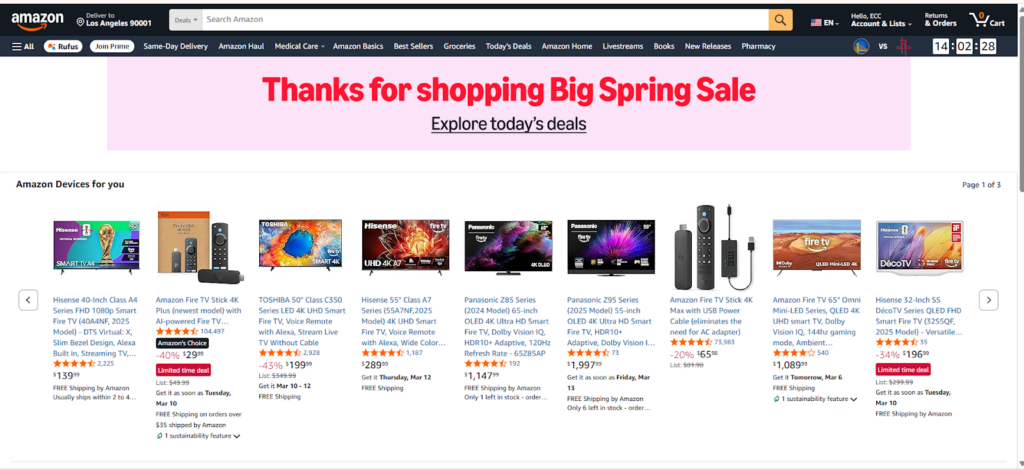
Why the Amazon Big Spring Sale Is a Huge Opportunity for Sellers
Every year, Amazon creates a handful of moments where buyer traffic surges, purchase intent skyrockets, and even smaller sellers can compete with the big players. The Big Spring Sale is one of those moments.
Unlike Black Friday or Prime Day, which can feel overwhelming and hyper-competitive, the Amazon Big Spring Sale offers a more level playing field. It’s open to all shoppers, not just Prime members. That means your potential customer pool is significantly larger. And since Amazon actively promotes the event with dedicated landing pages, email campaigns, and paid media placements, you benefit from Amazon’s marketing machine working in your favor.
For sellers, the opportunity is real. But so is the competition. That’s exactly why you need a smart, early, and well-executed Amazon Big Spring Sale strategy to stand out.
Understanding the Amazon Big Spring Sale
The Amazon Big Spring Sale is a multi-day shopping event that Amazon launched in 2024 as a new seasonal sale designed to kick off the spring shopping season. It has quickly become one of Amazon’s most important annual events — and one of the best-kept opportunities for sellers who prepare early.
Here’s how the event has grown since launch:
- 2024 (Year 1): First-ever Amazon Big Spring Sale, ran March 20–25. Focused on spring categories like home, garden, fashion, and beauty. Open to all customers — not just Prime members.
- 2025 (Year 2): Second annual Big Spring Sale, ran March 25–31. Expanded by one extra day. Stronger seller participation and higher deal traffic compared to 2024.
- 2026 (Year 3): Third annual Big Spring Sale — expected March 25–31, 2026, based on early information visible inside Seller Central’s Deals creation section. Amazon typically doesn’t make a formal public announcement until a week before the event, so don’t wait for the official press release to start preparing.
Who can participate?
Both Prime and non-Prime customers can shop the Big Spring Sale. As a seller, you participate by submitting eligible deals through Seller Central. You don’t need to be a major brand — any seller with eligible ASINs can take part.
How is it different from Prime Day?
| Feature | Big Spring Sale | Prime Day |
| Audience | All Amazon customers | Prime members only |
| Timing | Late March (spring) | July (summer) |
| Focus | Seasonal spring categories | Electronics, big-ticket items |
| Competition Level | High but less saturated | Amazon’s most competitive event |
| Seller Opportunity | Great for all sizes | Strong, but harder to stand out |
“When is the Amazon Big Spring Sale 2026?” Based on Seller Central data, the Amazon Big Spring Sale 2026 is expected to run from March 25 to March 31, 2026. Deal submission deadlines are typically set for mid-March, so aim to submit yours by March 14–16, 2026, at the latest.
Pre-Sale Preparation Strategy
Strategy 1: Optimize Your Product Listings for Maximum Visibility
Here’s a hard truth: even if you submit the best deal on Amazon, a weak listing will kill your conversions. Shoppers during the Big Spring Sale are moving fast, they scan, they judge in seconds, and they buy or bounce. Your listing needs to stop the scroll and close the sale.
Here’s what to optimize before March 25:
1. Title Optimization: Your title is the most important on-page SEO element on Amazon. For the spring sale, make sure your title:
- Includes your primary keyword naturally (e.g., “Outdoor Garden Tool Set,” “Spring Skincare Routine Kit”)
- Leads with the most important product detail — brand, product type, key feature, size/quantity
- Avoids keyword stuffing — Amazon penalizes unnatural titles
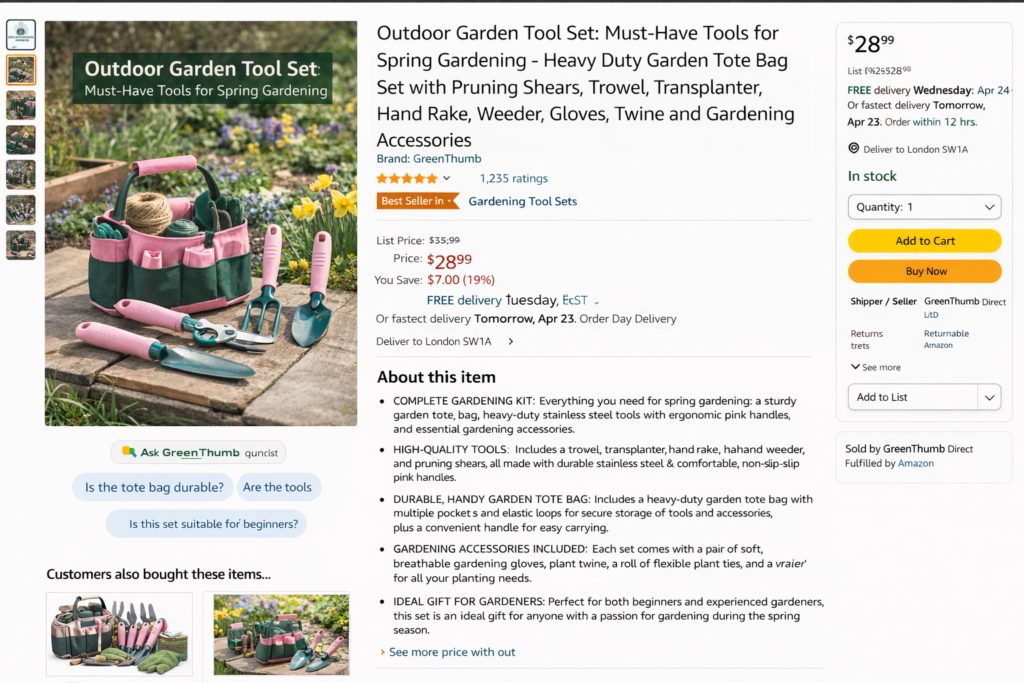
2. Bullet Points: Your five bullet points need to do two jobs at once: rank in search AND persuade the buyer. Focus on benefits over features, and weave in spring-relevant language where it fits naturally. For example, “Perfect for spring cleaning and home organization” hits both SEO and seasonal relevance.
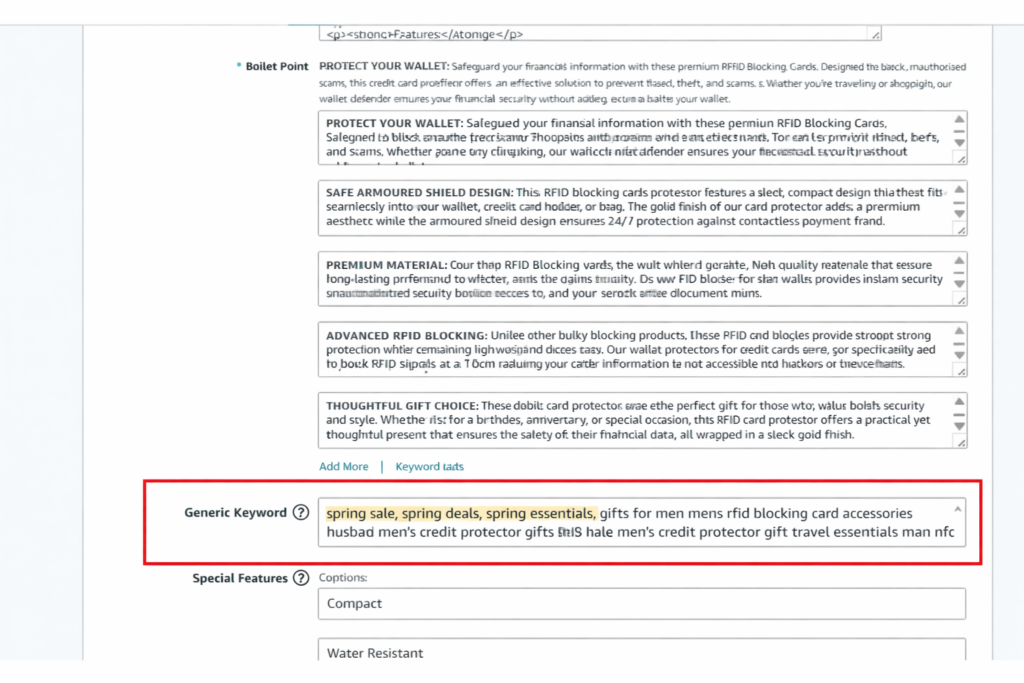
3. Backend Search Terms: This is where most new sellers leave money on the table. Add spring-specific search terms in your backend keywords: “spring sale,” “spring deals,” “spring essentials,” and category-relevant terms that don’t fit in your title. These are invisible to shoppers but boost your search visibility significantly.
4. A+ Content: If you’re a brand-registered seller, A+ Content is non-negotiable for the spring sale. Use it to tell your brand story, showcase lifestyle use cases, and add comparison charts. In 2026, Amazon has introduced a new A+ Content Quality Analysis and Competitor Benchmarking tool inside Seller Central. This tool benchmarks your A+ Content against competitors in your category and highlights gaps — use it before the sale to make sure your content is at least as strong as your top competitors.
5. Product Images: High-quality images are the #1 conversion driver on Amazon. Before the spring sale:
- Use spring lifestyle images: outdoor settings, natural lighting, bright backgrounds
- Add infographic images that highlight your top 3–5 features visually
- Make sure your images are mobile-optimized (over 60% of Amazon traffic is mobile)
- Include at least one image showing scale/size and one showing your product in use
Pro Tip: Use Amazon’s A+ Content Competitor Benchmarking tool to identify exactly which content improvements will have the most impact in your category before the sale begins.
People Also Ask:
- How do I optimize my Amazon listing for sales? → Focus on keyword-rich titles, benefit-driven bullet points, and high-quality lifestyle images.
- Does listing optimization improve Amazon ranking? → Yes. Better listings drive higher click-through rates and conversions, both of which are key ranking signals for Amazon’s A10 algorithm.
Strategy 2: Prepare Your Inventory Early to Avoid Stockouts
Running out of stock mid-sale is one of the most painful — and most avoidable — mistakes an Amazon seller can make. When your inventory hits zero during a peak traffic event, you don’t just lose sales. You lose your Buy Box, your ranking drops, and your momentum goes with it.
Here’s how to get your inventory right for the Big Spring Sale 2026:
- Forecast Your Demand: Look at your sales data from the past 90 days, last year’s spring season (if available), and any previous deal events you’ve participated in. Factor in a 20–30% uplift for the sale period — most sellers underestimate demand the first time they participate in a major event.
- FBA Inventory Cutoff Timing: This is critical. FBA shipments take 14 to 21 days from the time you send them to the time they show as “Available” in your inventory. That means:
If the sale starts March 25, your inventory needs to be at the warehouse by March 4–10, 2026 at the absolute latest. Ideally, aim to ship by late February to give yourself buffer for any warehouse processing delays.
- Set Up FBM as a Backup: Even if you primarily sell via FBA, setting up Fulfillment by Merchant (FBM) for your top-selling SKUs gives you a safety net. If FBA stock runs out or gets delayed, FBM listings keep you in the game.
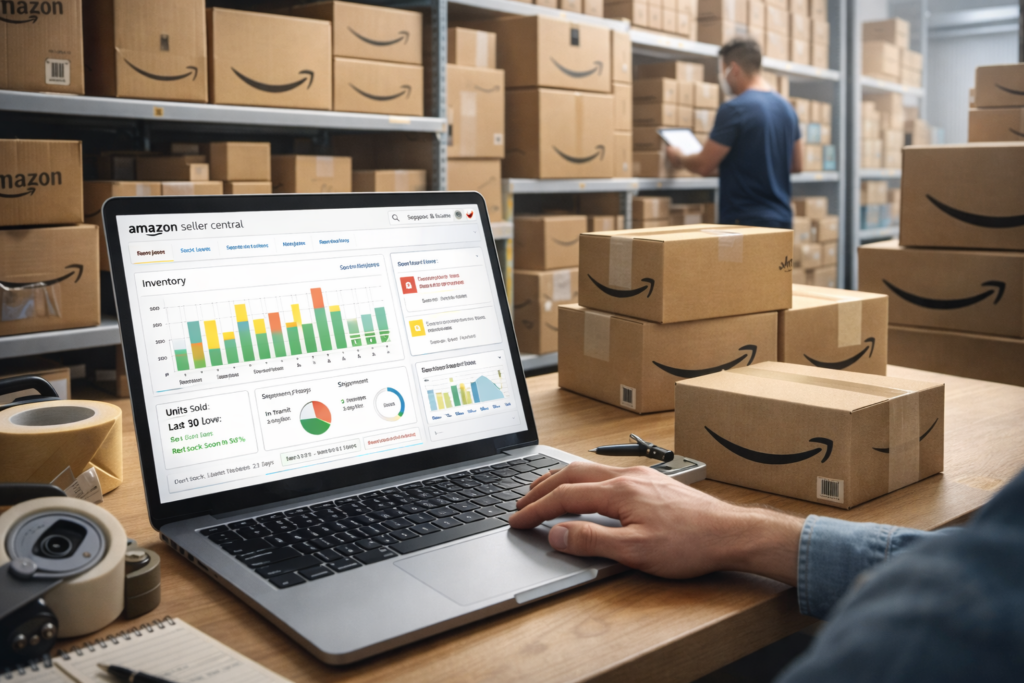
- Avoid Excess Inventory Fees: Don’t over-correct and send too much inventory either. Amazon charges storage and excess inventory fees for slow-moving stock. Use Amazon’s Inventory Health Dashboard and Restock Recommendations tool inside Seller Central to find the sweet spot between “enough” and “too much.”
People Also Ask:
- How much inventory should sellers prepare for Amazon sales events? → Plan for 20–30% above your usual daily sales rate, multiplied by the sale duration plus 2 weeks of post-sale demand.
- What happens if you run out of stock on Amazon? → You lose the Buy Box, your listing drops in search rankings, and you miss sales that go directly to competitors.
Strategy 3: Use Deals, Coupons, and Promotions to Boost Conversions
Amazon gives sellers several deal types to work with during the Big Spring Sale. Knowing which ones to use — and how to set them up — can make a big difference in your conversion rate.
- Lightning Deals: Lightning Deals are time-limited promotions featured on Amazon’s Deals page. They create urgency (countdown timer + limited quantity), which drives impulse purchases. To qualify, your product typically needs a strong review rating (3.5 stars or higher), a history of sales, and a competitive price. Lightning Deals also require a deal fee.
- Prime Exclusive Discounts: These are price discounts shown exclusively to Prime members, with a special “Prime Exclusive” badge on your listing. They’re free to set up and can significantly boost visibility in search results because the badge stands out. Go to Seller Central → Advertising → Prime Exclusive Discounts to set these up.
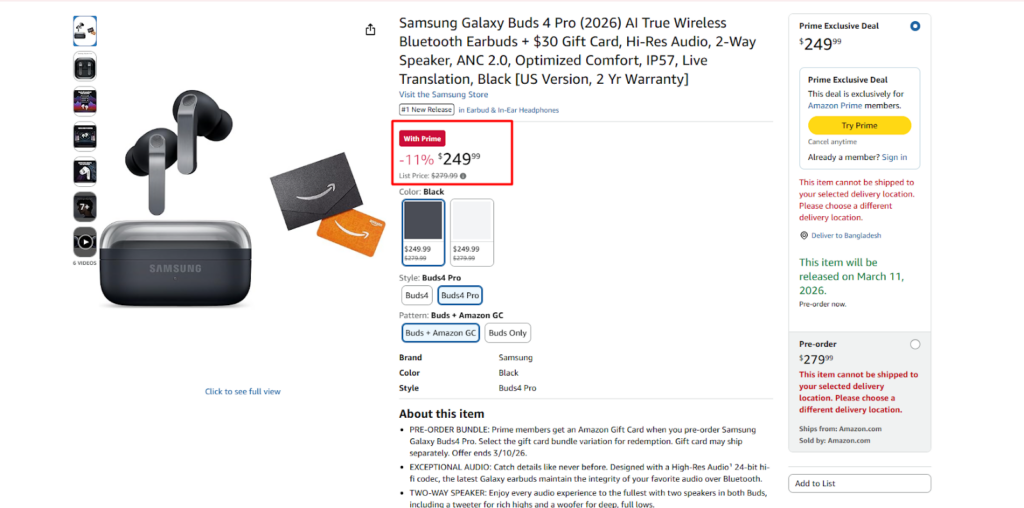
- Coupons: Amazon Coupons are green badge deals shown in search results and on your product
page. They’re low-cost, easy to set up, and visually stand out — which improves click-through rates. Research consistently shows that listings with a coupon badge get more clicks and conversions than those without. Go to Seller Central → Advertising → Coupons to create one.
- Percentage-Off Promotions: You can also run percentage-off promotions directly through Seller Central. These work well as “Buy X, Get Y% Off” bundles or multi-unit discounts, which increase your average order value while giving buyers the feeling of a deal.
Pro Tip: Stack a coupon on top of a Lightning Deal or Prime Exclusive Discount for maximum visibility. The combined visual impact — badge + deal price + coupon — is a powerful conversion signal in a crowded search page.
People Also Ask:
- Do coupons increase Amazon sales? Yes. The green coupon badge improves click-through rates and signals value to buyers, especially during sale events when shoppers are actively hunting deals.
- What deals work best during Amazon sales events? Lightning Deals for urgency, Prime Exclusive Discounts for Prime member visibility, and Coupons for broad click-through rate improvement.
Traffic & Marketing Strategy
Strategy 4: Increase Amazon PPC Advertising Before and During the Sale
If there’s one strategy that separates top-performing sellers from average ones during the Big Spring Sale, it’s a well-structured PPC plan. Don’t just increase your budget the day the sale starts. Build a 3-phase approach.
Phase 1 – Pre-Sale (2 to 3 Weeks Before March 25)
This is your warm-up phase. Your goal here is to build awareness, gather data, and prime your audience before the competition heats up.
- Launch or ramp up Sponsored Products campaigns targeting your primary and seasonal keywords
- Run Sponsored Brands campaigns to build brand awareness and push your product line
- Test ad copy and creatives now — find what converts before the sale, not during it
- Use Amazon DSP (if available) to build retargeting audiences of shoppers who viewed your product but didn’t buy
- Start driving external traffic from Google Ads or social media to build momentum and warm up your product’s performance signals
Phase 2 – During the Sale (March 25–31)
This is your go-time phase. Traffic is at its peak, competition is fierce, and every click counts.
- Increase your Sponsored Products bids by 20–40% on your top-performing keywords — CPCs will rise, so you need to stay competitive
- Run Sponsored Brands with spring-themed creative and headline messaging (“Spring Sale — Up to X% Off”)
- Run Lightning Deals and Sponsored Ads simultaneously — deals without ad support get significantly less visibility
- Use Amazon Marketing Cloud (AMC) Tentpole Phase Analysis to track real-time performance across channels and adjust budgets on the fly
- Monitor your campaigns at least twice daily — morning and afternoon — and make bid adjustments based on impression share, CTR, and conversion rate
Phase 3 – Post-Sale (April 1 Onward)
The sale is over, but your work isn’t done. Post-sale is where smart sellers extend the momentum.
- Reduce bids gradually rather than turning campaigns off, there’s still residual traffic and buyer intent for several days after the event
- Retarget shoppers who viewed your listing or added to cart but didn’t convert during the sale
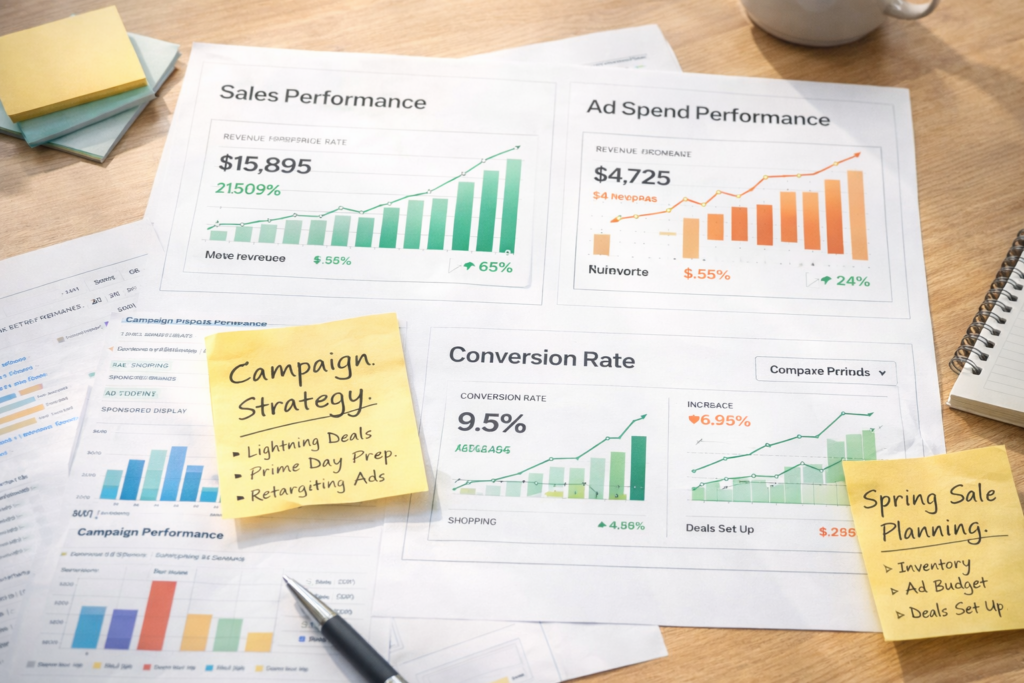
- Analyze your ACoS (Advertising Cost of Sales), ROAS (Return on Ad Spend), and conversion rate for each campaign
- Use your learnings to build stronger campaigns for Prime Day, which typically follows about 3–4 months later
People Also Ask:
- Should sellers increase PPC during Amazon sales events? Yes. Traffic and competition both rise, so maintaining visibility requires higher bids and increased budgets.
- How do you run Amazon ads during seasonal sales? Use a 3-phase approach: build awareness before, maximize visibility during, and retarget buyers after the event.
Strategy 5: Competitive Pricing and Buy Box Optimization
Price is one of the most powerful levers you have during the Big Spring Sale — but it needs to be handled carefully. Slash your prices too aggressively and you kill your margins. Price too high and you lose the Buy Box and fall behind competitors.
Here’s how to find the balance:
- Monitor Competitor Pricing: Use tools like Keepa, Helium 10, or Jungle Scout to monitor how your competitors are pricing their products in the weeks leading up to the sale. Look for patterns — when are they dropping prices? By how much? This helps you make data-driven pricing decisions rather than guessing.
- Use Automated Repricing Tools: Repricing tools like RepricerExpress, BQool, or Seller Snap can automatically adjust your price in real time to stay competitive while protecting your minimum margin threshold. Set a price floor so you never accidentally price below your break-even point — which is a common mistake sellers make during high-pressure sale events.
- Win the Buy Box: For most product categories, the Buy Box is where the vast majority of sales happen. The key Buy Box factors are: competitive price, strong seller metrics (order defect rate, late shipment rate), FBA fulfillment (which Amazon strongly favors), and inventory availability. Fix your metrics first — then compete on price.
- Bundle Strategy for Higher AOV: Instead of discounting a single item, consider creating product bundles. A bundle of complementary products (e.g., a skincare serum + moisturizer + SPF) gives buyers perceived value while protecting your per-unit margin. Bundles also face less direct price competition because they’re harder to compare one-to-one.
- Avoid the Fake-Discount Trap: Some sellers artificially inflate their prices in the weeks before a sale just to show a larger “was/now” discount. Amazon actively monitors for this and can suppress deal eligibility or remove listings that show suspicious price history. Be genuinely competitive — buyers notice, and Amazon notices.
People Also Ask:
- How do sellers win the Amazon Buy Box? Maintain competitive pricing, use FBA, keep strong seller performance metrics, and maintain stock availability.
- Does price affect Amazon ranking? Yes. Price influences conversion rate, which is a direct input into Amazon’s ranking algorithm.
Conversion Optimization
Strategy 6: Improve Product Reviews and Social Proof
Here’s a reality check: during the Big Spring Sale, shoppers are comparing multiple options at lightning speed. One of the fastest ways they decide is by looking at your star rating and review count. A product with 4.5 stars and 300 reviews will outsell a product with 3.8 stars and 20 reviews almost every time — even if the lower-rated product is better.
- Build Reviews Before the Sale: The Big Spring Sale is not the time to start thinking about reviews. Start now. Use Amazon’s Request a Review button in Seller Central for recent orders. This is 100% compliant with Amazon’s Terms of Service and costs nothing. For brand-registered sellers, you can automate this process using third-party tools.
- Enroll in Amazon Vine: Amazon Vine is a program that sends your product to trusted reviewers in exchange for honest feedback. If your product has fewer than 30 reviews, Vine can be a powerful way to build credibility before a major sale. Note that Vine has a fee and takes a few weeks to generate reviews, so act early.
- Respond to Negative Reviews: Don’t ignore bad reviews, especially before a major sale. A professional, empathetic response to a negative review shows future buyers that you care about customer experience. It also signals to Amazon’s algorithm that you’re an engaged, responsible seller.
People Also Ask:
- Do reviews affect Amazon ranking? Yes. Reviews directly influence conversion rate, and conversion rate is one of the strongest ranking signals in Amazon’s A10 algorithm.
- How many reviews are needed to sell well on Amazon? There’s no magic number, but listings with 50+ reviews and a 4+ star rating perform significantly better in competitive categories. For major sale events, aim for at least 30 reviews before the event begins.
Strategy 7: Upgrade Your Product Images and A+ Content for Higher Conversions
You can drive all the traffic in the world to your listing, but if your images don’t convert, you’re just paying for clicks with nothing to show for it. Images are the closest thing to a physical store experience that Amazon offers. They need to sell your product before the buyer reads a single word.
- Main Image: Your main image must be on a white background (Amazon requirement), show the full product clearly, and use the maximum allowed image space. A well-cropped, professionally shot main image improves your click-through rate from search results — which directly impacts your organic ranking.
- Lifestyle Images: Add 2–3 lifestyle images showing your product being used in real-life spring settings. A garden tool set being used outdoors. A skincare product on a bright, sunlit bathroom counter. A fitness mat in a home gym with natural light. These images build emotional connection and help buyers visualize using the product.
- Infographic Images: Use infographic-style images to highlight your top 3–5 features visually. Most mobile shoppers never scroll down to read your bullet points — your infographic images need to do that job for them.
- A+ Content: For brand-registered sellers, A+ Content (formerly Enhanced Brand Content) is one of the highest-ROI upgrades you can make. It replaces the standard product description with rich visuals, comparison charts, brand story modules, and more. Studies show A+ Content can increase conversion rates by up to 8–10%.
Use the new A+ Content Quality Analysis tool (available in Seller Central in 2026) to benchmark your content against competitors and identify exactly which modules or sections are underperforming before the sale.
People Also Ask:
- Do better images increase Amazon sales? → Absolutely. Images are the #1 factor influencing buy decisions on Amazon. Better images = higher CTR and higher conversion rate.
- What is A+ Content on Amazon? → A+ Content is a feature for brand-registered sellers that allows you to replace the standard product description with rich visual content including images, charts, comparison tables, and brand story modules.
During the Sale
Strategy 8: How to Monitor Performance During the Big Spring Sale
Once the sale goes live on March 25, your job shifts from preparation to active monitoring. Sellers who watch their performance in real time and make quick adjustments during the event consistently outperform those who “set it and forget it.”
1. Track Your Best Seller Rank (BSR) BSR is a real-time indicator of how well your product is selling relative to others in its category. During the sale, check your BSR every few hours. If it’s climbing (number getting lower), your strategy is working. If it’s stagnant or dropping, something needs adjusting — price, ads, or deal visibility.
2. Monitor PPC Performance Daily Log into your campaign manager at least twice a day during the sale — ideally morning and evening. Watch for:
- Keywords with high impressions but low CTR → your bid might be fine but your main image or price isn’t compelling
- Keywords with high CTR but low conversion → shoppers are clicking but not buying; check your listing and pricing
- Keywords burning budget with zero conversions → pause or reduce bids immediately
3. Adjust Pricing in Real Time If you’re using a repricing tool, make sure your min and max price floors are set correctly. If you’re repricing manually, check competitor prices at least twice daily. A small price adjustment during the sale can be the difference between winning and losing the Buy Box.
4. Watch Your Inventory Levels Set up low-inventory alerts inside Seller Central. If a product is selling faster than expected, activate your FBM backup listings immediately — don’t wait until FBA stock hits zero.
Post-Sale Strategy
What Sellers Should Do After the Amazon Big Spring Sale
The sale ends March 31 — but your work doesn’t. What you do in the week after the sale can shape your performance for the next three months.
- Analyze Your Sales Data: Pull your full sales report from Seller Central for the March 25–31 period. Compare revenue, units sold, ACoS, and conversion rates against your pre-sale baseline. Ask yourself: Which products outperformed? Which underperformed? Where did ad spend go to waste? This data is gold for your next event strategy.
- Optimize Listings Based on What You Learned: The spring sale generates a massive amount of performance data in a short period. Use it. If certain keywords drove strong conversions, move them to the front of your title and bullet points. If your A+ Content modules with comparison charts outperformed text-only modules, replicate that across your other listings.
- Retarget Customers Who Didn’t Convert: Not everyone who viewed your listing during the sale made a purchase. Use Amazon DSP and Sponsored Display ads to retarget these shoppers in the weeks after the event. The conversion window extends beyond the sale period — many buyers are still in consideration mode.
- Start Building Toward Prime Day: Prime Day typically falls in July — about 3.5 months after the Big Spring Sale ends. The insights you gather from this event are your preparation blueprint. Use April and May to build inventory, test new keywords, gather reviews, and refine your PPC strategy for what will likely be Amazon’s highest-traffic event of the year.
Common Mistakes Sellers Make During the Amazon Big Spring Sale
Even experienced sellers make avoidable mistakes during major sale events. Here are the most common ones — and how to sidestep them:
Mistake #1: Sending Inventory Too Late: Remember, FBA takes 14–21 days to process incoming inventory. Waiting until two weeks before the sale to ship is already too late. Many sellers lose out on the event entirely because their inventory is still “In Transit” when the sale goes live.
Mistake #2: Running No Advertising: Some sellers assume that Amazon’s promotion of the event will automatically drive traffic to their listing. It won’t — at least not at meaningful scale. If you’re not running ads during the Big Spring Sale, your competitors who are advertising are absorbing all the sponsored placement real estate and ranking boosts you’re leaving on the table.
Mistake #3: Poor Pricing Strategy: Two opposite extremes hurt sellers here. Discounting too aggressively destroys margin and trains buyers to only purchase on sale. Not discounting enough means you get skipped over for competitors with more compelling offers. Find the middle ground — a genuine, meaningful discount that still protects your margin floor.
Mistake #4: Weak Listing Optimization: Traffic without conversion is just expensive. If your listings have outdated images, thin bullet points, and no A+ Content, the increased sale traffic will simply bounce. Invest in your listings before March 25 — not after.
Mistake #5: Ignoring Mobile Shoppers: Over 60% of Amazon traffic is mobile. If your images aren’t optimized for mobile viewing, your title gets cut off on mobile screens, or your A+ Content isn’t designed for small screens — you’re already losing conversions before anyone reads a word.
Mistake #6: Not Having a Post-Sale Plan: The sellers who only think about the 7-day sale window miss the bigger opportunity. Post-sale retargeting, data analysis, and Prime Day preparation are where the long-term wins are built.
New Amazon Features Sellers Should Use in 2026
Amazon rolls out new features constantly, and the sellers who adopt new tools early gain a real competitive advantage. Here are the most important updates for 2026 that directly impact your Big Spring Sale strategy:
- A+ Content Quality Analysis & Competitor Benchmarking Tool: This new Seller Central feature benchmarks your Enhanced Brand Content against competitors in your category and highlights specific gaps. It’s one of the most actionable new tools Amazon has released for brand-registered sellers — use it immediately to elevate your listings before the sale.
- Amazon Rufus AI — Optimize for AI-Powered Search: Rufus is Amazon’s conversational AI shopping assistant, now widely deployed across the Amazon app and website. Rufus answers buyer questions by pulling information directly from product listings. This means your bullet points and A+ Content now need to answer natural language questions — not just include keywords. Think about what questions your buyers ask about your product (“Is this safe for sensitive skin?” “Does this fit a king-size bed?”) and make sure your listing answers them clearly.
- Amazon Ads MCP Server: Amazon recently introduced an AI-to-API campaign management tool through its Amazon Ads MCP Server, currently in closed beta. This allows advertisers to manage campaigns via AI-powered workflows. Watch for this to open up more broadly — it has the potential to significantly streamline PPC management for sellers.
- Amazon Prepaid Return Label (APRL) Program: Starting February 8, 2026, this program became mandatory for seller-fulfilled (FBM) orders. Make sure your FBM backup listings are configured correctly with the APRL program to avoid compliance issues during the sale period.
- AI-Powered Listing Optimization Tools: According to recent Amazon seller research, 34% of sellers now use AI tools for listing optimization. Tools like Helium 10’s Listing Builder (with AI features) and Amazon’s own AI listing generation tool can help you write stronger titles, bullets, and descriptions faster. Use them — but always review the output before publishing.
Seller Checklist — Your Big Spring Sale 2026 Action Plan
Use this checklist to make sure nothing slips through the cracks before, during, and after the Big Spring Sale:
4+ Weeks Before (Now)
- Check deal eligibility for your ASINs in Seller Central → Advertising → Deals
- Forecast demand and calculate FBA inventory needed
- Ship FBA inventory to Amazon warehouse (allow 14–21 days for check-in)
- Set up FBM backup listings for top SKUs
2–3 Weeks Before (Early March)
- Submit Lightning Deals and Prime-Exclusive Discounts in Seller Central
- Set up Amazon Coupons for key products
- Update listing titles with spring-relevant keywords
- Rewrite bullet points with seasonal benefits
- Add/update spring-themed lifestyle and infographic images
- Use A+ Content Competitor Benchmarking tool and upgrade your EBC
- Add spring-specific backend search terms
- Request reviews on recent orders
- Launch pre-sale Sponsored Products and Sponsored Brands campaigns
1 Week Before (March 18–24)
- Confirm FBA inventory is checked in and “Available”
- Finalize PPC bids and campaign budgets for the sale period
- Set up Amazon DSP retargeting audiences
- Prepare email marketing campaign for past buyers announcing your spring deals
- Brief your social media and/or influencer partners on deal dates and links
During the Sale (March 25–31)
- Check BSR, sales, and inventory levels twice daily
- Monitor PPC impressions, CTR, and conversions every morning and evening
- Adjust bids and budgets in real time based on performance
- Watch competitor pricing and adjust via repricing tool if needed
- Activate FBM backup if FBA inventory runs low
After the Sale (April 1 Onward)
- Pull full sales and ad performance report for March 25–31
- Identify top-performing and underperforming products
- Run Sponsored Display retargeting for shoppers who viewed but didn’t convert
- Apply listing optimization insights to all product pages
- Begin Prime Day 2026 inventory and strategy planning
Your Spring Sale Window Is Open, Don’t Miss It
The Amazon Big Spring Sale 2026 is a real, meaningful opportunity — but only for sellers who show up prepared. The event runs just 7 days. The sellers who win are the ones planning right now, not the week the sale starts.
Here’s your quick recap:
The foundation is your listing — optimize it before March 25. Your inventory needs to be at the warehouse by early March. Your deals need to be submitted in Seller Central by mid-March. Your PPC campaigns need to be running and warmed up at least two weeks before the sale. And your post-sale retargeting plan should be ready to go the moment the event ends.
This isn’t just about 7 days of extra revenue. Every sale you make during the Big Spring Sale improves your BSR, boosts your organic ranking, and builds customer trust — all of which compound well beyond the event window. It’s one of the best investments of time and preparation you can make in Q1.
Start today. The sellers who begin preparing now are the ones who win on March 25.
FAQ — Frequently Asked Questions About the Amazon Big Spring Sale
Q: When is the Amazon Big Spring Sale 2026?
Based on Seller Central data, the Amazon Big Spring Sale 2026 is expected to run from March 25–31, 2026. Amazon typically confirms the official dates publicly about one week before the event begins.
Q: How is the Big Spring Sale different from Prime Day?
The Big Spring Sale is open to all Amazon shoppers, while Prime Day is exclusive to Prime members. The Big Spring Sale focuses on spring categories and seasonal deals, while Prime Day is Amazon’s largest annual event with a heavier emphasis on electronics and big-ticket items. For sellers, Big Spring Sale offers a less saturated opportunity with a broader audience.
Q: Who can participate in the Amazon Big Spring Sale as a seller?
Any Amazon seller with eligible ASINs can participate. Eligibility for specific deal types (like Lightning Deals) may depend on your product’s sales history, review count, star rating, and account performance metrics.
Q: How do I know if my products are eligible for deals?
Go to Seller Central → Advertising → Deals. Eligible ASINs will appear in the deal creation workflow. If an ASIN doesn’t appear, it may not meet the minimum review or pricing requirements for that deal type.
Q: What’s the minimum discount required for Amazon Big Spring Sale deals?
Amazon typically requires a meaningful price reduction compared to your product’s recent sale price. The exact threshold varies by deal type and is shown during the deal submission process in Seller Central. As a general rule, plan for at least a 15–20% discount, and always check the current guidelines in Seller Central as they update regularly.
Q: Can new sellers participate in the Big Spring Sale?
Yes, but deal eligibility, especially for Lightning Deals, typically requires a minimum number of reviews (usually 3.5 stars or higher) and a track record of recent sales. New sellers with fewer reviews can still participate using Coupons and Prime-Exclusive Discounts, which have lower entry barriers.
Q8: How early should I ship FBA inventory for the Big Spring Sale?
Ship no later than March 4–10, 2026. FBA inventory takes 14–21 days to process after arrival at the warehouse, and you need your inventory showing as “Available” before March 25. Shipping in late February gives you the safest buffer.
Q9: Should I increase my PPC bids during the Big Spring Sale?
Yes. Traffic surges during the sale, but so does competition. Increase your Sponsored Products bids on top-performing keywords by 20–40% for the sale period, and monitor performance closely. Don’t increase blindly — watch your ACoS and adjust based on actual conversion data.
Q10: What happens if I run out of stock during the Big Spring Sale?
You lose Buy Box eligibility, your listing drops in search rankings, and all of that sale-period traffic goes straight to your competitors. This is why FBM backup listings and early FBA shipments are so important — they protect you from the worst-case scenario.
Ecomclips: Your Complete eCommerce Solution Under One Umbrella
At Ecomclips, we bring every eCommerce service you need under one roof — strategy, operations, design, marketing, and growth, all seamlessly connected to help your brand thrive across every marketplace.
Since 2012, we’ve been helping businesses of all sizes launch, scale, and dominate online. From Amazon, Walmart, eBay, and Etsy to Shopify and WooCommerce, our team of marketplace experts, designers, developers, and marketers works together to deliver measurable results.
Our services span the full eCommerce lifecycle:
Account Setup & Product Listing Management: We handle registrations, compliance, and product data optimization across all marketplaces.
- Amazon Optimization Service: From keyword-rich titles and A+ content to PPC campaigns and storefront design, we craft listings that convert.
- Creative Design & Content Production: A+ visuals, infographics, brand stores, and product videos built to boost engagement.
- Advertising & PPC Management: Smart, data-driven ad strategies for Amazon, Walmart, and Google that maximize ROI.
- Web Development & Store Design: Shopify, WooCommerce, and Magento websites built for performance and conversion.
- Data Management & Automation: Streamlined product feeds, catalog syncing, and inventory control for effortless scalability.
- Customer Service & Order Fulfillment: End-to-end support that enhances customer satisfaction and builds long-term loyalty.
- Analytics & Growth Strategy: Real-time insights and ongoing optimization to ensure consistent, profitable growth.
Whether you’re launching a new store or managing multiple global marketplaces, Ecomclips acts as your single strategic partner, simplifying complexity and driving sustainable revenue growth.