
Running a Shopify store can be exciting, but it’s also filled with hidden pitfalls that can silently drain your sales. Most store owners focus on the obvious things like product quality and pricing but overlook the subtle design and functionality errors that frustrate customers and push them away. These mistakes are often small, but they add up to create a poor user experience, low conversions, and abandoned carts.
In this guide, we’ll uncover the 10 most common Shopify mistakes for Shopify store optimization we see when auditing stores, explain why they harm your sales, and give you actionable fixes. By correcting even a few of these, you can build a more trustworthy, high-converting Shopify Home Page.
Table of contents:
| 1: Social Media IconsL: Sending Customers Away Before They Even Shop |
| 2: Overloading Visitors with Pop-ups |
| 3: Intrusive Live Chat |
| 4: Unused Apps Slowing You Down |
| 5: Flashy Animations That Distract |
| 6: Bad Fonts & Colors Make You Look Unprofessional |
| 7: Random Product Recommendations |
| 8: Confusing Navigation Menus |
| 9: Using Generic Stock Photos |
| 10: Complicated Checkout Process |
| Bonus Hack – How to Turn Return Customers into Loyal Fans |
| Skyrocket Your Shopify Sales with Ecomclips’ Website Design Expertise |
| Most Common Shopify Store Questions & Answers |
1. Social Media Icons: Sending Customers Away Before They Even Shop
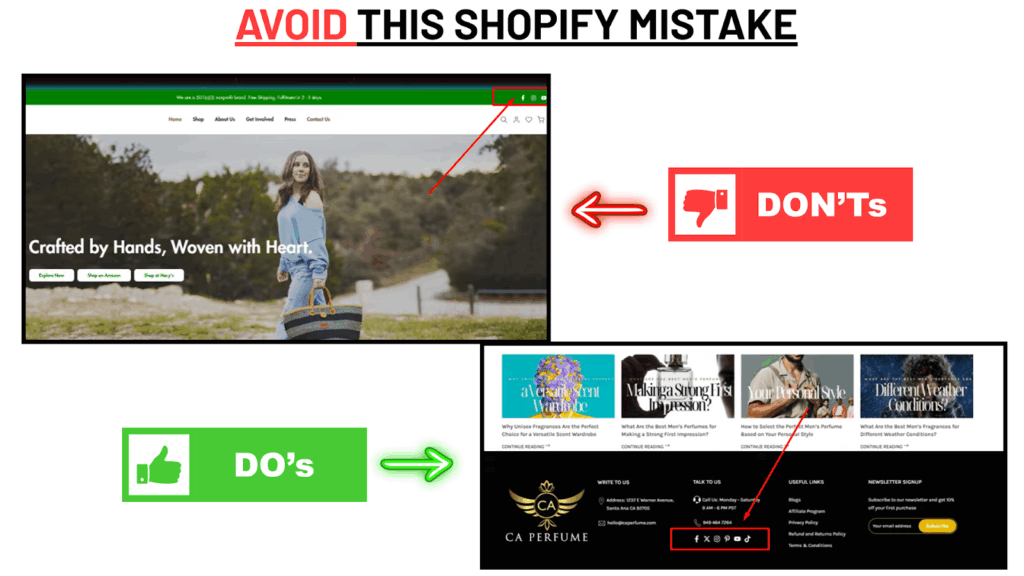
Many store owners proudly place their social media icons at the very top of the page, thinking it’s a great way to grow followers. But here’s the reality: every time a shopper clicks one of those icons, they’re leaving your store. And once they land on TikTok or Instagram, they’ll likely get distracted and forget all about your products.
Think about it this way: would a physical retail store put an exit door right next to its entrance? Probably not – because you want shoppers to browse first. Social icons at the top of your site are that “exit door.”
The Fix: Move social media links to the footer of your site. That way, customers can still connect with your brand, but only after they’ve seen your products.
Note: Your website’s top section should focus entirely on keeping shoppers inside the buying journey, not sending them out.
2. Overloading Visitors with Pop-ups
Pop-ups can capture leads, but too many can kill sales. Picture this: you land on a store, and within 5 seconds, a pop-up fills the screen asking for your email. You close it, but another one appears 10 seconds later offering a discount. Then a third one blocks the screen when you try to view a product. Instead of encouraging engagement, you’ve created frustration.
Studies show that poorly timed pop-ups increase bounce rates by as much as 60%. Customers want freedom when browsing – not constant interruptions.
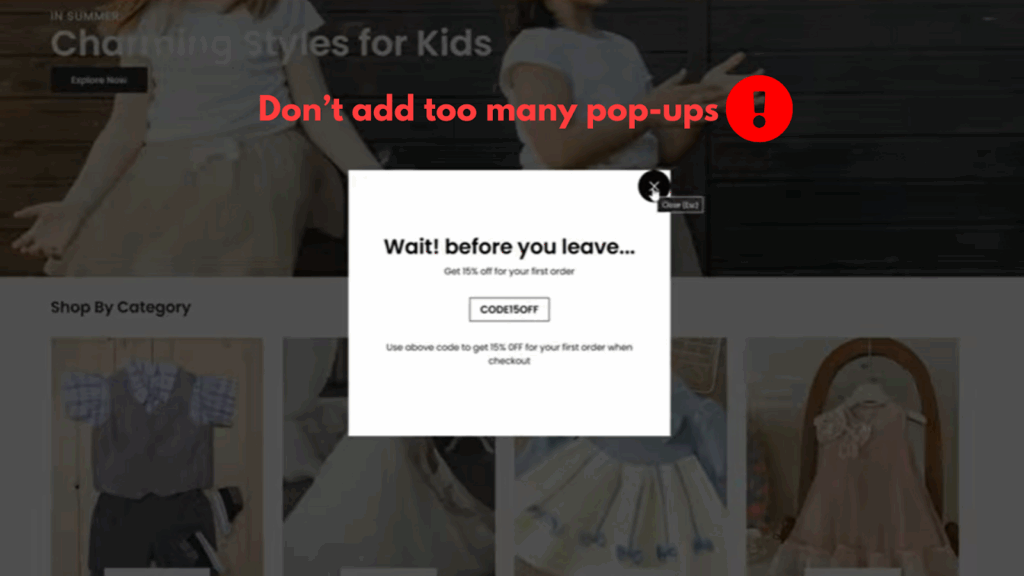
The Fix: Limit yourself to 2–3 strategic pop-ups only:
- A welcome email capture on the homepage
- A discount pop-up that triggers after 20–30 seconds
- An exit-intent offer on the cart page
Quote to Remember: “A well-designed pop-up feels like a helpful suggestion, not a roadblock.”
3. Intrusive Live Chat
Live chat builds trust by letting customers know you’re there to help, but when the widget constantly pings, flashes, or expands across half the screen, it becomes an annoyance instead of a benefit. Instead of encouraging sales, it distracts shoppers and even makes them abandon carts.
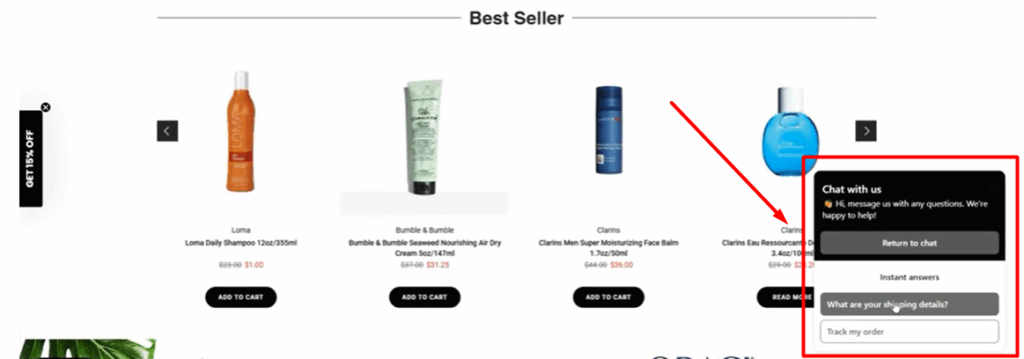
Think of live chat as your helpful in-store assistant — you don’t want them hovering and interrupting customers every second.
The Fix: Keep live chat discreet and customer-controlled. Let visitors open it when they need support. This shows you’re available without intruding.
Note: Live chat should complement the shopping journey, not compete with it.
4. Unused Apps Slowing You Down
Every Shopify app you install adds code to your store. Even if you’re not actively using the app, its leftover scripts and files can drag down your page speed. And site speed matters — according to Google, a delay of even 1 second can reduce conversions by 20%.
Many store owners test apps and forget to remove them, slowly piling up unnecessary code. This is like carrying a backpack full of bricks you don’t need — it only slows you down.
The Fix: Conduct a quarterly app audit:
- Delete apps that don’t contribute to conversions
- Replace multiple apps with one all-in-one solution if possible
- Keep only apps directly tied to revenue or customer experience
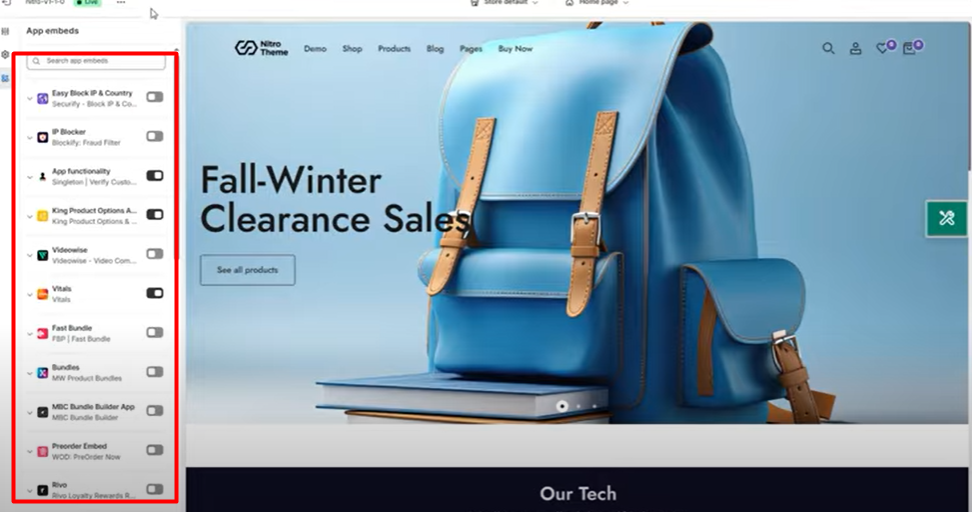
Pro Tip: Use tools like Google PageSpeed Insights to identify apps dragging your speed.
5. Flashy Animations That Distract
Animations may seem exciting, but they often do more harm than good. Sliding text, spinning logos, and dramatic page transitions might “wow” the designer, but they frustrate customers who just want to shop. Slow animations can make your store feel clunky, and worse, they divert attention away from your products.
Remember, your store isn’t a digital art gallery — it’s a sales channel.
The Fix: Keep animations subtle and purposeful. Use them only to highlight key CTAs (like “Add to Cart”), not to decorate every corner of the store.
Quote: “Good design draws attention to the product, not to itself.”
6. Bad Fonts & Colors Make You Look Unprofessional
Your Shopify store is your digital storefront, and first impressions matter. If your site uses hard-to-read fonts or clashing neon colors, it looks less credible. Customers won’t trust a store that feels outdated or chaotic – especially when they’re about to spend their money.
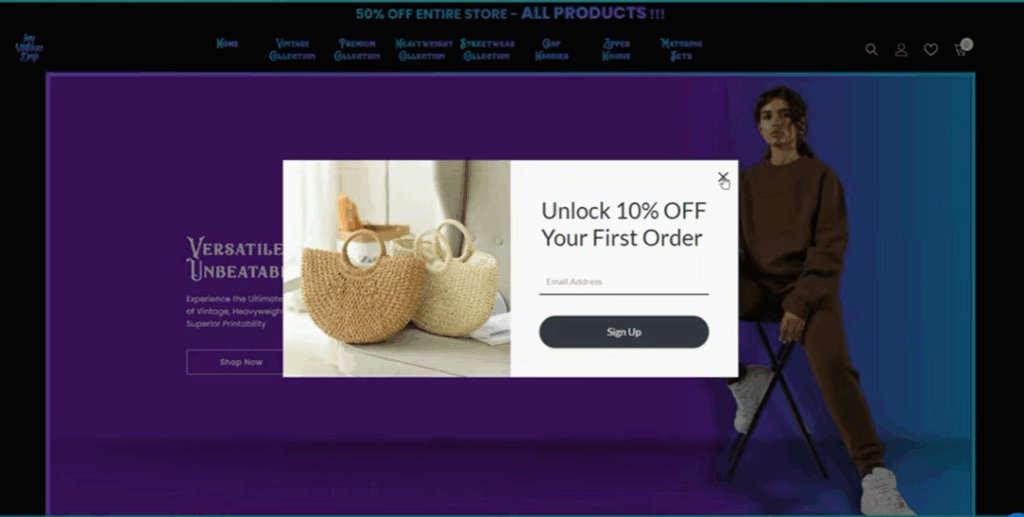
A chaotic design says: “We’re not serious about our brand.”
The Fix: Stick with modern, clean fonts like Montserrat, Open Sans, or Roboto. Choose 2–3 brand colors and use them consistently. This creates a professional, trustworthy experience.
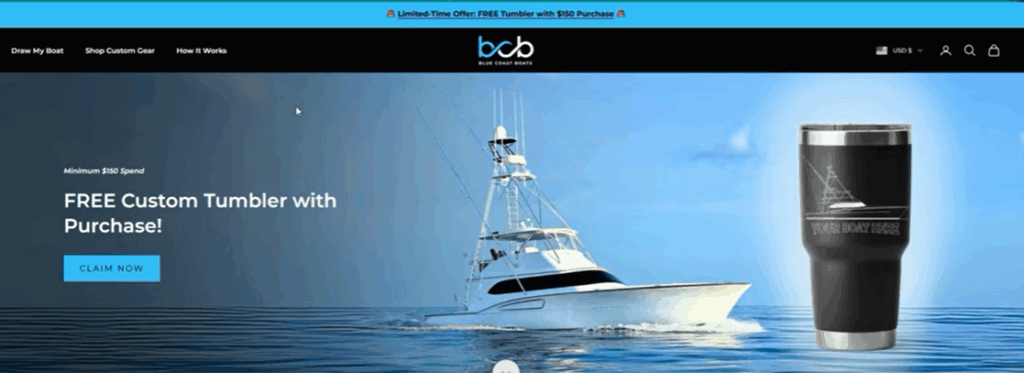
Note: Brands with consistent typography and colors see up to 23% higher brand recognition.
7. Random Product Recommendations
Generic recommendations like “You may also like” showing unrelated items confuse customers. Imagine browsing winter boots and seeing yoga mats or beachwear as suggestions — it doesn’t just fail to convert; it damages credibility.
Customers expect personalization. If your recommendations feel random, they’ll assume you don’t understand them.
The Fix: Use Shopify’s built-in tools or third-party apps for personalized recommendations based on browsing history, cart items, or previous purchases.
Quote: “Personalisation isn’t just a feature — it’s the foundation of customer trust.”
8. Confusing Navigation Menus
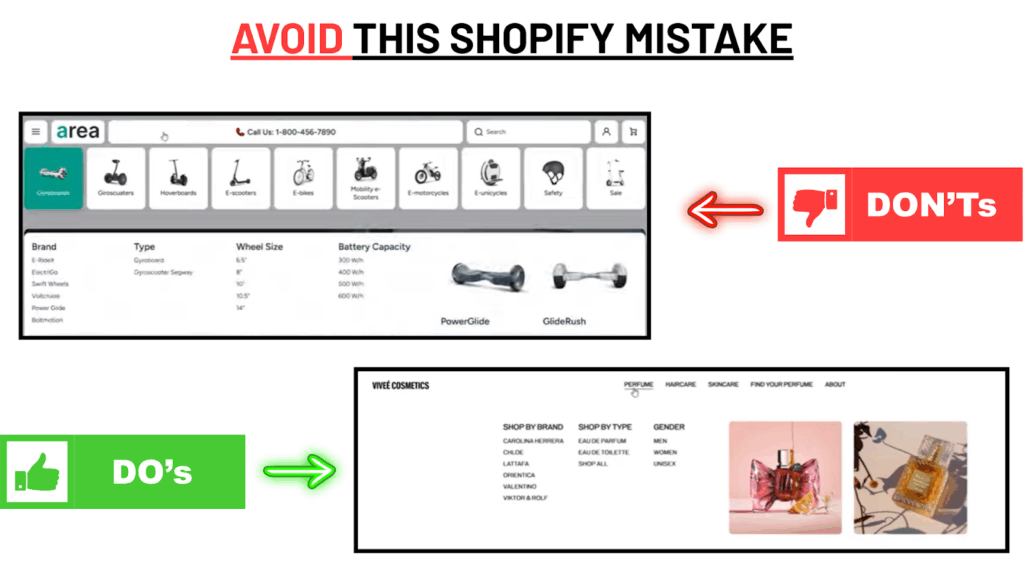
Your navigation is the roadmap to your store. If it’s cluttered with too many categories or poorly structured, customers get lost. And lost customers rarely buy.
Research shows 76% of shoppers say easy navigation is the most important website feature. If your store doesn’t deliver, they’ll leave for a competitor.
The Fix: Simplify your menu. Organize products into logical categories, and make sure items are reachable within 2–3 clicks.
Pro Tip: Test your navigation with someone unfamiliar with your store. If they struggle to find products, so will your customers.
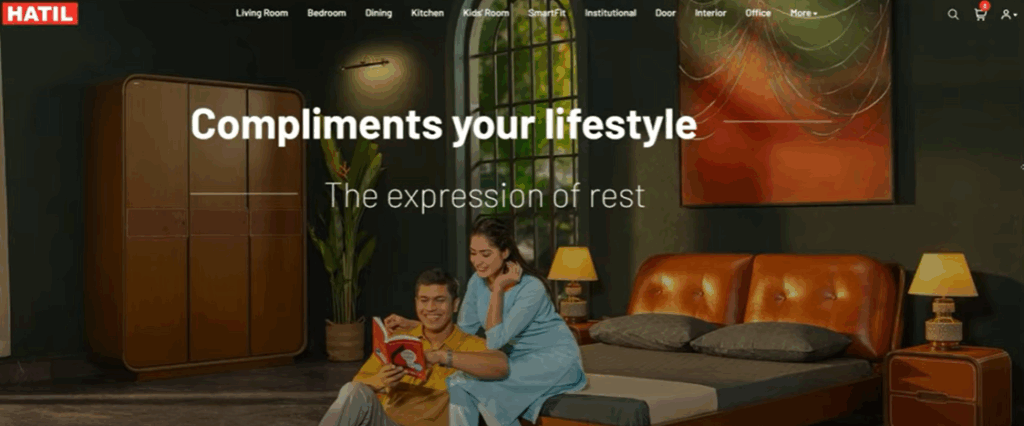
9. Using Generic Stock Photos
Stock photos are a trust killer. If your site looks like a template filled with images that can be found anywhere, it feels generic and even scammy. Customers want authenticity.
Real photos show real products, and that makes people feel confident about buying.
The Fix: Invest in professional product photography. Show multiple angles, zoom features, and lifestyle images of people using your products.
Note: Stores with authentic product photos see up to 30% higher conversions compared to those using stock images.
10. Complicated Checkout Process
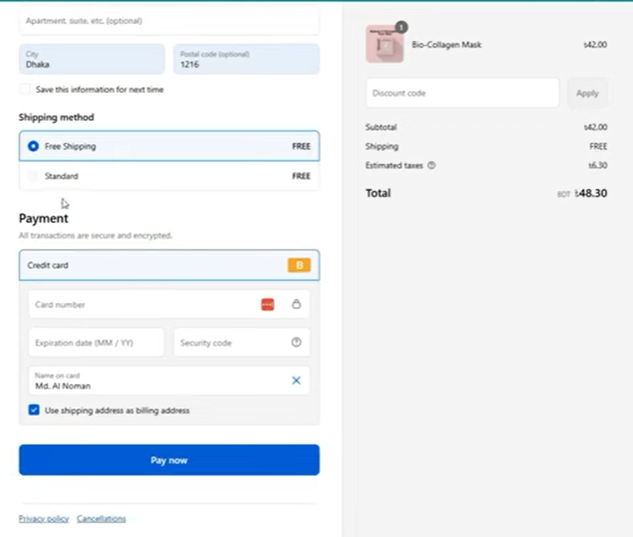
Your customer has reached the final step: checkout. But if you hit them with long forms, mandatory account creation, and hidden shipping costs, they’ll abandon their cart in frustration. In fact, studies show 69% of all carts are abandoned, and checkout friction is a top reason.
The Fix:
- Offer guest checkout
- Keep forms short and user-friendly
- Provide multiple payment options (credit card, PayPal, wallets)
- Show shipping costs and delivery timelines upfront
Quote: “Every extra step in checkout is a lost sale waiting to happen.”
Shopify Store Isn’t Getting Sales in 2025? Fix It Now
Bonus Hack: How to Turn Return Customers into Loyal Fans
Around 70% of customers are more likely to make a repeat purchase if you offer a special deal. That’s why leveraging discounts or coupon emails for your return customers can make a massive difference. But here’s the catch – you need to make these offers irresistible and ensure Increase Shopify sales.
One effective strategy is to send a subscribe offer to customers who’ve bought from you before. This offer could be in the form of:
- Exclusive discounts
- Coupon codes for their next purchase
- Special deals for loyal customers
Why This Works:
- Customer Retention is Cheaper: It’s cheaper to keep a current customer than to acquire a new one. By rewarding return shoppers, you’re building brand loyalty and trust.
- Increased Average Order Value (AOV): A discount or coupon encourages repeat customers to spend more on each visit.
- Emotional Connection: Offering something “just for them” fosters a sense of belonging to your brand.
The Fix: Start sending these discount emails right after customers make their first purchase. Make it feel exclusive with a catchy subject line like:
- “Thanks for shopping with us! Here’s 10% off your next order!”
- “We appreciate you! Get a special offer on your next purchase.”
Skyrocket Your Shopify Sales with Ecomclips’ Website Design Expertise
Full-Cycle Shopify Web Development & UI/UX
If you want to start a Shopify store Ecomclips delivers end-to-end Shopify development, from store builds and theme customization to advanced integrations and responsive design. With over 250+ Shopify websites delivered, backed by 12+ years of experience and a 99% positive rating, we ensure your store is fast, secure, and user-friendly.
Conversion-Driven Homepage & UX Overhaul
Drawing from our 2025 case study, we demonstrate how design alone can boost performance, without adding products or ads. By redesigning hero sections, collection and product pages, and streamlining the cart layout, one client saw sales jump 66% and conversion rates improve over 50%. (Shopify-Specific Blog Insights & Best Practices
Ecomclips shares continual, up-to-date Shopify strategies covering topics such as:
- SEO & Performance Optimization: Tips to improve store speed with responsive design, lazy loading, caching, and structured data enhancements for better Google and Shopping visibility.
- Designing a High-Converting Homepage: Elements like focused hero messaging, intuitive navigation, social proof, and storytelling that form a “conversion engine” on your homepage.
- Shopify Theme Customization Made Easy: Guides to personalize your store’s look and functionality – no developer needed – but also offers ecommerce design support when you’re ready to scale.
- Smart Product Listing Practices: Advice on crafting compelling, well-organized product listings- with high-resolution images, structured variants, and inventory control, that help drive sales.
Summary Table: Shopify Services by Ecomclips
| Service Focus | What They Offer |
| Shopify Store Builds | High-quality, responsive websites with custom themes, powerful integrations, and seamless performance, backed by 250+ projects and 12+ years of expertise. |
| Homepage & UX Conversion | Redesigned user experiences that significantly increase sales and conversions, proven results without adding new products or ads. |
| Shopify Optimization Advice | Insightful blog content on SEO, speed, homepage design, theme customization, and product listings, all specifically tailored to Shopify success. |
| Global Service | A trusted Shopify agency serving e-commerce brands worldwide, providing ongoing support and growth strategies. |
Explore the high-performing Shopify websites developed by our expert team to help sellers succeed:
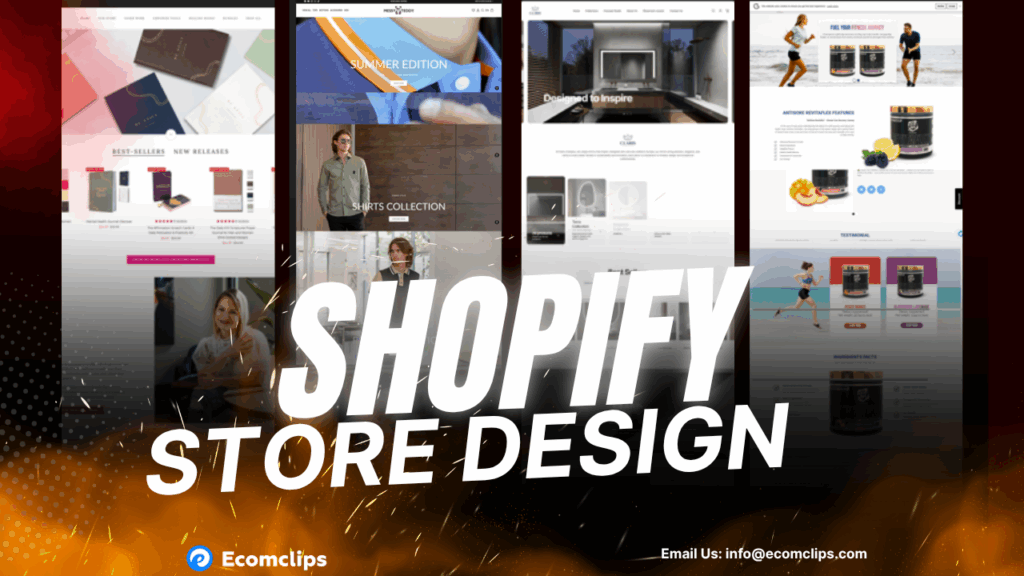
We’re more than consultants; we’re your growth partners. Our proven strategies and expertise will help you build a high-converting Shopify store that stands out.
Ready to grow your Shopify business?
Request a Free Shopify Audit or email us at info@ecomclips.com today.
Most Common Shopify Store Questions & Answers
1. How do I start a Shopify store?
Starting is simple. Sign up for Shopify, choose a theme, add products with descriptions and images, set up your payment gateway (Shopify Payments, PayPal, or others), configure shipping settings, and launch your store. You don’t need coding skills — everything is drag-and-drop.
2. How can I make my Shopify store faster?
Speed is critical for conversions. Optimize by:
- Using a lightweight theme
- Compressing and resizing images
- Removing unused apps or code
- Enabling lazy loading
- Using Shopify’s built-in CDN for faster delivery
A fast store keeps customers engaged and helps SEO rankings.
3. What’s the difference between Shopify plans?
Shopify has tiered pricing:
- Basic ($29/month): Great for small stores, includes essentials.
- Shopify ($79/month): Adds professional reports and better shipping discounts.
- Advanced ($399/month): Includes advanced reports and third-party shipping rates.
- Shopify Plus (from $2,000/month): Built for high-volume or enterprise businesses, with custom features and dedicated support.
4. Can I sell digital products on Shopify?
Yes. Shopify isn’t limited to physical products. You can sell ebooks, courses, music, software, or subscriptions. Use Shopify’s Digital Downloads app or third-party apps for file delivery, memberships, or recurring billing.
5. Do I need an FAQ page?
Absolutely. An FAQ page:
- Reduces support requests by answering common questions upfront
- Builds trust by showing transparency
- Improves SEO since customers often search questions directly
- Boosts conversions by removing doubts before checkout
6. How do I improve conversions on Shopify?
Conversion Rate Optimization (CRO) is key. Focus on:
- A clean, mobile-friendly design
- Clear CTAs (Add to Cart / Buy Now buttons)
- Fast checkout with fewer steps
- Customer reviews and testimonials
- Trust badges, return policies, and secure payment icons
7. Can Shopify handle high traffic?
Yes. Shopify is cloud-hosted and scales automatically. Even brands with thousands of daily orders run smoothly. Shopify Plus handles flash sales, product launches, and large events without downtime.
8. How does Shopify compare to Wix or WooCommerce?
- Shopify: Best for ecommerce, robust features, 24/7 support, and huge app ecosystem.
- Wix: Cheaper and easier for simple websites but limited ecommerce power.
- WooCommerce: Flexible and open-source but requires WordPress knowledge, hosting, and technical management.
For serious ecommerce growth, Shopify is usually the stronger choice.
Watch our video for more clarity: Shopify vs WooCommerce vs Wix (2025) – Which eCommerce Platform Should You Use?
9. Can agencies work with Shopify?
Yes. Agencies like Ecomclips work with Shopify through the Shopify Partner Program. This allows agencies to:
- Build and customize stores
- Manage migrations from other platforms
- Provide ongoing support and CRO
- Integrate apps and marketing tools
It’s perfect for clients who want experts handling store design, optimization, and growth.
10. How do I market my Shopify store?
Marketing is what drives traffic and sales. The best strategies include:
- SEO: Optimize product pages, blogs, and metadata for search engines
- Email Marketing: Build lists and run promotions or abandoned cart emails
- Social Media Ads: Facebook, Instagram, TikTok ads to reach new customers
- Google Shopping & PPC: Run product listing ads for targeted traffic
- Influencer & Affiliate Marketing: Partner with creators to expand reach